
CraterStats GUI
Northern Arizona University Senior Computer Science Capstone project.
This project is to create a Graphical User Interface for the current Craterstats3 command line program.
Installation
Due to the application still being in the alpha stage, the initialization for execution has environment requirements for running the application.
Windows/Mac Linux
Getting Started
Upon running the application you should be greeted with the home screen.
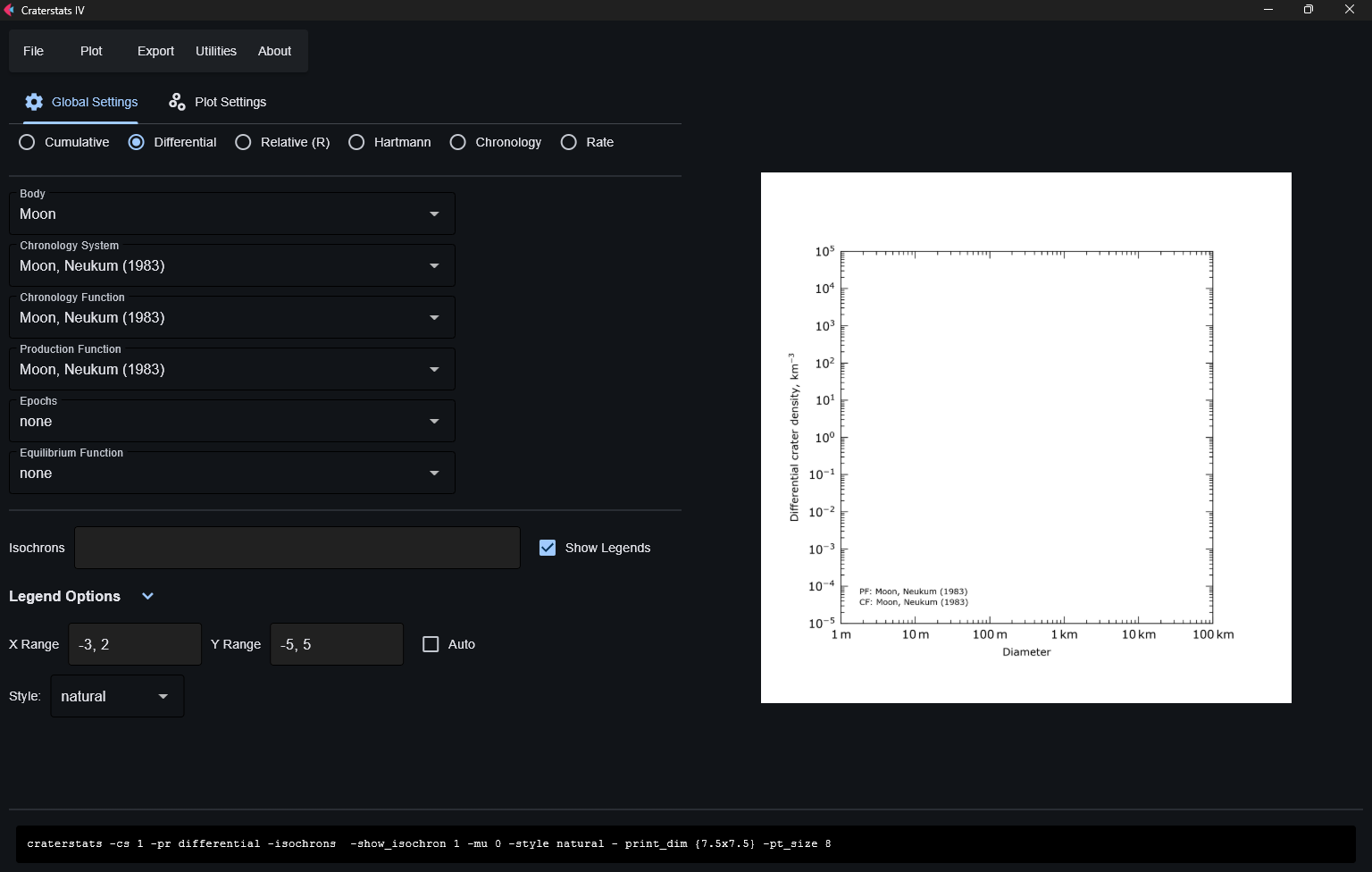
In the toolbar, you can select the "Open" button from the "File" dropdown list.
If you do not have your own plot configuration and data files, you can download samples here:
Configuration File
Data File
Disclaimer: CraterstatsGUI can only process .scc and .diam files at this stage in development.
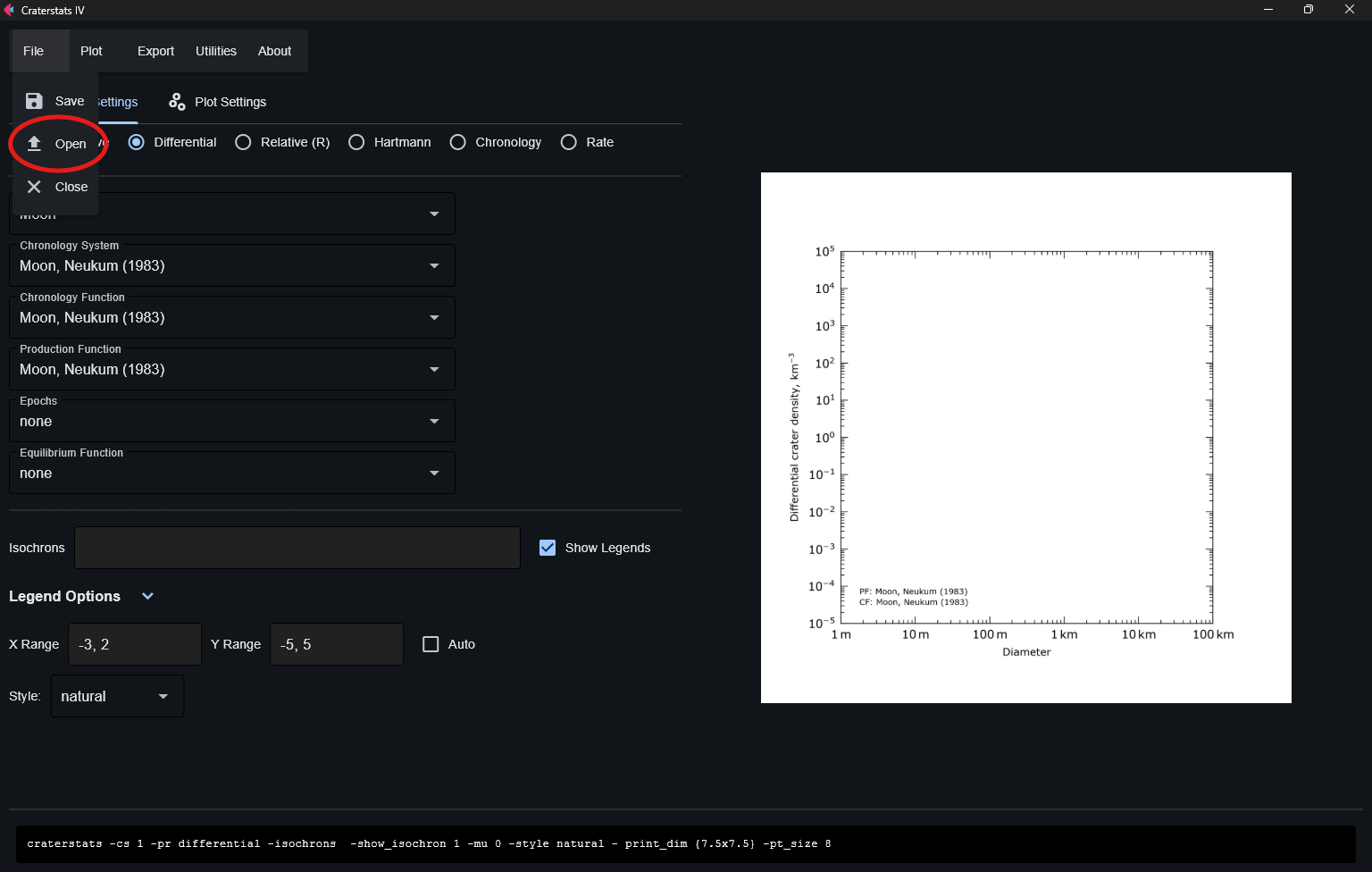
Select a plot configuration file.
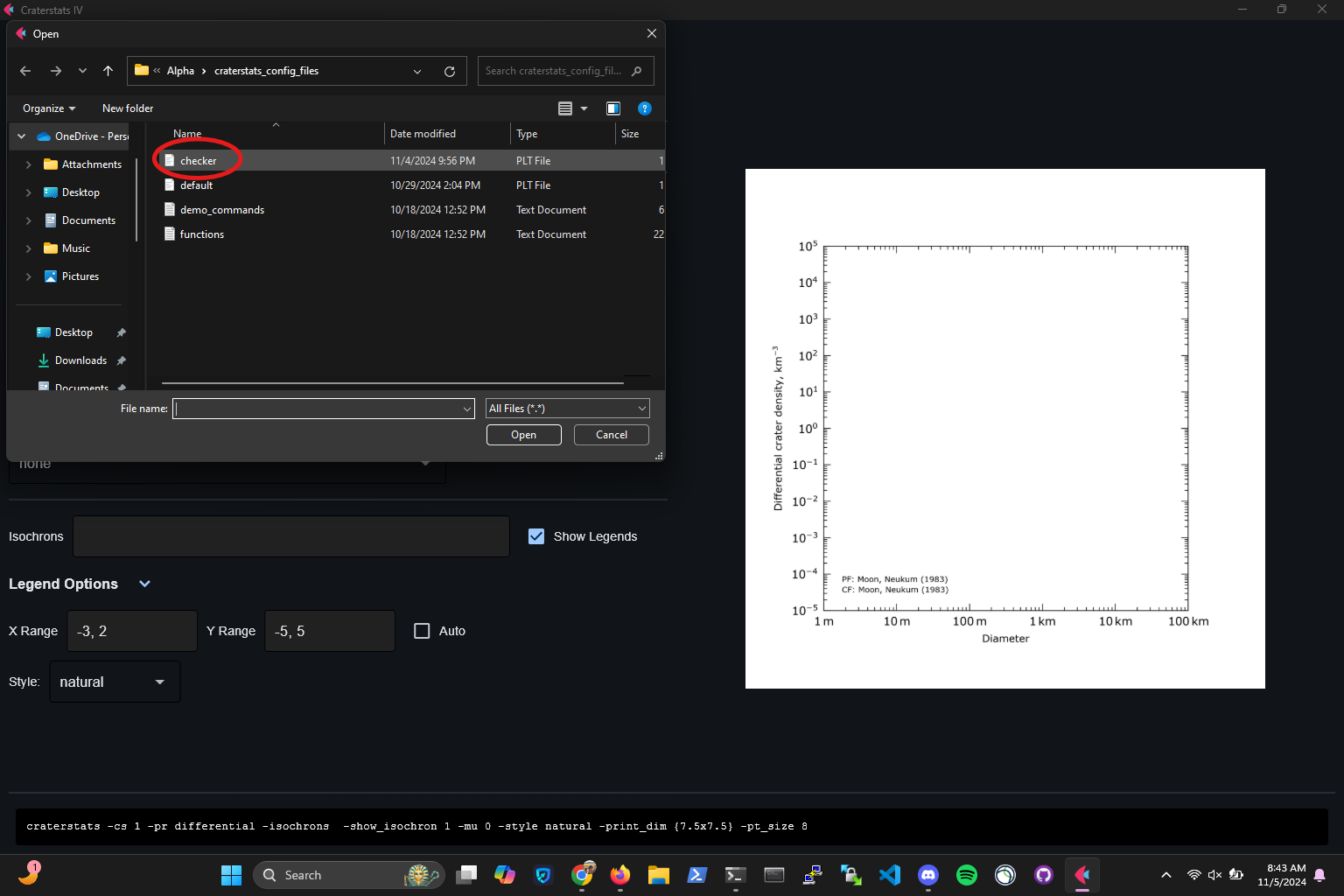
After uploading a configuration file select the Plot Settings tab
Upon opening the Plot Settings page, upload a source file by selecting "Browse"
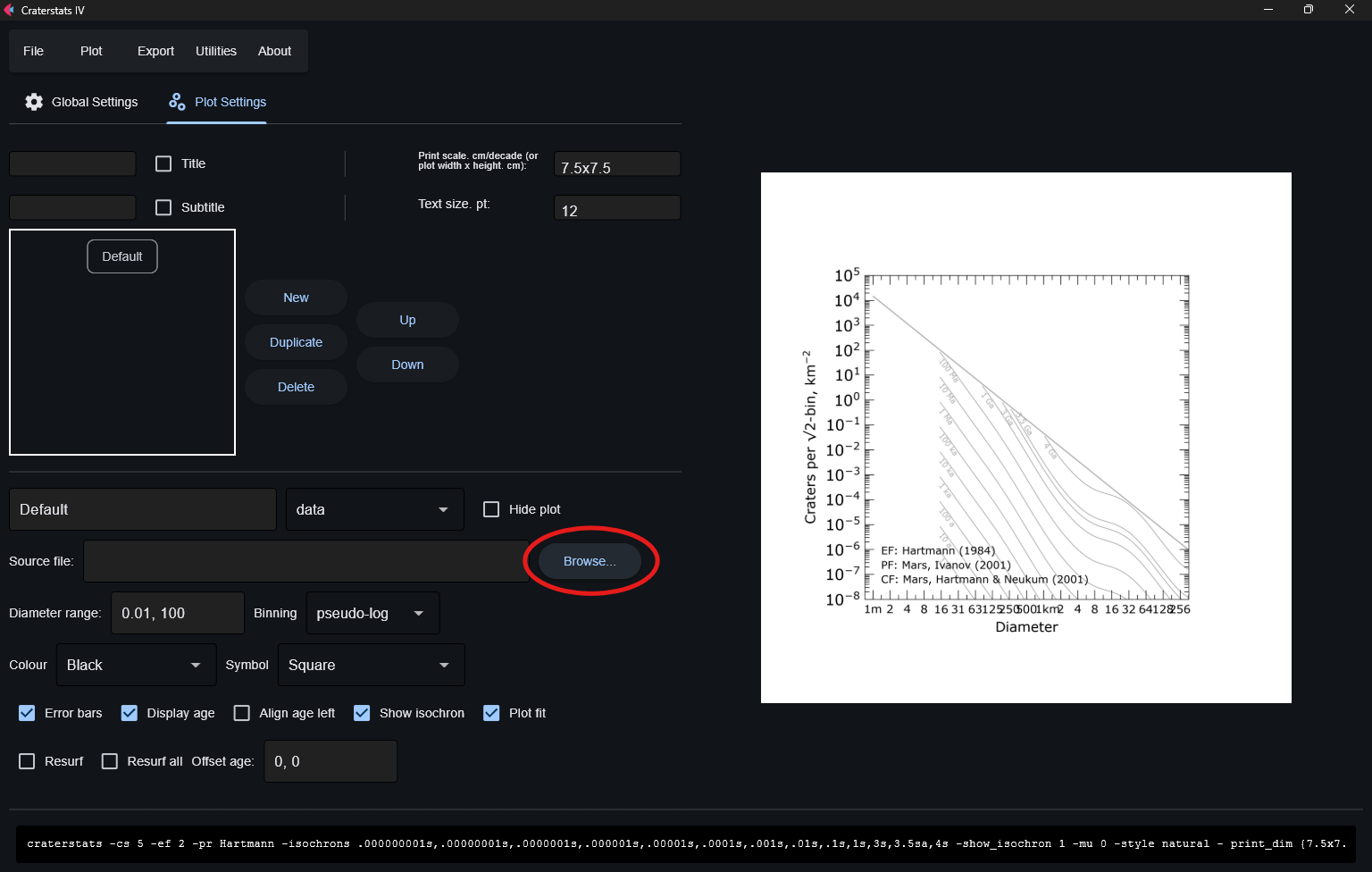
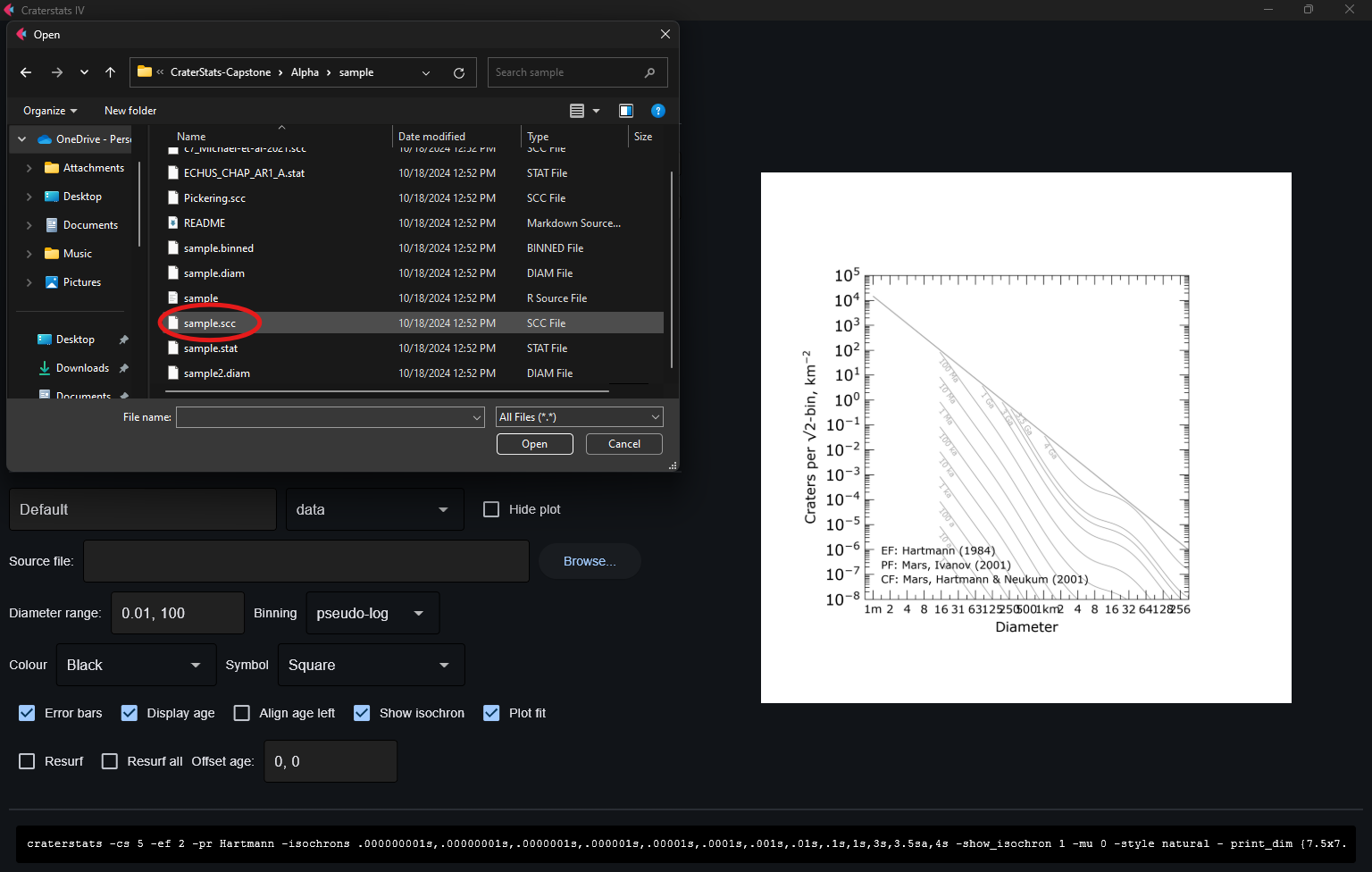
Select your source file
After upload, the application should be displaying your plot configuration
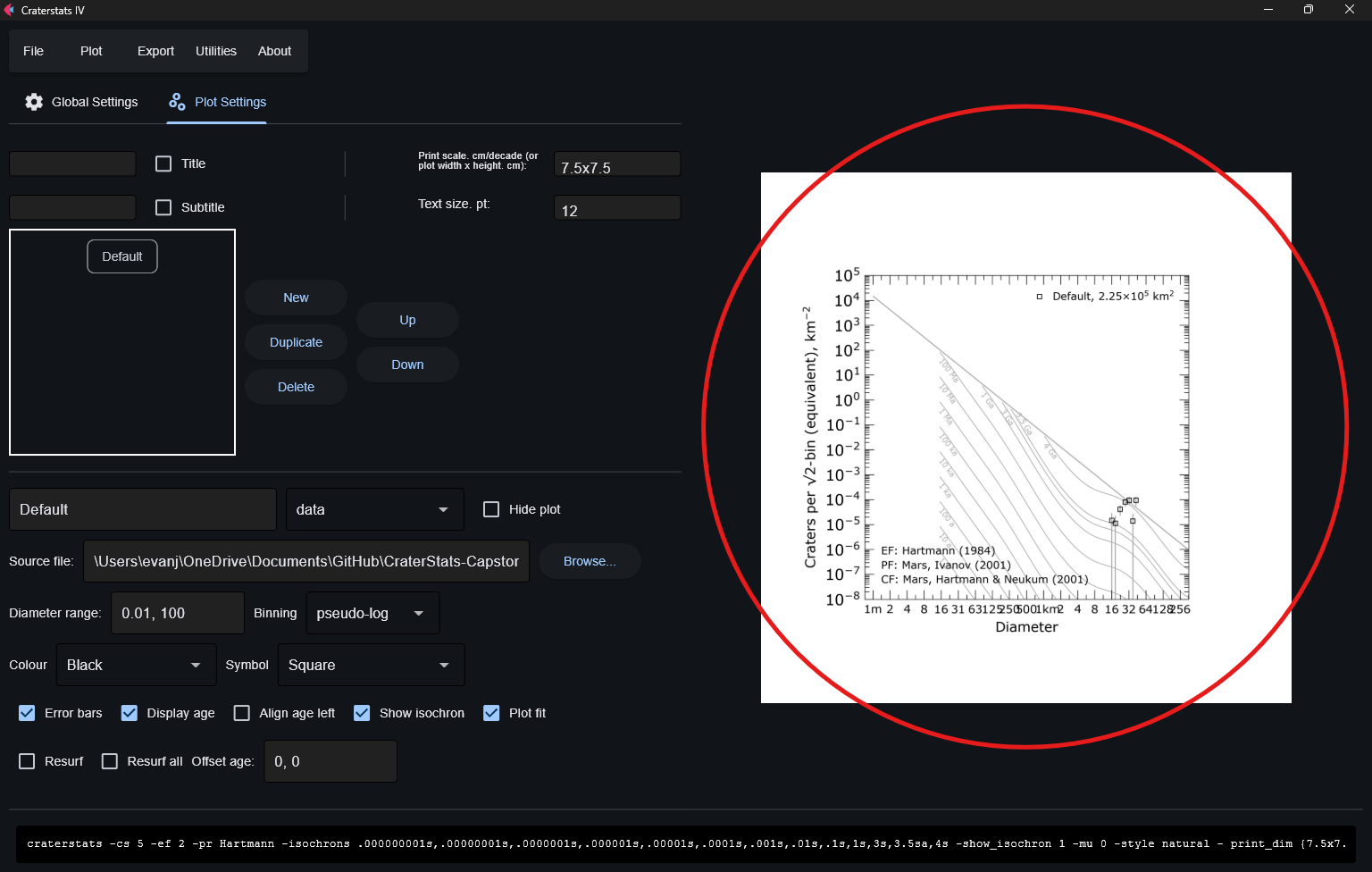
Happy Plotting!
References
Github of craterstats CLI program created and developed by Greg Michaels.
1 maintainer

Metadata
1 maintainer
Release files for craterstats-gui 1.0.1
For a detailed explanation of source distributions (sdists) and built distributions (wheels), please see the package formats documentation.
Source distribution (sdist)
| File | Size | Uploaded | Provenance | Actions |
|---|---|---|---|---|
| craterstats_gui-1.0.1.tar.gz | 933.9 kB | Without provenance | Details for craterstats_gui-1.0.1.tar.gz |
Built distribution (wheel)
| File | Interpreter | ABI | Platform | Actions Reset |
|---|---|---|---|---|
| craterstats_gui-1.0.1-py3-none-any.whl | Python 3 | none | any | Details for craterstats_gui-1.0.1-py3-none-any.whl |
Total release size: 1.9 MB
Release files / craterstats_gui-1.0.1.tar.gz
| Download URL | craterstats_gui-1.0.1.tar.gz |
|---|---|
| Size | 933.9 kB |
| Tags | Source |
|
SHA-256 checksum How to use checksums |
bf053c8bf02022da02c20f4ae447fbb84c7c4138d22bd0e37dc407851ae7cb6e
|
|
BLAKE2b-256 checksum How to use checksums |
fdc5dce34110cb439b94eaf53c8458b0b0870fbb80d94a544053a7f4c2ac84b9
|
| Upload date | |
|
Uploaded using Trusted Publishing? What is trusted publishing? |
No |
| Uploaded via |
twine/6.0.1 CPython/3.12.7
|
Release files / craterstats_gui-1.0.1-py3-none-any.whl
| Download URL | craterstats_gui-1.0.1-py3-none-any.whl |
|---|---|
| Size | 938.6 kB |
| Tags | Python 3 |
|
SHA-256 checksum How to use checksums |
beeba7517e5240201a7d4cb0aeb5cd8ac40bba2926f23bfc56841d96cb557fe6
|
|
BLAKE2b-256 checksum How to use checksums |
2c313b1f49688801c99fc818bf44ba3e8a74fc97c80fc75510fd6575790989a5
|
| Upload date | |
|
Uploaded using Trusted Publishing? What is trusted publishing? |
No |
| Uploaded via |
twine/6.0.1 CPython/3.12.7
|
Security for craterstats-gui 1.0.1
Provenance
Provenance describes where a file came from. On PyPI, provenance is shared via attestations, which provide a verifiable record of the build or publishing details. View details, limitations and caveats.
No provenance found
None of the files in this release were uploaded with provenance metadata.
A note on package security
PyPI is a repository for distributing packages, not a service for auditing them. While third-party security researchers and our staff do their best to detect and remove malicious packages, PyPI cannot guarantee the quality, security or suitability of any given package.
To learn more about protecting yourself from malicious actors, visit our package security documentation.














