
DebuggAI (debugg-ai-py)
Debugg AI's Python sdk for enabling your personal AI QA engineer
DebuggAI super‑charges engineers with an AI‑powered custom QA Engineer personalized to every user that finds and fixes bugs while your app runs locally, in production, or in CI. DebuggAI's Agent works with you in the background to generate, run, and improve your test suites to ensure that every PR is ready to go. Stop waiting for problems to pop up and build robust code without the big headache of managing your tests.


✨ Why DebuggAI?
Most AI coding tools focus on writing code. DebuggAI focuses on the other 50 % of an engineer’s life: getting it to run.
- AI Test Suites — We let you focus on the code while our QA engineering agent handles the rest. DebuggAI builds & runs test suites in the background to ensure old code continues to run and new code avoids possible edge cases BEFORE it gets to a PR, or worse to your users.
- 1‑line monitoring SDK — drop‑in client (Node, Python, Go) that captures rich runtime context remotely similar to Sentry or Datadog
- AI Debug — Errors are instantly sent to failure lines in your IDE so you can see what happened and why, making solving it easy.
- Instant Fix Suggestions — one‑click patches and PRs generated from stack‑trace + context
- Source‑map de‑minification — readable traces even for bundled / minified front‑end code
- Branch‑aware log search — slice errors by branch, release, or feature flag to zero in fast
📺 Demo - Get Instant Insight Into Runtime Issues
🔍 Typical workflows:
- You use your favorite AI agent to write code
- You run your app and it crashes (ah whyyyyy!)
- DebuggAI sees the error, grabs the full stack trace + context, and uses it to generate a solution & show you EXACTLY where to look
- You review the solution, edit it locally if needed, and apply it
🔍 How it works
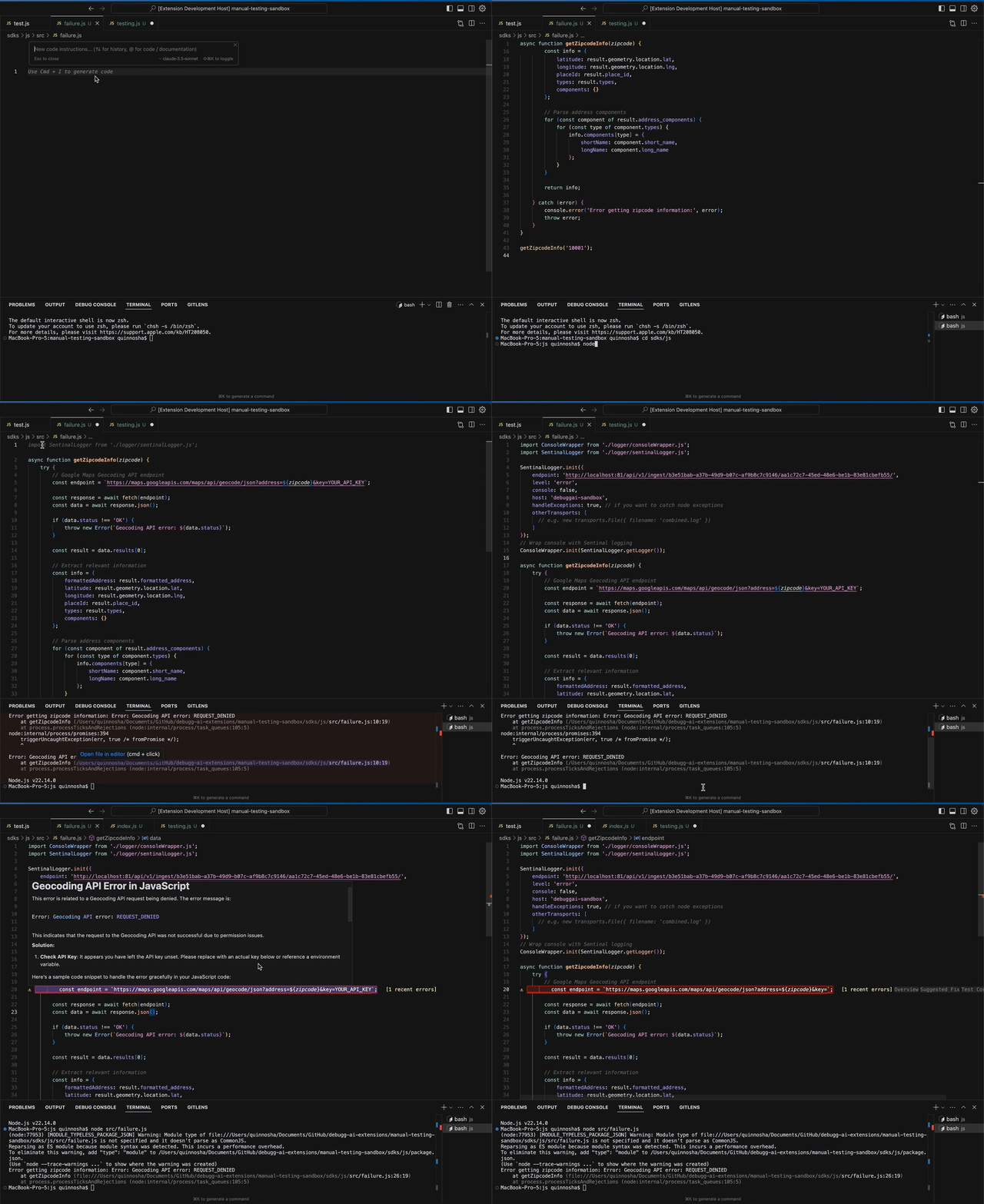
🖥️ Core IDE Features
| Feature | Description |
|---|---|
| Inline Issue Highlighter | See issues in realtime in your IDE, with full stack traces and suggested fixes |
| AI Test Generator | Go from 0 to 100% test coverage for files with a single command |
| Test iteration | Run & Improve tests in the background while you code |
| Future Proof | Continually add new tests as new errors arise to ensure your code is future proof |
🚀 Getting Started
-
Install the extension
- VS Code Marketplace
- Jetbrains coming soon
-
Create a project
-
Add the Python Logging SDK (using
pip)pip install debugg-ai-sdk
-
Initialize (one line):
-
Get the initialization code from the DebuggAI app
-
Initialize the SDK
  # app.py
  import debugg_ai_sdk
  debugg_ai_sdk.init(
   dsn=f"<your_project_dsn>",
   # Depends on your implementation but info level provides
   # more helpful context to the agents than ERROR-only.
   level='info',
   environment="local",
   # Readable name to differentiate local computers for engineers
   host_name="tj-home-desktop",
   # other optional params..
  )
-
Log errors
  class TestClass:
    def __init__(self):

        self.test_var = "test"

    def divide_by_zero(self):
        return 1 / 0

    def test_function():
        # Fundtion that pretends to do something
        logger.info("Doing something")

        test_class = TestClass()
        test_class.divide_by_zero()


  def main():
      logger.info("Hello, world!")

      test_function()

  if __name__ == "__main__":
      main()
-
-
Trigger an error – head back to the IDE and watch DebuggAI suggest a fix ⚡
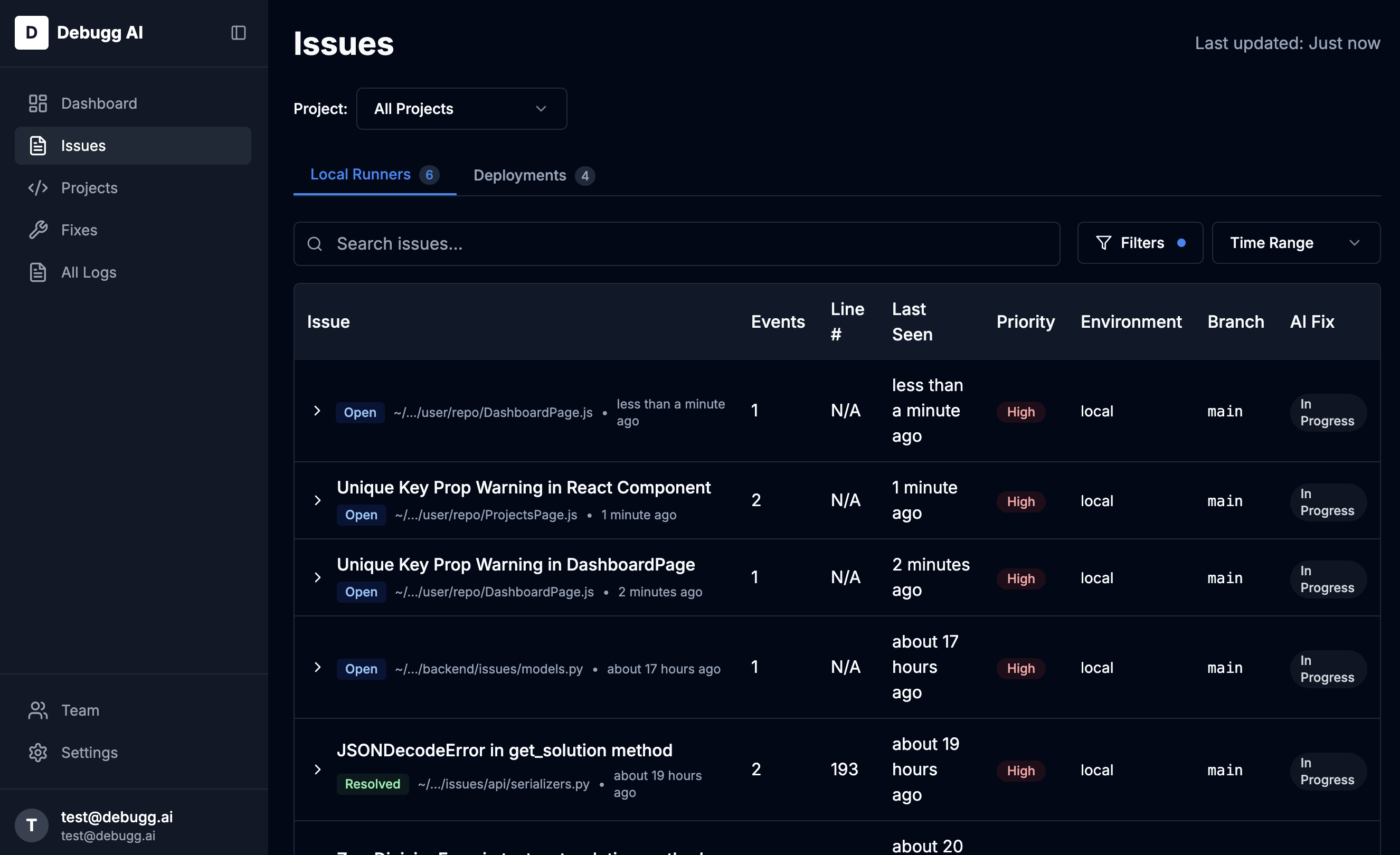
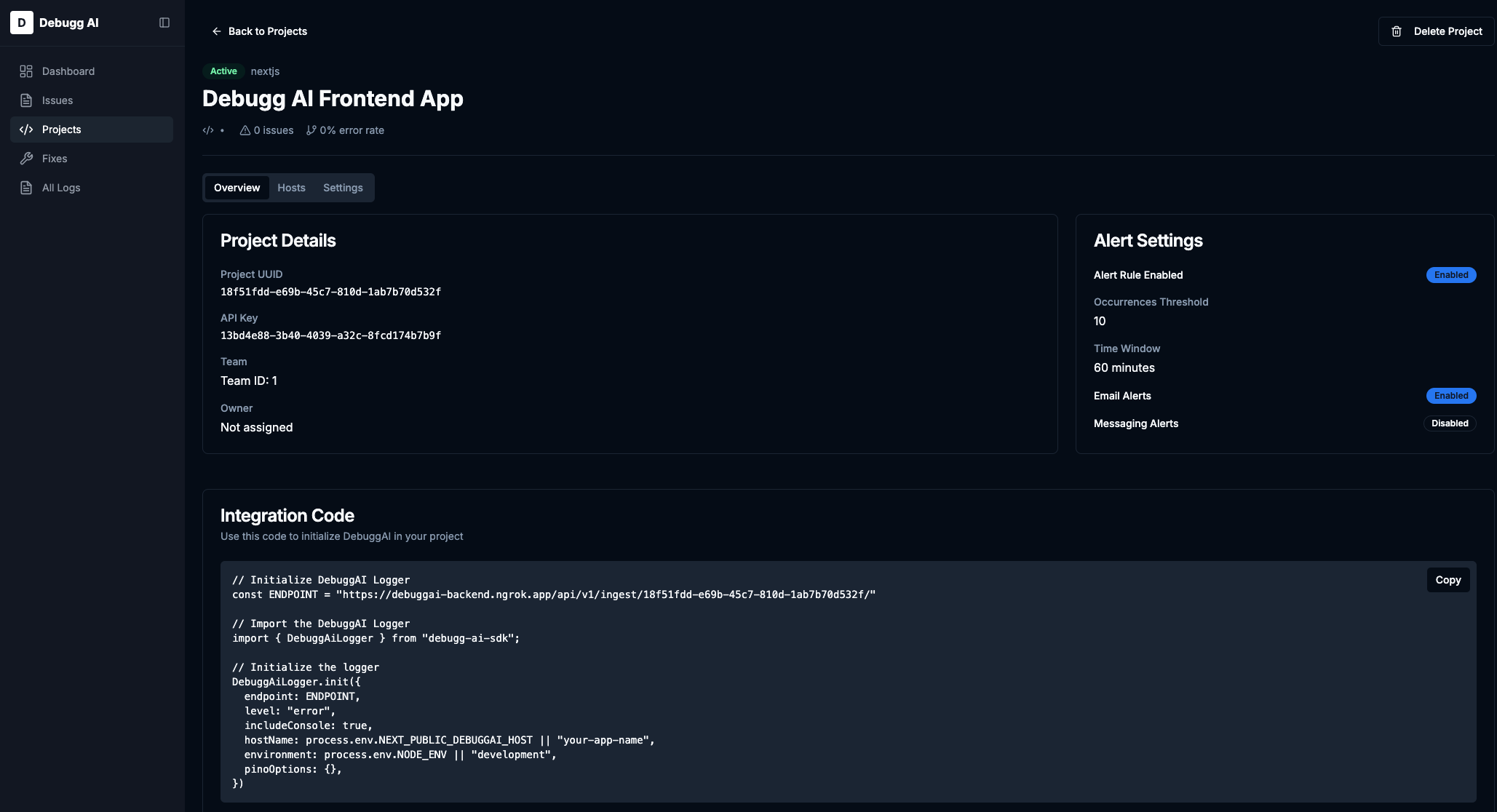
Full walkthrough ▶ docs.debugg.ai/getting-started
🛠️ Configuration
You can log in to your DebuggAI account directly in the extension, and then it will automatically connect to your project.
Contact & Support
If you have any questions or need personalized support:
- Email: support@debugg.ai
- Discord: Join our Discord community at DebuggAI Discord Server
- Documentation: Official DebuggAI Docs
🤝 Interested in Contributing?
We're looking to expand the DebuggAI team!
If you're interested in joining the team or contributing to the project, please reach out to us at hello@debugg.ai.
📜 License & Credits
- Code: MIT © 2025 Debugg, Inc.
- Foundation: proudly built on open-source technology.
Attribution
We at Debugg AI want to thank the open-source community for their contributions. Particularly Sentry for the work on this SDK. DebuggAI is building the first fully AI QA Engineer that can automatically generate test suites and highlight issues in your app, but Sentry continues to be a great option for Application Monitoring. Use both for the best results!
Metadata
Release files for debugg-ai-sdk 0.1.13
For a detailed explanation of source distributions (sdists) and built distributions (wheels), please see the package formats documentation.
Source distribution (sdist)
| File | Size | Uploaded | Provenance | Actions |
|---|---|---|---|---|
| debugg-ai-sdk-0.1.13.tar.gz | 275.1 kB | Without provenance | Details for debugg-ai-sdk-0.1.13.tar.gz |
Built distribution (wheel)
| File | Interpreter | ABI | Platform | Actions Reset |
|---|---|---|---|---|
| debugg_ai_sdk-0.1.13-py2.py3-none-any.whl | Python 2, Python 3 | none | any | Details for debugg_ai_sdk-0.1.13-py2.py3-none-any.whl |
Total release size: 619.1 kB
Release files / debugg-ai-sdk-0.1.13.tar.gz
| Download URL | debugg-ai-sdk-0.1.13.tar.gz |
|---|---|
| Size | 275.1 kB |
| Tags | Source |
|
SHA-256 checksum How to use checksums |
c16cddc3f81e77c34c9d7ab677aa58f951f6151d8128d8bc7bfb553a96a30d72
|
|
BLAKE2b-256 checksum How to use checksums |
bddeafed525e54f76e59203db0336d7b02e858411590796dd21f259d2fa74411
|
| Upload date | |
|
Uploaded using Trusted Publishing? What is trusted publishing? |
No |
| Uploaded via |
twine/6.1.0 CPython/3.11.6
|
Release files / debugg_ai_sdk-0.1.13-py2.py3-none-any.whl
| Download URL | debugg_ai_sdk-0.1.13-py2.py3-none-any.whl |
|---|---|
| Size | 344.0 kB |
| Tags | Python 2 Python 3 |
|
SHA-256 checksum How to use checksums |
35ef8e5ca139b8125dc195518f29a1a3fd8c537a5ab4e55bc4f6b5f89f39e904
|
|
BLAKE2b-256 checksum How to use checksums |
3580171de784821b1d3110767ae7ef5d10fc01dd7f1553a346a281e272cb9f43
|
| Upload date | |
|
Uploaded using Trusted Publishing? What is trusted publishing? |
No |
| Uploaded via |
twine/6.1.0 CPython/3.11.6
|
Security for debugg-ai-sdk 0.1.13
Provenance
Provenance describes where a file came from. On PyPI, provenance is shared via attestations, which provide a verifiable record of the build or publishing details. View details, limitations and caveats.
No provenance found
None of the files in this release were uploaded with provenance metadata.
A note on package security
PyPI is a repository for distributing packages, not a service for auditing them. While third-party security researchers and our staff do their best to detect and remove malicious packages, PyPI cannot guarantee the quality, security or suitability of any given package.
To learn more about protecting yourself from malicious actors, visit our package security documentation.














