
DirectSync




A simple and fast utility to compare/synchronize/mirror folder contents, completely free and open-sourceTM!
Demo
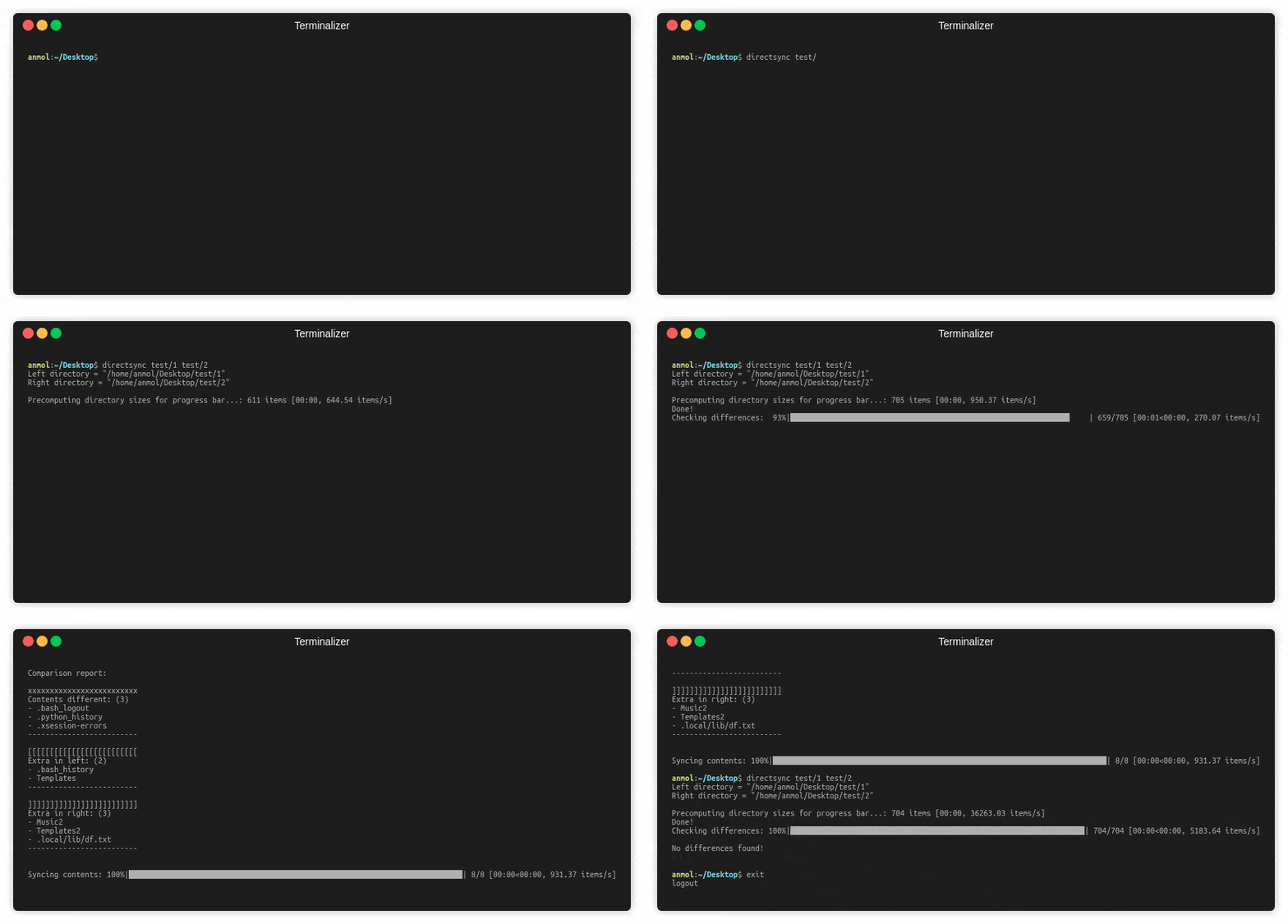
Usage:
directsync [-h] [-add] [-rm] [-ovr] [-mirr] [-trash] [-cache]
           [-latest] [-dry] [-no-bar]
           src-path dst-path

positional arguments:
src-path             The path of the source directory.
dst-path            The path of the destination directory.

optional arguments:
  -h, --help            show this help message and exit
  -add, --add-missing   Copy files from source which are absent in
                        destination.
  -rm, --remove-extra   Remove the files from destination which are absent in
                        source.
  -ovr, --overwrite-content
                        Overwrite the files having same name but different
                        content.
  -mirr, --mirror-contents
                        Make the destination directory exactly same as the
                        source. Shorthand for `-add -rm -ovr`.
  -trash, --use-trash   Send to trash/recycle bin while deleting/overwriting.
  -cache, --use-cache   Whether to use previously cached comparison-check
                        result from disk.
  -latest, --preserve-latest
                        Whether to use the last modified time while
                        comparing files with different content.
  -dry, --dry-run       Just simulate and report the file operations that will
                        be performed with the current configuration.
  -no-bar, --hide-progress-bar
                        Whether to hide the progress bar or not. Will result
                        in a huge speedup iff the 2 directories are structured
                        very differently.
Installation:
- Install Python 3 (>=3.5)
pip install directsync
ToDo:
- Give more fine-tuned control of file comparison algorithm to the user.
- Add
ignore-patternoption to let the user ignore certain files based on the regex pattern provided. - Add test cases.
- Add code coverage.
- Setup
toxandTravis CI. - Add coloured output.
- Handle nested structures with symlinks.
- Provide direct interface with online storage services.
- Add developer guidelines.
- Explore parallel processing.
- Add benchmarks.
Add demo.Addsimulateoption.Adduse-trashoption to send to recycle bin instead of delete/overwrite.Addcacheoption to cache the results of the previous difference check to disk.Addpreserve-latestoption: Among the 2 files, the one with the latest modification date should be preserved.
1 maintainer

Release files for directsync 2.0.0
For a detailed explanation of source distributions (sdists) and built distributions (wheels), please see the package formats documentation.
Source distribution (sdist)
| File | Size | Uploaded | |
|---|---|---|---|
| directsync-2.0.0.tar.gz | 10.5 kB | Details |
Release files / directsync-2.0.0.tar.gz
| Download URL | directsync-2.0.0.tar.gz |
|---|---|
| Size | 10.5 kB |
| Tags | Source |
|
SHA-256 checksum How to use checksums |
18409a3d3caa41b4dfe8f4f1f96060ad6ca5597d26cac5a4a9d6495de22a8d8d
|
|
BLAKE2b-256 checksum How to use checksums |
bfd245a1193f9272256a9102c828620189be2d8695acefe6a85565888c0b6a0d
|
| Upload date | |
|
Uploaded using Trusted Publishing? What is trusted publishing? |
No |
| Uploaded via |
twine/3.2.0 pkginfo/1.6.1 requests/2.25.0 setuptools/47.3.1 requests-toolbelt/0.9.1 tqdm/4.49.0 CPython/3.7.7
|














