
Django Admin Material
Modern template for Django Admin Interface coded on top of Material Dashboard, an open-source Boostrap 5 design from Creative-Tim.
Actively supported by AppSeed via
Discord.
Links & Resources
- UI Kit: Material Dashboard BS5
v3.0.5by Creative-Tim - Django Material Dashboard - free starter with the same design
- Django Material Dashboard - LIVE Demo
Black Friday - 75%OFF
The campaign is active until
30.NOVand applies to all products and licenses.

Why Django Admin Material
- Modern
Bootstrap 5Design Responsive InterfaceMinimal TemplateoverridingEasy integration
How to use it
Install the package via
PIP
$ pip install django-admin-material-dashboard
// OR
$ pip install git+https://github.com/app-generator/django-admin-material-dashboard.git
Add
admin_materialapplication to theINSTALLED_APPSsetting of your Django projectsettings.pyfile (note it should be beforedjango.contrib.admin):
    INSTALLED_APPS = (
        ...
        'admin_material.apps.AdminMaterialDashboardConfig',
        'django.contrib.admin',
    )
Add
LOGIN_REDIRECT_URLandEMAIL_BACKENDof your Django projectsettings.pyfile:
    LOGIN_REDIRECT_URL = '/'
    # EMAIL_BACKEND = 'django.core.mail.backends.smtp.EmailBackend'
    EMAIL_BACKEND = 'django.core.mail.backends.console.EmailBackend'
Add
admin_materialurls in your Django Projecturls.pyfile
    from django.urls import path, include

    urlpatterns = [
        ...
        path('', include('admin_material.urls')),
    ]
Collect static if you are in
production environment:
$ python manage.py collectstatic
Start the app
$ # Set up the database
$ python manage.py makemigrations
$ python manage.py migrate
$
$ # Create the superuser
$ python manage.py createsuperuser
$
$ # Start the application (development mode)
$ python manage.py runserver # default port 8000
Access the admin section in the browser: http://127.0.0.1:8000/
Screenshots
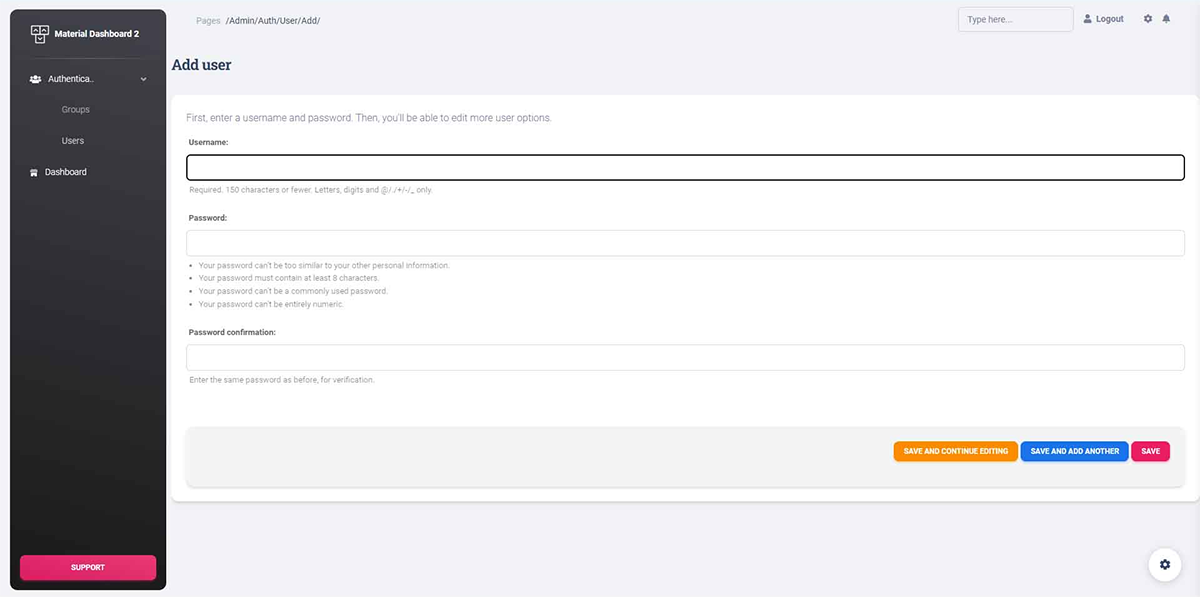
Material Dashboard Theme -
Admin Section
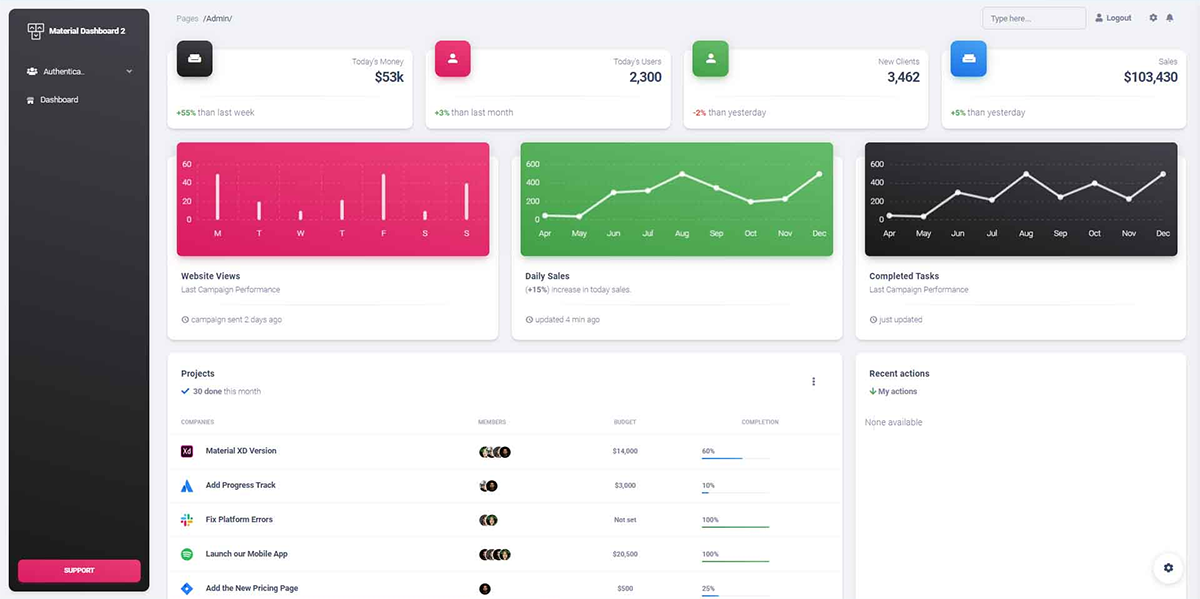
Material Dashboard Theme -
Admin Widgets
Django Admin Material - Modern Admin Interface provided by AppSeed
1 maintainer

Metadata
1 maintainer
Release files for django-admin-material-dashboard-rtl 1.0.0
For a detailed explanation of source distributions (sdists) and built distributions (wheels), please see the package formats documentation.
Source distribution (sdist)
| File | Size | Uploaded | Provenance | |
|---|---|---|---|---|
| django-admin-material-dashboard-rtl-1.0.0.tar.gz | 15.0 MB | Without provenance | Details |
Release files / django-admin-material-dashboard-rtl-1.0.0.tar.gz
| Download URL | django-admin-material-dashboard-rtl-1.0.0.tar.gz |
|---|---|
| Size | 15.0 MB |
| Tags | Source |
|
SHA-256 checksum How to use checksums |
d75bba5195dc6a2248c208c3294457a5eef9ff23dd9ad36e7e9c32bf242e0877
|
|
BLAKE2b-256 checksum How to use checksums |
817d64a3ef1b46242bdc75ce77852ebe24b264278af8bfbd19c69e19643a6f6a
|
| Upload date | |
|
Uploaded using Trusted Publishing? What is trusted publishing? |
No |
| Uploaded via |
twine/4.0.1 CPython/3.8.10
|
Security for django-admin-material-dashboard-rtl 1.0.0
Provenance
Provenance describes where a file came from. On PyPI, provenance is shared via attestations, which provide a verifiable record of the build or publishing details. View details, limitations and caveats.
No provenance found
None of the files in this release were uploaded with provenance metadata.
A note on package security
PyPI is a repository for distributing packages, not a service for auditing them. While third-party security researchers and our staff do their best to detect and remove malicious packages, PyPI cannot guarantee the quality, security or suitability of any given package.













