
Django API generator over DRF

Project description
Django API Generator
Simple tool that Generates Secure APIs on top of DRF with minimum effort - actively supported by App-Generator.
- Django - Build Services without Coding - video presentation
For a complete set of features and long-term support, check out Dynamic Django, a powerful starter that incorporates:
- Dynamic DataTables: using a single line of configuration, the data saved in any table is automatically managed
- Dynamic API: any model can become a secure API Endpoint using DRF
- Dynamic Charts: extract relevant charts without coding all major types are supported
- CSV Loader: translate CSV files into Django Models and (optional) load the information
- Powerful CLI Tools for the GIT interface, configuration editing, updating the configuration and database (create models, migrate DB)
Features
API engineprovided byDRF- Secured by
JWT Tokens(mutating requests) Minimal Configuration(single line in config for each model)Handles any modeldefined across the projectCRUDaccess logic:READis public (all items, get item by ID)Mutating requestsare protected byJWT Tokens
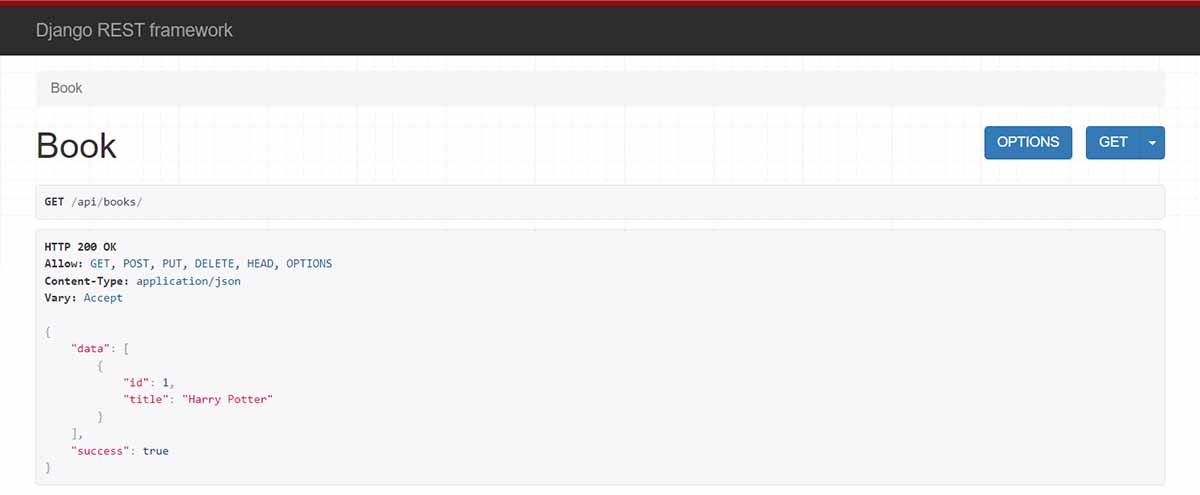
How to use it
Step #1 -
Install the package
$ pip install django-api-generator
// OR
$ pip install git+https://github.com/app-generator/django-api-generator.git
Step #2 -
Update Configuration, include the new APPs
INSTALLED_APPS = [
    'django_api_gen',            # Django API GENERATOR  # <-- NEW
    'rest_framework',            # Include DRF           # <-- NEW
    'rest_framework.authtoken',  # Include DRF Auth      # <-- NEW
]
Step #3 -
Register the modelincore/settings.py(API_GENERATOR section)
This sample code assumes that app1 exists and model Book is defined and migrated.
API_GENERATOR = {
    # pattern:
    # API_SLUG -> Import_PATH
    'books'  : "app1.models.Book",
}

REST_FRAMEWORK = {
    'DEFAULT_AUTHENTICATION_CLASSES': [
        'rest_framework.authentication.SessionAuthentication',
        'rest_framework.authentication.TokenAuthentication',
    ],
}
Step #4 -
Migrate DBand create the tables used byDRF
$ python manage.py makemigrations
$ python manage.py migrate
Step #5 -
Generate API
$ python manage.py generate-api
// OR
$ python manage.py generate-api -f # supress confirmation (forcing mode)
The code is generated under the api folder in the ROOT of the project. At each iteration the API code is overwritten.
Step #6 -
Update routing, include APIs
from django.contrib import admin
from django.urls import path, include                        # <-- UPD: 'include` directive
from rest_framework.authtoken.views import obtain_auth_token # <-- NEW

urlpatterns = [
    path("admin/", admin.site.urls),
    path("api/",   include("api.urls")),        # <-- NEW
    path('login/jwt/', view=obtain_auth_token), # <-- NEW
]
Step #7 -
Use API
If the managed model is Books, the API interface is /api/books/ and all CRUD methods are available.
Note: for mutating requests, the
JWT Tokenis provided byhttp://localhost:8000/login/jwt/route (the user should exist).
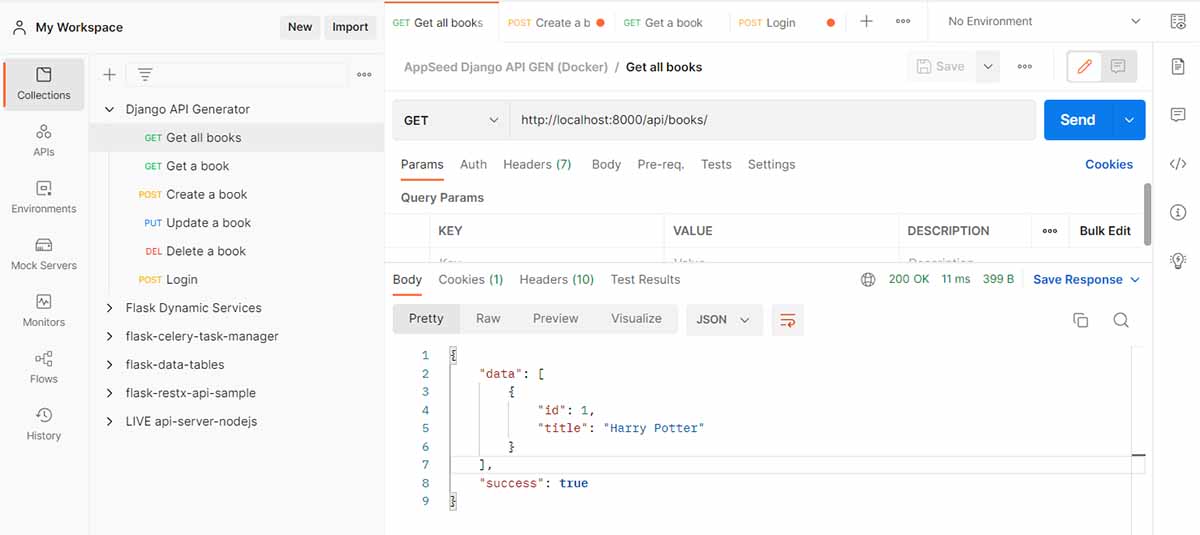
Links & resources
- DRF - HOMEpage
- More Developer Tools provided by
AppSeed - Ask for Support via
Email&Discord
Django API Generator - Open-source library provided by App-Generator
Release history Release notifications | RSS feed


Download files
Download the file for your platform. If you're not sure which to choose, learn more about installing packages.
Source Distribution
File details
Details for the file django-api-generator-1.0.18.tar.gz.
File metadata
- Download URL: django-api-generator-1.0.18.tar.gz
- Upload date:
- Size: 11.3 kB
- Tags: Source
- Uploaded using Trusted Publishing? No
- Uploaded via: twine/4.0.1 CPython/3.10.4
File hashes
| Algorithm | Hash digest | |
|---|---|---|
| SHA256 |
7668cde44aec6b8006142c4f8c9afbe3eb4469558ee02ef4be4009d00b4be08f
|
|
| MD5 |
4e46bb5d00d19274548190d9646cea9c
|
|
| BLAKE2b-256 |
2ed91a0f7e0113b2969b77661a74536e85a4ed74186c803abacf144e924a3e31
|






