


Features
Create insights for your app, store them in a SQLite database for further processing, these insights are written right next to your application logic.
Note:
Still working on some small things, extending tests and improving the documentation.
For now focus is on:
- Django 3.2 (LTS), 4.0,4.1 and 4.2;
- Python ≥ 3.8
Installation
Installing with:
pip install 'django-insights'
Usage
First create a insights.py file in your app directory, for example:
project
└── testapp
    └── insights.py
Each app can have it's own insignts.py file, these files are auto-discovered by Django Insights, so at any given location it would pick up your metrics.
In these insights files you write out any metric you would like to track. Each metric starts with a question and some values to store. Below is a example of the @metrics.counter function:
# project/testapp/insights.py
from django_insights.metrics import metrics
from project.testapp.models import Author

label = "Bookstore"

@metrics.counter(question="How many authors are there?")
def count_authors() -> int:
    return Author.objects.count()
Insight apps can have a label, this is used in the dashboard or can be read from insights_app table later on.
Settings
Add django_insights package, insights database and router to your settings
INSTALLED_APPS = [
    ...
    "django_insights",
]


DATABASES = {
    ...
    "insights": {"ENGINE": "django.db.backends.sqlite3", "NAME": "db/insights.db"},
    ...
}

DATABASE_ROUTERS = ['django_insights.database.Router']
Note: please make sure you exclude the database in your .gitignore file
Migrate insights database:
workon myapp
python manage.py migrate insights --database=insights
Now collect your insights
python manage.py collect_insights
You now have a database containing all insights from your application.
You can inspect this database yourself with sqlite3 db/insights.db - or - you can use the Django Insights dashboard.
Dashboard
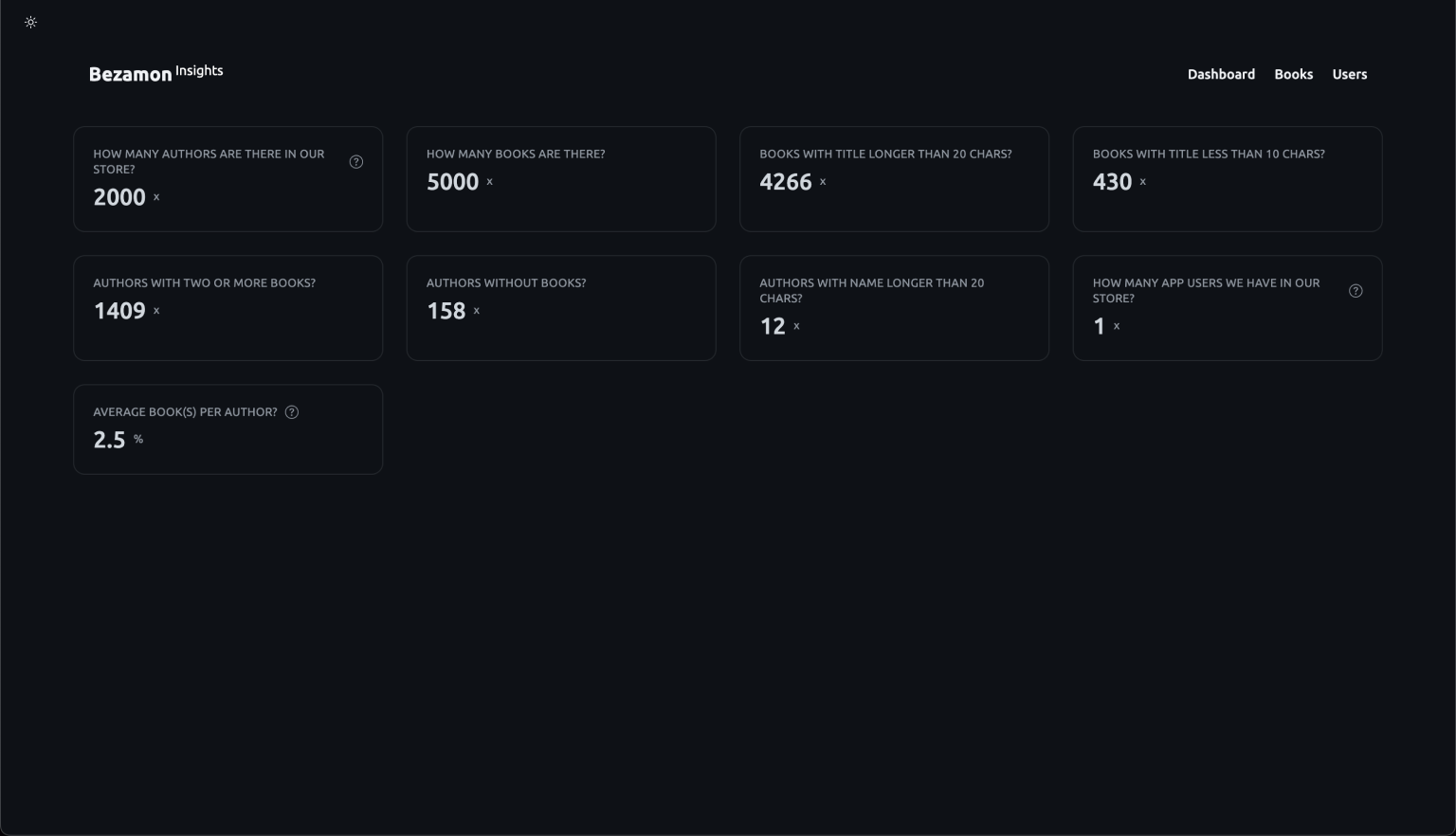
To enable this dashboard, add the following settings:
from django.urls import include, path

urlpatterns = [
    path(
        '/insights',
        include('django_insights.urls', namespace='insights'),
    ),
]
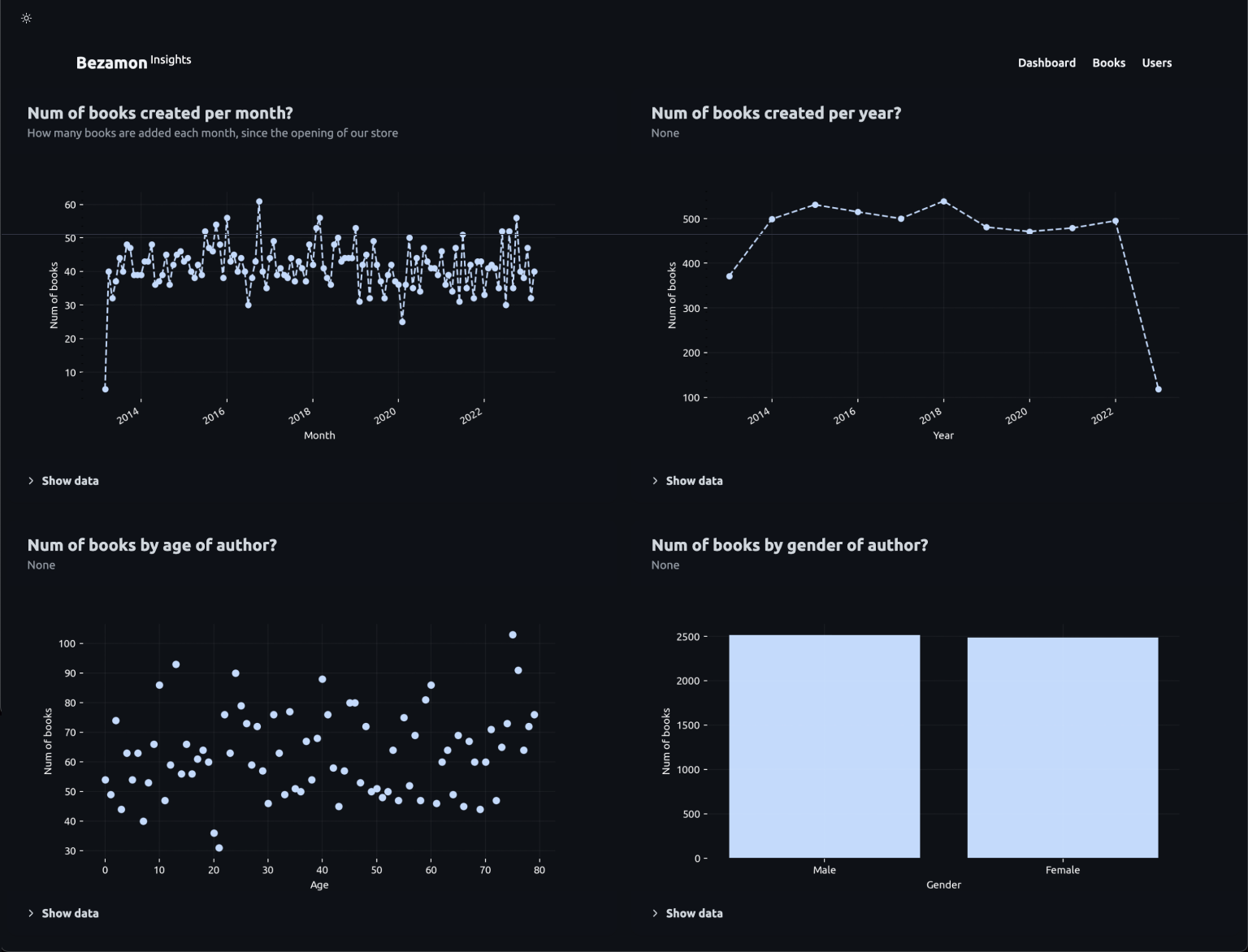
Now you can visit https://localhost:8000/insights to inspect your Django Insights database.
Metrics
Django insights contains 5 types of metrics it can collect:
@metrics.counter@metrics.gauge@metrics.timeseries@metrics.scatterplot@metrics.barchart
Counter:
from django_insights.metrics import metrics
from project.testapp.models import Author


@metrics.counter(question="How many authors are there?")
def count_authors() -> int:
    return Author.objects.count()
Gauge:
from django.db.models import Avg, Count

from django_insights.metrics import metrics
from project.testapp.models import Author


@metrics.gauge(question="Average book(s) per author?")
def avg_books_per_author() -> int:
    avg_total_books = (
        Author.objects.prefetch_related('books')
        .annotate(total_books=Count('books'))
        .aggregate(Avg('total_books'))
        .get('total_books__avg')
    )

    return avg_total_books
Timeseries:
from datetime import datetime

from django.db.models import Count
from django.db.models.functions import TruncMonth

from django_insights.metrics import metrics
from project.testapp.models import Book


@metrics.timeseries(
    question="Num of books created per month?",
    desc="How many books are added each month, since the opening of our store",
    xlabel="Month",
    xformat='%m',
    ylabel="Num of books",
)
def num_of_books_per_month() -> list[tuple[datetime, int]]:
    return (
        Book.objects.all()
        .annotate(month=TruncMonth('created'))
        .values('month')
        .filter(month__isnull=False)
        .annotate(total=Count('pk'))
        .values_list('month', 'total')
        .order_by('month')
    )
Scatterplot:
from datetime import datetime

from django.db.models import Count, Value

from django_insights.metrics import metrics
from project.testapp.models import Author


@metrics.scatterplot(
    question="Num of books by age of author?",
    xlabel="Age",
    ylabel="Num of books",
)
def author_age_vs_num_of_books() -> list[tuple[float, float, Any]]:
    return (
        Author.objects.values('age')
        .annotate(num_of_books=Count('books'), category=Value("author"))
        .values_list('num_of_books', 'age', 'category')
    )
Barchart:
from datetime import datetime

from django.db.models import Case, Count, Value, When

from django_insights.metrics import metrics
from project.testapp.models import Author


@metrics.barchart(
    question="Num of books by gender of author?",
    xlabel="Gender",
    ylabel="Num of books",
)
def author_gender_vs_num_of_books() -> list[tuple[float, float, str]]:
    return (
        Author.objects.values('gender')
        .annotate(
            num_of_books=Count('books'),
            gender_category=Case(
                When(gender=1, then=Value('Male')),
                When(gender=2, then=Value('Female')),
            ),
        )
        .values_list('num_of_books', 'gender', 'gender_category')
    )
Settings
# Custom app name
INSIGHTS_APP_NAME = "Bezamon"

# Quality of chart images
INSIGHTS_CHART_DPI = 180

# Default theme for dashboard
INSIGHTS_THEME = "dark"

# Change primary color of dashboard
INSIGHTS_CHART_LIGHT_PRIMARY_COLOR = "#2563EB"
INSIGHTS_CHART_DARK_PRIMARY_COLOR = "#BFDBFE"
Use-cases
Insights are gathered from your current application state, Django Insights is not intentend to be used as a realtime, incremementing data-source. You should be able to re-gather these insights from your actual data at any moment in time.
Yes:
- How many users, how many users invited a year
- How many reports a day, how many messages send on Wednesday's
No:
- How many GET request for url XXX a second
- Realtime profit target percentage
Background
I'm currently working at a small company that is in the process of renewing some parts of our product. To gain insight into the usage over different periods, we have tried a few solutions. We initially attempted to periodically generate CSV files from queries, as well as send data to a dashboard at regular intervals.
We ended up with many exports that where spread out over multiple people. Additionally, exporting data directly from the database also posed a security risk, as it required constant movement of possible sensitive information. After several months of working with CSV files, which were often outdated and required conversion by other (paid) tools, we where looking for a better solution.
I wanted an easy-to-configure file within our various apps that would allow me to create "insights" easily, so Django Insights was born. I decided to switch to a local SQLite database which could be share on request, as a plus these files can be tracked by a security officer.
Documentation
Write more about where to find documentation
Ideas
- Connect to other datasources and export to different file-formats ( ArrowFile?, NDJSON )
Is it any good?
License
The MIT License
1 maintainer

Metadata
1 maintainer
Release files for django-insights 0.1.8
For a detailed explanation of source distributions (sdists) and built distributions (wheels), please see the package formats documentation.
Source distribution (sdist)
| File | Size | Uploaded | Provenance | |
|---|---|---|---|---|
| django-insights-0.1.8.tar.gz | 639.9 kB | Without provenance | Details |
Built distribution (wheel)
| File | Interpreter | ABI | Platform | Reset |
|---|---|---|---|---|
| django_insights-0.1.8-py2.py3-none-any.whl | Python 2, Python 3 | none | any | Details |
Total release size: 867.8 kB
Release files / django-insights-0.1.8.tar.gz
| Download URL | django-insights-0.1.8.tar.gz |
|---|---|
| Size | 639.9 kB |
| Tags | Source |
|
SHA-256 checksum How to use checksums |
d7649c7ad410ded0165a00b64b9cd4519e4fcbf6cdcee426d00e2624cc7fb624
|
|
BLAKE2b-256 checksum How to use checksums |
56cfd14da2d126a6d715488925b77878378618a1f53e80f09165311b77f05a13
|
| Upload date | |
|
Uploaded using Trusted Publishing? What is trusted publishing? |
No |
| Uploaded via |
python-requests/2.28.2
|
Release files / django_insights-0.1.8-py2.py3-none-any.whl
| Download URL | django_insights-0.1.8-py2.py3-none-any.whl |
|---|---|
| Size | 227.9 kB |
| Tags | Python 2 Python 3 |
|
SHA-256 checksum How to use checksums |
1d160974456adb6b0b4ac074f44c49d9e9255a25405dae39606be49b0652e2cf
|
|
BLAKE2b-256 checksum How to use checksums |
395db9e6fa03e2516b4ff82d467ed04c6fcc9c32cbab6a41748e9f5c2cb59b12
|
| Upload date | |
|
Uploaded using Trusted Publishing? What is trusted publishing? |
No |
| Uploaded via |
python-requests/2.28.2
|
Security for django-insights 0.1.8
Provenance
Provenance describes where a file came from. On PyPI, provenance is shared via attestations, which provide a verifiable record of the build or publishing details. View details, limitations and caveats.
No provenance found
None of the files in this release were uploaded with provenance metadata.
A note on package security
PyPI is a repository for distributing packages, not a service for auditing them. While third-party security researchers and our staff do their best to detect and remove malicious packages, PyPI cannot guarantee the quality, security or suitability of any given package.














