
[](https://travis-ci.org/vinitkumar/django-geoip-redirection)
Django-geoip-redirection
========================
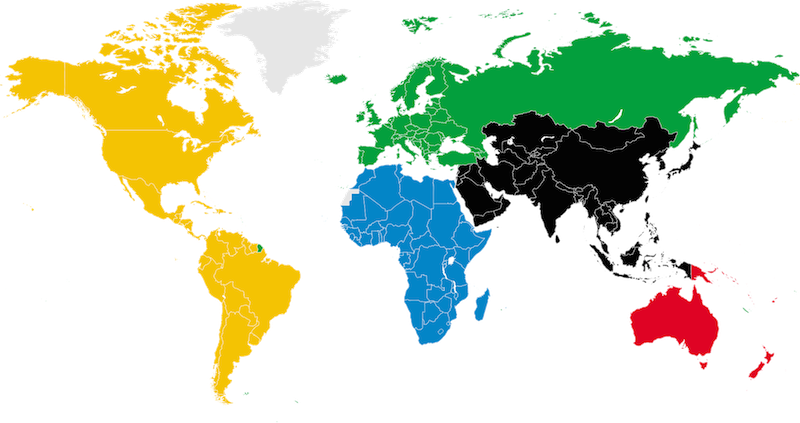
GeoIP based redirection is awesome and achieving it isn't too hard either. I wrote this middleware
to ensure that my website would get redirected properly with regards to the location of the user
accessing the website.
## Usage:
Add the middleware in your settings file:
```python
MIDDLEWARE_CLASSES = (
'django.contrib.sessions.middleware.SessionMiddleware',
'django.middleware.csrf.CsrfViewMiddleware',
'django.contrib.auth.middleware.AuthenticationMiddleware',
'django.contrib.messages.middleware.MessageMiddleware',
'cms.middleware.language.LanguageCookieMiddleware',
'django_geoip_redirection.middleware.LocationMiddleWare',
)
```
Also add `django_geoip_redirection` to INSTALLED APPS:
```python
INSTALLED_APPS = (
'django_geoip_redirection',
....
)
```
## Customization:
```python
# Change the array for extension as per country you
# have to support
if request.path[:4] in ["/en/", "/nl/", "/in/"]:
return None
if 'HTTP_X_FORWARDED_FOR' in request.META:
request.META['REMOTE_ADDR'] = request.META['HTTP_X_FORWARDED_FOR']
ip_address = request.META['REMOTE_ADDR']
# get country name using Maxmind database.
# Now, just match and redirect.
# Likewise, replace the name of country to match and redirect.
country = get_country_request(ip_address)
if country == "India":
return HttpResponseRedirect('/in/')
elif country == "Netherlands":
return HttpResponseRedirect('/nl/')
else:
return HttpResponseRedirect('/en/')
return None
```
You would also need to place the `GeoIP.dat.dat` present inside the data folder to
your project root directory.
Django-geoip-redirection
========================

GeoIP based redirection is awesome and achieving it isn't too hard either. I wrote this middleware
to ensure that my website would get redirected properly with regards to the location of the user
accessing the website.
## Usage:
Add the middleware in your settings file:
```python
MIDDLEWARE_CLASSES = (
'django.contrib.sessions.middleware.SessionMiddleware',
'django.middleware.csrf.CsrfViewMiddleware',
'django.contrib.auth.middleware.AuthenticationMiddleware',
'django.contrib.messages.middleware.MessageMiddleware',
'cms.middleware.language.LanguageCookieMiddleware',
'django_geoip_redirection.middleware.LocationMiddleWare',
)
```
Also add `django_geoip_redirection` to INSTALLED APPS:
```python
INSTALLED_APPS = (
'django_geoip_redirection',
....
)
```
## Customization:
```python
# Change the array for extension as per country you
# have to support
if request.path[:4] in ["/en/", "/nl/", "/in/"]:
return None
if 'HTTP_X_FORWARDED_FOR' in request.META:
request.META['REMOTE_ADDR'] = request.META['HTTP_X_FORWARDED_FOR']
ip_address = request.META['REMOTE_ADDR']
# get country name using Maxmind database.
# Now, just match and redirect.
# Likewise, replace the name of country to match and redirect.
country = get_country_request(ip_address)
if country == "India":
return HttpResponseRedirect('/in/')
elif country == "Netherlands":
return HttpResponseRedirect('/nl/')
else:
return HttpResponseRedirect('/en/')
return None
```
You would also need to place the `GeoIP.dat.dat` present inside the data folder to
your project root directory.
1 maintainer

Release files for django_geoip_redirection 0.1.3
For a detailed explanation of source distributions (sdists) and built distributions (wheels), please see the package formats documentation.
Source distribution (sdist)
| File | Size | Uploaded | |
|---|---|---|---|
| django_geoip_redirection-0.1.3.tar.gz | 3.9 kB | Details |
Release files / django_geoip_redirection-0.1.3.tar.gz
| Download URL | django_geoip_redirection-0.1.3.tar.gz |
|---|---|
| Size | 3.9 kB |
| Tags | Source |
|
SHA-256 checksum How to use checksums |
086ec69621c7f6e014ad5f59b40a288cd2bddcb58ea872fe97ddb97b1b1bbeaf
|
|
BLAKE2b-256 checksum How to use checksums |
ef4aafd7795da44001e9a2242afd030873deb1f8e1f8f89ca06d4c6a8c299996
|
| Upload date | |
|
Uploaded using Trusted Publishing? What is trusted publishing? |
No |














