
drf-yasg-edge - Yet another Swagger generator



NOTE: this is a modified version based on drf-yasg for myself usage!
New Features
新增: 增加 TYPE_ENUM 用来自定义增加 x-enum 类型,后面将支持 Django 3 的 TextChoices
新增: 增加 ENABLE_SPEC_VALIDATOR 选项,默认禁用 spec validation. 因为自定义的 x-enum 通不过
变更: 默认允许输出Unicode 字面量
优化: 源代码增加类型声明
Generate real Swagger/OpenAPI 2.0 specifications from a Django Rest Framework API.
Compatible with
Django Rest Framework: 3.10
Django: 2.2
Python: 3.7, 3.8
Only the latest patch version of each major.minor series of Python, Django and Django REST Framework is supported.
Only the latest version of drf-yasg is supported. Support of old versions is dropped immediately with the release of a new version. Please do not create issues before upgrading to the latest release available at the time. Regression reports are accepted and will be resolved with a new release as quickly as possible. Removed features will usually go through a deprecation cycle of a few minor releases.
Resources:
Documentation: https://drf-yasg.readthedocs.io/
Changelog: https://drf-yasg.readthedocs.io/en/stable/changelog.html
Live demo: https://drf-yasg-demo.herokuapp.com/

Features
full support for nested Serializers and Schemas
response schemas and descriptions
model definitions compatible with codegen tools
customization hooks at all points in the spec generation process
JSON and YAML format for spec
bundles latest version of swagger-ui and redoc for viewing the generated documentation
schema view is cacheable out of the box
generated Swagger schema can be automatically validated by swagger-spec-validator
supports Django REST Framework API versioning with URLPathVersioning and NamespaceVersioning; other DRF or custom versioning schemes are not currently supported
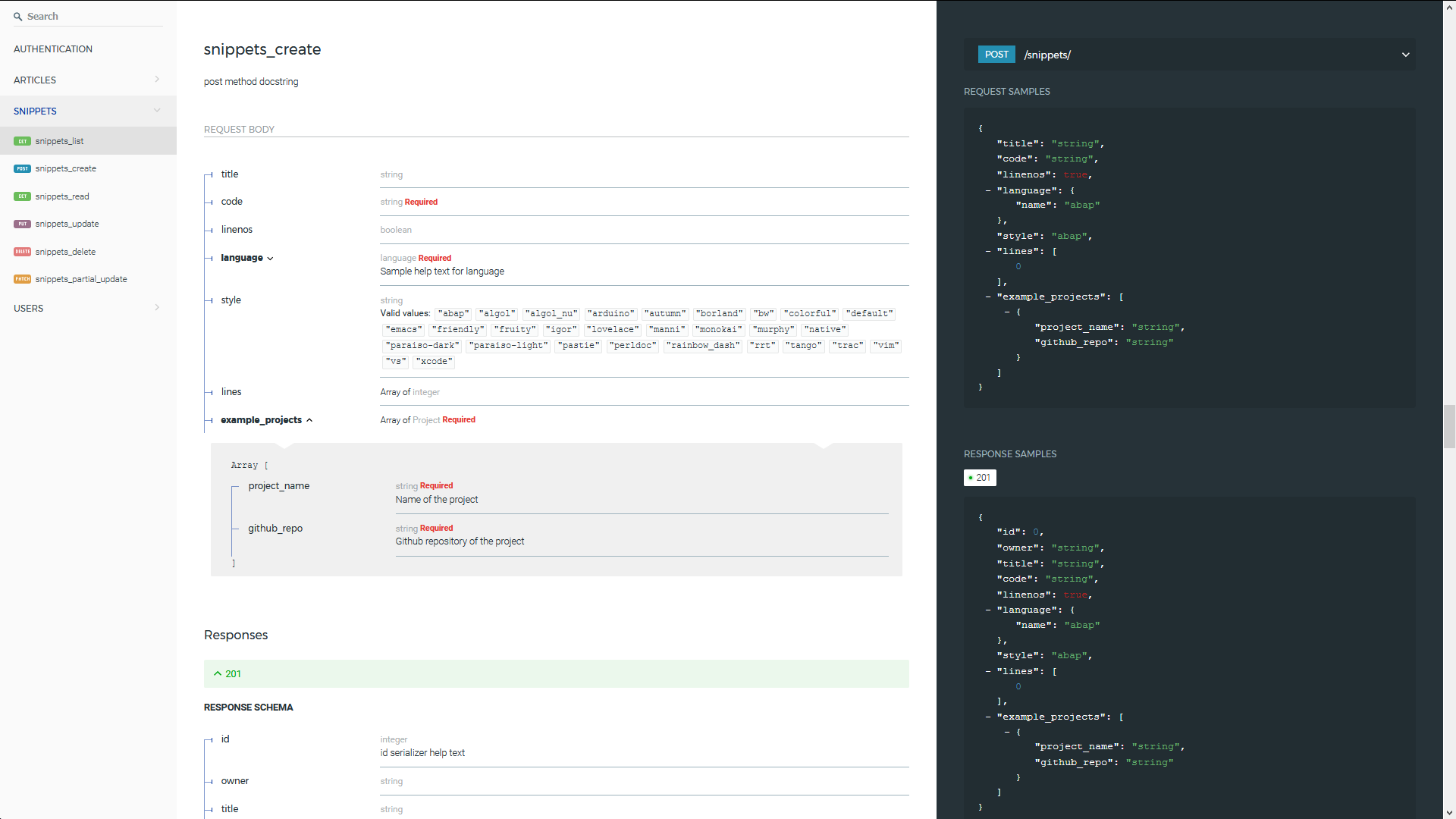
Fully nested request and response schemas.
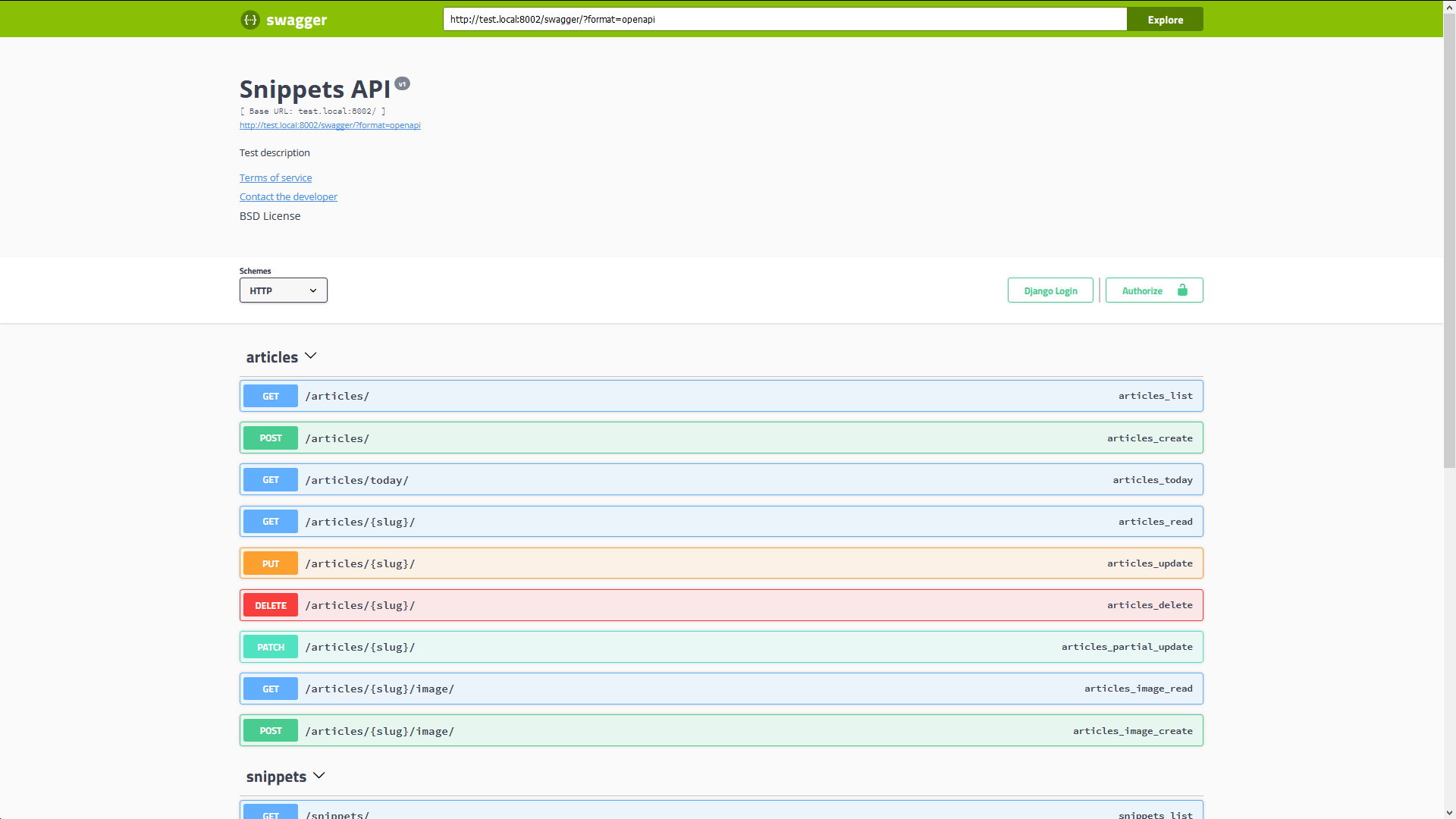
Choose between redoc and swagger-ui.
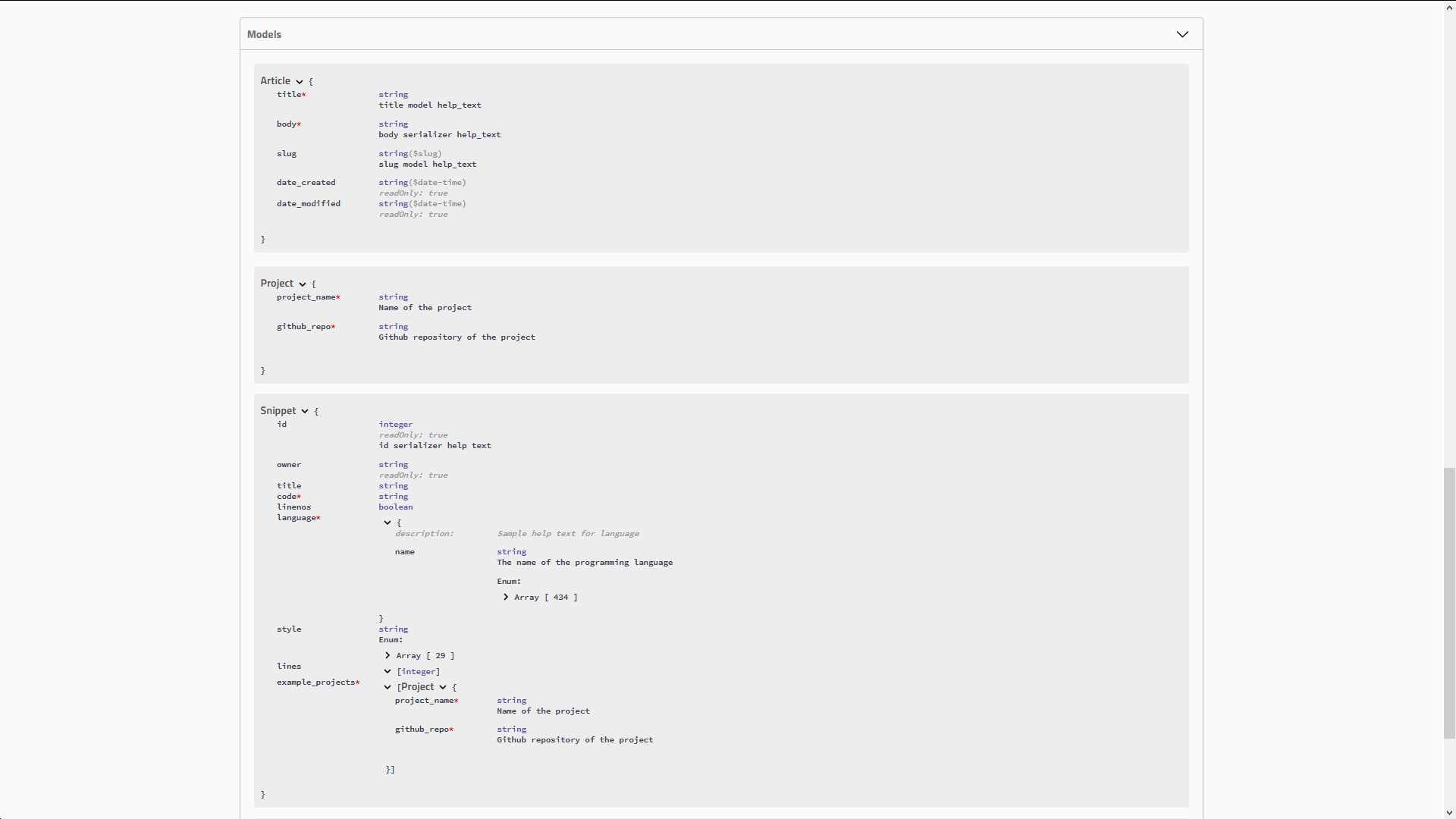
Real Model definitions.
Table of contents
Usage
0. Installation
The preferred instalation method is directly from pypi:
pip install -U drf-yasg-edgeAdditionally, if you want to use the built-in validation mechanisms (see 4. Validation), you need to install some extra requirements:
pip install -U drf-yasg-edge[validation]1. Quickstart
In settings.py:
INSTALLED_APPS = [
   ...
   'drf_yasg',
   ...
]
In urls.py:
...
from rest_framework import permissions
from drf_yasg.views import get_schema_view
from drf_yasg import openapi

...

schema_view = get_schema_view(
   openapi.Info(
      title="Snippets API",
      default_version='v1',
      description="Test description",
      terms_of_service="https://www.google.com/policies/terms/",
      contact=openapi.Contact(email="contact@snippets.local"),
      license=openapi.License(name="BSD License"),
   ),
   public=True,
   permission_classes=(permissions.AllowAny,),
)

urlpatterns = [
   url(r'^swagger(?P<format>\.json|\.yaml)$', schema_view.without_ui(cache_timeout=0), name='schema-json'),
   url(r'^swagger/$', schema_view.with_ui('swagger', cache_timeout=0), name='schema-swagger-ui'),
   url(r'^redoc/$', schema_view.with_ui('redoc', cache_timeout=0), name='schema-redoc'),
   ...
]
This exposes 4 endpoints:
A JSON view of your API specification at /swagger.json
A YAML view of your API specification at /swagger.yaml
A swagger-ui view of your API specification at /swagger/
A ReDoc view of your API specification at /redoc/
2. Configuration
a. get_schema_view parameters
info - Swagger API Info object; if omitted, defaults to DEFAULT_INFO
url - API base url; if left blank will be deduced from the location the view is served at
patterns - passed to SchemaGenerator
urlconf - passed to SchemaGenerator
public - if False, includes only endpoints the current user has access to
validators - a list of validator names to apply on the generated schema; only ssv is currently supported
generator_class - schema generator class to use; should be a subclass of OpenAPISchemaGenerator
authentication_classes - authentication classes for the schema view itself
permission_classes - permission classes for the schema view itself
b. SchemaView options
SchemaView.with_ui(renderer, cache_timeout, cache_kwargs)- get a view instance using the specified UI renderer; one of swagger, redocSchemaView.without_ui(cache_timeout, cache_kwargs)- get a view instance with no UI renderer; same as as_cached_view with no kwargsSchemaView.as_cached_view(cache_timeout, cache_kwargs, **initkwargs)- same as as_view, but with optional cachingyou can, of course, call
as_viewas usual
All of the first 3 methods take two optional arguments, cache_timeout and cache_kwargs; if present,
these are passed on to Django’s cached_page decorator in order to enable caching on the resulting view.
See 3. Caching.
c. SWAGGER_SETTINGS and REDOC_SETTINGS
Additionally, you can include some more settings in your settings.py file. See https://drf-yasg.readthedocs.io/en/stable/settings.html for details.
3. Caching
Since the schema does not usually change during the lifetime of the django process, there is out of the box support for caching the schema view in-memory, with some sane defaults:
caching is enabled by the cache_page decorator, using the default Django cache backend, can be changed using the cache_kwargs argument
HTTP caching of the response is blocked to avoid confusing situations caused by being shown stale schemas
the cached schema varies on the Cookie and Authorization HTTP headers to enable filtering of visible endpoints according to the authentication credentials of each user; note that this means that every user accessing the schema will have a separate schema cached in memory.
4. Validation
Given the numerous methods to manually customize the generated schema, it makes sense to validate the result to ensure
it still conforms to OpenAPI 2.0. To this end, validation is provided at the generation point using python swagger
libraries, and can be activated by passing validators=['ssv'] to get_schema_view; if the generated
schema is not valid, a SwaggerValidationError is raised by the handling codec.
Warning: This internal validation can slow down your server. Caching can mitigate the speed impact of validation.
The provided validation will catch syntactic errors, but more subtle violations of the spec might slip by them. To ensure compatibility with code generation tools, it is recommended to also employ one or more of the following methods:
swagger-ui validation badge
Online
If your schema is publicly accessible, swagger-ui will automatically validate it against the official swagger online validator and display the result in the bottom-right validation badge.
Offline
If your schema is not accessible from the internet, you can run a local copy of swagger-validator and set the VALIDATOR_URL accordingly:
SWAGGER_SETTINGS = {
    ...
    'VALIDATOR_URL': 'http://localhost:8189',
    ...
}
$ docker run --name swagger-validator -d -p 8189:8080 --add-host test.local:10.0.75.1 swaggerapi/swagger-validator
84dabd52ba967c32ae6b660934fa6a429ca6bc9e594d56e822a858b57039c8a2
$ curl http://localhost:8189/debug?url=http://test.local:8002/swagger/?format=openapi
{}Using swagger-cli
https://www.npmjs.com/package/swagger-cli
$ npm install -g swagger-cli
[...]
$ swagger-cli validate http://test.local:8002/swagger.yaml
http://test.local:8002/swagger.yaml is valid
Manually on editor.swagger.io
Importing the generated spec into https://editor.swagger.io/ will automatically trigger validation on it. This method is currently the only way to get both syntactic and semantic validation on your specification. The other validators only provide JSON schema-level validation, but miss things like duplicate operation names, improper content types, etc
5. Code generation
You can use the specification outputted by this library together with swagger-codegen to generate client code in your language of choice:
$ docker run --rm -v ${PWD}:/local swaggerapi/swagger-codegen-cli generate -i /local/tests/reference.yaml -l javascript -o /local/.codegen/jsSee the github page linked above for more details.
6. Example project
For additional usage examples, you can take a look at the test project in the testproj directory:
$ git clone https://github.com/banxi1988/drf-yasg.git
$ cd drf-yasg
$ virtualenv venv
$ source venv/bin/activate
(venv) $ cd testproj
(venv) $ python -m pip install -U pip setuptools
(venv) $ pip install -U -r requirements.txt
(venv) $ python manage.py migrate
(venv) $ python manage.py runserver
(venv) $ firefox localhost:8000/swagger/
Third-party integrations
djangorestframework-camel-case
Integration with djangorestframework-camel-case is provided out of the box - if you have djangorestframework-camel-case installed and your APIView uses CamelCaseJSONParser or CamelCaseJSONRenderer, all property names will be converted to camelCase by default.
djangorestframework-recursive
Integration with djangorestframework-recursive is provided out of the box - if you have djangorestframework-recursive installed.
1 maintainer

Metadata
1 maintainer
Release files for drf-yasg-edge 2.1
For a detailed explanation of source distributions (sdists) and built distributions (wheels), please see the package formats documentation.
Source distribution (sdist)
| File | Size | Uploaded | Provenance | Actions |
|---|---|---|---|---|
| drf-yasg-edge-2.1.tar.gz | 1.3 MB | Without provenance | Details for drf-yasg-edge-2.1.tar.gz |
Built distribution (wheel)
| File | Interpreter | ABI | Platform | Actions Reset |
|---|---|---|---|---|
| drf_yasg_edge-2.1-py2.py3-none-any.whl | Python 3, Python 2 | none | any | Details for drf_yasg_edge-2.1-py2.py3-none-any.whl |
Total release size: 2.4 MB
Release files / drf-yasg-edge-2.1.tar.gz
| Download URL | drf-yasg-edge-2.1.tar.gz |
|---|---|
| Size | 1.3 MB |
| Tags | Source |
|
SHA-256 checksum How to use checksums |
b0caf7082e516bb2b50fc94f755bade9e52cbb164390101a325517c83791ef49
|
|
BLAKE2b-256 checksum How to use checksums |
3d30fe0b7959c64720ec1304788a6f35b174167e2c0eb90809f13f0e2c0e60fb
|
| Upload date | |
|
Uploaded using Trusted Publishing? What is trusted publishing? |
No |
| Uploaded via |
twine/3.1.1 pkginfo/1.5.0.1 requests/2.22.0 setuptools/40.8.0 requests-toolbelt/0.9.1 tqdm/4.40.0 CPython/3.7.3
|
Release files / drf_yasg_edge-2.1-py2.py3-none-any.whl
| Download URL | drf_yasg_edge-2.1-py2.py3-none-any.whl |
|---|---|
| Size | 1.1 MB |
| Tags | Python 2 Python 3 |
|
SHA-256 checksum How to use checksums |
7484892d6c8b39007b164a549c8e8593a65f1c7ee2f0c614bc4d3de928d5d03f
|
|
BLAKE2b-256 checksum How to use checksums |
b638aa866e8756bc220b6f7d8a3adfb4bb2a5a46ff9f18354e2f3785657e03af
|
| Upload date | |
|
Uploaded using Trusted Publishing? What is trusted publishing? |
No |
| Uploaded via |
twine/3.1.1 pkginfo/1.5.0.1 requests/2.22.0 setuptools/40.8.0 requests-toolbelt/0.9.1 tqdm/4.40.0 CPython/3.7.3
|
Security for drf-yasg-edge 2.1
Provenance
Provenance describes where a file came from. On PyPI, provenance is shared via attestations, which provide a verifiable record of the build or publishing details. View details, limitations and caveats.
No provenance found
None of the files in this release were uploaded with provenance metadata.
A note on package security
PyPI is a repository for distributing packages, not a service for auditing them. While third-party security researchers and our staff do their best to detect and remove malicious packages, PyPI cannot guarantee the quality, security or suitability of any given package.
To learn more about protecting yourself from malicious actors, visit our package security documentation.














