





essentials-openapi
Classes to generate OpenAPI Documentation v3 and v2, in JSON and YAML, and to generate other kinds of documents from OpenAPI Documentation files.
pip install essentials-openapi
To install with dependencies to generate other kinds of artifacts from source OpenAPI Documentation files:
pip install essentials-openapi[full]
Useful links
Usage
This library has been originally created to implement generation of OpenAPI Documentation
in the BlackSheep web framework.
However, this package is abstracted from that web framework and can be reused for other
applications. Today this library also offers functions to generate documentation from
source OpenAPI Documentation files.
Features to generate artifacts from Open API Documentation
These require the full package: install it using pip install essentials-openapi[full].
To generate output for MkDocs and PyMdown extentions:
oad gen-docs -s example1-openapi.json -d output.md
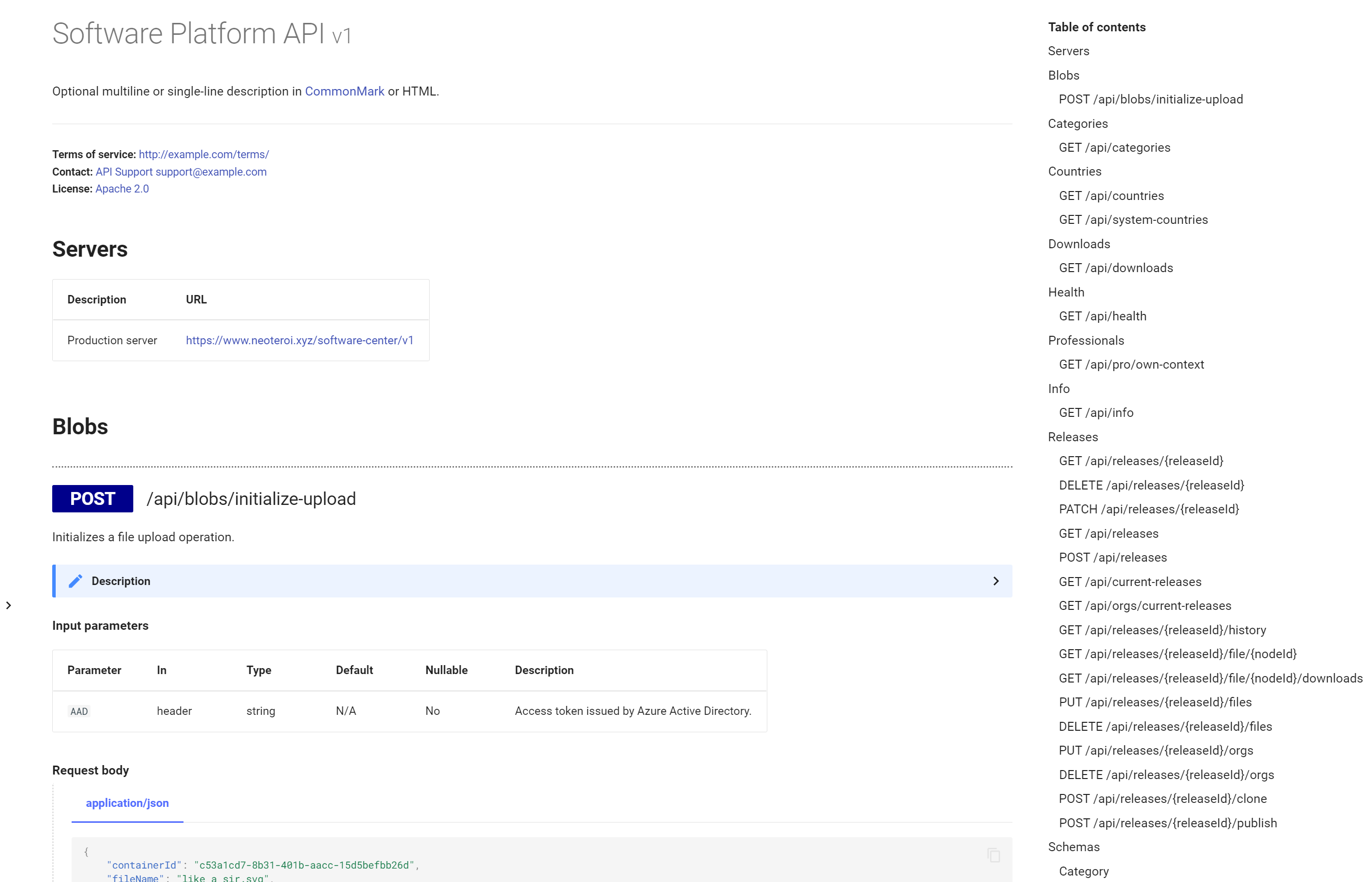
Example of MkDocs documentation generated using Neoteroi/mkdocs-plugins.
To generate a PlantUML class diagram of the components schemas:
oad gen-docs -s source-openapi.json -d schemas.wsd --style "PLANTUML_SCHEMAS"
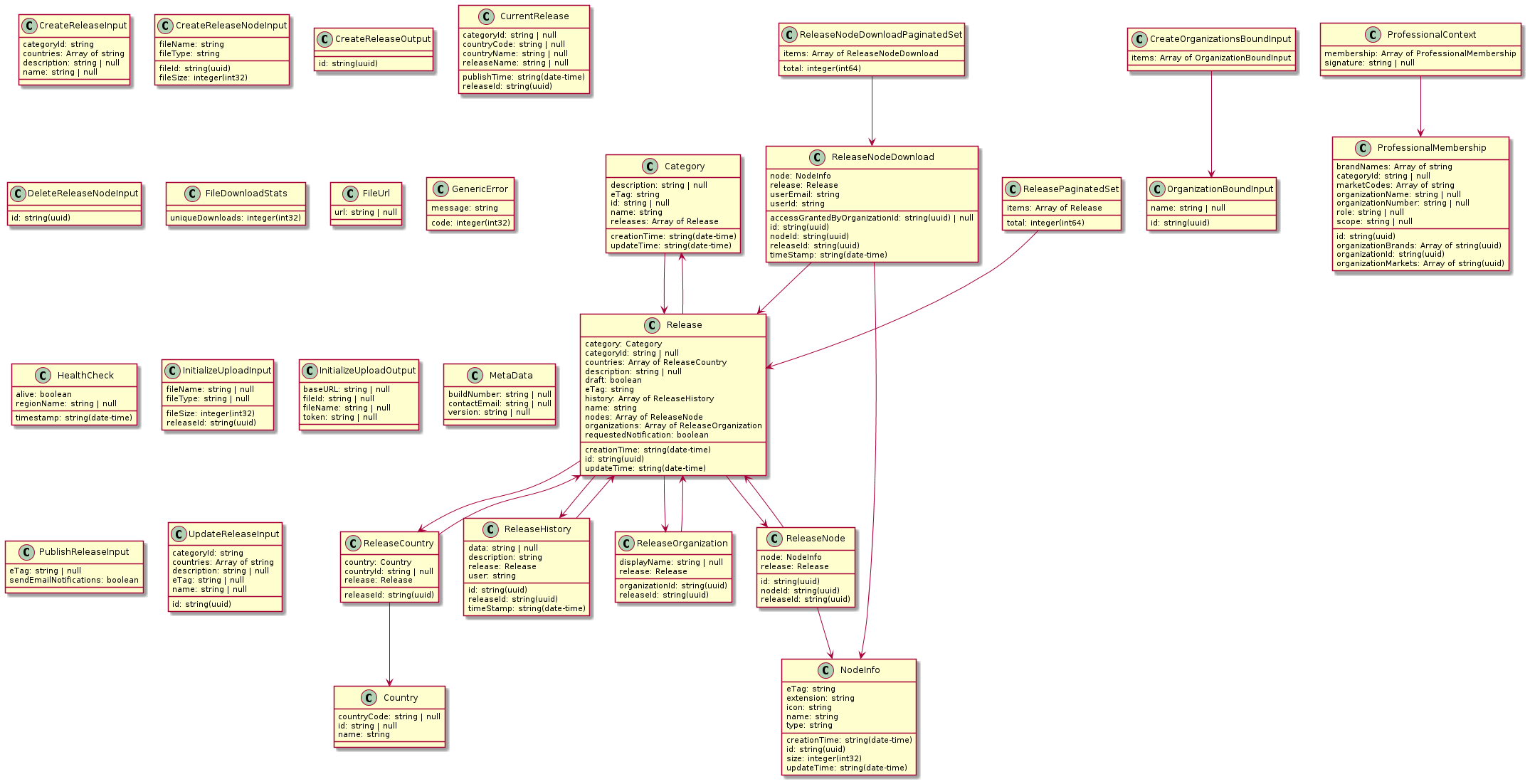
Example of PlantUML diagram generated from components schemas.
To generate a PlantUML class diagram with an overview of API endpoints:
oad gen-docs -s source-openapi.json -d schemas.wsd --style "PLANTUML_API"
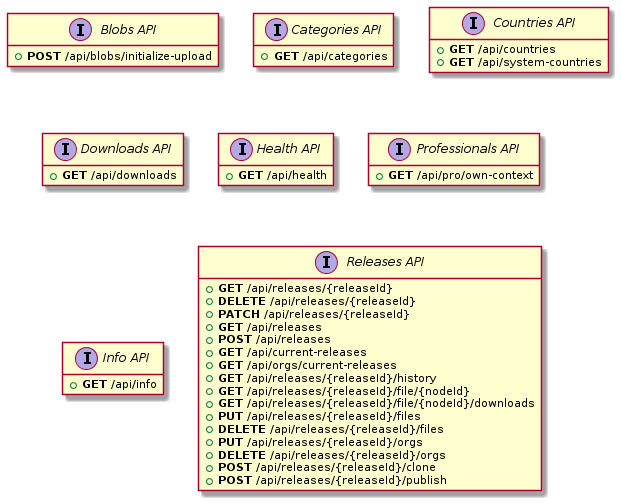
Example of PlantUML diagram generated from path items.
Using custom templates
You can override the default templates by providing a custom templates directory:
oad gen-docs -s source-openapi.json -d output.md -T ./my-templates/
The custom templates directory should contain template files with the same names as the built-in templates. Any template file found in the custom directory will override the corresponding default template, while non-overridden templates will use the defaults. This follows the same pattern as MkDocs template customization.
Important: The custom templates directory must match the output style being rendered. Each style (MKDOCS, MARKDOWN, PLANTUML_SCHEMAS, PLANTUML_API) has its own template structure. You need to provide templates appropriate for the --style parameter you're using.
Template structure:
layout.html- Main layout templatepartial/- Directory containing reusable template components
Example custom template directory structure:
my-templates/
├── layout.html          # Overrides main layout
└── partial/
    ├── info.html       # Overrides info section
    └── path-items.html # Overrides path items section
All templates use Jinja2 syntax and have access to the same filters, functions, and context variables as the built-in templates.
Goals
- Provide an API to generate OpenAPI Documentation files.
- Providing functions to handle OpenAPI Documentation, like those to generate other kinds of documentation from source OpenAPI Documentation files.
- Support enough features to be useful for the most common API scenarios, especially for OAD files that are generated automatically from web frameworks.
Non-Goals
- To implement the whole OAD Specification.
- For the features that generate artifacts: OpenAPI Documentation files are supposed to be coming from trusted sources. Trying to handle source files from untrusted sources and potentially causing HTML injection is out of the scope of this library.
Limitations
- Partial support for Parameter properties:
style,allow_reserved,explodeare not handled. - Doesn't implement validation of values, currently it is only concerned in generating code from a higher level API (it might be extended in the future with classes for validation).
- The features to generate artifacts from OpenAPI Documentation currently support only Version 3 of the specification.
Styles
| Style | Int value | Description |
|---|---|---|
| MKDOCS | 1 | Markdown for MkDocs and PyMdown extensions. |
| MARKDOWN | 2 | Basic Markdown. |
| HTML | 3 | Plain HTML (planned, not yet implemented). |
| PLANTUML_SCHEMAS | 100 | PlantUML schema for components schemas. |
| PLANTUML_API | 101 | PlantUML schema for API endpoints. |
Supported sources for OpenAPI Documentation
| Source | Example |
|---|---|
| YAML file | ./docs/swagger.yaml |
| JSON file | ./docs/swagger.json |
| URL returning YAML on HTTP GET | https://example-domain.net/swagger/v1/swagger.yaml |
| URL returning JSON on HTTP GET | https://example-domain.net/swagger/v1/swagger.json |
1 maintainer

Metadata
1 maintainer
Release files for essentials-openapi 1.4.0
For a detailed explanation of source distributions (sdists) and built distributions (wheels), please see the package formats documentation.
Source distribution (sdist)
| File | Size | Uploaded | Provenance | Actions |
|---|---|---|---|---|
| essentials_openapi-1.4.0.tar.gz | 37.3 kB | Without provenance | Details for essentials_openapi-1.4.0.tar.gz |
Built distribution (wheel)
| File | Interpreter | ABI | Platform | Actions Reset |
|---|---|---|---|---|
| essentials_openapi-1.4.0-py3-none-any.whl | Python 3 | none | any | Details for essentials_openapi-1.4.0-py3-none-any.whl |
Total release size: 95.0 kB
Release files / essentials_openapi-1.4.0.tar.gz
| Download URL | essentials_openapi-1.4.0.tar.gz |
|---|---|
| Size | 37.3 kB |
| Tags | Source |
|
SHA-256 checksum How to use checksums |
578c81501ccf6d18c0839d60636214fbd051f0ef37f1d207d4e3c92de2aac008
|
|
BLAKE2b-256 checksum How to use checksums |
76d6e1ddfdd454011e05d2c73f0f21b1ad6e1a8e125a36048f855a2374c4d46a
|
| Upload date | |
|
Uploaded using Trusted Publishing? What is trusted publishing? |
No |
| Uploaded via |
twine/6.2.0 CPython/3.12.12
|
Release files / essentials_openapi-1.4.0-py3-none-any.whl
| Download URL | essentials_openapi-1.4.0-py3-none-any.whl |
|---|---|
| Size | 57.7 kB |
| Tags | Python 3 |
|
SHA-256 checksum How to use checksums |
86d879c32734248ad52482a90ee89a32883bce348b4edd323c01556b505b45b9
|
|
BLAKE2b-256 checksum How to use checksums |
f36a612ec427b5153f0d80dd9c344f80018bc1c7414e475a20efc0b89e1fe62e
|
| Upload date | |
|
Uploaded using Trusted Publishing? What is trusted publishing? |
No |
| Uploaded via |
twine/6.2.0 CPython/3.12.12
|
Security for essentials-openapi 1.4.0
Provenance
Provenance describes where a file came from. On PyPI, provenance is shared via attestations, which provide a verifiable record of the build or publishing details. View details, limitations and caveats.
No provenance found
None of the files in this release were uploaded with provenance metadata.
A note on package security
PyPI is a repository for distributing packages, not a service for auditing them. While third-party security researchers and our staff do their best to detect and remove malicious packages, PyPI cannot guarantee the quality, security or suitability of any given package.
To learn more about protecting yourself from malicious actors, visit our package security documentation.














