
Excel2Table


Simple command-line utility to convert csv, xls, xlsx, ods files to searchable and sortable HTML table. Supports large datasets and horizontal scrolling for large number of columns.
It is a variant of csvtotable.
Demo
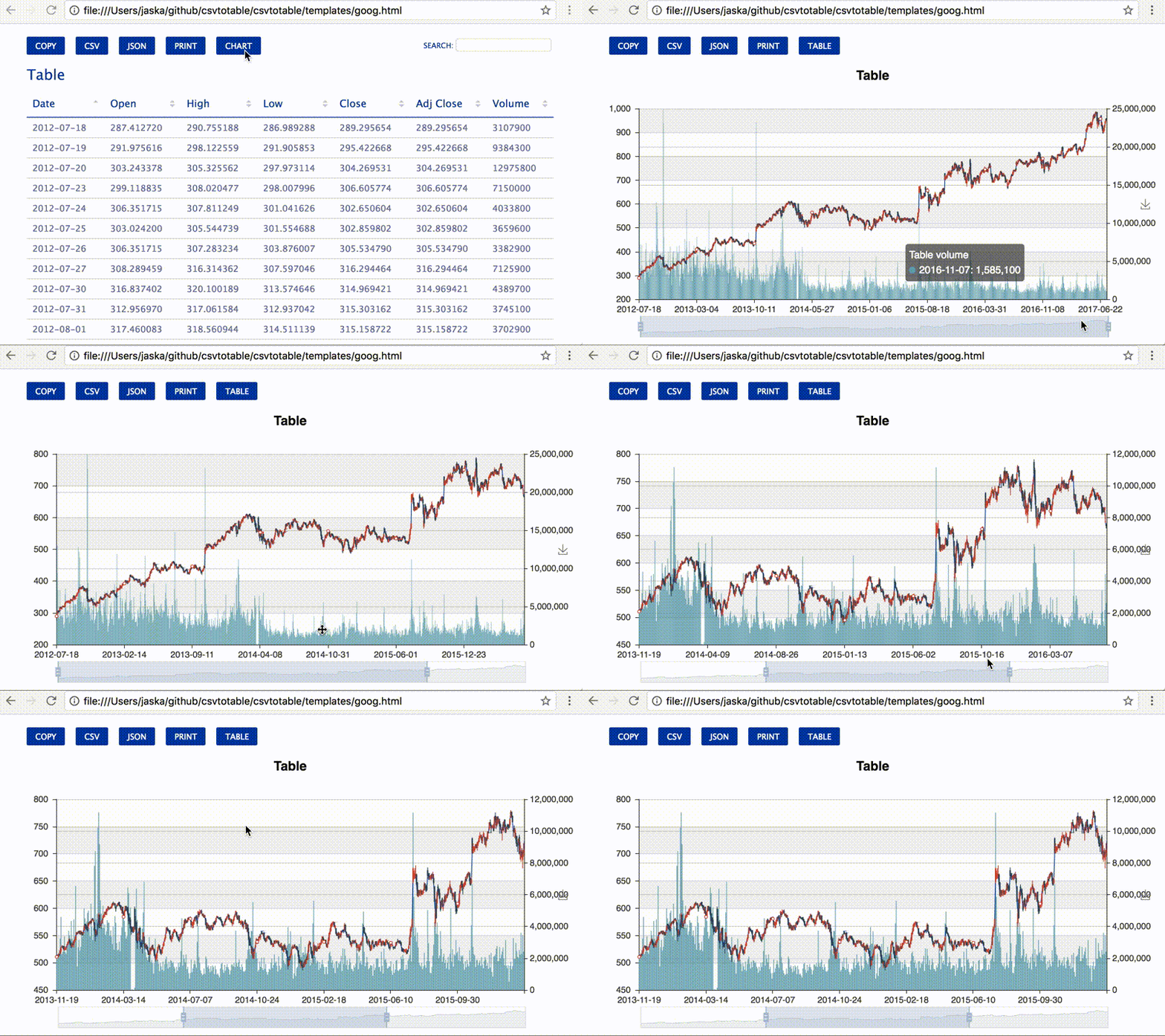
Here is a demo of sample ods file converted to HTML table with charts.
Installation
pip install --upgrade excel2table
Get started
excel2table --help
Convert data.ods file to data.html file
excel2table data.ods data.html
Open output file in a web browser instead of writing to a file
excel2table data.ods --serve
Options
-c,  --caption          Table caption
-d,  --delimiter        CSV delimiter. Defaults to ','
    -e,  --encoding         CSV encoding. Defaults to 'utf-8'.
-q,  --quotechar        Quote chracter. Defaults to '"'
-dl, --display-length   Number of rows to show by default. Defaults to -1 (show all rows)
-o,  --overwrite        Overwrite the output file if exists. Defaults to false.
-s,  --serve            Open html output in a web browser.
-h,  --height           Table height in px or in %. Default is 75% of the page.
-p,  --pagination       Enable/disable pagination. Enabled by default.
-vs, --virtual-scroll   Number of rows after which virtual scroll is enabled. Default is set to 1000 rows.
                        Set it to -1 to disable and 0 to always enable.
-nh, --no-header        Show default headers instead of picking first row as header. Disabled by default.
-e,  --export           Enable filtered rows export options.
-eo, --export-options   Enable specific export options. By default shows all.
                        For multiple options use -eo flag multiple times. For ex. -eo json -eo csv
Credits
Change log
2.3.2 - 16.03.2019
add tests in tar ball
2.3.0 - 15.03.2019
Added
added this file into sour tar ball.
fix problems with pyexcel-sortable & python3 PR17
2.2.1 - 21.02.2017
Added
Visualize stock data with candlestick, bar and line csvtotable PR 24
Updated
Update baseline of csvtotable to 2.1.1
1 maintainer

Metadata
1 maintainer
Release files for excel2table 2.3.2
For a detailed explanation of source distributions (sdists) and built distributions (wheels), please see the package formats documentation.
Source distribution (sdist)
| File | Size | Uploaded | |
|---|---|---|---|
| excel2table-2.3.2.tar.gz | 301.5 kB | Details |
Release files / excel2table-2.3.2.tar.gz
| Download URL | excel2table-2.3.2.tar.gz |
|---|---|
| Size | 301.5 kB |
| Tags | Source |
|
SHA-256 checksum How to use checksums |
d33701fcb7971ffe73b1cc1f7de4ddc073de17a555fed8353404959bdf8c44fb
|
|
BLAKE2b-256 checksum How to use checksums |
10f77b2729df31ab744255729af0ee3bc39c70043d0d1851b6d443ec5d92030f
|
| Upload date | |
|
Uploaded using Trusted Publishing? What is trusted publishing? |
No |
| Uploaded via |
twine/1.13.0 pkginfo/1.5.0.1 requests/2.21.0 setuptools/40.6.2 requests-toolbelt/0.9.1 tqdm/4.31.1 CPython/3.7.2
|














