
EZannot: annotate and measure the annotated with ease.



Key features & Workflow:
-
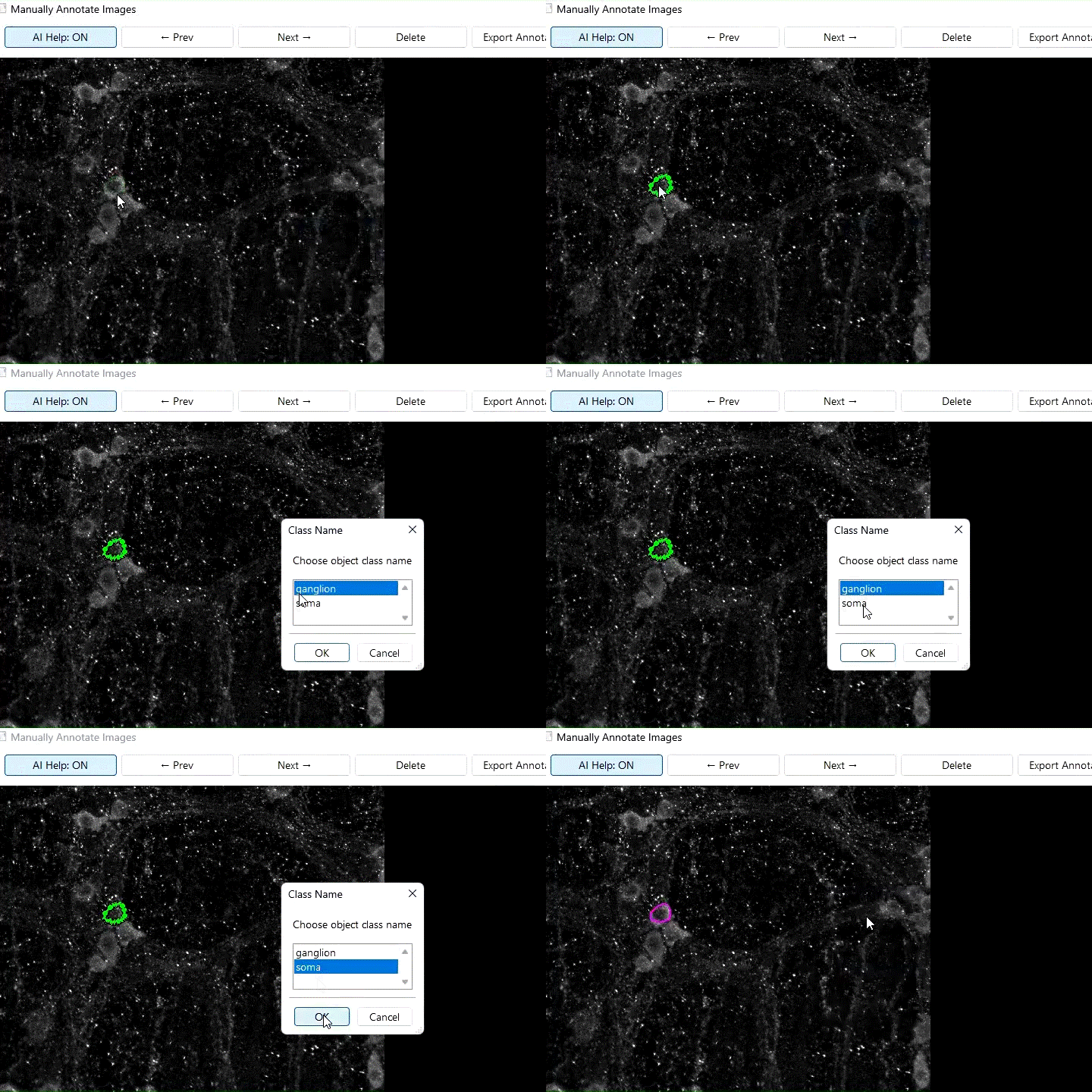
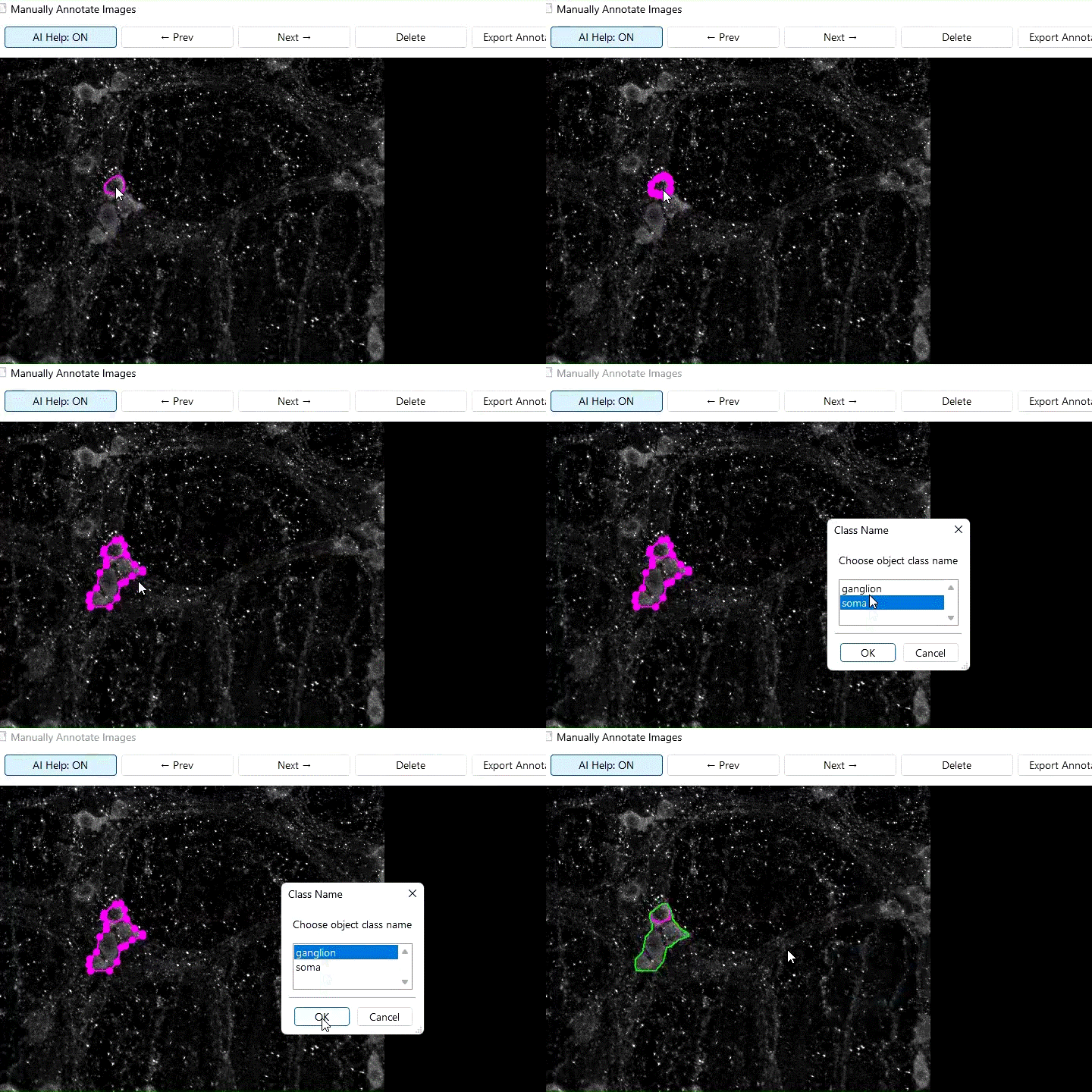
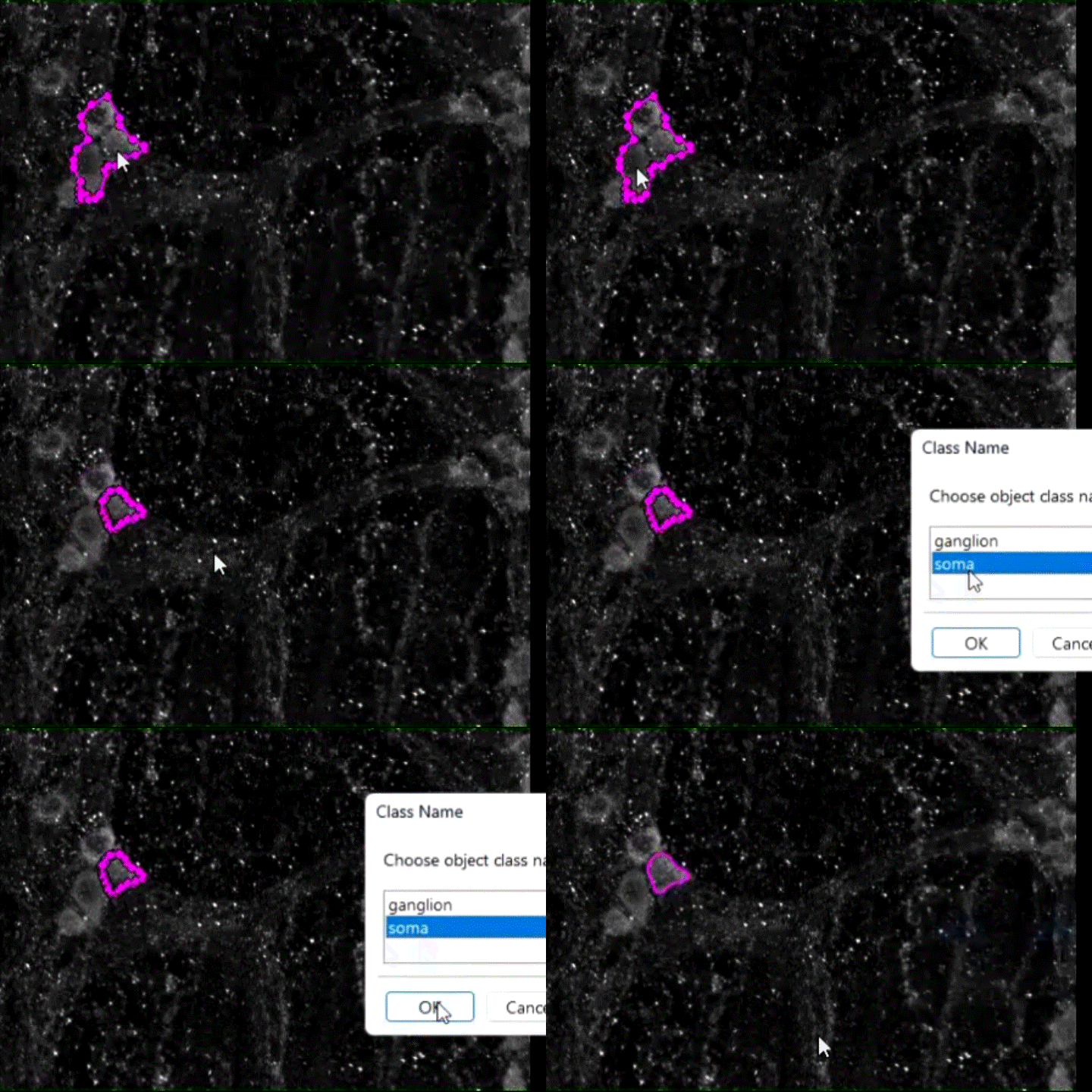
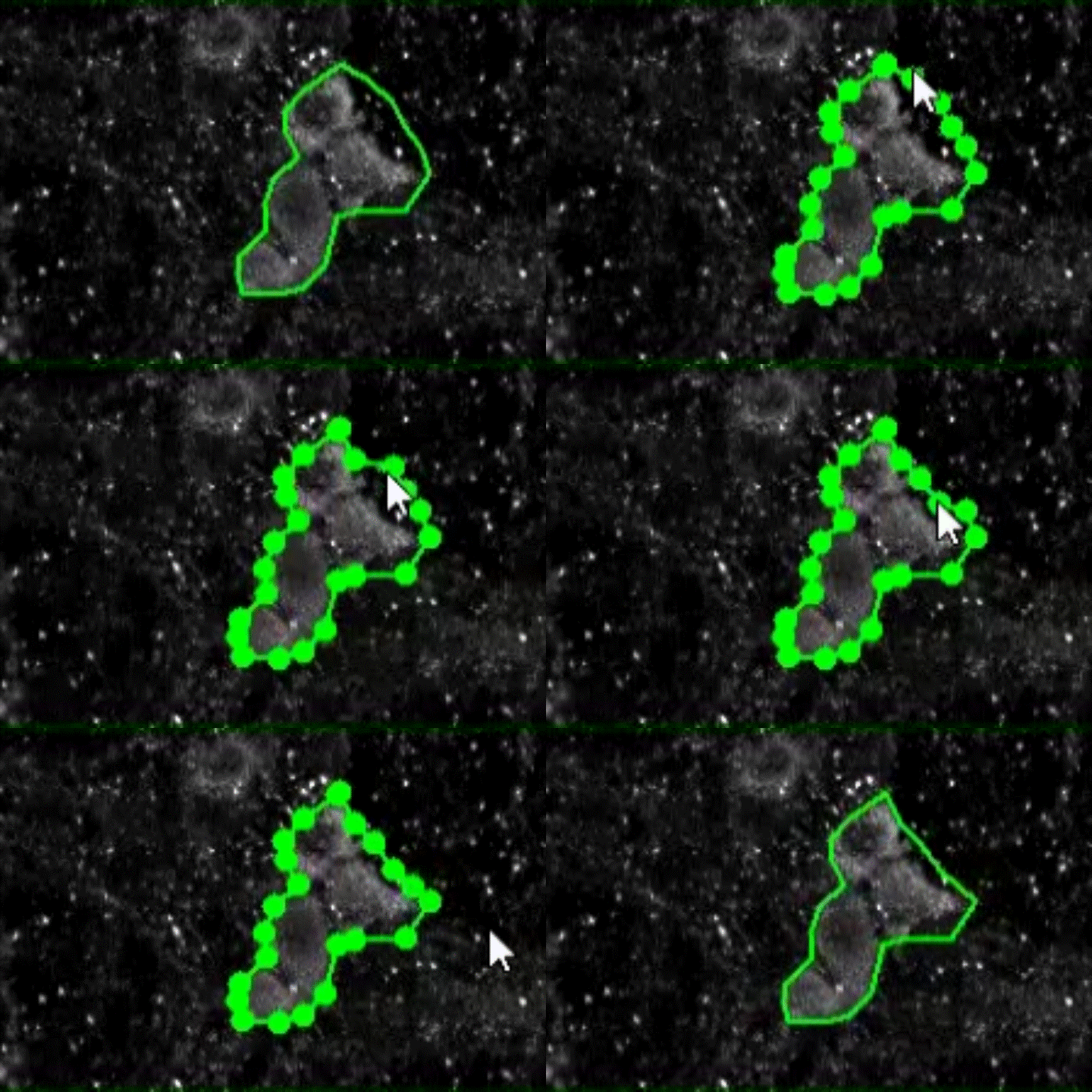
AI (SAM2) help enables manual annotation of an object/region with a single
Mouse click. -
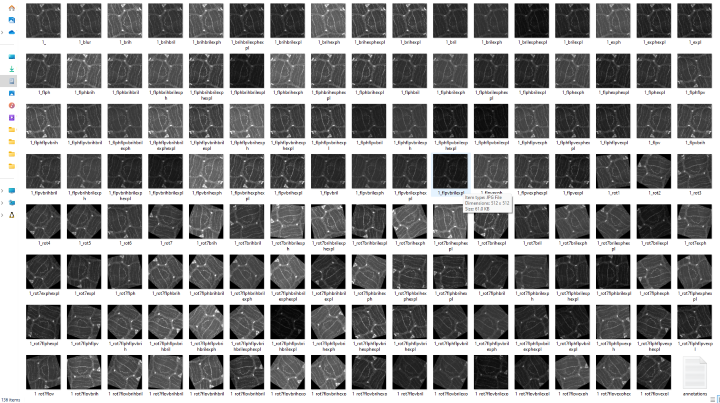
The augmentation is up to 135 X for each image and enhances the generalizability of training.
-
Manually annotate a few to train an AI Annotator and use it to automatically annotate the rest.
-
Refine the annotations performed by the automatic Annotator and iterate a better Annotator.
-
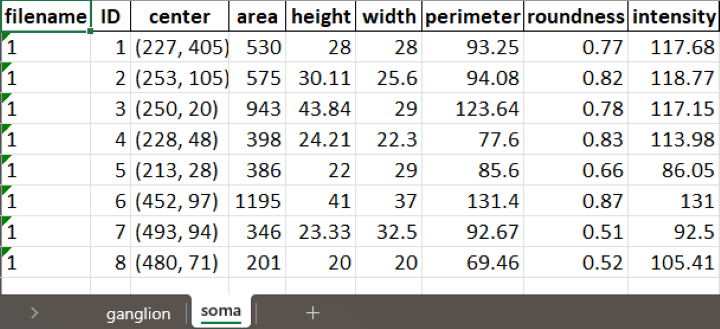
All the annotations can be quantified by diverse measurements such as area and pixel intensity.
-
Totally free, and keeps your data private since the work is done locally on your computer.
How to use?
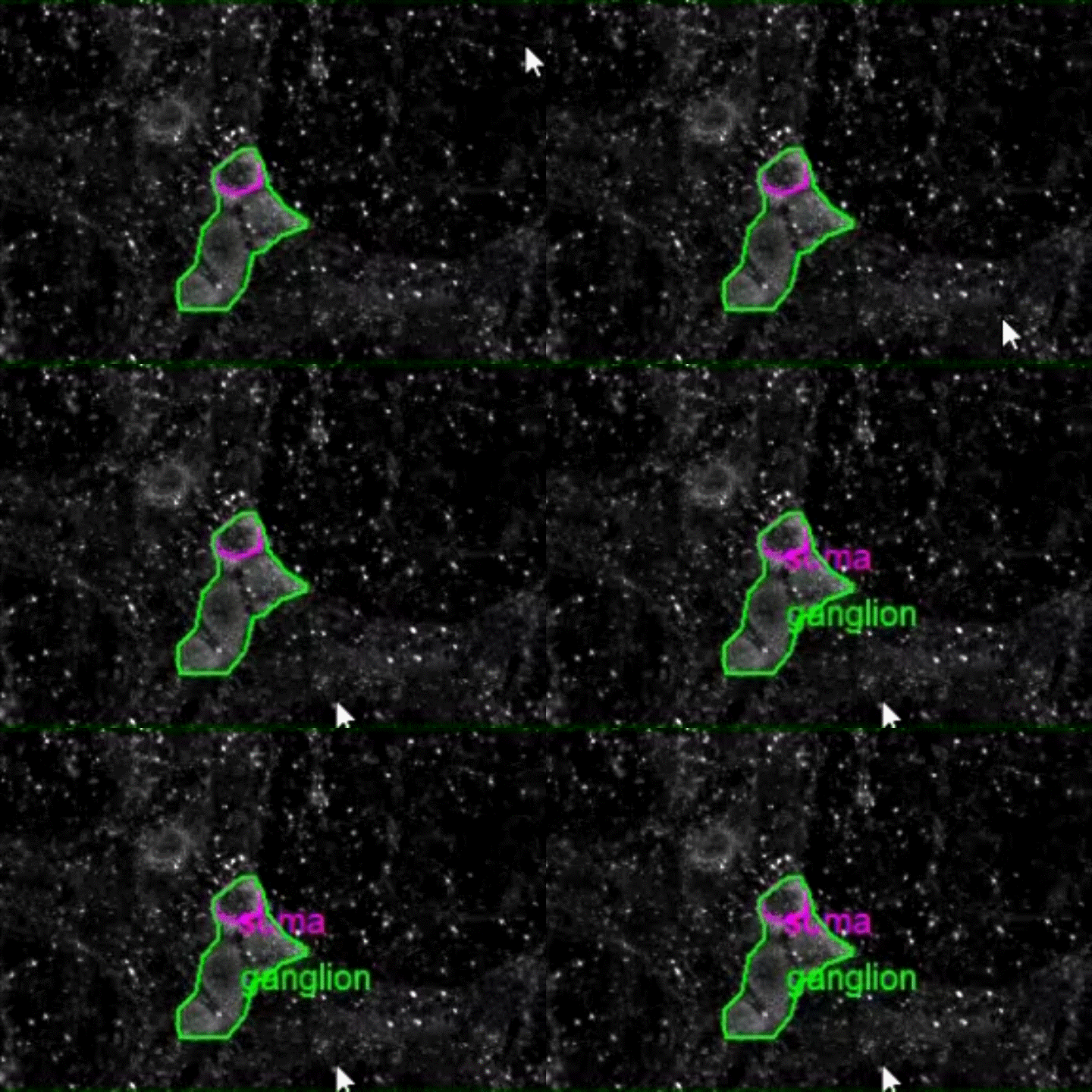
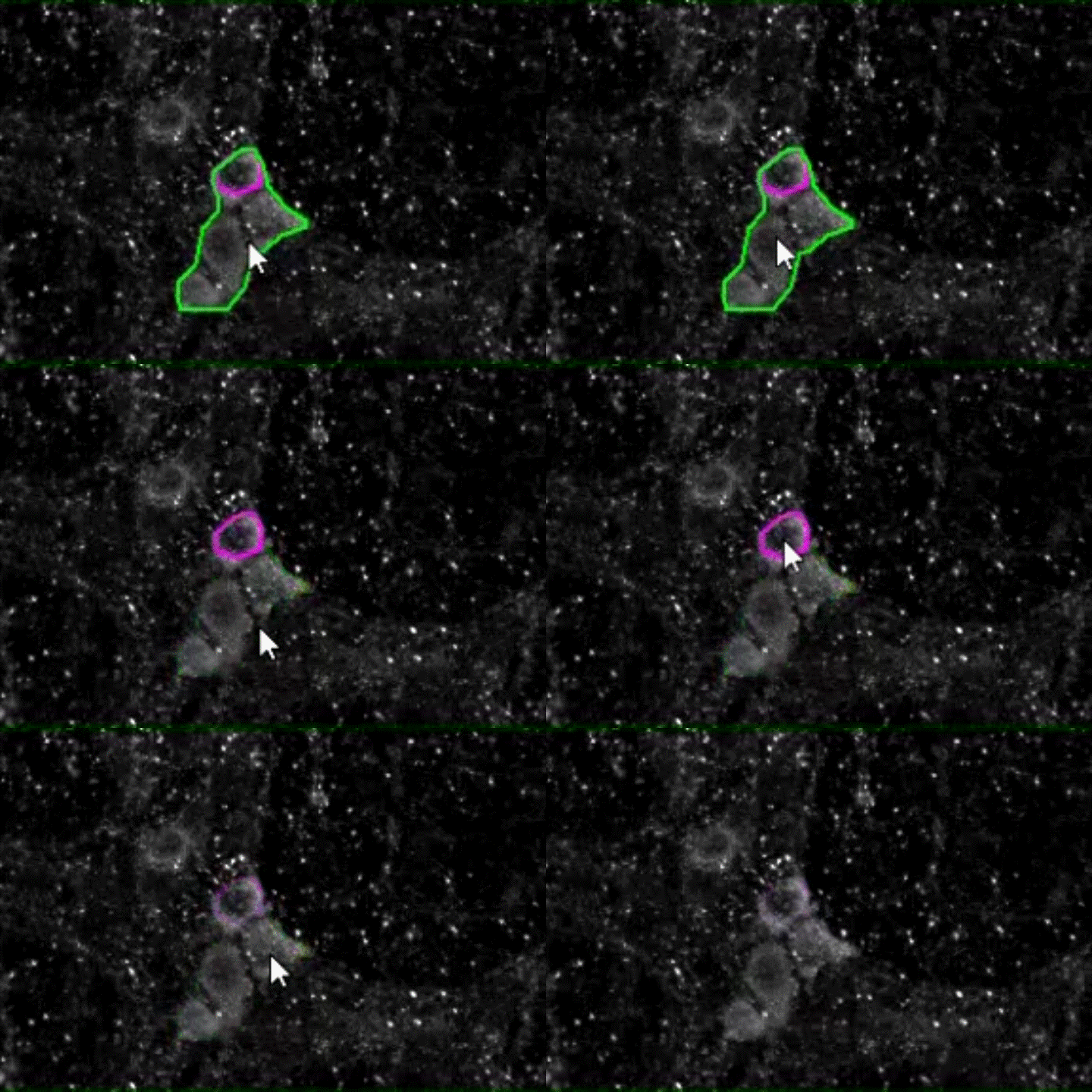
1. For manual annotation, turn on the AI Help button to annotate the outlines of objects or regions with ease.
Some demo:
2. Augments each annotated image to 134 additional manipulated images to improve the model training.
3. Provides quantitative measures, such as area and pixel intensity, for each annotated object/region.
Installation
EZannot works for Windows, Mac and Linux systems. Installation steps can vary for different systems. But in general, you need to:
- Install Python3 (>=3.10)
- If using an NVIDIA GPU, set up CUDA (v11.8) and install PyTorch with cu118 support
- Install EZannot with pip
- Download SAM2 models for AI-help in annotation
Windows
You need to access the terminal. To do this, open the start menu by clicking the Win key, type "PowerShell", and hit enter. All terminal commands going forward should be entered in this terminal.
-
Install Python>=3.10, for example, Python 3.12.
Scroll down to the bottom and click the
Windows installer (64-bit)option. Run the installer and select "Add python to path" and "Disable long path limit". -
If you're using an NVIDIA GPU, install CUDA Toolkit 11.8 and cuDNN, and install PyTorch>=v2.5.1 with cu118 support.
First, install CUDA Toolkit 11.8. Select your version of Windows, select "exe (local)," then click "Download."
Next, install cuDNN. You will need to register an NVIDIA Developer account, which you can do for free. You can choose cuDNN v8.9.7 that supports CUDA toolkit v11.8. Choose 'Local Installer for Windows (Zip)', download and extract it. And then copy the three folders 'bin', 'lib', and 'include' into where the CUDA toolkit is installed (typically, 'C:\Program Files\NVIDIA GPU Computing Toolkit\CUDA\v11.8'), and replace all the three folders with the same names.
Finally, install PyTorch>=v2.5.1 with cu118 support:
py -3.12 -m pip install torch==2.5.1 torchvision==0.20.1 torchaudio==2.5.1 --index-url https://download.pytorch.org/whl/cu118 -
Upgrade
pip,wheel,setuptools.py -3.12 -m pip install --upgrade pip wheel setuptools -
Install EZannot via
pip.py -3.12 -m pip install EZannot -
Setup SAM2 models.
Find the 'site-packages' folder where the EZannot is by typing:
py -3.12 -m pip show EZannotAnd download the SAM2 models ('large' is more accurate but slower than 'tiny'; if you have a good GPU, go for large). You can download the individual files and organize them in the same way as they appear in the folder, and put them (e.g., the entire 'large' folder) inside the '.../site-packages/EZannot/sam2 models/' folder for easy access within EZannot's user interface, or store them somewhere else and choose the option of 'Choose a new directory of the SAM2 model' and navigate to where you store them to access these models.
Mac
You need to access the terminal. Use Cmd+Space to enter Spotlight Search, then search for "Terminal" and hit enter to open it. Next, follow these steps.
-
Install Python>=3.10, for example, Python 3.12.
Scroll down to the bottom and click the
macOS 64-bit universal2 installeroption. Run the installer and select "Add python to path". -
Upgrade
pip,wheel,setuptools.python3.12 -m pip install --upgrade pip wheel setuptools -
Install EZannot via
pip.python3.12 -m pip install EZannot -
Setup SAM2 models.
Find the 'site-packages' folder where the EZannot is by typing:
python3.12 -m pip show EZannotAnd download the SAM2 models ('large' is more accurate but slower than 'tiny'). You can download the individual files and organize them in the same way as they appear in the folder, and put them (e.g., the entire 'large' folder) inside the '.../site-packages/EZannot/sam2 models/' folder for easy access within EZannot's user interface, or store them somewhere else and choose the option of 'Choose a new directory of the SAM2 model' and navigate to where you store them to access these models.
Launch the user interface
-
Launch EZannot:
First, open the terminal, and then enter:
EZannotThe user interface may take a few minutes to start up during the first launch. If the user interface fails to initiate with the above method, which is typcially because the python3 is not added into the 'PATH' environmental variable, you can still make it show up by three lines of code in terminal:
py -3.12from EZannot import __main____main__.main() -
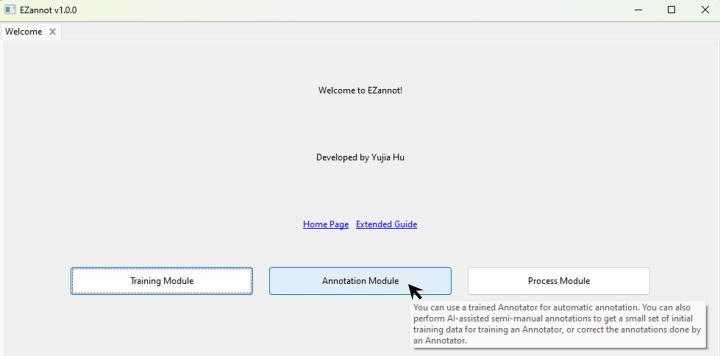
There's a hint for each button in the user interface:
1 maintainer

Metadata
1 maintainer
Release files for EZannot 1.1.0
For a detailed explanation of source distributions (sdists) and built distributions (wheels), please see the package formats documentation.
Source distribution (sdist)
| File | Size | Uploaded | |
|---|---|---|---|
| ezannot-1.1.0.tar.gz | 658.6 kB | Details |
Built distribution (wheel)
| File | Interpreter | ABI | Platform | Reset |
|---|---|---|---|---|
| ezannot-1.1.0-py3-none-any.whl | Python 3 | none | any | Details |
Total release size: 1.5 MB
Release files / ezannot-1.1.0.tar.gz
| Download URL | ezannot-1.1.0.tar.gz |
|---|---|
| Size | 658.6 kB |
| Tags | Source |
|
SHA-256 checksum How to use checksums |
67b5166467da9f9b494755704d81adba085d13a3b5683a26338a3c4fff7fff1d
|
|
BLAKE2b-256 checksum How to use checksums |
63227641e308f0be7ac5522d2eb5e6f6d2aa12076635d6f5a9bc4bd715f5e739
|
| Upload date | |
|
Uploaded using Trusted Publishing? What is trusted publishing? |
Yes |
| Uploaded via |
twine/6.1.0 CPython/3.13.14
|
Provenance
Provenance describes where a file came from. On PyPI, provenance is shared via attestations, which provide a verifiable record of the build or publishing details. View details, limitations and caveats.


PyPI Publish Attestation
PyPI verified that this artifact, at this checksum, originated from the publisher listed below.
Signed by GitHub Actions, verified by PyPI on Jul 23, 2026.
Transparency logRelease files / ezannot-1.1.0-py3-none-any.whl
| Download URL | ezannot-1.1.0-py3-none-any.whl |
|---|---|
| Size | 853.6 kB |
| Tags | Python 3 |
|
SHA-256 checksum How to use checksums |
eb3db02d9a2fba6fa2934b25738a106087faccceb3629124d4d4b8e65759c0d7
|
|
BLAKE2b-256 checksum How to use checksums |
ff9815e76ccb433c28cf3f241cc3e0f844c0af81384a403cac901721217cbb67
|
| Upload date | |
|
Uploaded using Trusted Publishing? What is trusted publishing? |
Yes |
| Uploaded via |
twine/6.1.0 CPython/3.13.14
|
Provenance
Provenance describes where a file came from. On PyPI, provenance is shared via attestations, which provide a verifiable record of the build or publishing details. View details, limitations and caveats.
PyPI Publish Attestation
PyPI verified that this artifact, at this checksum, originated from the publisher listed below.
Signed by GitHub Actions, verified by PyPI on Jul 23, 2026.
Transparency log













