
QMT自动交易及监控脚本
快速开始
账户分析(需配置Summary.py导出策略运行文件)
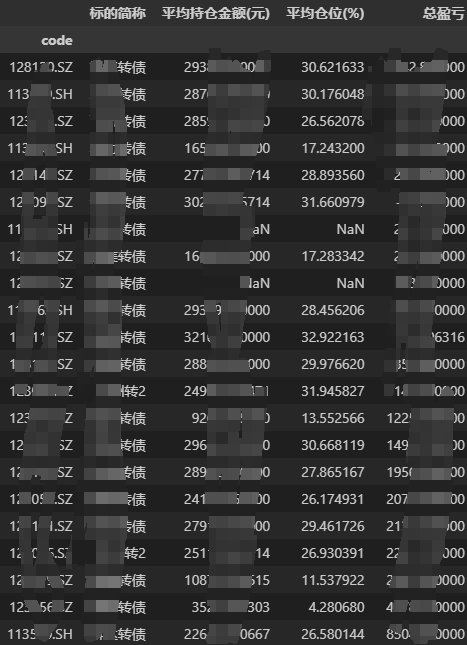
根据持仓/交割单备注,分析策略持仓,各策略盈亏,分标的盈亏情况。
初始化配置
import EzQmt as qmt
''' summary_loc: 策略运行文件目录, outcash_list: 外部转入转出资金情况(格式:[('20250124', -10000), ]),start_date/end_date: 开始/结束时间,benchmark: 业绩比较基准 conv_stk: 转债转股条款(格式:{转债代码:(股票代码,转股价), ...}),if_hide: 是否隐藏具体金额 renamestrat: 策略合并({订单备注1:合并后策略名称a,...}), accnum: 资金账号 '''
acct0 = qmt.smy.account(summary_loc, outcash_list=[], start_date=None, end_date=None, benchmark=None, conv_stk={}, if_hide=True, renamestrat={}, accnum='')
总账户
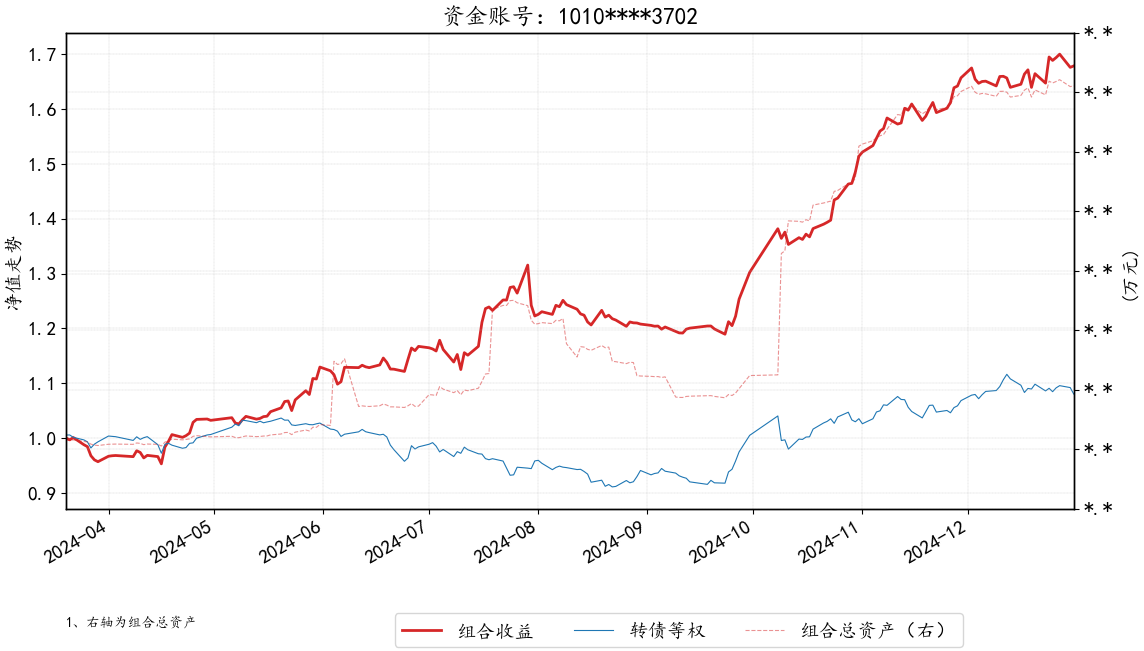
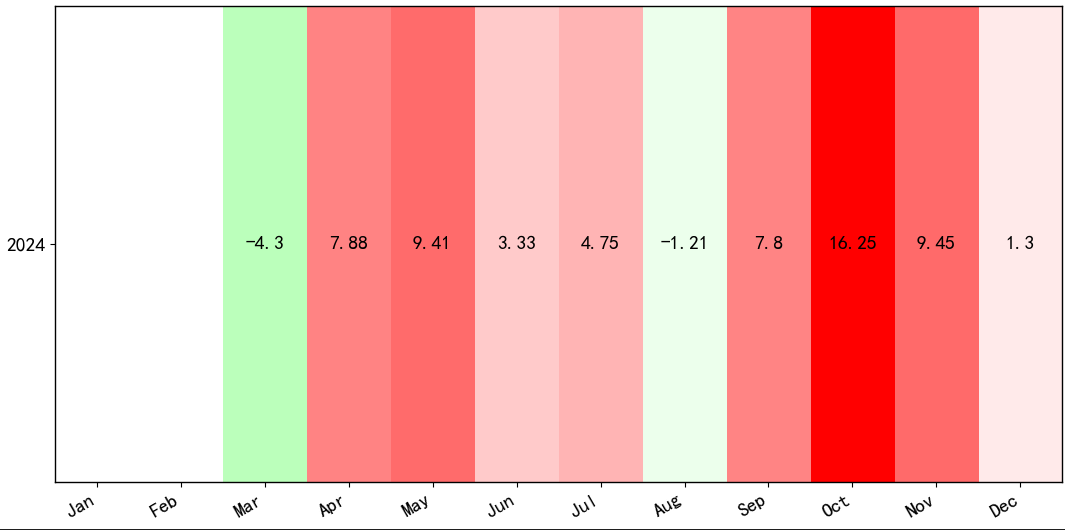
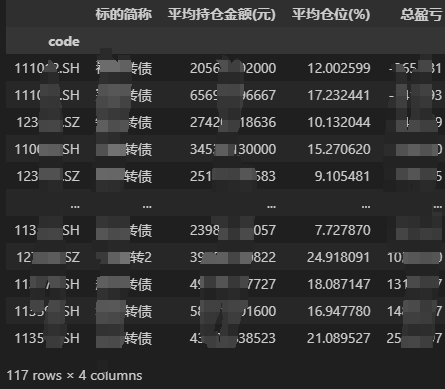
''' 总组合净值,月度收益,收益的标的贡献 '''
acct0.pnl()
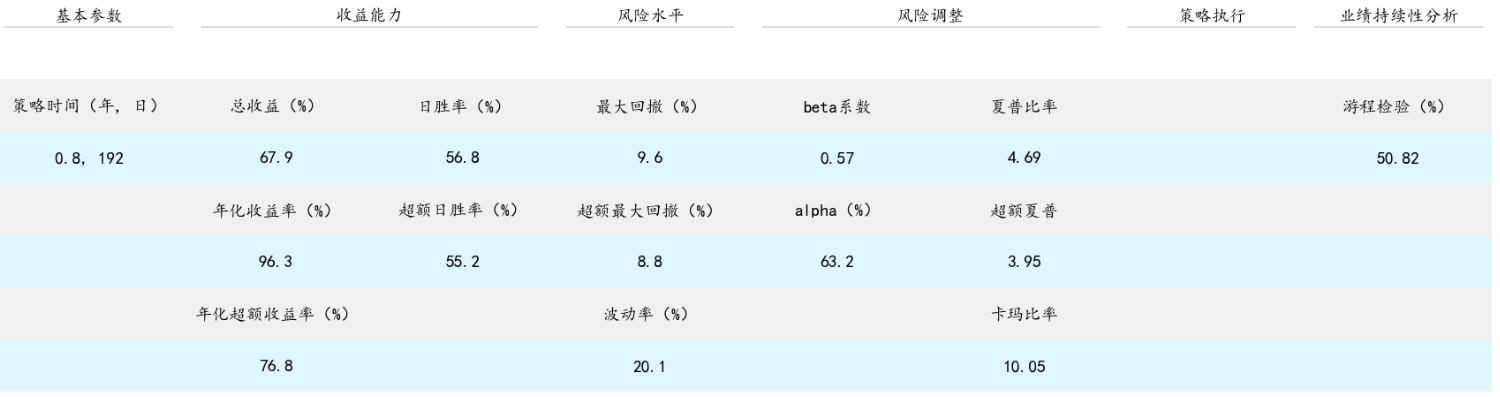
acct0.pnl_monthly()
acct0.contri['all']
分策略
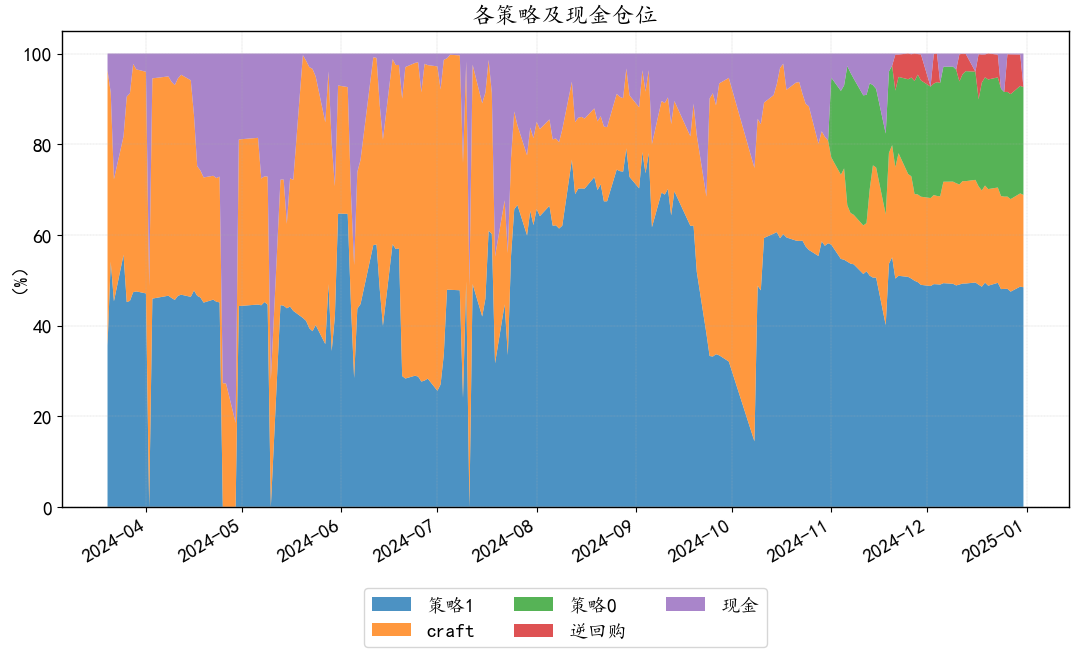
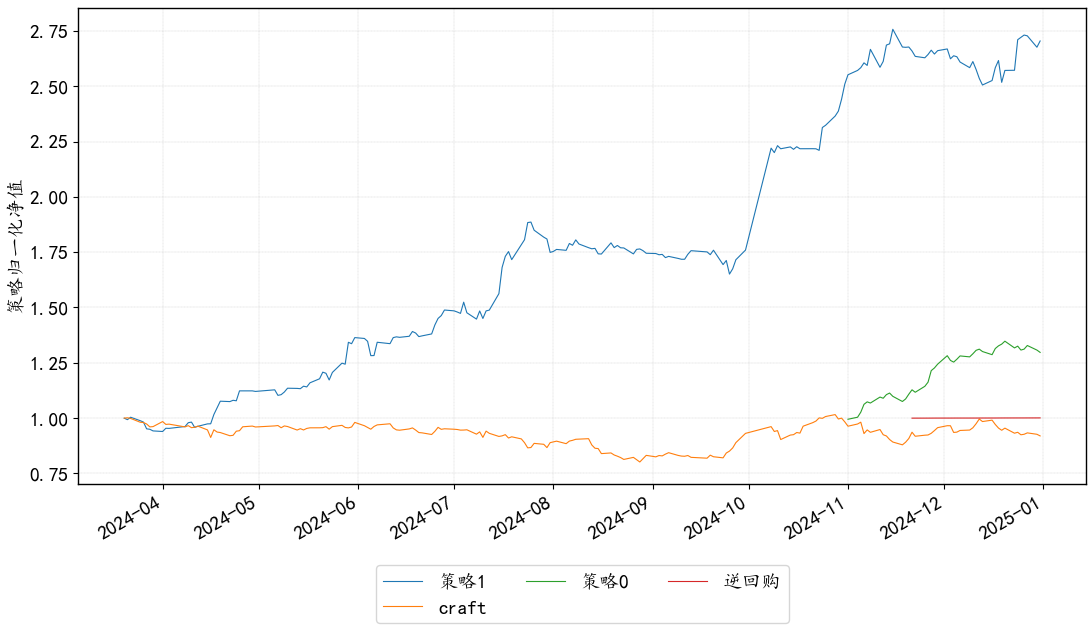
''' 策略仓位,各策略表现 '''
acct0.displaystrats_pos()
acct0.displaystrats_pnl()
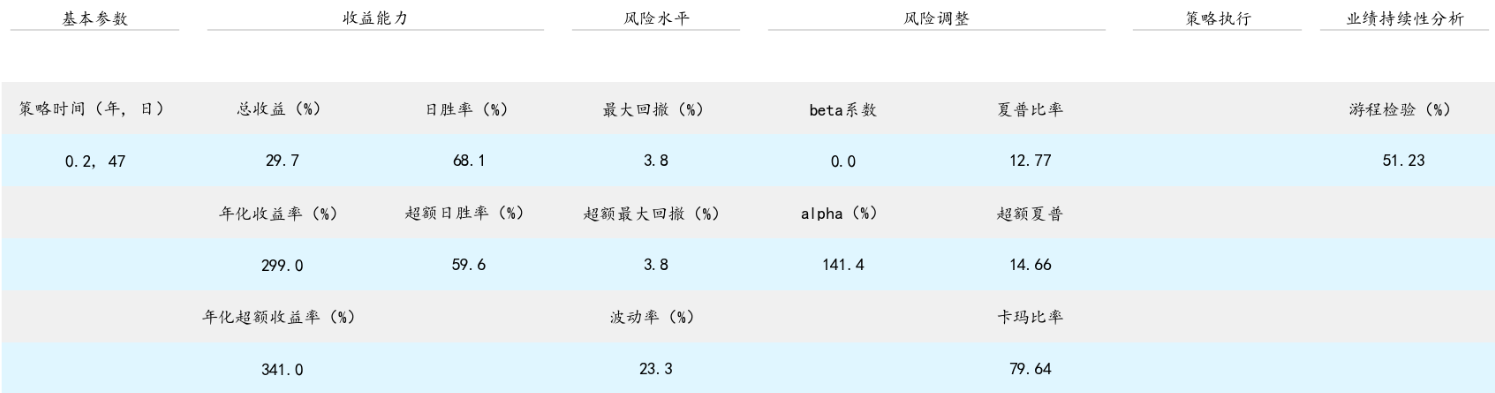
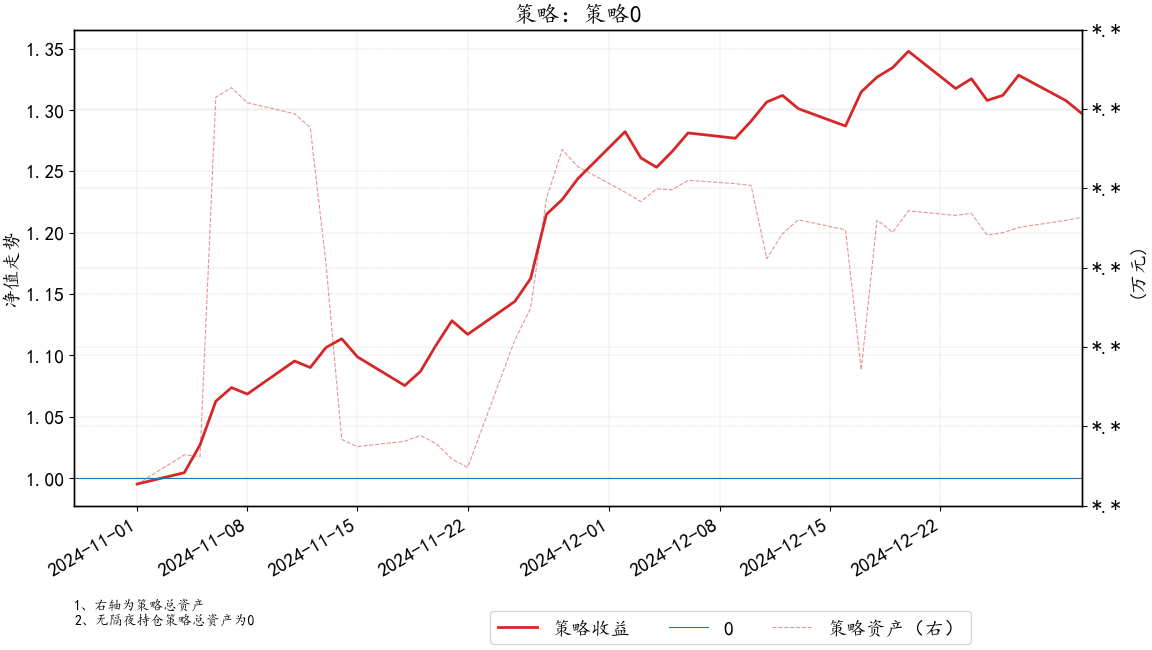
strat = '策略0'
acct0.pnl(strat, benchmark=None)
acct0.contri[strat]
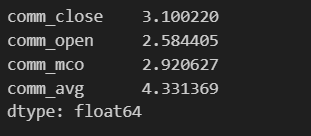
交易滑点分析(单边)
''' 需提供分钟线数据(开盘集合竞价时间戳为9:30,9:30~9:31时间戳为9:31) '''
deal_comm = acct0.cal_deal_comm(min_data, acct0.deal[acct0.deal['strat']=='策略1'].copy())
deal_comm[['comm_close', 'comm_open', 'comm_mco', 'comm_avg']].mean()
策略
Rebalance.py 仓位再平衡策略
自动拆单、挂撤单,将持仓市值占比调整至目标值。
输入为lude(禄得)格式的策略篮子文件,支持阈值调仓。
安装/配置
python库安装
pip install FreeBack
pip install EzQmt
QMT 客户端 配置方法
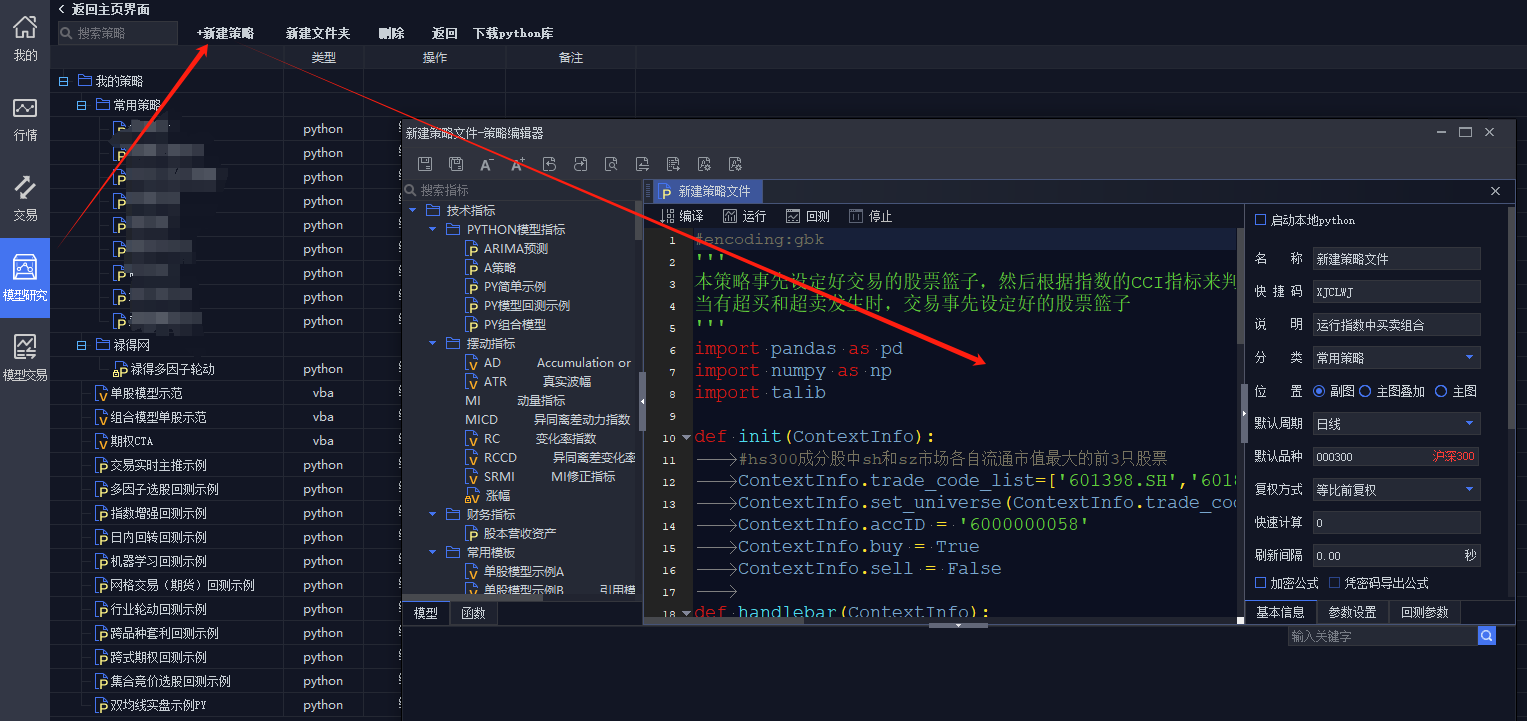
在模型研究界面,使用策略文件中内容替换图示代码框中全部代码,调整代码中自定义参数,新建策略。
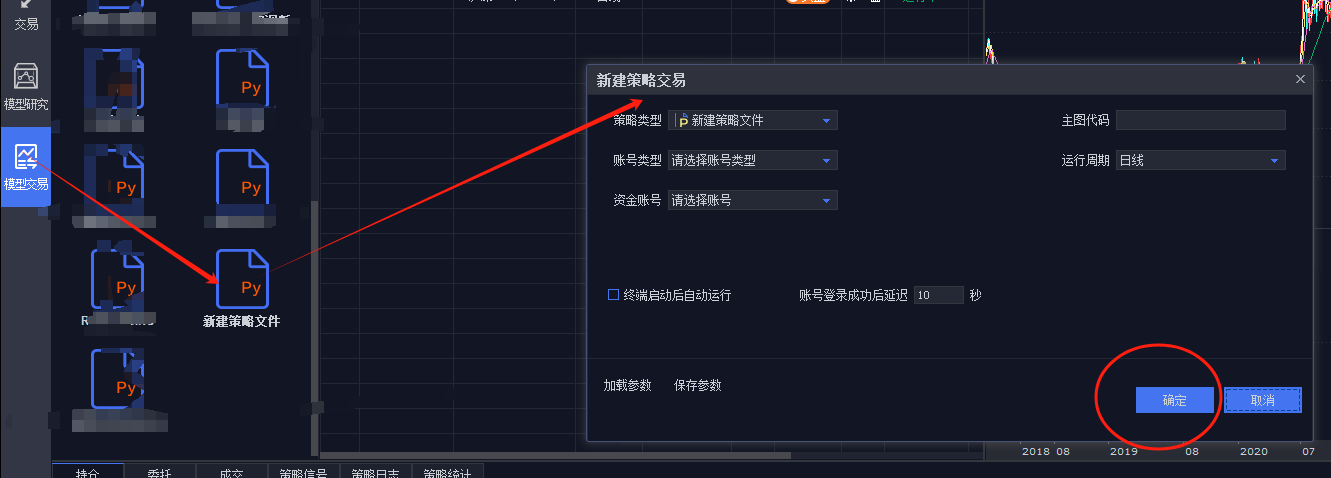

在模型交易界面,找到刚刚新建的策略,新建策略交易,选择自己的账号和账号类型,运行。
备注
-------------------- 联系作者 ---------------------
对于个性化程序交易策略代码需求,可以联系作者。

1 maintainer

Metadata
1 maintainer
Release files for EzQmt 2.1.1
For a detailed explanation of source distributions (sdists) and built distributions (wheels), please see the package formats documentation.
Source distribution (sdist)
| File | Size | Uploaded | Provenance | Actions |
|---|---|---|---|---|
| ezqmt-2.1.1.tar.gz | 11.4 kB | Without provenance | Details for ezqmt-2.1.1.tar.gz |
Built distribution (wheel)
| File | Interpreter | ABI | Platform | Actions Reset |
|---|---|---|---|---|
| EzQmt-2.1.1-py3-none-any.whl | Python 3 | none | any | Details for EzQmt-2.1.1-py3-none-any.whl |
Total release size: 22.5 kB
Release files / ezqmt-2.1.1.tar.gz
| Download URL | ezqmt-2.1.1.tar.gz |
|---|---|
| Size | 11.4 kB |
| Tags | Source |
|
SHA-256 checksum How to use checksums |
8af6632315e3450fd2475d78d547f142ea87f2134a7445645511392144d385a0
|
|
BLAKE2b-256 checksum How to use checksums |
c80ac2a6c1e8c9f653660aced8149d73a63a9a018938345d61ba5e3ac476b8a1
|
| Upload date | |
|
Uploaded using Trusted Publishing? What is trusted publishing? |
No |
| Uploaded via |
twine/6.1.0 CPython/3.12.9
|
Release files / EzQmt-2.1.1-py3-none-any.whl
| Download URL | EzQmt-2.1.1-py3-none-any.whl |
|---|---|
| Size | 11.2 kB |
| Tags | Python 3 |
|
SHA-256 checksum How to use checksums |
716910ce0e455ee3dd8b06a55a2db475078b3f1bf702becc4125a314036bb3c9
|
|
BLAKE2b-256 checksum How to use checksums |
be65e211555000ca0bac02cf9588d311745fa0c66af943889b761379e7c3fc30
|
| Upload date | |
|
Uploaded using Trusted Publishing? What is trusted publishing? |
No |
| Uploaded via |
twine/6.1.0 CPython/3.12.9
|
Security for EzQmt 2.1.1
Provenance
Provenance describes where a file came from. On PyPI, provenance is shared via attestations, which provide a verifiable record of the build or publishing details. View details, limitations and caveats.
No provenance found
None of the files in this release were uploaded with provenance metadata.
A note on package security
PyPI is a repository for distributing packages, not a service for auditing them. While third-party security researchers and our staff do their best to detect and remove malicious packages, PyPI cannot guarantee the quality, security or suitability of any given package.
To learn more about protecting yourself from malicious actors, visit our package security documentation.














