
Simple File Explorer
About The Project

It is a simple cli file explorer project that I made for my school project.
Installation
pip install fexplorer
Usage
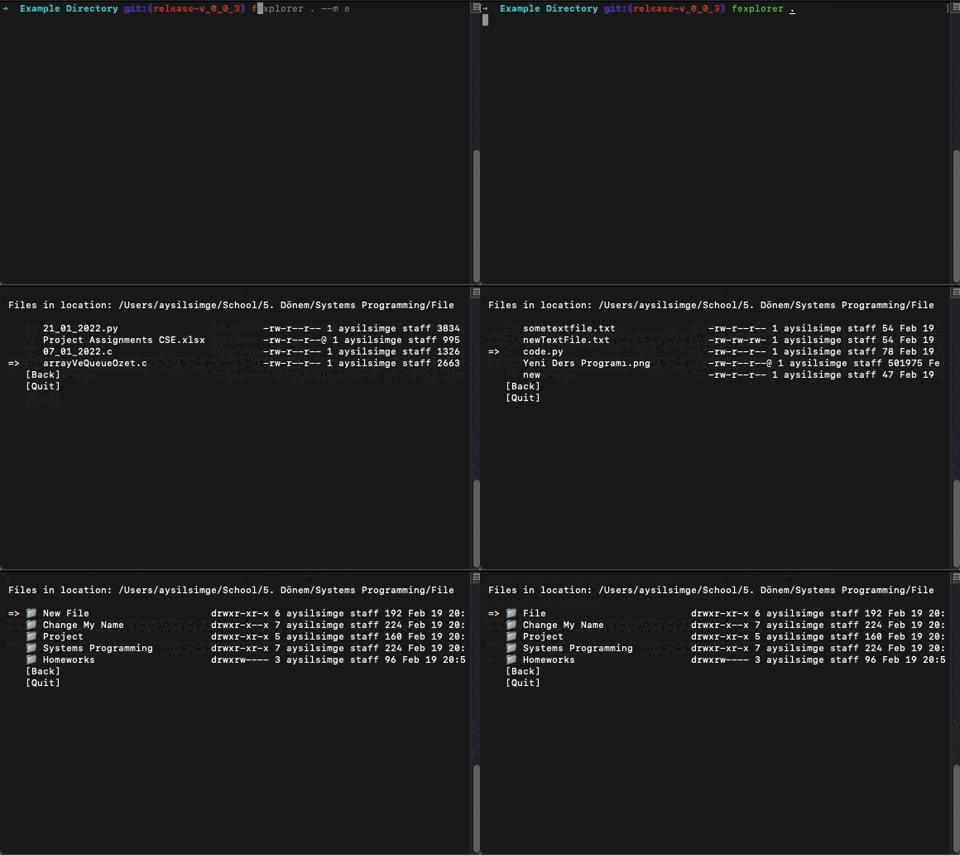
fexplorer path mode(optional, default="n")
When mode is n (default),
- It reads the file contents (if the file is readible).
- You have options to open vi or you can go back.
When mode is e,
- The custom script you write will be run.
- Edit customscript.py file.
To start with your current directory, you can simply run:
fexplorer .
If you want to run your script,
fexplorer . --m e
Instructions
- Navigation is done with the arrow keys [←↑→↓]
- If you see => as an indicator, you first need to select a file with SPACE and then ENTER.
- If you see * as an indicator, only press ENTER.
- To edit a file: First select the file with SPACE, then press E.
Buit With
1 maintainer

Metadata
1 maintainer
Release files for fexplorer 0.0.4
For a detailed explanation of source distributions (sdists) and built distributions (wheels), please see the package formats documentation.
Source distribution (sdist)
| File | Size | Uploaded | |
|---|---|---|---|
| fexplorer-0.0.4.tar.gz | 7.5 kB | Details |
Release files / fexplorer-0.0.4.tar.gz
| Download URL | fexplorer-0.0.4.tar.gz |
|---|---|
| Size | 7.5 kB |
| Tags | Source |
|
SHA-256 checksum How to use checksums |
a815ccaa59e45ce86e075568ab63051d3e83875b771857e7ca835890636a275f
|
|
BLAKE2b-256 checksum How to use checksums |
e6fa4b0ee10af5fada9b5f1c655e81de77b3f96489a866ed0bcd5ea1966cf66e
|
| Upload date | |
|
Uploaded using Trusted Publishing? What is trusted publishing? |
No |
| Uploaded via |
twine/3.8.0 pkginfo/1.8.2 readme-renderer/32.0 requests/2.25.1 requests-toolbelt/0.9.1 urllib3/1.26.4 tqdm/4.60.0 importlib-metadata/4.8.2 keyring/23.5.0 rfc3986/1.5.0 colorama/0.4.4 CPython/3.9.0
|














