
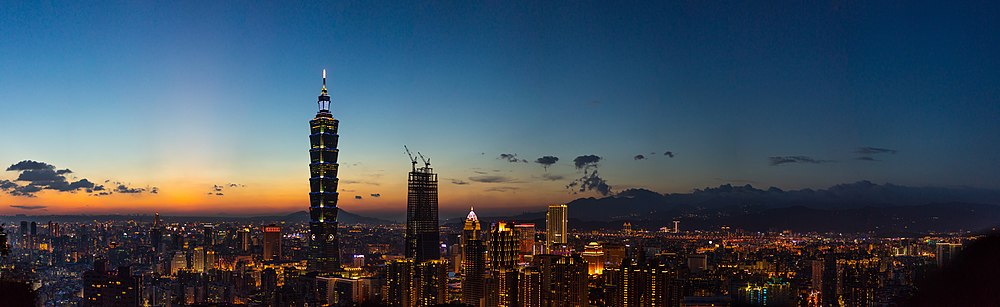
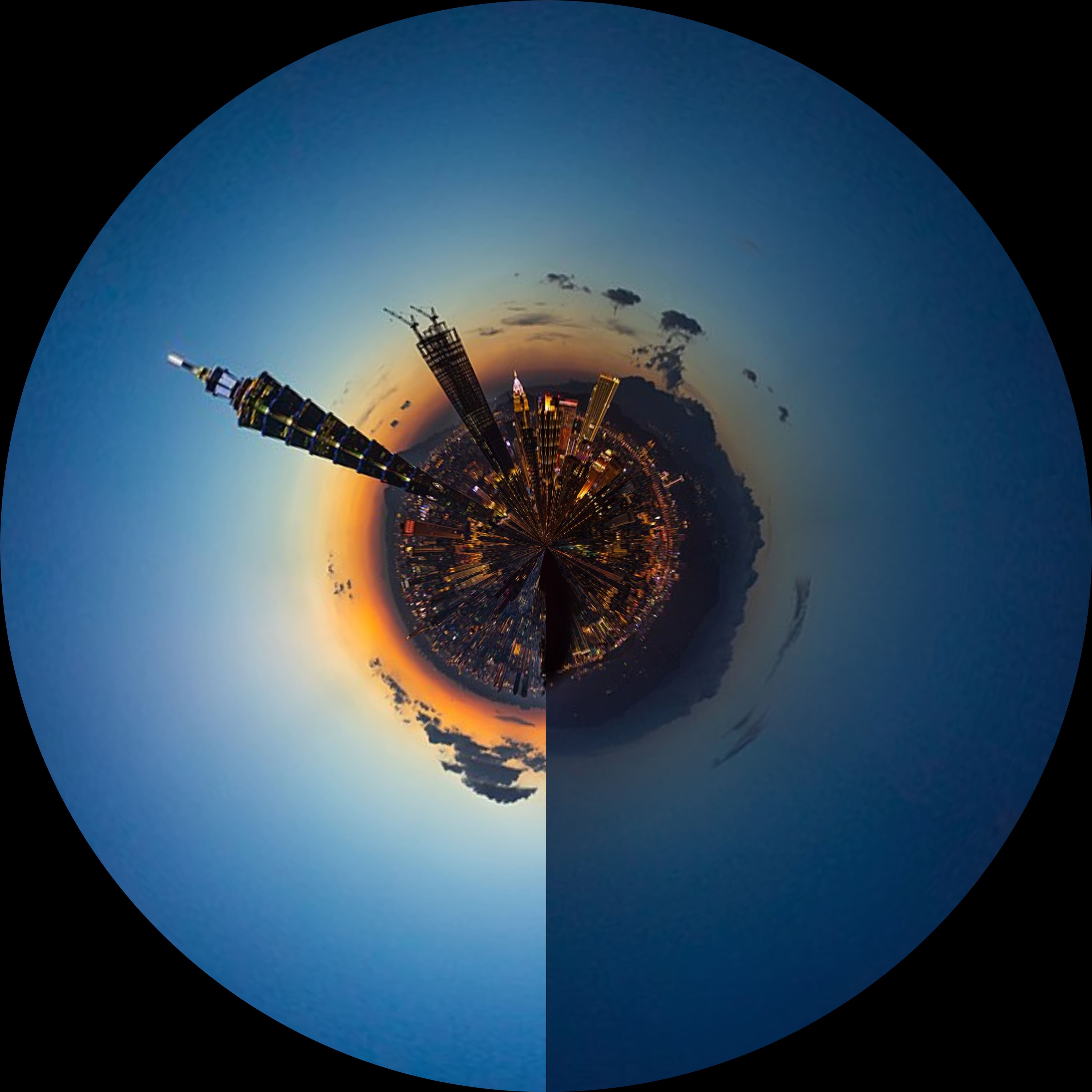











A tool for dewarping and rewarping on a top-down fisheye image by using OpenCV on Python.
Installation
pip install FisheyeWarping
Check it in Pypi
Usage
fisheyewarping --help
usage: fisheyewarping [-h] [--panorama_output PANORAMA_OUTPUT] [--fisheye_output FISHEYE_OUTPUT] [--save_dewarp_mesh_path SAVE_DEWARP_MESH_PATH] [--save_rewarp_mesh_path SAVE_REWARP_MESH_PATH] [--load_dewarp_mesh_path LOAD_DEWARP_MESH_PATH]
                      [--load_rewarp_mesh_path LOAD_REWARP_MESH_PATH] [--fisheye_img_path FISHEYE_IMG_PATH] [--panorama_img_path PANORAMA_IMG_PATH] [--use_multiprocessing USE_MULTIPROCESSING]

optional arguments:
  -h, --help            show this help message and exit
  --panorama_output PANORAMA_OUTPUT
                        Specific path for `output`. Default is `./dewarp-output.png`.
  --fisheye_output FISHEYE_OUTPUT
                        Specific path for `output`. Default is `./rewarp-output.png`.
  --save_dewarp_mesh_path SAVE_DEWARP_MESH_PATH
                        Specific path for saving mesh data for `dewarping`. Default is `None`.
  --save_rewarp_mesh_path SAVE_REWARP_MESH_PATH
                        Specific path for saving mesh data for `rewarping`. Default is `None`.
  --load_dewarp_mesh_path LOAD_DEWARP_MESH_PATH
                        Specific path for loading mesh data for `dewarping`. Default is `None`.
  --load_rewarp_mesh_path LOAD_REWARP_MESH_PATH
                        Specific path for loading mesh data for `rewarping`. Default is `None`.
  --fisheye_img_path FISHEYE_IMG_PATH
                        Specific path of your fisheye image for dewarping to a panorama.
  --panorama_img_path PANORAMA_IMG_PATH
                        Specific path of your panorama image for rewarping to a fisheye image.
  --use_multiprocessing USE_MULTIPROCESSING
                        Use multiprocessing to get mesh. Default is `True`.
Example
Dewarp a fisheye image to panorama
-
In the first time, you will need to build a mesh file for dewarping.
fisheyewarping \
--save_dewarp_mesh_path ./dewarp-mesh.pkl \
--fisheye_img_path ./test-fisheye.jpg
import cv2
from fisheyewarping import FisheyeWarping
fisheye_img = cv2.imread('./test-fisheye.jpg')
frd = FisheyeWarping(fisheye_img, use_multiprocessing=True)
frd.build_dewarp_mesh(save_path='./dewarp-mesh.pkl')
frd.run_dewarp(save_path='./dewarp-output.png')
-
In the next time, you just load the mesh and feel free to go.
fisheyewarping \
--load_dewarp_mesh_path ./dewarp-mesh.pkl \
--fisheye_img_path ./test-fisheye.jpg
import cv2
from fisheyewarping import FisheyeWarping
fisheye_img = cv2.imread('./test-fisheye.jpg'.)
frd = FisheyeWarping(fisheye_img, use_multiprocessing=True)
frd.load_dewarp_mesh(save_path='./dewarp-mesh.pkl')
frd.run_dewarp(save_path='./dewarp-output.png')
Rewarp any panorama image to fisheye
-
In the first time, you will need to build 2 mesh files for dewarping and rewarping by using one fisheye image.
fisheyewarping \
--save_dewarp_mesh_path ./dewarp-mesh.pkl \
--save_rewarp_mesh_path ./rewarp-mesh.pkl \
--fisheye_img_path ./test-fisheye.jpg
import cv2
from fisheyewarping import FisheyeWarping
fisheye_img = cv2.imread('./test-fisheye.jpg'.)
frd = FisheyeWarping(fisheye_img, use_multiprocessing=True)
frd.build_dewarp_mesh(save_path='./dewarp-mesh.pkl')
frd.build_rewarp_mesh(save_path='./rewarp-mesh.pkl')
panorama_img = cv2.imread('./test-panorama.jpg'.)
frd.run_rewarp_with_mesh(panorama_img, save_path='./rewarp-output.png')
-
In the next time, you just load the meshes and feel free to go.
fisheyewarping \
--load_dewarp_mesh_path ./dewarp-mesh.pkl \
--load_rewarp_mesh_path ./rewarp-mesh.pkl \
--panorame_img_path ./test-panorama.jpg
import cv2
from fisheyewarping import FisheyeWarping
frd = FisheyeWarping(None, use_multiprocessing=True)
frd.load_dewarp_mesh(save_path='./dewarp-mesh.pkl')
frd.load_rewarp_mesh(save_path='./rewarp-mesh.pkl')
panorama_img = cv2.imread('./test-panorama.jpg'.)
frd.run_rewarp_with_mesh(panorama_img, save_path='./rewarp-output.png')
Mesh
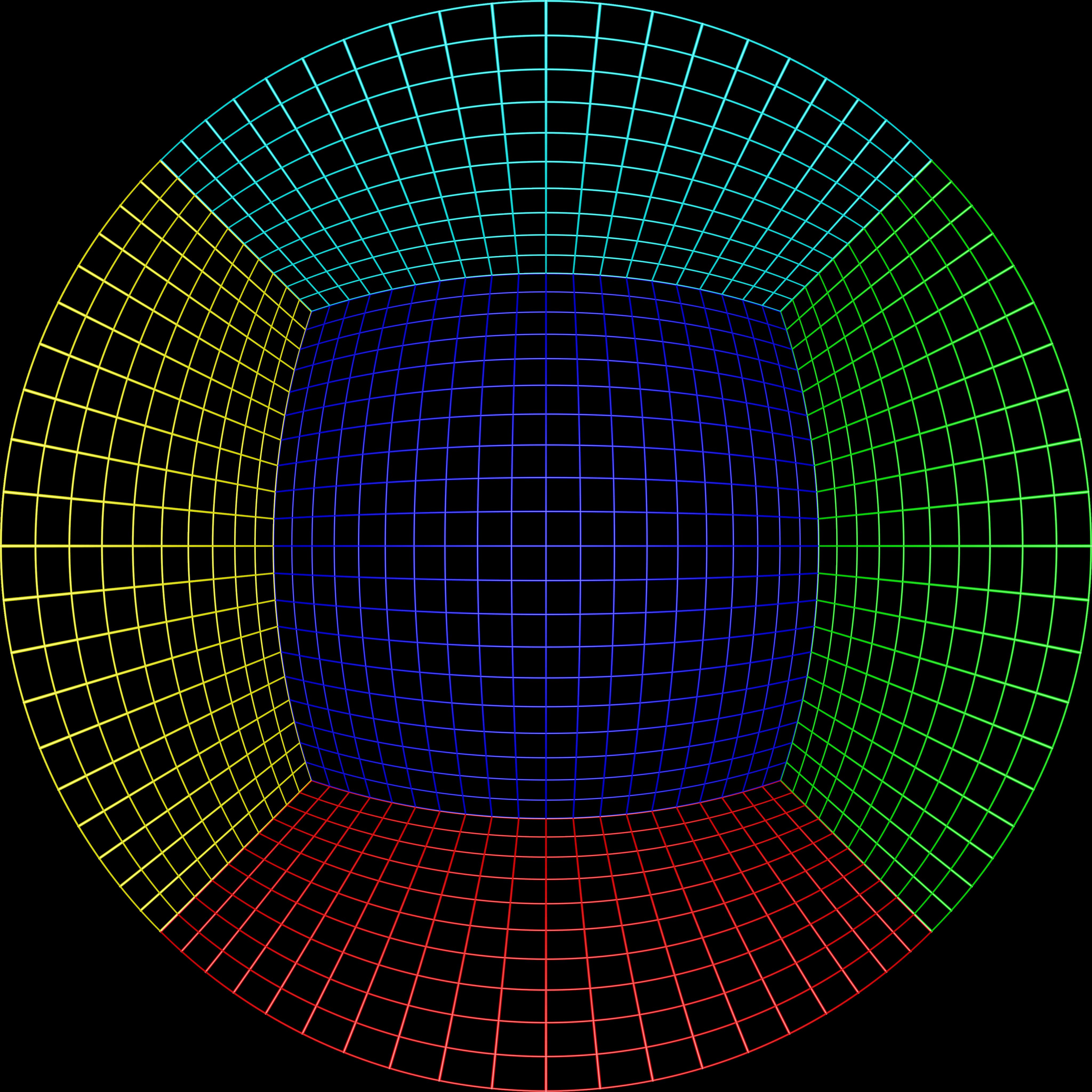
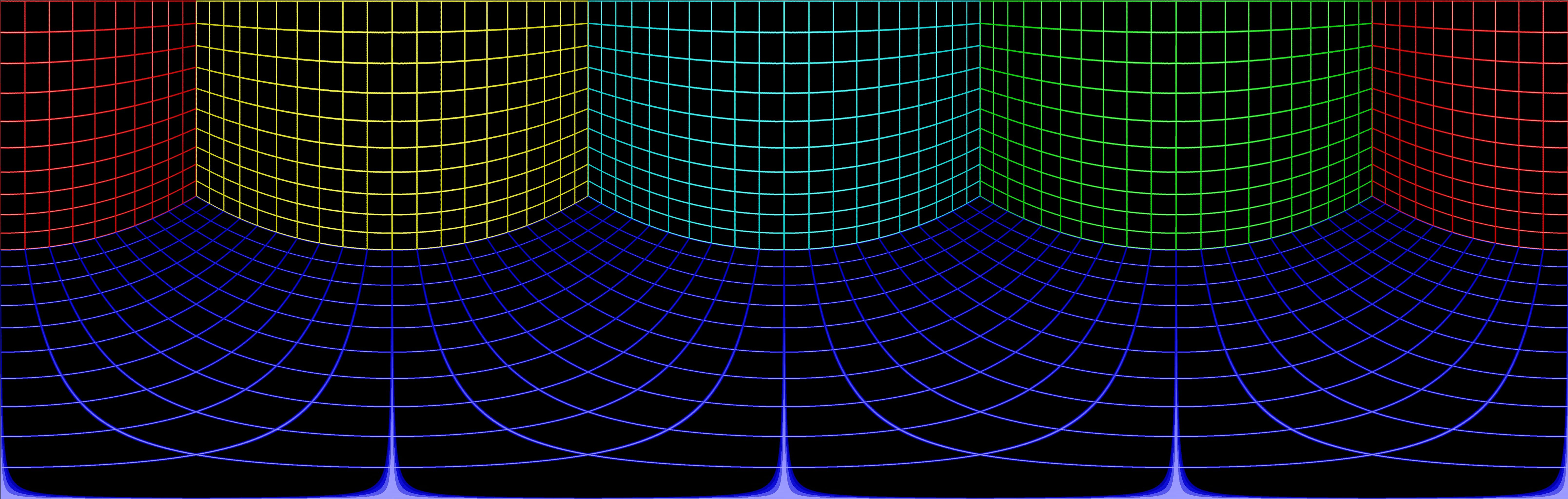
The source of mesh image is from (http://paulbourke.net/dome/fish2/).
Here is the mesh image for this tool, it shows the transformation from the original fisheye image to the panorama image.
- Before - Fisheye
- After - Panorama
Contributor
 Nat Lee |
LICENSE
1 maintainer

Metadata
1 maintainer
Release files for FisheyeWarping 1.0.1
For a detailed explanation of source distributions (sdists) and built distributions (wheels), please see the package formats documentation.
Source distribution (sdist)
| File | Size | Uploaded | |
|---|---|---|---|
| FisheyeWarping-1.0.1.tar.gz | 2.4 MB | Details |
Built distribution (wheel)
| File | Interpreter | ABI | Platform | Reset |
|---|---|---|---|---|
| FisheyeWarping-1.0.1-py3-none-any.whl | Python 3 | none | any | Details |
Total release size: 2.4 MB
Release files / FisheyeWarping-1.0.1.tar.gz
| Download URL | FisheyeWarping-1.0.1.tar.gz |
|---|---|
| Size | 2.4 MB |
| Tags | Source |
|
SHA-256 checksum How to use checksums |
895f2a53a98bfc1ab25f604c44baa66ef800d1df96b8242888d65fe13b296b07
|
|
BLAKE2b-256 checksum How to use checksums |
6b65a532ad690df35789fdcf87add15b5365b9cae63fc86bd8043c10d9ec8e6a
|
| Upload date | |
|
Uploaded using Trusted Publishing? What is trusted publishing? |
No |
| Uploaded via |
twine/4.0.2 CPython/3.11.3
|
Release files / FisheyeWarping-1.0.1-py3-none-any.whl
| Download URL | FisheyeWarping-1.0.1-py3-none-any.whl |
|---|---|
| Size | 9.1 kB |
| Tags | Python 3 |
|
SHA-256 checksum How to use checksums |
a15c9f51c4a88995ebe55bedeb1f27eb812d93c94b670694c8e9423e257fb8da
|
|
BLAKE2b-256 checksum How to use checksums |
e7b8f55cb46d5176f9c78314562d66156a6da514bd5922838cf15da6f9f555eb
|
| Upload date | |
|
Uploaded using Trusted Publishing? What is trusted publishing? |
No |
| Uploaded via |
twine/4.0.2 CPython/3.11.3
|














