
Flask-Mercadopago








Flask-Mercadopago is a collection of methods for the implementation of Mercado Pago OAuth in Flask.
Features
Requirements
Python 3.8+
Dependecies for this project.
- Flask(>=2.0.1) for build the backend.
- Requests for build the backend.
- mercadopago for build the backend.
intallation
You can install via pip:
$> pip install Flask-Mercadopago
Example
Register the extension:
from datetime import datetime
from flask import Flask, jsonify
# To follow the naming rule of Flask extension, although
# this project's name is Flask-Mercadopago, the actual package
# installed is named `flask_mercadopago`.
from flask_mercadopago import Mercadopago

app = Flask(__name__)
app.config["APP_ACCESS_TOKEN"]="APP_USR-558881221729581-091712-44fdc612e60e3e638775d8b4003edd51-471763966"
mercadopago = Mercadopago(app)

@app.route("/")
def index():
    card_token_object = {
        "card_number": "4074090000000004",
        "security_code": "123",
        "expiration_year": datetime.now().strftime("%Y"),
        "expiration_month": "12",
        "cardholder": {
            "name": "APRO",
            "identification": {"CPF": "19119119100"},
        },
    }

    card_token_created = mercadopago.card_token().create(card_token_object)

    payment_data = {
        "transaction_amount": 100,
        "token": card_token_created["response"]["id"],
        "description": "Payment description",
        "payment_method_id": 'visa',
        "installments": 1,
        "payer": {
            "email": 'test_user_123456@testuser.com'
        }
    }
    result = mercadopago.payment().create(payment_data)
    payment = result["response"]
    return jsonify(payment)

if __name__ == '__main__':
    app.run(host="0.0.0.0", port=5000, debug=True)
Recommended running instructions for dev:
-
Create a virtual environment:
$> python3 -m venv venv
-
Activate the newly created environment:
On macOS and Linux:
$> source venv/bin/activate
On Windows
c:\> .\env\Scripts\activate -
Install dependencies:
$> (venv) python -m pip install -r requirements/dev.txt
-
Start the sample app on server locally:
$> (venv) python sample_app/app.py
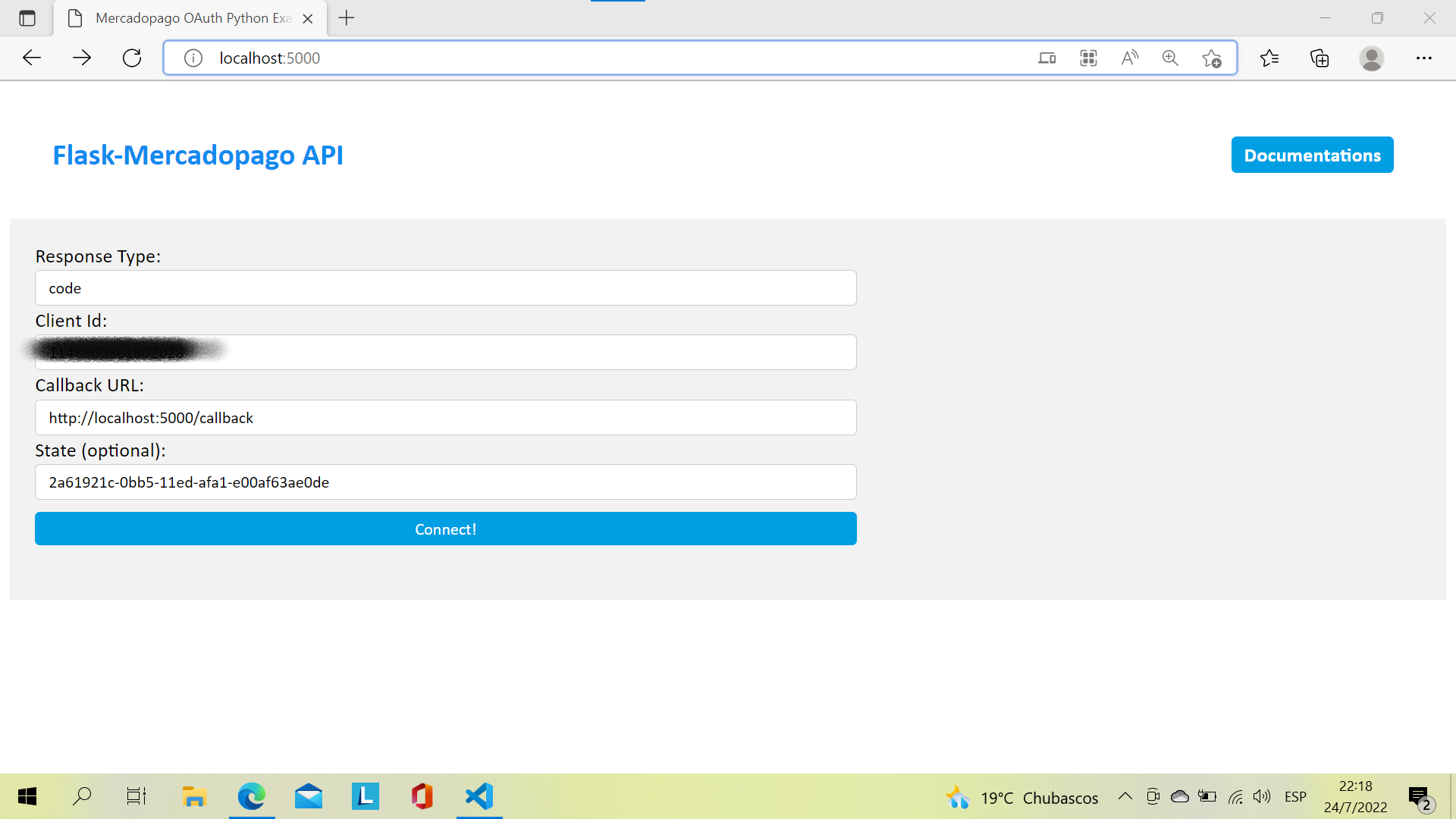
You will get a form like this:
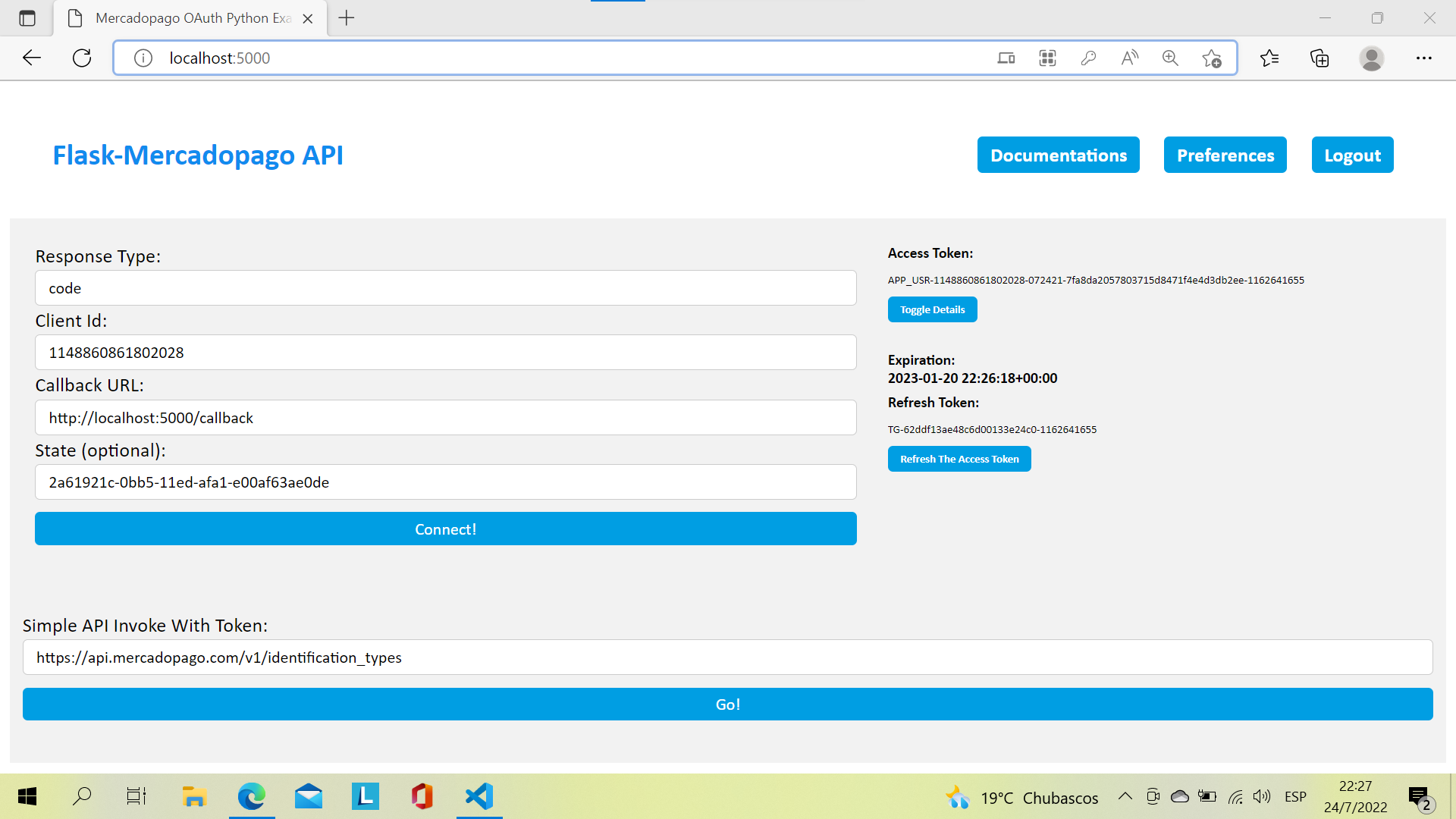
When the validation, the response data will be rendered with proper style:
Links
Authors
- Ferreira, Juan David
Please submit bug reports, suggestions for improvements and patches via the (E-mail: juandavid9a0@gmail.com).
Contributors
Credits goes to these peoples:

Official repository and Issues
License
Flask-Mercadopago is free software you can redistribute it and/or modify it
under the terms of the MIT License. For more information, you can see the
LICENSE file
for details.
1 maintainer

Metadata
1 maintainer
Release files for Flask-Mercadopago 1.0.0
For a detailed explanation of source distributions (sdists) and built distributions (wheels), please see the package formats documentation.
Source distribution (sdist)
| File | Size | Uploaded | |
|---|---|---|---|
| Flask-Mercadopago-1.0.0.tar.gz | 158.9 kB | Details |
Built distribution (wheel)
| File | Interpreter | ABI | Platform | Reset |
|---|---|---|---|---|
| Flask_Mercadopago-1.0.0-py3-none-any.whl | Python 3 | none | any | Details |
Total release size: 318.5 kB
Release files / Flask-Mercadopago-1.0.0.tar.gz
| Download URL | Flask-Mercadopago-1.0.0.tar.gz |
|---|---|
| Size | 158.9 kB |
| Tags | Source |
|
SHA-256 checksum How to use checksums |
462bc15f0cb630611561a1dfc0cc2c3b8ef675e1725115042649656247705162
|
|
BLAKE2b-256 checksum How to use checksums |
4e816bc56e4700c399a22da46c1e8b73b95c2b22ff3bde72cc12327efde6240d
|
| Upload date | |
|
Uploaded using Trusted Publishing? What is trusted publishing? |
No |
| Uploaded via |
twine/4.0.2 CPython/3.9.16
|
Release files / Flask_Mercadopago-1.0.0-py3-none-any.whl
| Download URL | Flask_Mercadopago-1.0.0-py3-none-any.whl |
|---|---|
| Size | 159.6 kB |
| Tags | Python 3 |
|
SHA-256 checksum How to use checksums |
a629ba70cec01a2febc7cfb0c748dc3689014bf3ec08a8754b981ed8709acec2
|
|
BLAKE2b-256 checksum How to use checksums |
9316e6be456ba1deedfd0be06e3ca02ca7c7cdd52746aed4e35361dd322d815f
|
| Upload date | |
|
Uploaded using Trusted Publishing? What is trusted publishing? |
No |
| Uploaded via |
twine/4.0.2 CPython/3.9.16
|














