
FlowNet: Data-Driven Reservoir Predictions






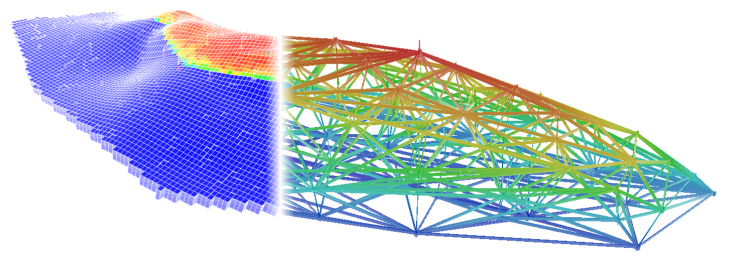
FlowNet aims at solving the following problems:
- Create data-driven reduced physics models - directly from the data
- Train the model
- Assure model predictiveness
- Use the models to efficiently optimize and make decisions
For documentation, see the GitHub pages for this repository.
Contributing
Please check out our contribution guidelines if you want to contribute to FlowNet.
Installation
FlowNet is a Python package. All required dependencies are automatically installed together with FlowNet, except for the OPM-Flow reservoir simulator binaries which you will need to install separately.
If your Flow installation is not located at /usr/bin/flow you should set an
environment variable FLOW_PATH with path to your Flow executable prior to running
FlowNet.
Install FlowNet
The easiest and recommended approach is to install FlowNet from PyPI by running
pip install flownet
If you want to install and try out the latest unreleased code you can do
git clone git@github.com:equinor/flownet.git
cd flownet
pip install -e .
Omit the -e flag if you want a standard installation.
⚠️ Do you want to run FlowNet through the LSF queue? To be able to have the ERT process, that will be called by FlowNet, run jobs via LSF correctly you will need to update your default shell's configuration file (
.cshrcor.bashrc) to automatically source your virtual environment.
Running FlowNet
You can run FlowNet as a single command line:
flownet ahm ./some_config.yaml ./some_output_folder
Run flownet --help to see all possible command line argument options.
Running webviz to check results
Before running webviz for the first time on your machine, you will need to to create a localhost https certificate by doing:
webviz certificate --auto-install --force
License
FlowNet is, with a few exceptions listed below, GPLv3.
- The Norne test data is available under the Open Database License
- The FlowNet logo is CC BY-NC-ND 4.0
1 maintainer

Metadata
1 maintainer
Release files for flownet 0.5.3
For a detailed explanation of source distributions (sdists) and built distributions (wheels), please see the package formats documentation.
Built distribution (wheel)
| File | Interpreter | ABI | Platform | Actions Reset |
|---|---|---|---|---|
| flownet-0.5.3-py3-none-any.whl | Python 3 | none | any | Details for flownet-0.5.3-py3-none-any.whl |
Release files / flownet-0.5.3-py3-none-any.whl
| Download URL | flownet-0.5.3-py3-none-any.whl |
|---|---|
| Size | 144.2 kB |
| Tags | Python 3 |
|
SHA-256 checksum How to use checksums |
f6d2ecf829c75f09fd15a48c67d13faa817c32cf639ef65c917e9c0f31a462fb
|
|
BLAKE2b-256 checksum How to use checksums |
0830ce6b89d34bd9344d3acb93311be491b915dac6cea94f53641f0d00b4662a
|
| Upload date | |
|
Uploaded using Trusted Publishing? What is trusted publishing? |
No |
| Uploaded via |
twine/3.4.2 importlib_metadata/4.8.1 pkginfo/1.7.1 requests/2.25.1 requests-toolbelt/0.9.1 tqdm/4.62.3 CPython/3.7.12
|
Security for flownet 0.5.3
Provenance
Provenance describes where a file came from. On PyPI, provenance is shared via attestations, which provide a verifiable record of the build or publishing details. View details, limitations and caveats.
No provenance found
None of the files in this release were uploaded with provenance metadata.
A note on package security
PyPI is a repository for distributing packages, not a service for auditing them. While third-party security researchers and our staff do their best to detect and remove malicious packages, PyPI cannot guarantee the quality, security or suitability of any given package.
To learn more about protecting yourself from malicious actors, visit our package security documentation.















