
Description
This Python module is meant to facilitate the calculations of head losses in circuits an the selection of suitable pomps. It is built on Fluids https://pypi.org/project/fluids/, Thermo https://pypi.org/project/thermo/ and Pint https://pypi.org/project/Pint/.
Use Cases
easy calculation of head losses
pump working point determination
visualisation of pump and circuit curves and working point
orifice dimensioning
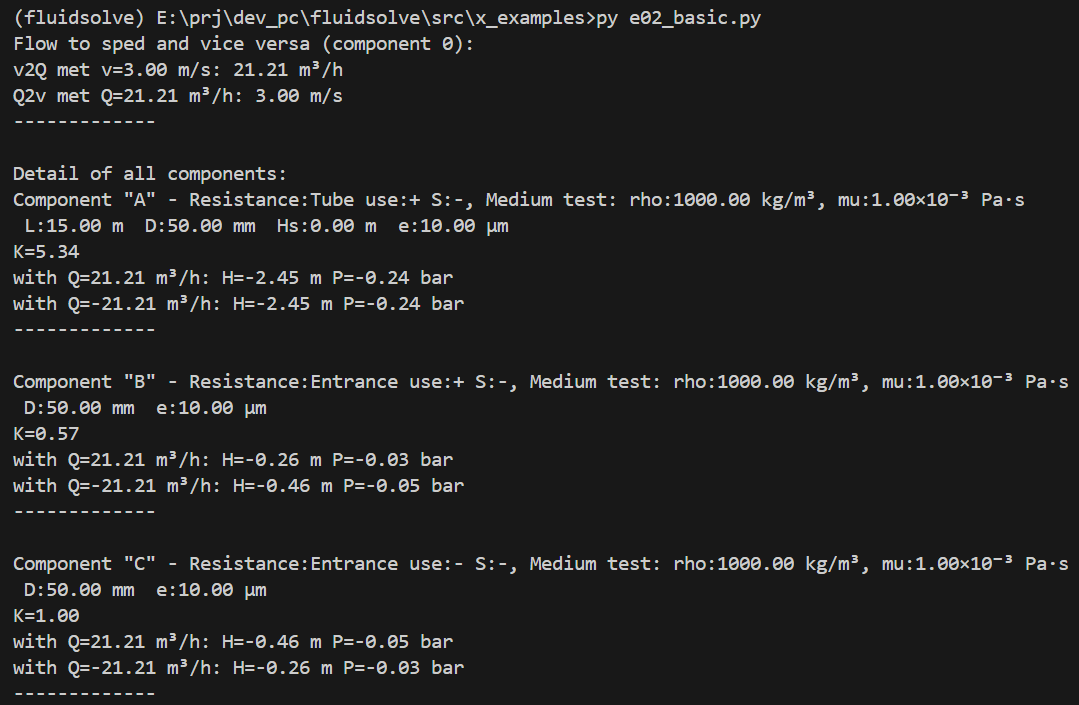
Calculations
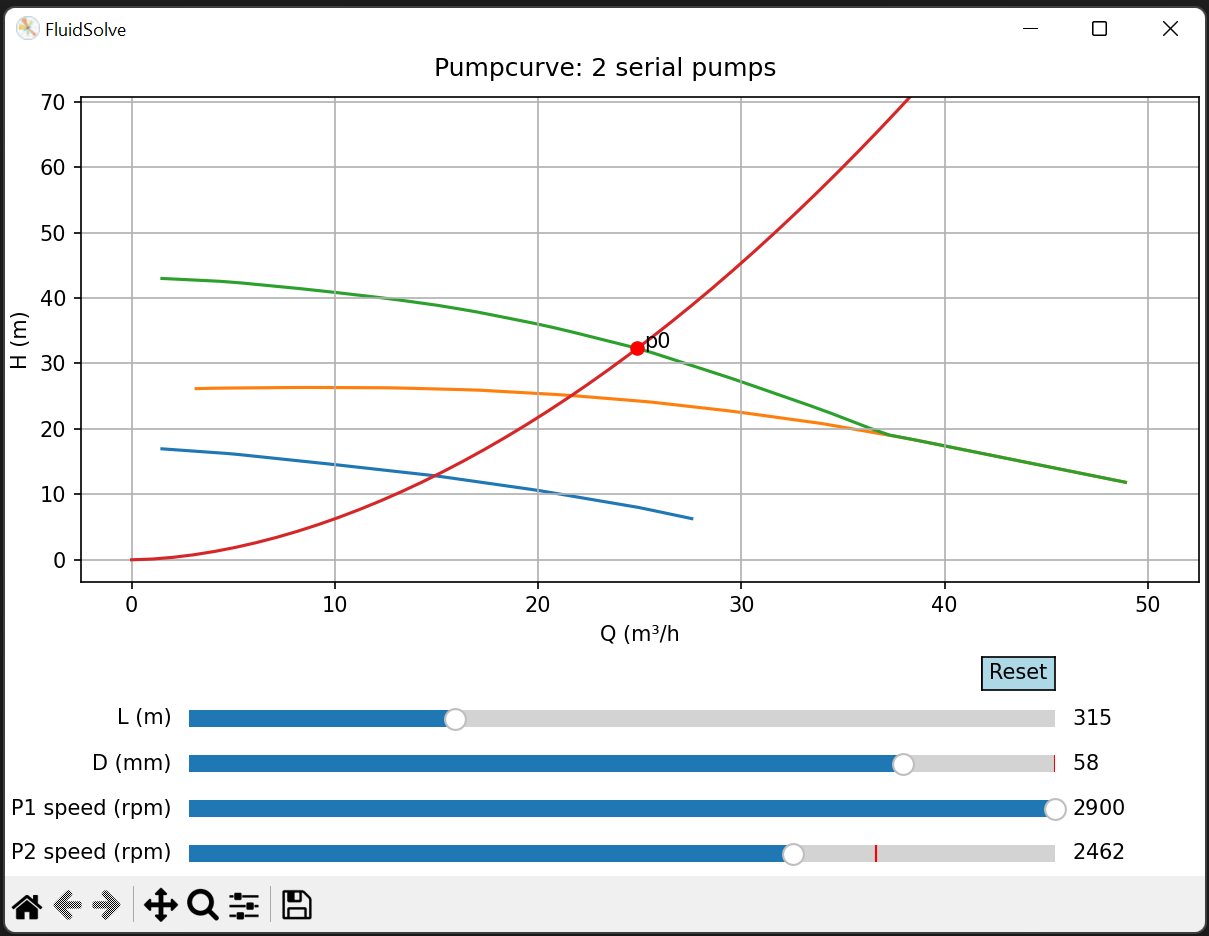
Interactive Plot
The Fluid Solve tool
This is a tool of toolkit, not a user friendly appication to do headloss calculations. Thus the calculations scripts need to be written in Python. Although this is all relative simple code, some knowledge of python will be necessary. We will use Python (at least version 3.10) with some additional libraries. If you install it via pip (see below), these dependencies will be installed together with the tool,
Usage
This module contains a number of functionalities:
Medium definition.
Material definition.
Component definition.
Pump definition.
Path definition (consisting of one ore more components).
Network definition (consisting of a network of connected components).
Pump and component selection (from catalogue)
Plotting (static or interactive) Q-H graphs.
Orifice dimensioning and other utility tools.
Take a look at the included examples for more info.
IMPORTANT NOTE:
In order to reduce typing there is only one namespace: fluidsolve. So when in the documentation there is: fluidsolve.extplot.QHcurve, you have to type fluidsolve.QHcurve. Or when you from fluidsolve import *, you simply type QHcurve.
Installation
fluidsolve is just a Python package, so:
pip install fluidsolve
Step by step installation (basic)
Two things are needed: a Python environment and an editor to create and run yous scripts. For the python enviromnment, the most simple way is to download and install a Python interpreter. As en editor one has a lot of options, but I would suggest something like Notepad++ or VSCode.
Every Python setup will do. But as an example the procedure below should work on windows.
create on D: following map structure(this will be the loacation where you place your calculation scripts)
D:\
└── fluidsolve\
Download a python interpreter from https://www.python.org/downloads/windows/; choose Windows installer (64-bit)
Double click to install; make sure to add the interpreter to path.
Download Visual Studio Code (vscode) from https://code.visualstudio.com/;
Double click to install
- set the default terminal
Press Ctrl+Shift+P (or F1) to open the Command Palette.
To search for Terminal Settings type: Terminal: Select Default Profile
choose command prompt
- Install some vscode extensions:
Python
- Select Python default interpreter
Press Ctrl+Shift+P (or F1) to open the Command Palette.
To search for Terminal Settings type: Python: select interpreter
choose the interpreter
To test the interpreter: open a terminal and type: python –version
- Install library (fluidsolve is just a Python package)
in the terminal:
pip install fluidsolve
Step by step installation (virtual environment)
When you already have a Python environment, or you want to separate this form other python environments, you have to add some steps in the procedure before, just before installing the fluidsolve library. The complete procedure becomes (for details see above):
create on D: following map structure
D:\
└── fluidsolve\
    └── ... (rest of the files)
Download a python interpreter from https://www.python.org/downloads/windows/; choose Windows installer (64-bit)
Double click to install; make sure to add the interpreter to path.
Download Visual Studio Code (vscode) from https://code.visualstudio.com/;
Double click to install
- set the default terminal
Press Ctrl+Shift+P (or F1) to open the Command Palette.
To search for Terminal Settings type: Terminal: Select Default Profile
choose command prompt
- Install some vscode extensions:
Python
Pylint
…
- Setup a virtual environment
Open the Command Palette (Ctrl+Shift+P), search for Python: Create Environment
Select venv
Enter the python interpreter
if in dev mode: select optional dependencies (check them all - also doc and test); also see the development section.
After selecting the Python interpreter version, a notification will show the progress of the environment creation.
The environment folder (.venv) will appear in your workspace.
Open the Command Palette (Ctrl+Shift+P), search for Python: Select Interpreter
select the python interpreter from the venv
To test the interpreter: open a terminal and type: python –version
- Install library (fluidsolve is just a Python package)
If you want to install it in dev mode: see that section
in the terminal:
pip install fluidsolve
Support
This library is under development. So breaking changes are always possible.
fluidsolve works with Python 3.10 and higher.
Development setup
See the development section.
Usage
Take a look at the example scripts.
Eventually activate the virtual environment: d:fluidsolve_venvfluidsolveScriptsactivate You can check if it is activated with: pip list
Data from printed pump characteristics can easily be extracted by using a tool such as webwplot digitizer: https://apps.automeris.io/wpd4/
References
homepage : https://github.com/DOSprojects/fluidsolve.git
documentation : https://fluidsolve.readthedocs.io/en/latest/index.html
1 maintainer

Release files for FluidSolve 0.9.3
For a detailed explanation of source distributions (sdists) and built distributions (wheels), please see the package formats documentation.
Source distribution (sdist)
| File | Size | Uploaded | |
|---|---|---|---|
| fluidsolve-0.9.3.tar.gz | 181.4 kB | Details |
Built distribution (wheel)
| File | Interpreter | ABI | Platform | Reset |
|---|---|---|---|---|
| fluidsolve-0.9.3-py3-none-any.whl | Python 3 | none | any | Details |
Total release size:406.4 kB
Release files / fluidsolve-0.9.3.tar.gz
| Download URL | fluidsolve-0.9.3.tar.gz |
|---|---|
| Size | 181.4 kB |
| Tags | Source |
|
SHA-256 checksum How to use checksums |
18e4b13da67c6069a33630671e044543d026991b736a753779a8179659953a4a
|
|
BLAKE2b-256 checksum How to use checksums |
f501d0d9109e59ea0358545e2db4eae1725e81a702055353eccf8e73a118dd0f
|
| Upload date | |
|
Uploaded using Trusted Publishing? What is trusted publishing? |
Yes |
| Uploaded via |
twine/6.1.0 CPython/3.13.12
|
Provenance
Provenance describes where a file came from. On PyPI, provenance is shared via attestations, which provide a verifiable record of the build or publishing details. View details, limitations and caveats.


PyPI Publish Attestation
PyPI verified that this artifact, at this checksum, originated from the publisher listed below.
Signed by GitHub Actions, verified by PyPI on Apr 28, 2026.
Transparency logRelease files / fluidsolve-0.9.3-py3-none-any.whl
| Download URL | fluidsolve-0.9.3-py3-none-any.whl |
|---|---|
| Size | 225.0 kB |
| Tags | Python 3 |
|
SHA-256 checksum How to use checksums |
5a0810fd3d35290466c92117f22df31fc625f7abacbe6031bc5bd092bf15502c
|
|
BLAKE2b-256 checksum How to use checksums |
a91fbe4934614217827e9b9929c5e0b0ef22f40d463c1b495b880df5a8a903c4
|
| Upload date | |
|
Uploaded using Trusted Publishing? What is trusted publishing? |
Yes |
| Uploaded via |
twine/6.1.0 CPython/3.13.12
|
Provenance
Provenance describes where a file came from. On PyPI, provenance is shared via attestations, which provide a verifiable record of the build or publishing details. View details, limitations and caveats.
PyPI Publish Attestation
PyPI verified that this artifact, at this checksum, originated from the publisher listed below.
Signed by GitHub Actions, verified by PyPI on Apr 28, 2026.
Transparency log












