
This release is a pre-release and may not be stable for production use.
pNet
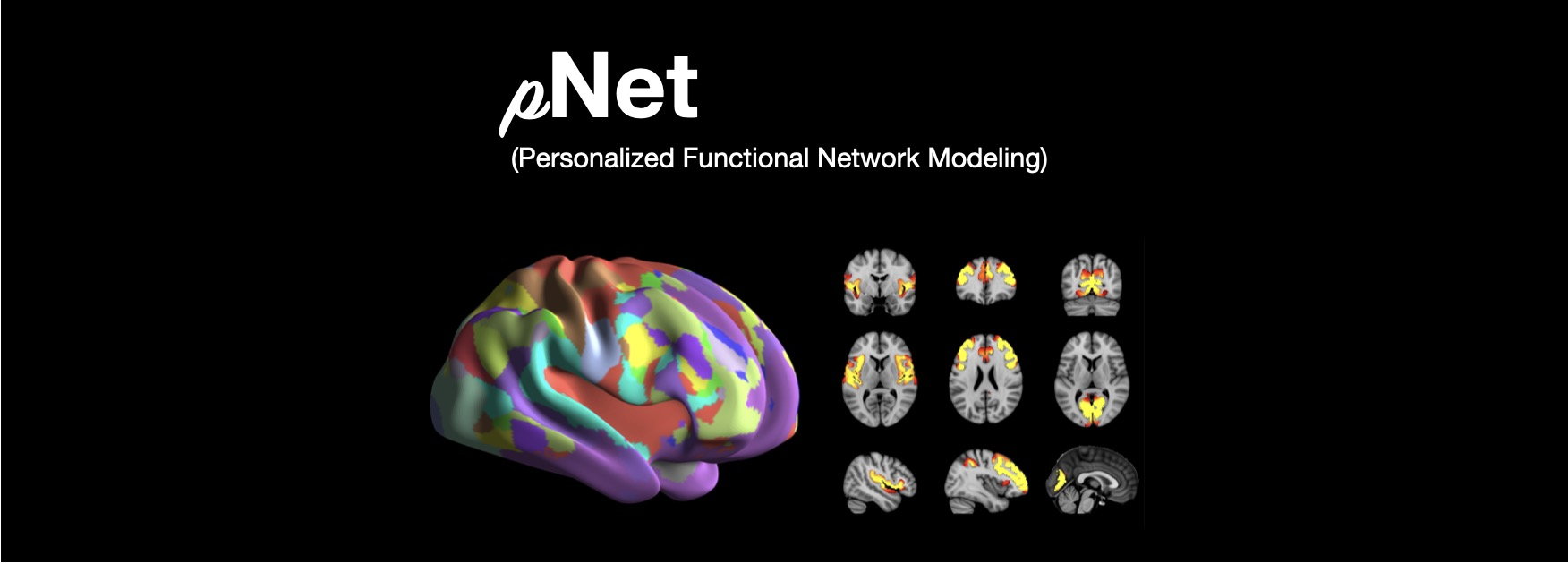
pNet is a Python package of an algorithm for computing personalized, sparse, non-negative large-scale functional networks from functional magnetic resonance imaging (fMRI) data, facilitating effective characterization of individual variation in functional topography. The personalized functional networks are comparable across subjects while maintaining subject specific variation, reflected by their improved functional coherence compared with their group-level counterparts. The computation of personalized functional networks is accompanied by quality control, with visualization and quantification of their spatial correspondence and functional coherence in reference to their group-level counterparts.
The algorithm has been successfully applied to studies of individual variation in functional topography of association networks in youth, sex differences in the functional topography of association networks in youth, dissociable multi-scale patterns of development in personalized brain networks, functional network topography of psychopathology in youth, personalized functional brain network topography in youth cognition, and multiscale functional connectivity patterns of the aging brain.
Getting started
Follow the Installation Instructions to install pNet, and then check out the APIs and Examples to learn how to get up and running!
Run with a docker image
docker pull mldataanalytics/fmripnet:latest
or
docker pull ghcr.io/mldataanalytics/fmripnet:latest
docker run mldataanalytics/fmripnet -h
Download and install pNet
1. Download pNet
git clone https://github.com/MLDataAnalytics/pNet.git
2. Create a new conda environment for pNet
cd pNet
conda env create --name fmripnet -f environment_pnet.yml
3. Install pNet
conda activate fmripnet
pip install .
# or pip install fmripnet
Script usages
1. Prepare data
- a number of preprocessed fMRI scans that have been spatially aligned to a template space,
- a mask image for excluding voxels/vertices of uninterest,
- a brain template image/surface for visualization.
- a script can be found in cli folder for preparing the brain template data and precomputed templates are avaiable for data preprocessed with HCP pipelines.
2. Example files of scans and configuration
- An example file with a list of preprocessed fMRI scans:
/cbica/projects/xxx/rfMRI_REST1_LR/rfMRI_REST1_LR_Atlas_MSMAll_hp2000_clean.dtseries.nii
...
/cbica/projects/xxx/rfMRI_REST1_LR/rfMRI_REST1_LR_Atlas_MSMAll_hp2000_clean.dts
eries.nii
- An example configration file:
# This is a configuration file for computing personalized functional networks (FNs) given a set of preprocessed fMRI data
## input:
#   1. Provide a txt file with a list of preprocesed fMRI scans, one on each line, as Scan_List.txt
#   2. Specifiy a brain template file, provide by pnet or prepared with data provided
#   3. Specify the number of FNs
## output:
#   1. Specify the result folder directory in dir_pnet_result

[necessary_settings]
## Input:
# a txt file with a list of preprocessed fMRI scan file, one on each line
file_scans = "/cbica/home/fanyo/fmripnet/examples/HCP1200_10Surfs.txt"
# a brain template file. A HCP surface based template is set here, prepared by pnet
file_Brain_Template = "/cbica/home/fanyo/.conda/envs/fmripnet/lib/python3.8/site-packages/pnet/Brain_Template/HCP_Surface/Brain_Te
mplate.json.zip"
# the number of FNs to be computed, should be a positive integer number
K = 2
## Output: setup the output folder
dir_pnet_result = "/cbica/home/fanyo/comp_space/pNet/examples/FN2_Surface_hpc"

## specify the method for computing personalized FNs: SR-NMF or GIG-ICA
# for GIG-ICA group level FNs (file_gFN) have to be provided
# and gFN_settings will be ignored
method="SR-NMF"

## date type and format information
# data type is surface
dataType = "Surface"
# data format is HCP surface
dataFormat = "HCP Surface (*.cifti, *.mat)"

[pFN_settings]
## for computing personalized FNs based on given fMRI scans/cbica/home/fanyo/fmripnet/examples
# Specify group level FNs if avialable. If not, the group level FNs will be computed first
file_gFN = "None"

[gFN_settings]
## for computing FNs at a group level by boostrapping the input data
# Setup number of scans loaded for each bootstrap run for estimating gFNs
# a larger number is preferred for robustness, but should be no larger than the avaiable scans
sampleSize = 10  # typical value: 100
# Setup number of runs for bootstraps
# a larger number is preferred for robustness, but with increased computational cost
nBS = 5        #typical value: 50
# a number of time points for computing group FNs with bootstraps
# this is for reducing the computational cost by using a partion of all avaiable time points of each fMRI scan
# for short fMRI scans all available time points should be used for robustness
nTPoints = 300   # all avaiable time points will be used if seting a value larger than the available number of time points

####################################################################################
# the following is ignored if no HPC computation (with sge or slurm) will be used  #
####################################################################################
[hpc_settings]
[hpc_settings.pnet_env]
# specify pnet installation information
dir_pnet="/cbica/home/fanyo/.conda/envs/fmripnet/lib/python3.8/site-packages/pnet"
dir_env="/cbica/home/fanyo/.conda/envs/fmripnet"
dir_python="/cbica/home/fanyo/.conda/envs/fmripnet/bin/python"

# specify pnet
[hpc_settings.submit]
# Setup qsub commands
submit_command = "sbatch --parsable --time=0:50:00" # "qsub -terse -j y"
thread_command = "--ntasks-per-node=" #-pe threaded "
memory_command = "--mem="                   #"-l h_vmem="
log_command = "--output="  #"-o "

[hpc_settings.computation_resource]
# Computation resource request
memory_bootstrap= "100G"
thread_bootstrap= 2
memory_fusion= "10G"
thread_fusion= 4
memory_pFN= "10G"
thread_pFN= 1
memory_qc= "10G"
thread_qc= 1
memory_visualization= "20G"
thread_visualization= 1
3. Run the computation (examples can be found in examples folder)
- a script (fmripnet.py) can be found in cli folder for running the computation, supplied with a configuration file (*.toml) for setting the input and output information
   run "python fmripnet.py -h " to get help information
   run "python fmripnet.py -c a_config.toml" to start the computation without HPC
   run "python fmripnet.py -c a_config.toml --hpc" to start the computation on a HPC cluster with sge or slurm
Code examples and usages
1. Prepare data
1) a number of preprocessed fMRI scans that have been spatially aligned to a template space,
2) a mask image for excluding voxels/vertices of uninterest,
3) a brain template image/surface for visualization
2. Setup the computation
1) the number of functional networks,
2) the output folder information,
3) optional parameters
3. Example code:
import pnet

# create a txt file of fMRI scans, each line with a fMRI scan
file_scan = 'sbj_lst.txt'
# create a brain template file consisting of information of the mask image and the brain template for visualization or use a template that is distributed with the package)
file_Brain_Template = pnet.Brain_Template.file_MNI_vol

# Setup
# data type is volume
dataType = 'Volume'
# data format is NIFTI, which stores a 4D matrix
dataFormat = 'Volume (*.nii, *.nii.gz, *.mat)'
# output folder
dir_pnet_result = 'Test_FN17_Results'

# number of FNs
K = 17

# Setup number of scans loaded for each bootstrap run for estimating group functional networks
sampleSize = 100 # The number should be no larger than the number of available fMRI scans. A larger number of samples can improve the computational robustness but also increase the computational cost.  Recommended: >=100
# Setup number of runs for bootstraps
nBS = 50         # A larger number of run can improve the computational robustness but also increase the computational cost. recommended: >=10
# Setup number of time points for computing group FNs with bootstraps
nTPoints = 200   # The number should be no larger than the number of available time points of the fMRI scans. A larger number of samples can improve the computational robustness but also increase the computational cost.  If not set or larger than the number of available time points (assuming smaller than 9999), all availabe time points will be used.

# Run pnet workflow
pnet.workflow_simple(
        dir_pnet_result=dir_pnet_result,
        dataType=dataType,
        dataFormat=dataFormat,
        file_scan=file_scan,
        file_Brain_Template=file_Brain_Template,
        K=K,
        sampleSize=sampleSize,
        nBS=nBS,
        nTPoints=nTPoints
    )
References
- Li H, Satterthwaite TD, Fan Y. Large-scale sparse functional networks from resting state fMRI. Neuroimage. 2017 Aug 1;156:1-13. doi: 10.1016/j.neuroimage.2017.05.004. Epub 2017 May 5. PMID: 28483721; PMCID: PMC5568802.
- Cui Z, Li H, Xia CH, Larsen B, Adebimpe A, Baum GL, Cieslak M, Gur RE, Gur RC, Moore TM, Oathes DJ, Alexander-Bloch AF, Raznahan A, Roalf DR, Shinohara RT, Wolf DH, Davatzikos C, Bassett DS, Fair DA, Fan Y, Satterthwaite TD. Individual Variation in Functional Topography of Association Networks in Youth. Neuron. 2020 Apr 22;106(2):340-353.e8. doi: 10.1016/j.neuron.2020.01.029. Epub 2020 Feb 19. PMID: 32078800; PMCID: PMC7182484.
- Pines AR, Larsen B, Cui Z, Sydnor VJ, Bertolero MA, Adebimpe A, Alexander-Bloch AF, Davatzikos C, Fair DA, Gur RC, Gur RE, Li H, Milham MP, Moore TM, Murtha K, Parkes L, Thompson-Schill SL, Shanmugan S, Shinohara RT, Weinstein SM, Bassett DS, Fan Y, Satterthwaite TD. Dissociable multi-scale patterns of development in personalized brain networks. Nat Commun. 2022 May 12;13(1):2647. doi: 10.1038/s41467-022-30244-4. PMID: 35551181; PMCID: PMC9098559.
- Cui Z, Pines AR, Larsen B, Sydnor VJ, Li H, Adebimpe A, Alexander-Bloch AF, Bassett DS, Bertolero M, Calkins ME, Davatzikos C, Fair DA, Gur RC, Gur RE, Moore TM, Shanmugan S, Shinohara RT, Vogel JW, Xia CH, Fan Y, Satterthwaite TD. Linking Individual Differences in Personalized Functional Network Topography to Psychopathology in Youth. Biol Psychiatry. 2022 Dec 15;92(12):973-983. doi: 10.1016/j.biopsych.2022.05.014. Epub 2022 May 18. PMID: 35927072; PMCID: PMC10040299.
- Shanmugan S, Seidlitz J, Cui Z, Adebimpe A, Bassett DS, Bertolero MA, Davatzikos C, Fair DA, Gur RE, Gur RC, Larsen B, Li H, Pines A, Raznahan A, Roalf DR, Shinohara RT, Vogel J, Wolf DH, Fan Y, Alexander-Bloch A, Satterthwaite TD. Sex differences in the functional topography of association networks in youth. Proc Natl Acad Sci U S A. 2022 Aug 16;119(33):e2110416119. doi: 10.1073/pnas.2110416119. Epub 2022 Aug 8. PMID: 35939696; PMCID: PMC9388107.
- Keller AS, Pines AR, Shanmugan S, Sydnor VJ, Cui Z, Bertolero MA, Barzilay R, Alexander-Bloch AF, Byington N, Chen A, Conan GM, Davatzikos C, Feczko E, Hendrickson TJ, Houghton A, Larsen B, Li H, Miranda-Dominguez O, Roalf DR, Perrone A, Shetty A, Shinohara RT, Fan Y, Fair DA, Satterthwaite TD. Personalized functional brain network topography is associated with individual differences in youth cognition. Nat Commun. 2023 Dec 18;14(1):8411. doi: 10.1038/s41467-023-44087-0. PMID: 38110396; PMCID: PMC10728159.
- Zhou Z, Li H, Srinivasan D, Abdulkadir A, Nasrallah IM, Wen J, Doshi J, Erus G, Mamourian E, Bryan NR, Wolk DA, Beason-Held L, Resnick SM, Satterthwaite TD, Davatzikos C, Shou H, Fan Y; ISTAGING Consortium. Multiscale functional connectivity patterns of the aging brain learned from harmonized rsfMRI data of the multi-cohort iSTAGING study. Neuroimage. 2023 Apr 1;269:119911. doi: 10.1016/j.neuroimage.2023.119911. Epub 2023 Jan 30. PMID: 36731813; PMCID: PMC9992322.
- Li H, Srinivasan D, Zhuo C, Cui Z, Gur RE, Gur RC, Oathes DJ, Davatzikos C, Satterthwaite TD, Fan Y. Computing personalized brain functional networks from fMRI using self-supervised deep learning. Med Image Anal. 2023 Apr;85:102756. doi: 10.1016/j.media.2023.102756. Epub 2023 Jan 21. PMID: 36706636; PMCID: PMC10103143.
Support
If you encounter problems or bugs with pNet, or have questions or improvement suggestions, please feel free to get in touch via the Github issues.
Previous versions:
Matlab and Python: https://github.com/MLDataAnalytics/pNet_Matlab
Matlab: https://github.com/MLDataAnalytics/Collaborative_Brain_Decomposition
1 maintainer

Metadata
1 maintainer
Release files for fmripnet 1.0.1rc0
For a detailed explanation of source distributions (sdists) and built distributions (wheels), please see the package formats documentation.
Source distribution (sdist)
| File | Size | Uploaded | Provenance | Actions |
|---|---|---|---|---|
| fmripnet-1.0.1rc0.tar.gz | 50.0 MB | Without provenance | Details for fmripnet-1.0.1rc0.tar.gz |
Built distribution (wheel)
| File | Interpreter | ABI | Platform | Actions Reset |
|---|---|---|---|---|
| fmripnet-1.0.1rc0-py3-none-any.whl | Python 3 | none | any | Details for fmripnet-1.0.1rc0-py3-none-any.whl |
Total release size: 100.2 MB
Release files / fmripnet-1.0.1rc0.tar.gz
| Download URL | fmripnet-1.0.1rc0.tar.gz |
|---|---|
| Size | 50.0 MB |
| Tags | Source |
|
SHA-256 checksum How to use checksums |
e569511817ffdf7999c21a619d0250dca72dcdfd84afb5d5d5b9d1859ddf932f
|
|
BLAKE2b-256 checksum How to use checksums |
a3eed4539491b606966a0119daf497626093e68f78ae90da15c8b8d8a666b0fd
|
| Upload date | |
|
Uploaded using Trusted Publishing? What is trusted publishing? |
No |
| Uploaded via |
twine/5.1.1 CPython/3.8.13
|
Release files / fmripnet-1.0.1rc0-py3-none-any.whl
| Download URL | fmripnet-1.0.1rc0-py3-none-any.whl |
|---|---|
| Size | 50.2 MB |
| Tags | Python 3 |
|
SHA-256 checksum How to use checksums |
489362f30d2aeccd5648a03e61f7ae8c505b73aabfd31d74f1d69138f21b5aff
|
|
BLAKE2b-256 checksum How to use checksums |
7e9fdd75312e82e9dac673d300a0a850e7319229faabb8df8b4cd6703da40698
|
| Upload date | |
|
Uploaded using Trusted Publishing? What is trusted publishing? |
No |
| Uploaded via |
twine/5.1.1 CPython/3.8.13
|
Security for fmripnet 1.0.1rc0
Provenance
Provenance describes where a file came from. On PyPI, provenance is shared via attestations, which provide a verifiable record of the build or publishing details. View details, limitations and caveats.
No provenance found
None of the files in this release were uploaded with provenance metadata.
A note on package security
PyPI is a repository for distributing packages, not a service for auditing them. While third-party security researchers and our staff do their best to detect and remove malicious packages, PyPI cannot guarantee the quality, security or suitability of any given package.
To learn more about protecting yourself from malicious actors, visit our package security documentation.














