
FTS Web UI
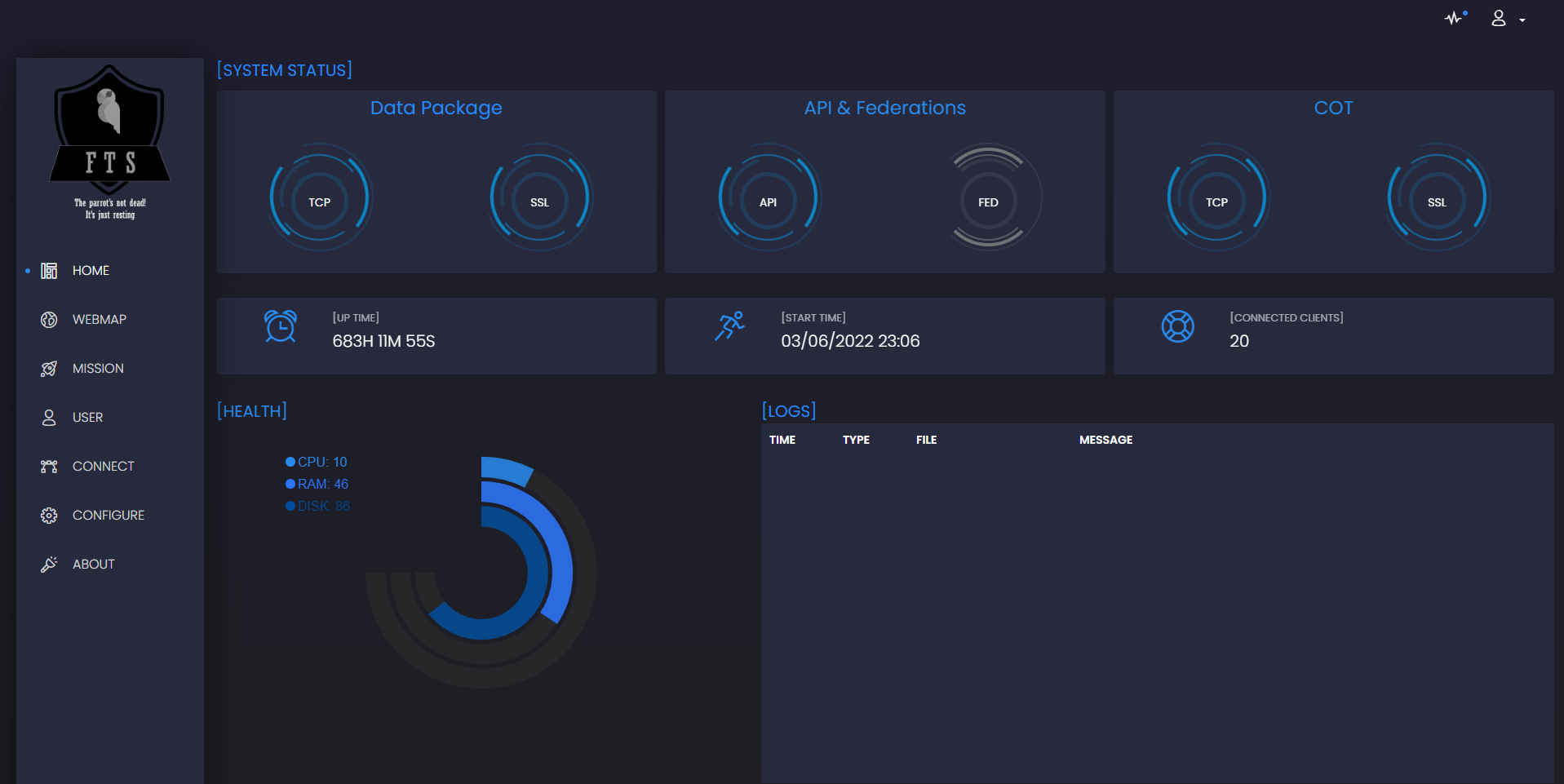
FTS Web UI allows administrators to easily manage the FTS server. This component requires a working backend. The WebUI is a completely separate application connecting to the FTS backend. It uses an API to seamless query server functions. Depending on his deployment, may or may not be seen from remote machines.
This video, provides an overview of most features described in the user manual
Installation and configuration
This section provides an overview of the installation process. Refer to the online documentation for details.
To install FTS and the UI type in a console
sudo python3 -m pip install FreeTAKServer[ui]
Setup your Configuration your administrator will need to configure the following files
Config.py for the UI
MainConfig.py for FTS
Start FTS
nohup sudo python3 -m FreeTAKServer.controllers.services.FTS
Start the WebUI
in the console type navigate to the installation path
cd /usr/local/lib/python3.8/dist-packages/FreeTAKServer-UI
nohup sudo python3 run.py
Dashboard Features
-
SQLite,
-
Alembic (DB schema migrations)
-
Modular design with Blueprints
-
Session-Based authentication (via flask_login)
-
Forms validation
-
MIT License
2 maintainers


Metadata
2 maintainers
Release files for freetakserver-ui 2.2.1
For a detailed explanation of source distributions (sdists) and built distributions (wheels), please see the package formats documentation.
Source distribution (sdist)
| File | Size | Uploaded | Provenance | |
|---|---|---|---|---|
| freetakserver_ui-2.2.1.tar.gz | 9.7 MB | Without provenance | Details |
Built distribution (wheel)
| File | Interpreter | ABI | Platform | Reset |
|---|---|---|---|---|
| freetakserver_ui-2.2.1-py3-none-any.whl | Python 3 | none | any | Details |
Total release size: 19.6 MB
Release files / freetakserver_ui-2.2.1.tar.gz
| Download URL | freetakserver_ui-2.2.1.tar.gz |
|---|---|
| Size | 9.7 MB |
| Tags | Source |
|
SHA-256 checksum How to use checksums |
5d2f2dc633863f9a82a985e52cc561dfdb322a1b38e6783c6ff6de21b3b2775f
|
|
BLAKE2b-256 checksum How to use checksums |
f57aac001fffe4873908dd6c2c55701ebdd3f59be8f703527dbd3eb94d5e6d18
|
| Upload date | |
|
Uploaded using Trusted Publishing? What is trusted publishing? |
No |
| Uploaded via |
poetry/1.8.3 CPython/3.12.4 Linux/6.5.0-1022-azure
|
Release files / freetakserver_ui-2.2.1-py3-none-any.whl
| Download URL | freetakserver_ui-2.2.1-py3-none-any.whl |
|---|---|
| Size | 9.9 MB |
| Tags | Python 3 |
|
SHA-256 checksum How to use checksums |
530841f35e412803110df0d6246e3a2660cdea877d5ef5aa07c4e5e8672cf739
|
|
BLAKE2b-256 checksum How to use checksums |
cb0b383ce76f3befa6138316af101ede9456c0bdf4485bd24be1dbcb95af5100
|
| Upload date | |
|
Uploaded using Trusted Publishing? What is trusted publishing? |
No |
| Uploaded via |
poetry/1.8.3 CPython/3.12.4 Linux/6.5.0-1022-azure
|
Security for freetakserver-ui 2.2.1
Provenance
Provenance describes where a file came from. On PyPI, provenance is shared via attestations, which provide a verifiable record of the build or publishing details. View details, limitations and caveats.
No provenance found
None of the files in this release were uploaded with provenance metadata.
A note on package security
PyPI is a repository for distributing packages, not a service for auditing them. While third-party security researchers and our staff do their best to detect and remove malicious packages, PyPI cannot guarantee the quality, security or suitability of any given package.














