
Simple and consistent geocoding library written in Python.


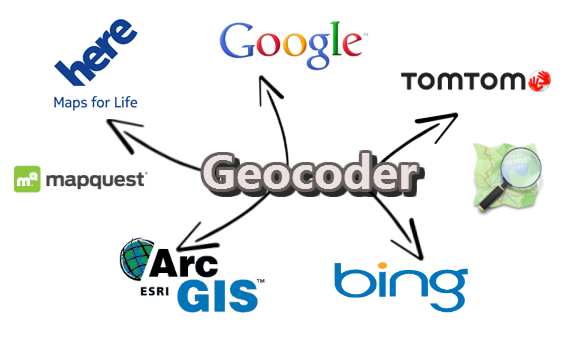
Many online providers such as Google & Bing have geocoding services, these providers do not include Python libraries and have different JSON responses between each other.
Example
Consistant JSON responses from various providers.
>>> g = geocoder.google('New York City')
>>> g.latlng
[40.7127837, -74.0059413]
>>> g.state
'New York'
>>> g.json
...
API Overview
Many properties are available once the geocoder object is created.
Forward
>>> import geocoder
>>> g = geocoder.google('Mountain View, CA')
>>> g.geojson
>>> g.json
>>> g.wkt
>>> g.osm
...
Reverse
>>> g = geocoder.google([45.15, -75.14], method='reverse')
>>> g.city
>>> g.state
>>> g.state_long
>>> g.country
>>> g.country_long
...
House Addresses
>>> g = geocoder.google("453 Booth Street, Ottawa ON")
>>> g.housenumber
>>> g.postal
>>> g.street
>>> g.street_long
...
IP Addresses
>>> import geocoder
>>> g = geocoder.ip('199.7.157.0')
>>> g = geocoder.ip('me')
>>> g.latlng
>>> g.city
Command Line Interface
$ geocode "Ottawa, ON"  >> ottawa.geojson
$ geocode "Ottawa, ON" \
    --provide google \
    --out geojson \
    --method geocode
Providers
Provider |
Optimal |
Access |
|---|---|---|
World |
||
China |
API key |
|
World |
API key |
|
Canada |
API key |
|
World |
||
North America |
Rate Limit |
|
World |
Username |
|
Ottawa |
||
World |
Rate Limit |
|
World |
API key |
|
World |
API key |
|
World |
||
World |
API key |
|
World |
||
World |
API key |
|
World |
API key |
|
World |
||
Russia |
Installation
PyPi Install
To install Geocoder, simply:
$ pip install geocoderGitHub Install
Installing the latest version from Github:
$ git clone https://github.com/DenisCarriere/geocoder
$ cd geocoder
$ python setup.py install
Documentation
Speak up on Twitter DenisCarriere and tell me how you use this Python Geocoder. New updates will be pushed to Twitter Hashtags python.
Topic not available?
If you cannot find a topic you are looking for, please feel free to ask me DenisCarriere or post them on the Github Issues Page.
Feedback
Please feel free to give any feedback on this module. If you find any bugs or any enhancements to recommend please send some of your comments/suggestions to the Github Issues Page.
Release History
1.5.0 (2015-07-30)
Converted all core Markdown documentation to RST
Bugfixes
Updated W3W’s url to HTTPS
Updated OSM’s url to HTTPS
Added Google Road Long/Short attributes
1 maintainer

Metadata
1 maintainer
Release files for geocoder 1.5.0
For a detailed explanation of source distributions (sdists) and built distributions (wheels), please see the package formats documentation.
Source distribution (sdist)
| File | Size | Uploaded | Provenance | Actions |
|---|---|---|---|---|
| geocoder-1.5.0.zip | 55.9 kB | Without provenance | Details for geocoder-1.5.0.zip |
Built distribution (wheel)
| File | Interpreter | ABI | Platform | Actions Reset |
|---|---|---|---|---|
| geocoder-1.5.0-py2.py3-none-any.whl | Python 2, Python 3 | none | any | Details for geocoder-1.5.0-py2.py3-none-any.whl |
Total release size: 106.2 kB
Release files / geocoder-1.5.0.zip
| Download URL | geocoder-1.5.0.zip |
|---|---|
| Size | 55.9 kB |
| Tags | Source |
|
SHA-256 checksum How to use checksums |
b557f34ddba1c7a3daa214bda23684919536b5bb2d24d6996557ac22cebff09c
|
|
BLAKE2b-256 checksum How to use checksums |
cd13d307734271ae07d00ce9ba57578e4a445a3d6dd1365d46ca0e94de150f44
|
| Upload date | |
|
Uploaded using Trusted Publishing? What is trusted publishing? |
No |
Release files / geocoder-1.5.0-py2.py3-none-any.whl
| Download URL | geocoder-1.5.0-py2.py3-none-any.whl |
|---|---|
| Size | 50.2 kB |
| Tags | Python 2 Python 3 |
|
SHA-256 checksum How to use checksums |
50ae86ca142ad836213058750cb3fad67c8c45d93fb8fd42274c6481e03533e9
|
|
BLAKE2b-256 checksum How to use checksums |
2dea9554295b2abce67935ae1640ae8d8aa9cadc0f42deb27b3f6fc432a4e541
|
| Upload date | |
|
Uploaded using Trusted Publishing? What is trusted publishing? |
No |
Security for geocoder 1.5.0
Provenance
Provenance describes where a file came from. On PyPI, provenance is shared via attestations, which provide a verifiable record of the build or publishing details. View details, limitations and caveats.
No provenance found
None of the files in this release were uploaded with provenance metadata.
A note on package security
PyPI is a repository for distributing packages, not a service for auditing them. While third-party security researchers and our staff do their best to detect and remove malicious packages, PyPI cannot guarantee the quality, security or suitability of any given package.
To learn more about protecting yourself from malicious actors, visit our package security documentation.














