
ghcloneall


It’s a script to clone/update all repos for a user/organization from GitHub.
Target audience: maintainers of large collections of projects (for example, ZopeFoundation members).
Usage examples
First pip install ghcloneall.
Clone all mgedmin’s vim plugins:
mkdir ~/src/vim-plugins
cd ~/src/vim-plugins
ghcloneall --init --user mgedmin --pattern '*.vim'
ghcloneall
Clone all mgedmin’s gists:
mkdir ~/src/gists
cd ~/src/gists
ghcloneall --init --user mgedmin --gists
ghcloneall
Clone all ZopeFoundation repositories:
mkdir ~/src/zf
cd ~/src/zf
ghcloneall --init --org ZopeFoundation
ghcloneall
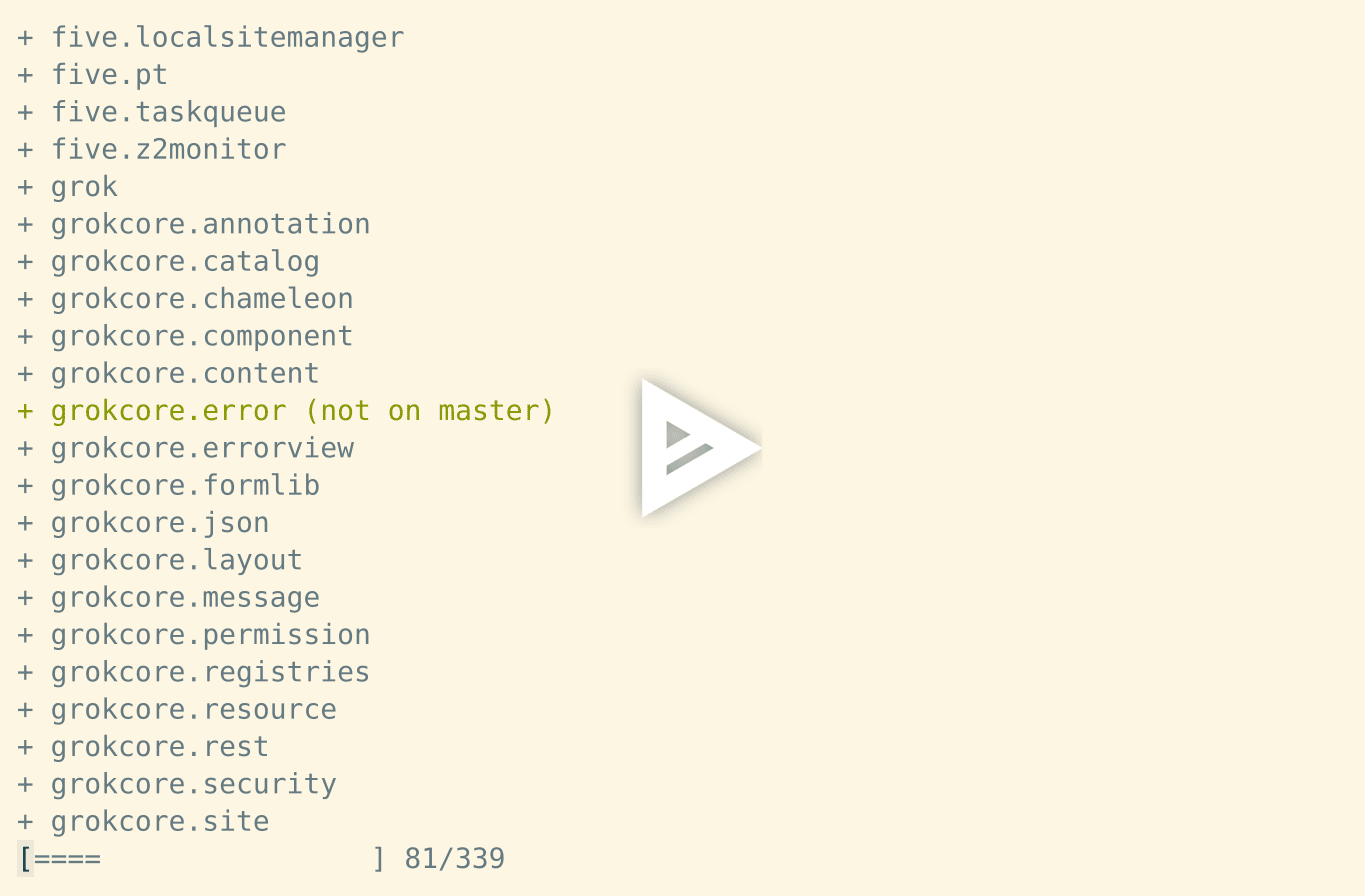
Here’s a screencast of the above (running a slightly older version so the script name differs):
Details
What it does:
clones repositories you don’t have locally
pulls changes for repositories you already have locally
warns you about local changes and other unexpected situations:
unknown files in the tree (in –verbose mode only)
staged but not committed changes
uncommitted (and unstaged changes)
non-default branch checked out
committed changes that haven’t been pushed to default branch
remote URL pointing to an unexpected location (in –verbose mode only)
You can ask it to not change any files on disk and just look for pending changes by running ghcloneall --dry-run. This will also make the check faster!
Synopsis
Other command-line options:
$ ghcloneall --help
usage: ghcloneall [-h] [--version] [-c CONCURRENCY] [-n] [-q] [-v]
                  [--start-from REPO] [--organization ORGANIZATION]
                  [--user USER] [--github-token GITHUB_TOKEN] [--gists]
                  [--repositories] [--pattern PATTERN] [--include-forks]
                  [--exclude-forks] [--include-archived] [--exclude-archived]
                  [--include-private] [--exclude-private] [--include-disabled]
                  [--exclude-disabled] [--init] [--http-cache DBNAME]
                  [--no-http-cache]

Clone/update all user/org repositories from GitHub.

options:
  -h, --help            show this help message and exit
  --version             show program's version number and exit
  -c CONCURRENCY, --concurrency CONCURRENCY
                        set concurrency level (default: 4)
  -n, --dry-run         don't pull/clone, just print what would be done
  -q, --quiet           terser output
  -v, --verbose         perform additional checks
  --start-from REPO     skip all repositories that come before REPO
                        alphabetically
  --organization ORGANIZATION
                        specify the GitHub organization
  --user USER           specify the GitHub user
  --github-token GITHUB_TOKEN
                        specify the GitHub token
  --gists               clone user's gists
  --repositories        clone user's or organisation's repositories (default)
  --pattern PATTERN     specify repository name glob pattern to filter
  --include-forks       include repositories forked from other users/orgs
  --exclude-forks       exclude repositories forked from other users/orgs
                        (default)
  --include-archived    include archived repositories
  --exclude-archived    exclude archived repositories (default)
  --include-private     include private repositories (default when a github
                        token is provided)
  --exclude-private     exclude private repositories
  --include-disabled    include disabled repositories (default)
  --exclude-disabled    exclude disabled repositories
  --init                create a .ghcloneallrc from command-line arguments
  --http-cache DBNAME   cache HTTP requests on disk in an sqlite database for
                        5 minutes (default: .httpcache)
  --no-http-cache       disable HTTP disk caching
Configuration file
The script looks for .ghcloneallrc in the current working directory, which should look like this:
[ghcloneall]
# Provide either github_user or github_org, but not both
# github_org = ZopeFoundation
github_user = mgedmin
pattern = *.vim
# Provide github token for authentication
# github_token = <my-github-token>
# You can also uncomment and change these if you wish
# gists = False
# include_forks = False
# include_archived = False
# Listing private repositories requires a valid github_token
# include_private = True
# include_disabled = True
You can create one with ghcloneall --init --{user,org} X [--pattern Y] [--{include,exclude}-{forks,archived,private,disabled}] [--gists|--repos].
Tips
For best results configure SSH persistence to speed up git pulls – in your ~/.ssh/config:
Host github.com
ControlMaster auto
ControlPersist yes
ControlPath ~/.ssh/control-%r@%h-%p
It takes about 80 seconds to run git pull on all 382 ZopeFoundation repos on my laptop with this kind of setup.
Changelog
1.12.0 (2024-10-09)
Add support for Python 3.12 and 3.13.
Drop support for Python 2.7.
1.11.0 (2022-10-27)
Add support for Python 3.10 and 3.11.
Drop support for Python 3.6.
Fix ghcloneall --user ... --github-token ... --include-private not including any private repositories (GH: #16).
1.10.1 (2021-05-26)
When determining if a repository is dirty, use the repository’s configured default branch from GitHub instead of assuming that the default is “master”.
1.10.0 (2021-04-10)
Allow authentication with GitHub token.
Depend on requests-cache < 0.6 on Python 2.7.
Add support for Python 3.9.
Drop support for Python 3.5.
1.9.2 (2019-10-15)
Add support for Python 3.8.
1.9.1 (2019-10-07)
Reuse HTTP connections for GitHub API requests.
1.9.0 (2019-09-06)
Can now clone all user’s gists.
Command line args: –gists, –repos.
1.8.0 (2019-08-28)
Skip forks and archived repositories by default.
Command-line args: –include-forks, –exclude-forks.
Command-line args: –include-archived, –exclude-archived.
Command-line args: –include-private, –exclude-private.
Command-line args: –include-disabled, –exclude-disabled.
Use a custom User-Agent header when talking to GitHub.
1.7.1 (2019-08-14)
Drop support for Python 3.3 and 3.4.
Add a test suite.
Fix AttributeError: ‘str’ object has no attribute ‘format_map’ on Python 2.
1.7.0 (2018-12-19)
Command line args: -q, –quiet
Fix display corruption on ^C
1.6.1 (2018-10-19)
Fix TypeError: get() got an unexpected keyword argument ‘fallback’ on Python 2.
1.6 (2016-12-29)
Comprehensive rebranding:
Rename the GitHub repository to https://github.com/mgedmin/ghcloneall
Rename cloneall.py to ghcloneall.py
Rename the config file to .ghcloneallrc, and rename the config section to [ghcloneall].
Don’t print tracebacks on ^C (this regressed in 1.5).
1.5 (2016-12-29)
Released to PyPI as ghcloneall
Added Python 2.7 support
1.4 (2016-12-28)
Command line args: –user, –pattern, –init
Load (some) options from a .cloneallrc
Stop using --organization=ZopeFoundation by default, require an explicit option (or config file)
Rename clone_all_zf_repos.py to cloneall.py
1.3 (2016-12-28)
Command line args: -c
Show progress while fetching the list of repositories from GitHub
Update repositories concurrently by default
Highlight items in progress
Highlight failed items in red
Tweak progress bar style from [=== ] to [###..]
Clear the progress bar on ^C
Handle git errors nicely
Bugfix: -vv could fail with NameError if unknown files were present in a working tree
Bugfix: correctly show progress when using –start-from
Bugfix: script would hang (for 10 minutes) if you didn’t already have an SSH control master process running
Bugfix: –dry-run didn’t show which repos were new
1.2 (2016-11-09)
Command line args: –dry-run, –verbose
Cache HTTP responses on disk for 10 minutes to avoid GitHub API rate limits
Report about forgotten uncommitted and staged changes
Warn about local (unpushed) commits too
Warn about other branches being checked out
Default to SSH URLs again (faster when using SSH’s ControlPersist)
1.1 (2015-11-07)
Command line args: –version, –start-from, –organization
Output formatting: shorter repository names, totals at the end
Use ANSI colors to indicate changes
Don’t print tracebacks on ^C
Default to HTTPS URLs
1.0 (2015-11-07)
Moved from a gist to a proper GitHub repository.
1 maintainer

Release files for ghcloneall 1.12.0
For a detailed explanation of source distributions (sdists) and built distributions (wheels), please see the package formats documentation.
Source distribution (sdist)
| File | Size | Uploaded | |
|---|---|---|---|
| ghcloneall-1.12.0.tar.gz | 26.4 kB | Details |
Built distribution (wheel)
| File | Interpreter | ABI | Platform | Reset |
|---|---|---|---|---|
| ghcloneall-1.12.0-py3-none-any.whl | Python 3 | none | any | Details |
Total release size: 41.8 kB
Release files / ghcloneall-1.12.0.tar.gz
| Download URL | ghcloneall-1.12.0.tar.gz |
|---|---|
| Size | 26.4 kB |
| Tags | Source |
|
SHA-256 checksum How to use checksums |
2cbcbed8d52727081b7fe9b4c6d0a54406f512fb0d595edb0d70a639e1853809
|
|
BLAKE2b-256 checksum How to use checksums |
0b50f81688ee13c68f1c3167754f74c0167507403ce567514af806b8cf2f3533
|
| Upload date | |
|
Uploaded using Trusted Publishing? What is trusted publishing? |
No |
| Uploaded via |
twine/5.1.1 CPython/3.12.3
|
Release files / ghcloneall-1.12.0-py3-none-any.whl
| Download URL | ghcloneall-1.12.0-py3-none-any.whl |
|---|---|
| Size | 15.4 kB |
| Tags | Python 3 |
|
SHA-256 checksum How to use checksums |
d8ea1e26fd6ed7830a1ad3f99e5865a45d76c221a3f21caa1069a892defe76b0
|
|
BLAKE2b-256 checksum How to use checksums |
2ece41ca0baa23cfa29fa9eee22e5ecfd4bcfa7500a16719d84cb675c30fa27f
|
| Upload date | |
|
Uploaded using Trusted Publishing? What is trusted publishing? |
No |
| Uploaded via |
twine/5.1.1 CPython/3.12.3
|














