

GhostPath — A Modern Interactive Reconnaissance Toolkit for Hackers & Security Researchers 🕵️♂️








🧠 What is GhostPath?
GhostPath is a professional-grade CLI reconnaissance toolkit designed for cybersecurity researchers, penetration testers and bug bounty hunters. It provides a modular, extensible and interactive shell to run recon operations in an intuitive and streamlined way.
💡 Powered by Python and focused on speed, clarity and results.
✨ Features
- 🔍 Interactive hacker-style CLI shell
- 🔗 Passive and active recon modules
- 🧩 Modular architecture with shared utilities
- 📁 Output saving in TXT, JSON, CSV
- 🚀 Multithreaded path probing with live feedback
- 🧾 Certificate transparency & subdomain discovery
- 🌐 Wayback, URLScan and CommonCrawl support
- 🧠 Built-in wordlist fallback & auto-detection
- 🔧
pip- installable for users - 🔧
pipx-installable for global CLI use - ✅
--help,--versionandupdatecommand support
🚀 Installation (Recommended: pipx)
Use pipx for a clean, isolated global installation:
# Install pipx (if not already)
sudo apt install pipx
pipx ensurepath
source ~/.bashrc  # or ~/.zshrc

# Install GhostPath
pipx install GhostPath
✅ Run from anywhere:
GhostPath
Use pip for easy and quick installation:
# install GhostPath
pip install GhostPath
If your OS does not support direct pip installation, use a virtual environment for installation
python3 -m venv venv
source venv/bin/activate
Note that if you use a virtual environment you can only use the tool inside that environment. For global use try pipx.
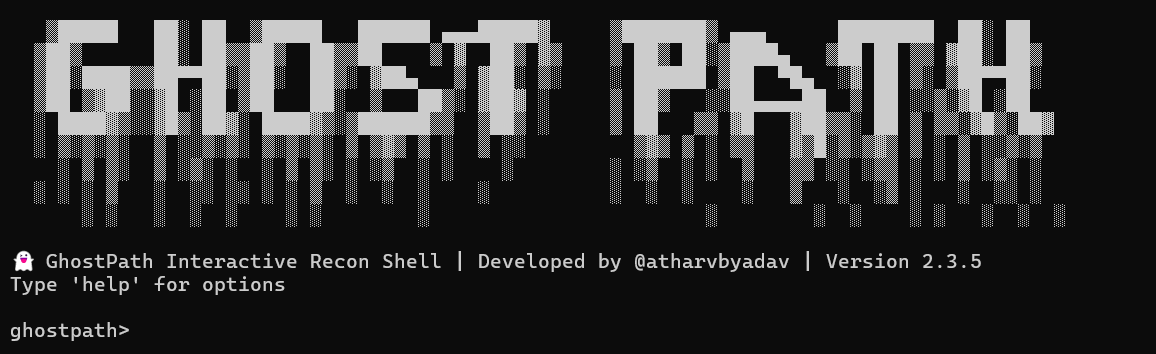
🐍 Running without pipx (Direct Script Mode)
If you prefer not to use pipx or pip, you can run GhostPath directly using Python:
1. Clone the repository
git clone https://github.com/atharvbyadav/GhostPath.git
cd GhostPath
2. (Optional) Create a virtual environment
Highly recommended to isolate dependencies.
python3 -m venv venv
source venv/bin/activate
3. Install the dependencies
pip install -r requirements.txt
4. Run the GhostPath CLI shell
python3 main_cli.py
💻 Usage Overview
Once inside the shell:
ghostpath> help
You’ll see:
🧩 Available GhostPath Commands:
  timetrail      → Fetch historical URLs from archives (Wayback, URLScan, Common Crawl)
  domainscope    → Discover subdomains & DNS profiling
  pathprobe      → Actively probe directories and endpoints
  certtrack      → Get subdomains from public SSL/TLS certs
  version        → Show current installed version
  clear          → Clear the screen
  help           → Show this help menu
  exit           → Exit GhostPath CLI
🧩 Modules
🕰️ timetrail
Fetch historical URLs from:
- Common Crawl (default)
- Wayback Machine
- URLScan.io
timetrail --target example.com
timetrail --target example.com --source wayback --output urls.json --format json
🌐 domainscope
Find subdomains and related DNS data.
domainscope --target example.com
domainscope --target example.com --output domains.txt
📜 certtrack
Gather subdomains from SSL/TLS certificate transparency logs.
certtrack --target example.com
certtrack --target example.com --output certs.csv --format csv
🔓 pathprobe
Actively probe common paths/endpoints on a web app using HTTP requests.
pathprobe --target https://example.com
pathprobe --target https://example.com --wordlist lists/path-wordlist.txt --output result.json --format json
If no wordlist is passed, it will fallback to:
GhostPath/lists/path-wordlist.txt
🧪 Output Formats
All modules support output saving in:
- ✅
.txt - ✅
.json - ✅
.csv
Just pass:
--output filename --format txt|json|csv
📦 Version & Self-Update
Check current version:
ghostpath> version
Reinstall / Update (via pipx):
pipx reinstall GhostPath
📜 License
BSD 3-Clause License

Copyright (c) 2025, Atharv Yadav
All rights reserved.
📄 See the LICENSE file for full license terms.
🤝 Contributing
We welcome your pull requests, feature ideas and improvements to make GhostPath even better! Here's how to contribute:
-
Fork the repository
-
Clone your fork locally:
git clone https://github.com/yourusername/GhostPath.git
cd GhostPath
-
Create a new branch for your changes:
git checkout -b feature/your-feature
-
Make your changes and commit:
git commit -m "Add: your feature/fix summary"
git push origin feature/your-feature
-
Open a Pull Request on GitHub 📬
Please follow best practices and write clear commit messages 🙌
👨💻 Author
┌─[ Coded with ☕ + ⚡ by Atharv Yadav ]
│
├─🛠️  Creator of GhostPath
├─🌐  https://github.com/atharvbyadav
└─📧  uuwr5t1s [at] duck [dot] com
      { _Looks suspicious? Good. It’s mine. The ducks work for me. 🦆💻_ }
"I don’t just scan — I haunt networks." 👻
🔗 GitHub: @atharvbyadav
✉️ Email Me
🕷️ GhostPath — Stealthy. Modular. Effective.
2 maintainers


Metadata
2 maintainers
Release files for GhostPath 2.3.7
For a detailed explanation of source distributions (sdists) and built distributions (wheels), please see the package formats documentation.
Source distribution (sdist)
| File | Size | Uploaded | |
|---|---|---|---|
| ghostpath-2.3.7.tar.gz | 85.4 kB | Details |
Built distribution (wheel)
| File | Interpreter | ABI | Platform | Reset |
|---|---|---|---|---|
| ghostpath-2.3.7-py3-none-any.whl | Python 3 | none | any | Details |
Total release size: 173.5 kB
Release files / ghostpath-2.3.7.tar.gz
| Download URL | ghostpath-2.3.7.tar.gz |
|---|---|
| Size | 85.4 kB |
| Tags | Source |
|
SHA-256 checksum How to use checksums |
36c42ddb31566eacc21af3ef186229ba9ed86a1b3150af47356d7d1ae993af56
|
|
BLAKE2b-256 checksum How to use checksums |
40bf87f2fefe39d6df4f22ea5ad215b943fb5280282a53da4c4597076965e650
|
| Upload date | |
|
Uploaded using Trusted Publishing? What is trusted publishing? |
No |
| Uploaded via |
twine/6.1.0 CPython/3.11.2
|
Release files / ghostpath-2.3.7-py3-none-any.whl
| Download URL | ghostpath-2.3.7-py3-none-any.whl |
|---|---|
| Size | 88.1 kB |
| Tags | Python 3 |
|
SHA-256 checksum How to use checksums |
48c1d61b5b39458c3b94d5b58437dd5bfa435b1aa02f48a5778de1a05fceb476
|
|
BLAKE2b-256 checksum How to use checksums |
5cfcaaa48a045c7da307820efd669b6f535e6bfaa31cc9187f366ba430449c2c
|
| Upload date | |
|
Uploaded using Trusted Publishing? What is trusted publishing? |
No |
| Uploaded via |
twine/6.1.0 CPython/3.11.2
|














