
Git Add Co-Author
Demo
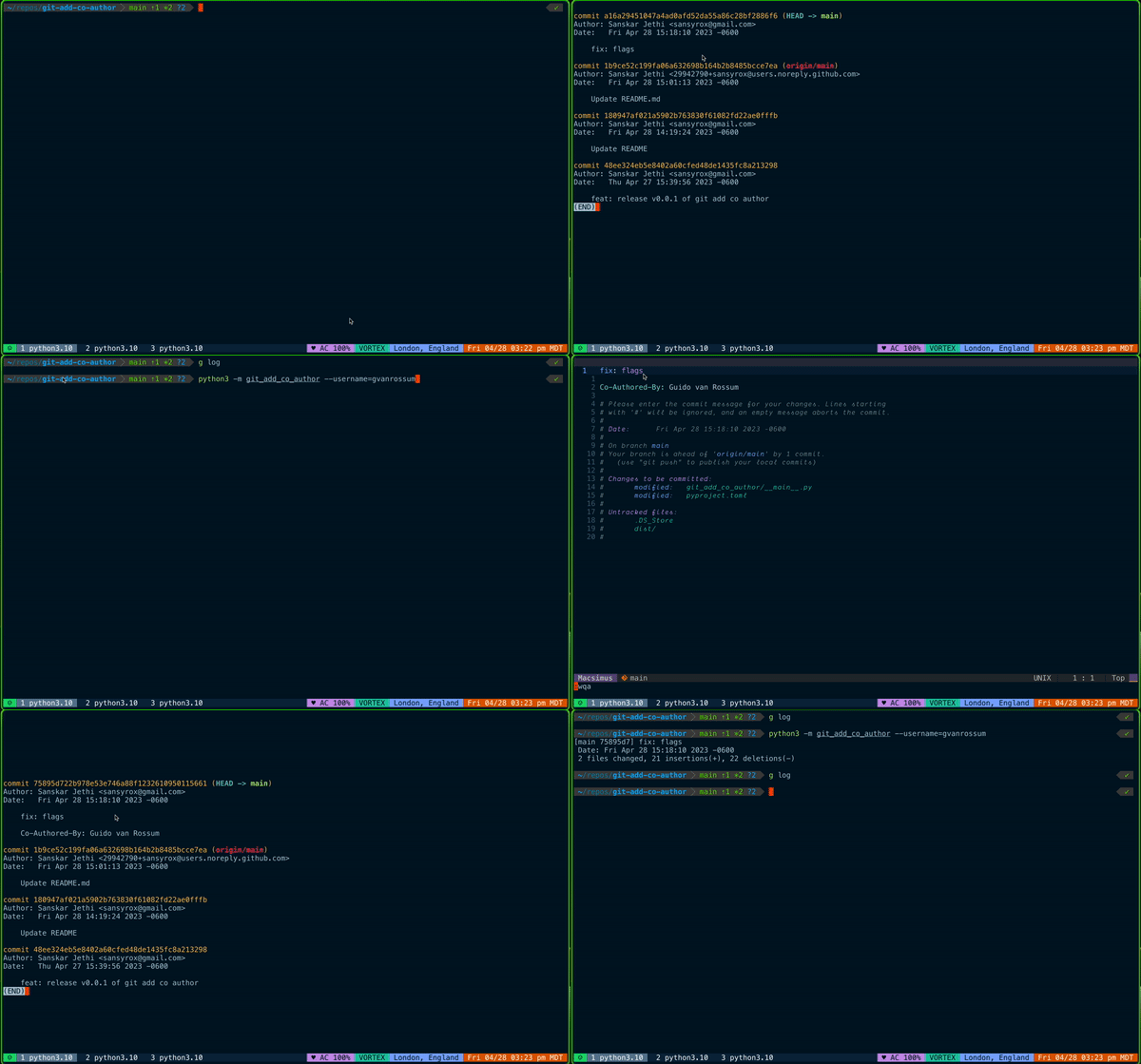
Overview
Git Add Co-Author is a simple Python script that allows you to easily add co-authors to your Git commits, ensuring proper credit is given to all contributors involved in the development process. This can be particularly useful for open-source projects, where multiple contributors are working together, or for pair programming sessions where two developers contribute to the same commit.
Installation
- Install the package using pip:
pip install git-add-co-author
-
Obtain a personal access token from GitHub. You can generate one by following the instructions in the GitHub documentation.
-
Configure the script with your GitHub token:
python -m git_add_co_author --token <your_token>
Usage
To add a co-author to your commit, simply run the script with the co-author's GitHub username:
python -m git_add_co_author --username <co_author_username>
For example:
python -m git_add_co_author sansyrox
If you do not want to authorize a token, you can add the co-author's name and email address directly:
python -m git_add_co_author --name "John Doe" --email "john.doe@example.com"
Optional Configuration
I alias this command as alias gac="python -m git_add_co_author --username" in my .zshrc file, so I can simply run gac <co_author_username> to add a co-author to my commit.
Rationale
The motivation behind creating this script is to provide an easy way to give credit to contributors in various situations:
- In open-source projects, when a pull request (PR) is closed without merging but the idea or code is later implemented.
- During pair programming sessions, where two or more developers work together on a single commit.
Existing solutions were either too complicated or didn't work as expected, so Git Add Co-Author was developed as a simple, easy-to-use alternative.
License
This project is licensed under the MIT License.
1 maintainer

Metadata
1 maintainer
Release files for git-add-co-author 0.4.2
For a detailed explanation of source distributions (sdists) and built distributions (wheels), please see the package formats documentation.
Source distribution (sdist)
| File | Size | Uploaded | Provenance | Actions |
|---|---|---|---|---|
| git_add_co_author-0.4.2.tar.gz | 3.0 kB | Without provenance | Details for git_add_co_author-0.4.2.tar.gz |
Built distribution (wheel)
| File | Interpreter | ABI | Platform | Actions Reset |
|---|---|---|---|---|
| git_add_co_author-0.4.2-py3-none-any.whl | Python 3 | none | any | Details for git_add_co_author-0.4.2-py3-none-any.whl |
Total release size: 6.2 kB
Security for git-add-co-author 0.4.2
Provenance
Provenance describes where a file came from. On PyPI, provenance is shared via attestations, which provide a verifiable record of the build or publishing details. View details, limitations and caveats.
No provenance found
None of the files in this release were uploaded with provenance metadata.
A note on package security
PyPI is a repository for distributing packages, not a service for auditing them. While third-party security researchers and our staff do their best to detect and remove malicious packages, PyPI cannot guarantee the quality, security or suitability of any given package.
To learn more about protecting yourself from malicious actors, visit our package security documentation.














