
gmail_trainer
Pypi package to send an email to yourself whenever the training of your model has finished.
You can install the package using:
pip install gmail-trainerThe first step is to go to this website to enable the Gmail API: https://developers.google.com/gmail/api/quickstart/python
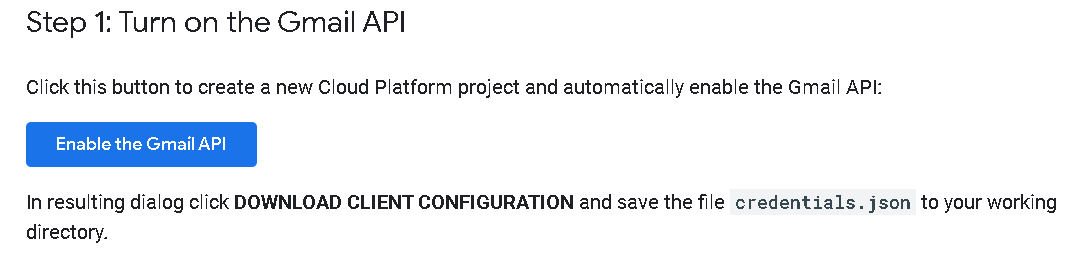
Once you have enabled the API, a credentials.json file gets downloaded. Put it in your working directory and execute this code:
from gmail_trainer import SendMail
gmail = SendMail()
service = gmail.create_credentials()
A chrome page opens up and asks you to allow the API to access sending mails. Once its done a token.pickle file containing the access codes is created in your working directory. You can even copy that file to other directories to enable gmail-trainer for other projects as well.
Now that you have your pickle file ready and are about to start training a long deep neural network, you can add this code snippet at the end of your training. The message content could contain the performance of your algorithm. As long as its a String.
message = gmail.CreateMessage(address='youremailaddress@gmail.com',
                              msgPlain='Your message containing your algorithm performance as a String. This will be the body of the email.')
result = gmail.send_msg(service, message)
Now you will get an email once the training is done ! Which you can check on your phone. This is ideal if you want to take some time off your laptop screen.
1 maintainer

Metadata
1 maintainer
Release files for gmail-trainer 0.7
For a detailed explanation of source distributions (sdists) and built distributions (wheels), please see the package formats documentation.
Source distribution (sdist)
| File | Size | Uploaded | Provenance | Actions |
|---|---|---|---|---|
| gmail_trainer-0.7.tar.gz | 3.6 kB | Without provenance | Details for gmail_trainer-0.7.tar.gz |
Release files / gmail_trainer-0.7.tar.gz
| Download URL | gmail_trainer-0.7.tar.gz |
|---|---|
| Size | 3.6 kB |
| Tags | Source |
|
SHA-256 checksum How to use checksums |
8597a0f4144d4c6243e99baba5cedd4d0d76fa4e9d699a76d09dcef7d2e085b7
|
|
BLAKE2b-256 checksum How to use checksums |
c638098c88bea790c88787859b496aad19cc329eb03a9b41fd1eb17483b0a496
|
| Upload date | |
|
Uploaded using Trusted Publishing? What is trusted publishing? |
No |
| Uploaded via |
twine/3.1.1 pkginfo/1.5.0.1 requests/2.22.0 setuptools/45.1.0.post20200127 requests-toolbelt/0.9.1 tqdm/4.42.1 CPython/3.6.10
|
Security for gmail-trainer 0.7
Provenance
Provenance describes where a file came from. On PyPI, provenance is shared via attestations, which provide a verifiable record of the build or publishing details. View details, limitations and caveats.
No provenance found
None of the files in this release were uploaded with provenance metadata.
A note on package security
PyPI is a repository for distributing packages, not a service for auditing them. While third-party security researchers and our staff do their best to detect and remove malicious packages, PyPI cannot guarantee the quality, security or suitability of any given package.
To learn more about protecting yourself from malicious actors, visit our package security documentation.














