
GPUDashboard
A simple dashboard for NVIDIA GPU
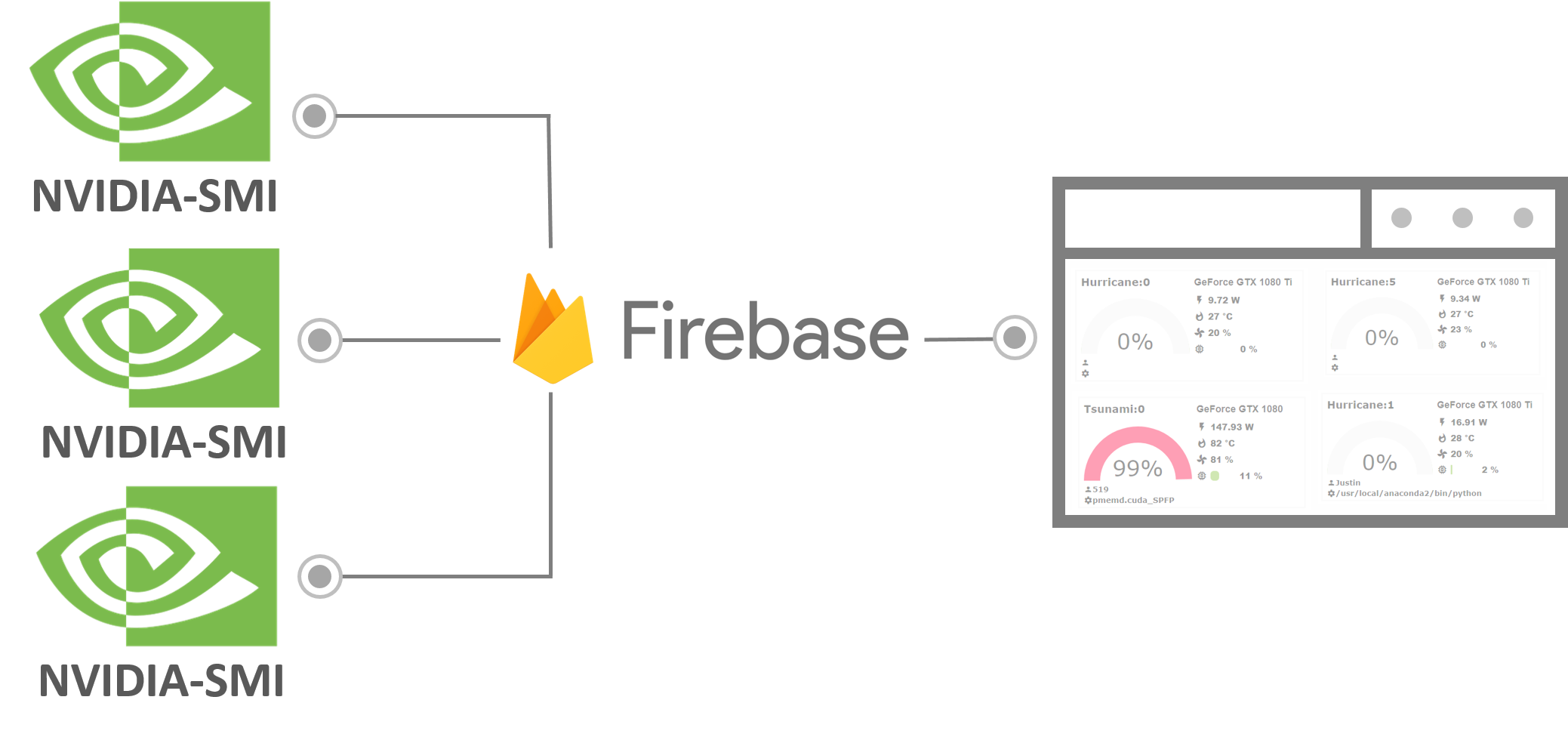
Demo
Requirement
- Python 2.7 or 3.6
- NVIDIA-sim
- A Firebase realtime database
- Linux-like OS
Setup
- Create a Firebase Realtime database
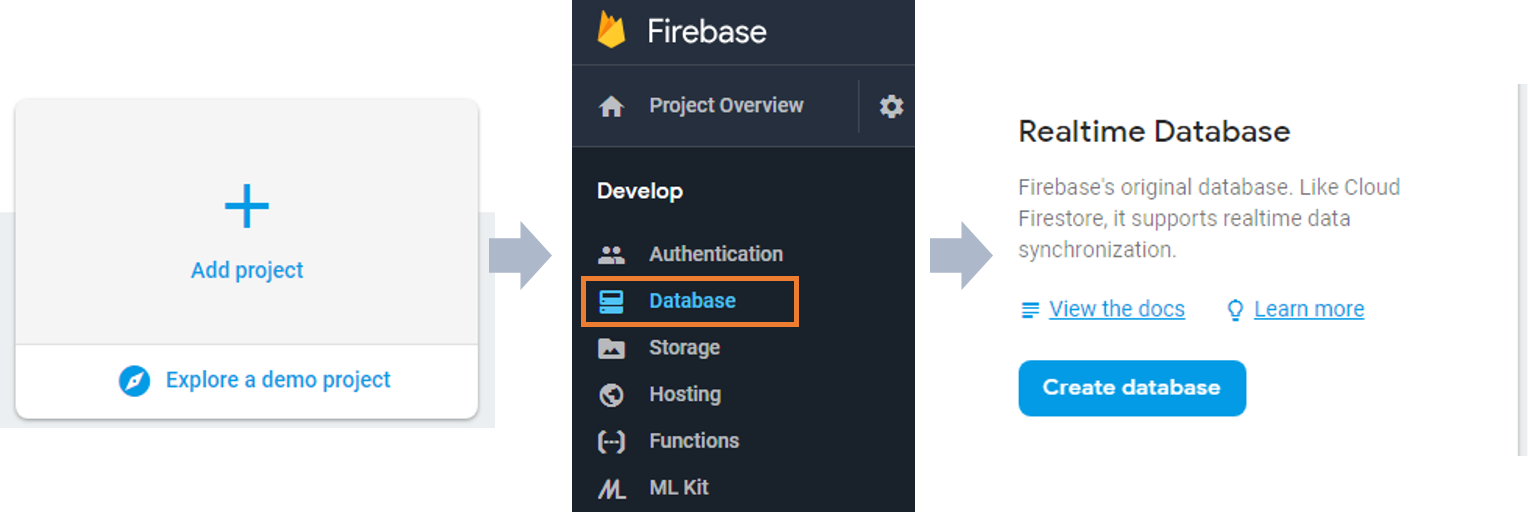
- Set the rules to
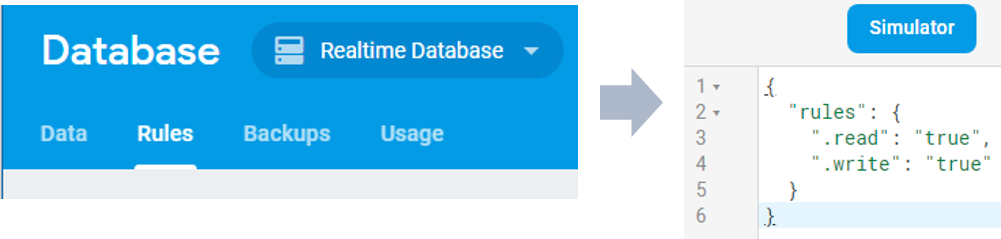
{
  "rules": {
    ".read": true,
    ".write": true
  }
}
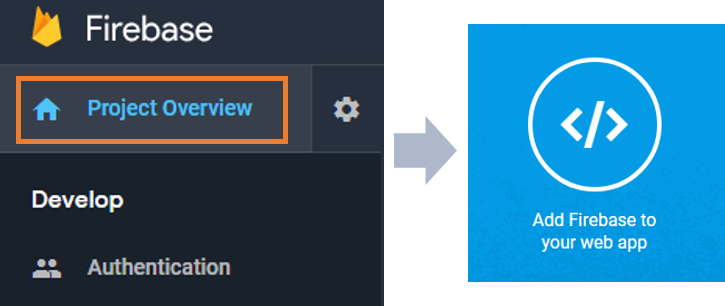
- Go to Project overview click Add Firebase to your web app and copy following part.
  var config = {
    apiKey: "XXXXXXXXXXXXXXXXXXXXXXXXXXXX",
    authDomain: "XXXXX.firebaseapp.com",
    databaseURL: "https://XXXXXX.firebaseio.com",
    projectId: "XXXXXXX",
    storageBucket: "XXXXXXX.appspot.com",
    messagingSenderId: "XXXXXXXXXXX"
  };
- On the servers that have NVIDIA GPU(s) installed.
pip install GPUDashboard
GPUDashboard -n your_server_name -i 20 -u your_databaseURL > GPUDashboard.log

# your_server_name is the name you want to give your server e.g. MyFirstServer
# -i is the interval of GPU information updating
# your_databaseURL is the databaseURL obtained froom Firebase as shown above
Now, the server GPU information is post to the firebase. *If you have many servers, all of them can make use of the same database you created in Firebase. You only need to specify different names for "your_server_name" when you start the GPUDashboard in the command line on the different servers.
- Download ViewStatus.html and open with text editor then replace the "config".
<html>
    <header>
      <script>
        var config = {
            apiKey: "XXXXXXXXXXXXXXXXXXXXXXXXXXXX",
            authDomain: "XXXXX.firebaseapp.com",
            databaseURL: "https://XXXXXX.firebaseio.com",
            projectId: "XXXXXXX",
            storageBucket: "XXXXXXX.appspot.com",
            messagingSenderId: "XXXXXXXXXXX"
          };
      </script>
      <link rel="stylesheet" href="https://fonts.googleapis.com/icon?family=Material+Icons"/>
- Open the "modified ViewStatus.html" with browser.
1 maintainer

Metadata
1 maintainer
Release files for GPUDashboard 0.2.8
For a detailed explanation of source distributions (sdists) and built distributions (wheels), please see the package formats documentation.
Source distribution (sdist)
| File | Size | Uploaded | |
|---|---|---|---|
| GPUDashboard-0.2.8.tar.gz | 7.6 kB | Details |
Release files / GPUDashboard-0.2.8.tar.gz
| Download URL | GPUDashboard-0.2.8.tar.gz |
|---|---|
| Size | 7.6 kB |
| Tags | Source |
|
SHA-256 checksum How to use checksums |
76d76205d36fae905215facd014779807785263b3f74b9590178235147e5caf3
|
|
BLAKE2b-256 checksum How to use checksums |
ceb58492a7ca64d30e0378619e6cdd8f55dbc90f9b3e209c1c7b8b72a91cdf11
|
| Upload date | |
|
Uploaded using Trusted Publishing? What is trusted publishing? |
No |
| Uploaded via |
twine/1.13.0 pkginfo/1.4.2 requests/2.25.1 setuptools/40.2.0 requests-toolbelt/0.9.1 tqdm/4.26.0 CPython/2.7.15
|














