



Overview
A command line tool for importing Goole Takeout data into Memair. Currently the tool only imports Location History but more options will be added shortly.
Installation
gtmem is available on PyPI
http://pypi.python.org/pypi/gtmem
Install via pip
$ pip install gtmem
Or via easy_install
$ easy_install gtmem
Or directly from memair’s git repo
$ git clone git://github.com/memair/google-takeout-importer.git
$ cd google-takeout-importer
$ python setup.py install
Basic usage
Generate a temporary access token
Download your location history data as JSON from Google Takeout
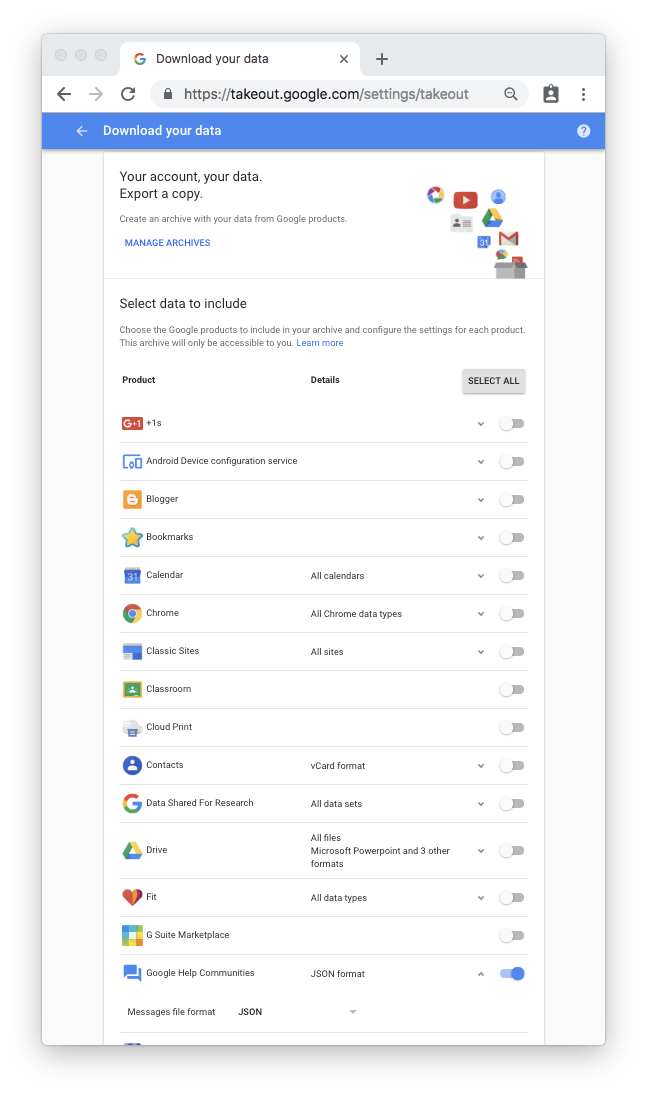
Extract the zip and run;
$ gtmem -m 0000000000000000000000000000000000000000000000000000000000000000 -g ~/Downloads/Takeout
replacing 00000… with your access_token
Running Test
coming shortly…
Python compatibility
Developed for Python 3. May work but not tested in Python 2.
1 maintainer

Release files for gtmem 0.6.5
For a detailed explanation of source distributions (sdists) and built distributions (wheels), please see the package formats documentation.
Source distribution (sdist)
| File | Size | Uploaded | |
|---|---|---|---|
| gtmem-0.6.5.tar.gz | 3.6 kB | Details |
Release files / gtmem-0.6.5.tar.gz
| Download URL | gtmem-0.6.5.tar.gz |
|---|---|
| Size | 3.6 kB |
| Tags | Source |
|
SHA-256 checksum How to use checksums |
ab04a3427da8db67c5e40e42f188a04eb595b7b7d82573b39525dcc6cb3e2173
|
|
BLAKE2b-256 checksum How to use checksums |
9be666510e7385c6619edf4b21c4ee86ef7e76b08a5a73268ab99ccee657dd5a
|
| Upload date | |
|
Uploaded using Trusted Publishing? What is trusted publishing? |
No |
| Uploaded via |
twine/3.1.1 pkginfo/1.5.0.1 requests/2.22.0 setuptools/41.2.0 requests-toolbelt/0.9.1 tqdm/4.42.1 CPython/3.8.0
|














