

GVISION 🚀
GVISION is an end-to-end automation platform for computer vision projects, providing seamless integration from data collection to model training and deployment. Whether you're a beginner or an expert, GVISION simplifies the entire process, allowing you to focus on building and deploying powerful models.
Features ✨
- Easy-to-Use Interface: Intuitive UI design for effortless project management and model development.
- No Coding Required: Build and train models without writing any code.
- Roboflow Integration: Easily download datasets from Roboflow for your computer vision projects.
- Multiple Tasks Supported: Develop models for object detection, segmentation, classification, and pose estimation.
- Ultralytics Model Training: Train your custom models using Ultralytics YOLOv8.
- Live Monitoring with TensorBoard: Monitor model training and performance in real-time using TensorFlow's TensorBoard integration.
- Performance Monitoring: View model performance and visualize results.
- Quick Deployment: Deploy trained models seamlessly for various applications.
- Streamlit Deployment Demo: Quickly deploy your trained models with Streamlit for interactive demos and visualization.
| Streamlit Deployment Features | Detection | Segmentation | Classification | Pose Estimation |
|---|---|---|---|---|
| Real-Time(Live Predict) | ✅ | ✅ | ✅ | ✅ |
| Click & Predict | ✅ | ✅ | ✅ | ✅ |
| Upload Multiple Images & Predict | ✅ | ✅ | ✅ | ✅ |
| Upload Video & Predict | ✅ | ✅ | ✅ | ✅ |
Getting Started 🌟
⚠️ BEFORE INSTALLATION ⚠️
Before installing gvision, it's strongly recommended to create a new Python environment to avoid potential conflicts with your current environment.
Creating a New Conda Environment
To create a new conda environment, follow these steps:
-
Install Conda: If you don't have conda installed, you can download and install it from the Anaconda website.
-
Open a Anaconda Prompt: Open a Anaconda Prompt (or Anaconda Terminal) on your system.
-
Create a New Environment: To create a new conda environment, use the following command. Replace
my_env_namewith your desired environment name.
- Support Python versions are > 3.8
conda create --name my_env_name python=3.8
- Activate the Environment: After creating the environment, activate it with the following command:
conda activate my_env_name
OR
Create a New Virtual Environment with venv
If you prefer using Python's built-in venv module, here's how to create a virtual environment:
- Check Your Python Installation:
Ensure you have Python installed on your system. You can check by running:
- Support Python versions are > 3.8
python --version
- Create a Virtual Environment:
Use the following command to create a new virtual environment. Replace
my_env_namewith your desired environment name.
python -m venv my_env_name
- Activate the Environment: After creating the virtual environment, activate it using the appropriate command for your operating system:
my_env_name\Scripts\activate
Installation 🛠️
- Installation You can install GVISION using pip:
pip install gvision
Global CLI
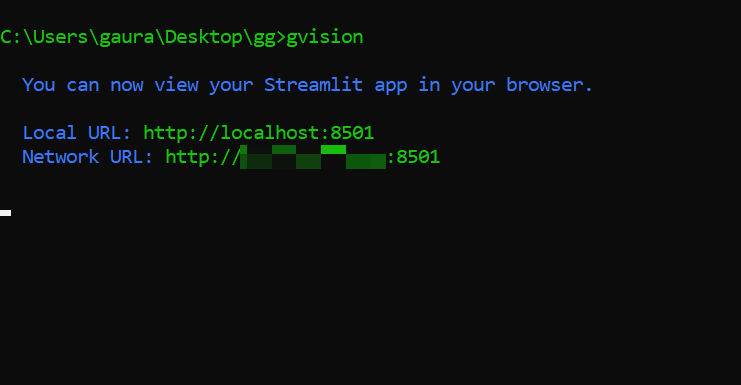
- Run GVISION: Launch the GVISION application directly in the Command Line Interface (CLI).
gvision
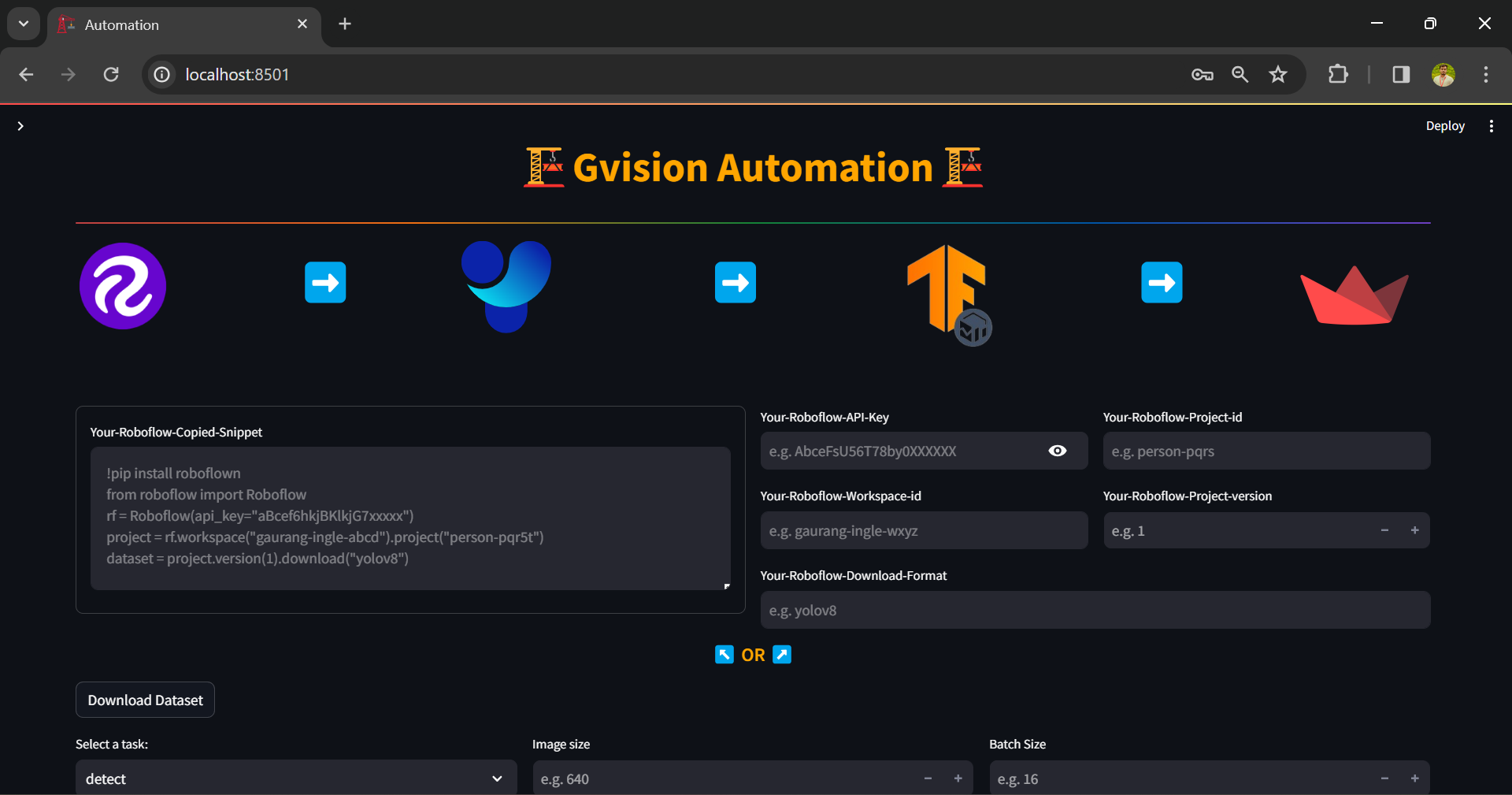
#UI:
-
Import Your Data: Use the Roboflow integration to import datasets and preprocess your data.
-
Train Your Model: Utilize Ultralytics for training your custom models with ease.
-
Deploy Your Model: Showcase your trained models with Streamlit deployment for interactive visualization.
Documentation 📚
For detailed instructions on how to use GVISION, check out the Documentation.
License 📝
GVISION is licensed under the MIT License.
Contributing 🤝
We welcome contributions from the community! If you have any feature requests, bug reports, or ideas for improvement, please open an issue or submit a pull request.
GVISION 1.0.4 Release Notes 🚀
I am thrilled to announce the official release of GVISION Version 1.0.4! This milestone marks a significant advancement, bringing a host of exciting enhancements to streamline your experience. Bug fix while switching to deployment demo on MacOS.
Improved Features:
- Real-Time Inference Results: Experience enhanced real-time streaming predictions directly from deployment.
Version 1.0.4 represents a culmination of efforts to provide a seamless and efficient solution for your vision tasks. I'm excited to deliver these enhancements and look forward to your continued feedback.
Upcoming in GVISION 1.1.0 🚀
As I look ahead to the future, I'm thrilled to provide a glimpse of what's to come in GVISION Version 1.1.0 Next release will introduce a groundbreaking feature:
-
Custom Pre-Trained Model Transfer Learning:
- With GVISION 1.1.0, you'll have the capability to leverage your custom pre-trained models for transfer learning, empowering you to further tailor and refine your models to suit your specific needs. Unlock new possibilities and enhance the capabilities of your vision applications with this powerful feature.
Stay tuned for updates as we gear up for the launch of GVISION 1.1.0!
Support 💌
For any questions, feedback, or support requests, please contact us at gaurang.ingle@gmail.com.
2 maintainers


Metadata
2 maintainers
Release files for gvision 1.0.4
For a detailed explanation of source distributions (sdists) and built distributions (wheels), please see the package formats documentation.
Source distribution (sdist)
| File | Size | Uploaded | |
|---|---|---|---|
| gvision-1.0.4.tar.gz | 21.4 kB | Details |
Release files / gvision-1.0.4.tar.gz
| Download URL | gvision-1.0.4.tar.gz |
|---|---|
| Size | 21.4 kB |
| Tags | Source |
|
SHA-256 checksum How to use checksums |
e11dc63b18bc4c129505518c64a5832d20ba36336735dd66089ba555bb39743e
|
|
BLAKE2b-256 checksum How to use checksums |
55c8adeddde95eeffce2c7c651ee042886174fc9568e0232ff0e0a8b4897ae75
|
| Upload date | |
|
Uploaded using Trusted Publishing? What is trusted publishing? |
No |
| Uploaded via |
twine/5.0.0 CPython/3.8.18
|














