
Handwritten
For those who are too lazy to write lectures by hand, oops, it's me. My own handwritten font is used here. Distance learning has dramatically increased the number of lectures that had to be written by hand. So I wrote this small program.
Example
Here is an example in English (left/top) and in Russian (right/bottom). English isn't my native language, so I write like a robot :)
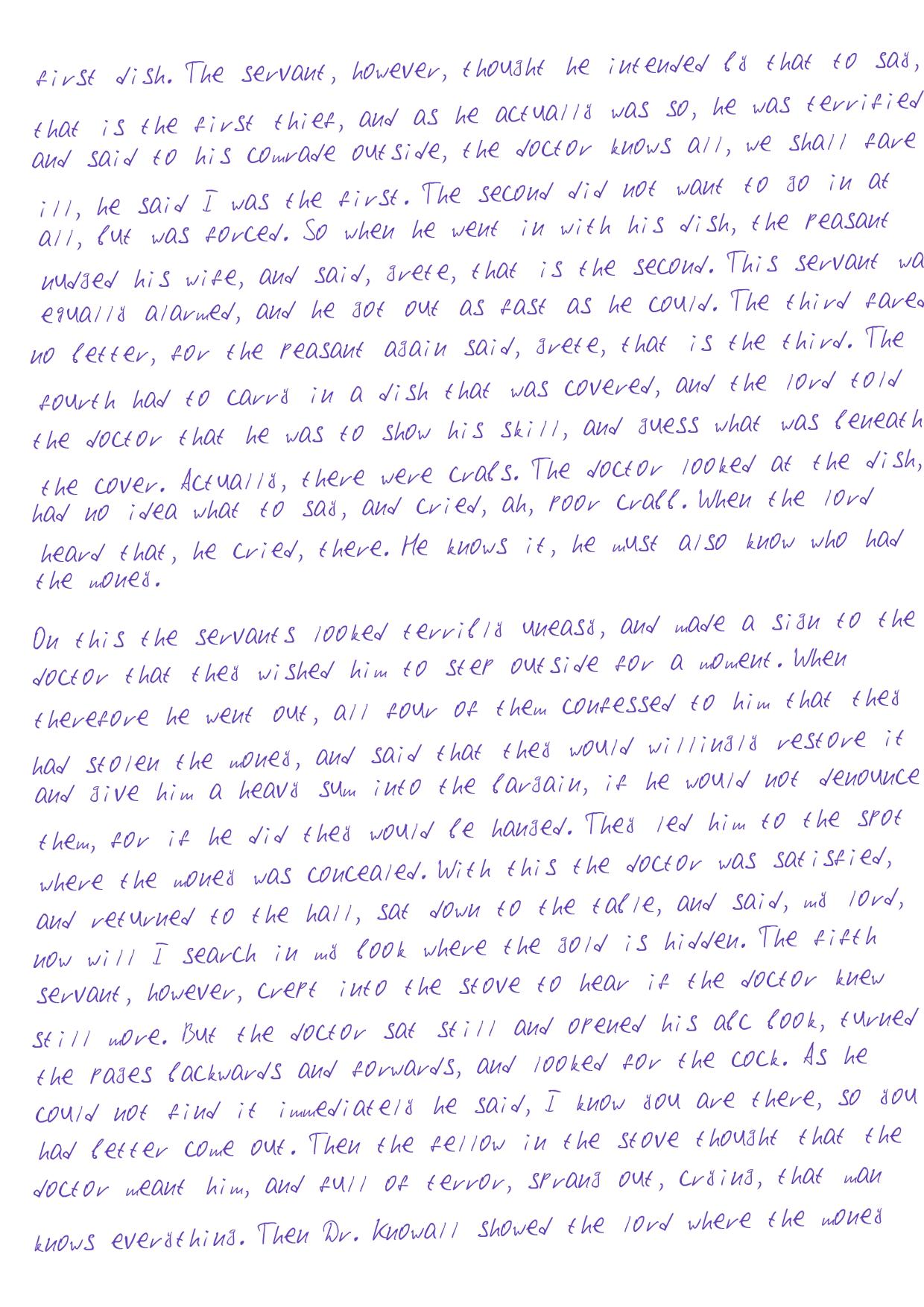
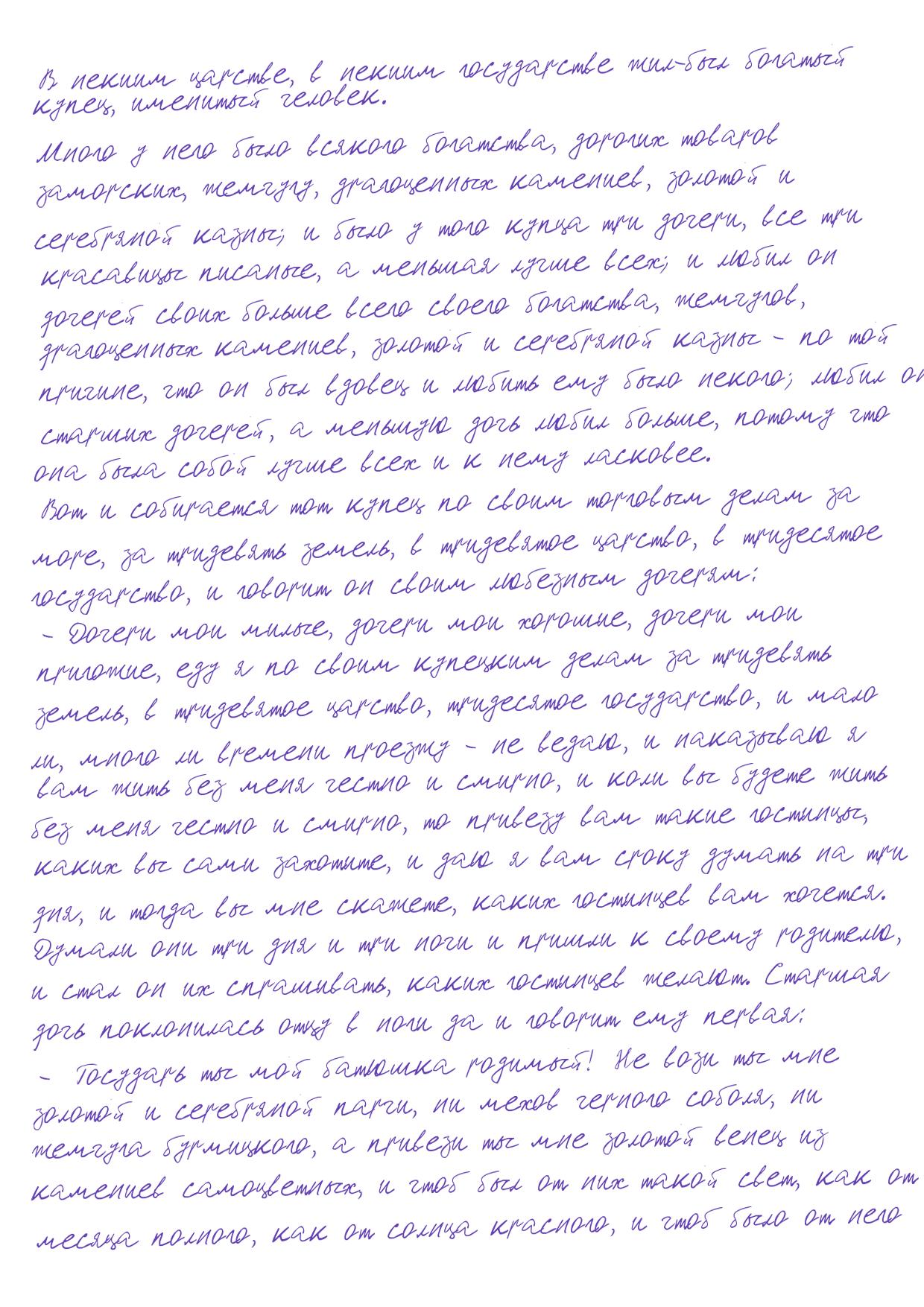
In Russian looks more real, at least the lecturer didn't notice.
Getting started
Install project
pip install handwritten-image
Setup
from handwritten_image import HandWrite
hand = HandWrite()
Convert to a handwritten images
You can easily convert your text to handwritten text using this method
hand.convert_to_image('your-text-file.docx') # or .doc and .txt file
Save directory
Specify the folder where you want to save the images using save_dir argument, if not specified, they will be saved to the current folder
hand.convert_to_image('your-text-file.docx', save_dir='images')
Random selection
If you don't need random sampling from the text, you can specify random_select=False argument
hand.convert_to_image('your-text-file.docx', random_select=False)
Text file to edit
Before converting to images, you may want to change the text (add brackets, remove extra characters, etc.). If edit=True it creates a txt file that you can edit and then use to create images.
hand.to_txt('your-text-file.docx', edit=True) # or .doc and .txt file
Note
Before converting the file to an image, remove the
hand.to_txt()call, otherwise it will overwrite the file you edited
After you edit the file, you can convert this file
hand.convert_to_image('your-edited-file.txt', random_select=False)
Random selection
You also can specify the random_select=False argument if you don't need a random selection
hand.to_txt('your-text-file.docx', random_select=False)
Save folder
Default folder to save in your script folder and default file name is temp.txt. Specify save_path argument with file type if you want to change the name
hand.to_txt('your-text-file.docx', save_path='your-folder/file.txt')
1 maintainer

Metadata
1 maintainer
Release files for handwritten-image 0.1.1
For a detailed explanation of source distributions (sdists) and built distributions (wheels), please see the package formats documentation.
Source distribution (sdist)
| File | Size | Uploaded | |
|---|---|---|---|
| handwritten_image-0.1.1.tar.gz | 55.5 kB | Details |
Release files / handwritten_image-0.1.1.tar.gz
| Download URL | handwritten_image-0.1.1.tar.gz |
|---|---|
| Size | 55.5 kB |
| Tags | Source |
|
SHA-256 checksum How to use checksums |
d5f54f6a90d9d1072cca28f4058877c4c079e88369edf287bb82f778cae4e94c
|
|
BLAKE2b-256 checksum How to use checksums |
49dc7791266de7946b9be3ae52ca883913bb11c33d3978858a507efe635af282
|
| Upload date | |
|
Uploaded using Trusted Publishing? What is trusted publishing? |
No |
| Uploaded via |
twine/3.3.0 pkginfo/1.7.0 requests/2.24.0 setuptools/53.0.0 requests-toolbelt/0.9.1 tqdm/4.56.2 CPython/3.8.2
|














