
Atla MCP Server
An MCP server implementation providing a standardized interface for LLMs to interact with the Atla API for state-of-the-art LLMJ evaluation.
Learn more about Atla here. Learn more about the Model Context Protocol here.
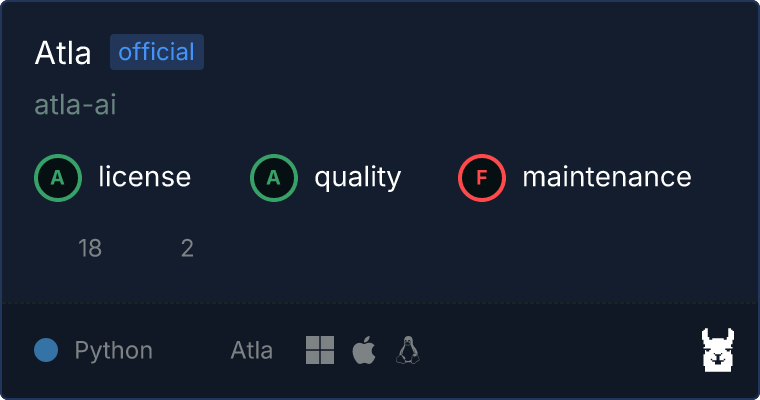
Available Tools
evaluate_llm_response: Evaluate an LLM's response to a prompt using a given evaluation criteria. This function uses an Atla evaluation model under the hood to return a dictionary containing a score for the model's response and a textual critique containing feedback on the model's response.evaluate_llm_response_on_multiple_criteria: Evaluate an LLM's response to a prompt across multiple evaluation criteria. This function uses an Atla evaluation model under the hood to return a list of dictionaries, each containing an evaluation score and critique for a given criteria.
Usage
To use the MCP server, you will need an Atla API key. You can find your existing API key here or create a new one here.
Installation
We recommend using
uvto manage the Python environment. See here for installation instructions.
Manually running the server
Once you have uv installed and have your Atla API key, you can manually run the MCP server using uvx (which is provided by uv):
ATLA_API_KEY=<your-api-key> uvx atla-mcp-server
Connecting to the server
Having issues or need help connecting to another client? Feel free to open an issue or contact us!
OpenAI Agents SDK
For more details on using the OpenAI Agents SDK with MCP servers, refer to the official documentation.
- Install the OpenAI Agents SDK:
pip install openai-agents
- Use the OpenAI Agents SDK to connect to the server:
import os

from agents import Agent
from agents.mcp import MCPServerStdio

async with MCPServerStdio(
        params={
            "command": "uvx",
            "args": ["atla-mcp-server"],
            "env": {"ATLA_API_KEY": os.environ.get("ATLA_API_KEY")}
        }
    ) as atla_mcp_server:
    ...
Claude Desktop
For more details on configuring MCP servers in Claude Desktop, refer to the official MCP quickstart guide.
- Add the following to your
claude_desktop_config.jsonfile:
{
  "mcpServers": {
    "atla-mcp-server": {
      "command": "uvx",
      "args": ["atla-mcp-server"],
      "env": {
        "ATLA_API_KEY": "<your-atla-api-key>"
      }
    }
  }
}
- Restart Claude Desktop to apply the changes.
You should now see options from atla-mcp-server in the list of available MCP tools.
Cursor
For more details on configuring MCP servers in Cursor, refer to the official documentation.
- Add the following to your
.cursor/mcp.jsonfile:
{
  "mcpServers": {
    "atla-mcp-server": {
      "command": "uvx",
      "args": ["atla-mcp-server"],
      "env": {
        "ATLA_API_KEY": "<your-atla-api-key>"
      }
    }
  }
}
You should now see atla-mcp-server in the list of available MCP servers.
Contributing
Contributions are welcome! Please see the CONTRIBUTING.md file for details.
License
This project is licensed under the MIT License. See the LICENSE file for details.
1 maintainer

Metadata
1 maintainer
Release files for iflow-mcp_atla-mcp-server 0.1.4
For a detailed explanation of source distributions (sdists) and built distributions (wheels), please see the package formats documentation.
Source distribution (sdist)
| File | Size | Uploaded | |
|---|---|---|---|
| iflow_mcp_atla_mcp_server-0.1.4.tar.gz | 7.0 kB | Details |
Built distribution (wheel)
| File | Interpreter | ABI | Platform | Reset |
|---|---|---|---|---|
| iflow_mcp_atla_mcp_server-0.1.4-py3-none-any.whl | Python 3 | none | any | Details |
Total release size: 15.2 kB
Release files / iflow_mcp_atla_mcp_server-0.1.4.tar.gz
| Download URL | iflow_mcp_atla_mcp_server-0.1.4.tar.gz |
|---|---|
| Size | 7.0 kB |
| Tags | Source |
|
SHA-256 checksum How to use checksums |
a861ef0ca21117313a32f216e8c4868652241cf7670e5b8912846241c1023fed
|
|
BLAKE2b-256 checksum How to use checksums |
e0131319ca2097700e1bd1d457612c56a0443b14d047a1c5fc9e1a75555552cb
|
| Upload date | |
|
Uploaded using Trusted Publishing? What is trusted publishing? |
No |
| Uploaded via |
uv/0.9.8
|
Release files / iflow_mcp_atla_mcp_server-0.1.4-py3-none-any.whl
| Download URL | iflow_mcp_atla_mcp_server-0.1.4-py3-none-any.whl |
|---|---|
| Size | 8.2 kB |
| Tags | Python 3 |
|
SHA-256 checksum How to use checksums |
a4a31a773fae0799936874e8a55a14dd3c5406a50c9726e1133d9c55f17e8c0c
|
|
BLAKE2b-256 checksum How to use checksums |
457f75f7ae799d9e202e28985e7fc5132e19ddeb95ba73576888f91e14b1112f
|
| Upload date | |
|
Uploaded using Trusted Publishing? What is trusted publishing? |
No |
| Uploaded via |
uv/0.9.8
|













