
browser-use-mcp-server



An MCP server that enables AI agents to control web browsers using browser-use.
🌐 Want to Vibe Browse the Web? Open-source AI-powered web browser - Vibe Browser.
🔗 Managing multiple MCP servers? Simplify your development workflow with agent-browser
Prerequisites
- uv - Fast Python package manager
- Playwright - Browser automation
- mcp-proxy - Required for stdio mode
# Install prerequisites
curl -LsSf https://astral.sh/uv/install.sh | sh
uv tool install mcp-proxy
uv tool update-shell
Environment
Create a .env file:
OPENAI_API_KEY=your-api-key
CHROME_PATH=optional/path/to/chrome
PATIENT=false  # Set to true if API calls should wait for task completion
Installation
# Install dependencies
uv sync
uv pip install playwright
uv run playwright install --with-deps --no-shell chromium
Usage
SSE Mode
# Run directly from source
uv run server --port 8000
stdio Mode
# 1. Build and install globally
uv build
uv tool uninstall browser-use-mcp-server 2>/dev/null || true
uv tool install dist/browser_use_mcp_server-*.whl

# 2. Run with stdio transport
browser-use-mcp-server run server --port 8000 --stdio --proxy-port 9000
Client Configuration
SSE Mode Client Configuration
{
  "mcpServers": {
    "browser-use-mcp-server": {
      "url": "http://localhost:8000/sse"
    }
  }
}
stdio Mode Client Configuration
{
  "mcpServers": {
    "browser-server": {
      "command": "browser-use-mcp-server",
      "args": [
        "run",
        "server",
        "--port",
        "8000",
        "--stdio",
        "--proxy-port",
        "9000"
      ],
      "env": {
        "OPENAI_API_KEY": "your-api-key"
      }
    }
  }
}
Config Locations
| Client | Configuration Path |
|---|---|
| Cursor | ./.cursor/mcp.json |
| Windsurf | ~/.codeium/windsurf/mcp_config.json |
| Claude (Mac) | ~/Library/Application Support/Claude/claude_desktop_config.json |
| Claude (Windows) | %APPDATA%\Claude\claude_desktop_config.json |
Features
- Browser Automation: Control browsers through AI agents
- Dual Transport: Support for both SSE and stdio protocols
- VNC Streaming: Watch browser automation in real-time
- Async Tasks: Execute browser operations asynchronously
Local Development
To develop and test the package locally:
-
Build a distributable wheel:
# From the project root directory
uv build
-
Install it as a global tool:
uv tool uninstall browser-use-mcp-server 2>/dev/null || true
uv tool install dist/browser_use_mcp_server-*.whl
-
Run from any directory:
# Set your OpenAI API key for the current session
export OPENAI_API_KEY=your-api-key-here

# Or provide it inline for a one-time run
OPENAI_API_KEY=your-api-key-here browser-use-mcp-server run server --port 8000 --stdio --proxy-port 9000
-
After making changes, rebuild and reinstall:
uv build
uv tool uninstall browser-use-mcp-server
uv tool install dist/browser_use_mcp_server-*.whl
Docker
Using Docker provides a consistent and isolated environment for running the server.
# Build the Docker image
docker build -t browser-use-mcp-server .

# Run the container with the default VNC password ("browser-use")
# --rm ensures the container is automatically removed when it stops
# -p 8000:8000 maps the server port
# -p 5900:5900 maps the VNC port
docker run --rm -p8000:8000 -p5900:5900 browser-use-mcp-server

# Run with a custom VNC password read from a file
# Create a file (e.g., vnc_password.txt) containing only your desired password
echo "your-secure-password" > vnc_password.txt
# Mount the password file as a secret inside the container
docker run --rm -p8000:8000 -p5900:5900 \
  -v $(pwd)/vnc_password.txt:/run/secrets/vnc_password:ro \
  browser-use-mcp-server
Note: The :ro flag in the volume mount (-v) makes the password file read-only inside the container for added security.
VNC Viewer
# Browser-based viewer
git clone https://github.com/novnc/noVNC
cd noVNC
./utils/novnc_proxy --vnc localhost:5900
Default password: browser-use (unless overridden using the custom password method)

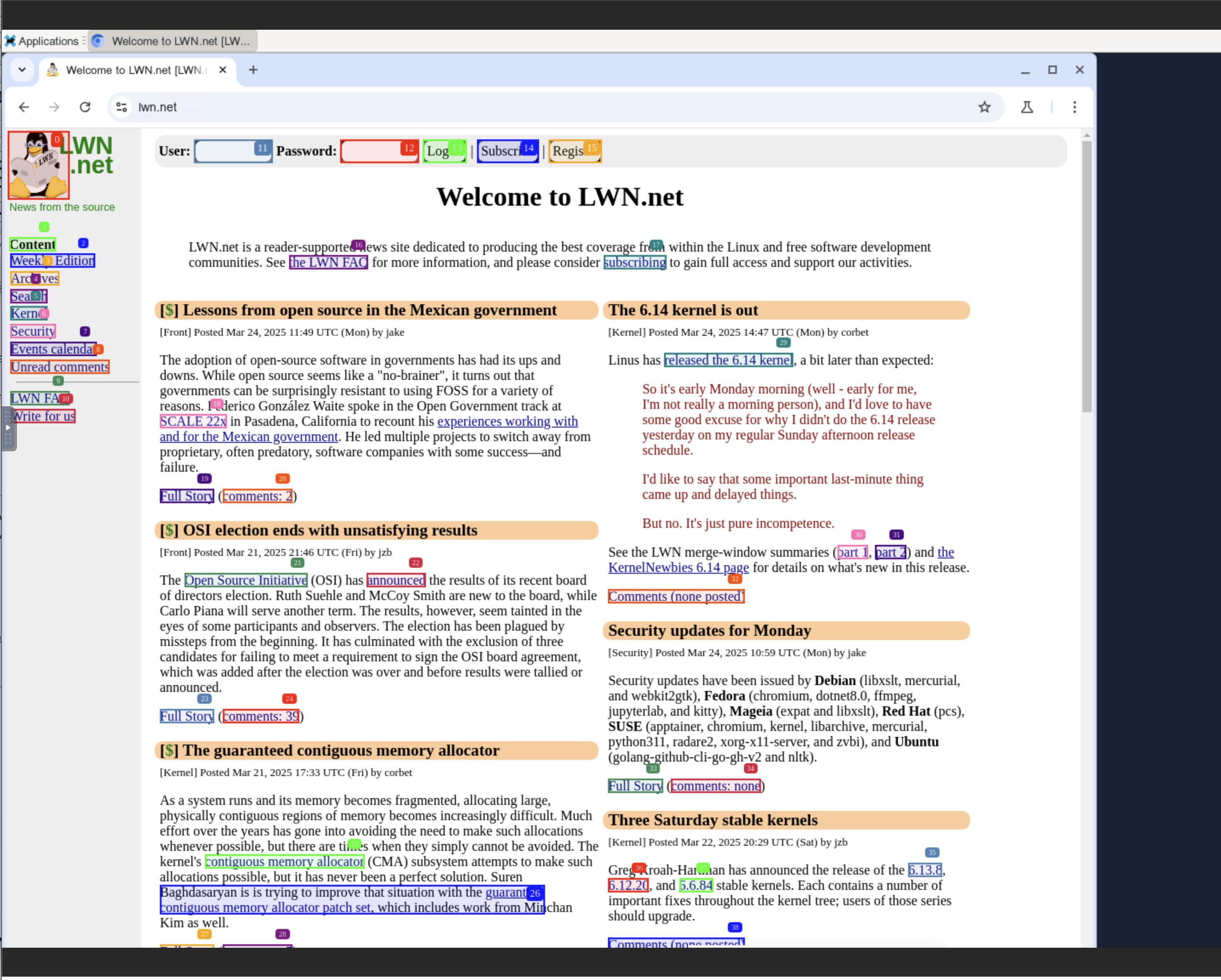
Example
Try asking your AI:
open https://news.ycombinator.com and return the top ranked article
Support
For issues or inquiries: cobrowser.xyz
Star History

1 maintainer

Metadata
1 maintainer
Release files for iflow-mcp_kontext-dev-browser-use-mcp-server 1.0.4
For a detailed explanation of source distributions (sdists) and built distributions (wheels), please see the package formats documentation.
Source distribution (sdist)
| File | Size | Uploaded | |
|---|---|---|---|
| iflow_mcp_kontext_dev_browser_use_mcp_server-1.0.4.tar.gz | 14.2 kB | Details |
Built distribution (wheel)
| File | Interpreter | ABI | Platform | Reset |
|---|---|---|---|---|
| iflow_mcp_kontext_dev_browser_use_mcp_server-1.0.4-py3-none-any.whl | Python 3 | none | any | Details |
Total release size: 30.6 kB
Release files / iflow_mcp_kontext_dev_browser_use_mcp_server-1.0.4.tar.gz
| Download URL | iflow_mcp_kontext_dev_browser_use_mcp_server-1.0.4.tar.gz |
|---|---|
| Size | 14.2 kB |
| Tags | Source |
|
SHA-256 checksum How to use checksums |
6464874fc4aa856c5e6c544e83aacfa0bbcf0c0b11a9ad90ebddecc868ce32f5
|
|
BLAKE2b-256 checksum How to use checksums |
bec52e8313410c6803efb790820eb8b11f9f4328a52d5409382cb029c02b0d2d
|
| Upload date | |
|
Uploaded using Trusted Publishing? What is trusted publishing? |
No |
| Uploaded via |
uv/0.10.0 {"installer":{"name":"uv","version":"0.10.0","subcommand":["publish"]},"python":null,"implementation":{"name":null,"version":null},"distro":{"name":"Debian GNU/Linux","version":"13","id":"trixie","libc":null},"system":{"name":null,"release":null},"cpu":null,"openssl_version":null,"setuptools_version":null,"rustc_version":null,"ci":null}
|
Release files / iflow_mcp_kontext_dev_browser_use_mcp_server-1.0.4-py3-none-any.whl
| Download URL | iflow_mcp_kontext_dev_browser_use_mcp_server-1.0.4-py3-none-any.whl |
|---|---|
| Size | 16.4 kB |
| Tags | Python 3 |
|
SHA-256 checksum How to use checksums |
339660eff762b397ffa58366182040a991f176bc42ec6c8d4d8dc832a6226c32
|
|
BLAKE2b-256 checksum How to use checksums |
ff95e087b7479994a25f6ec39884b65015ce5ffd0180c07c3ac01b109a1efe32
|
| Upload date | |
|
Uploaded using Trusted Publishing? What is trusted publishing? |
No |
| Uploaded via |
uv/0.10.0 {"installer":{"name":"uv","version":"0.10.0","subcommand":["publish"]},"python":null,"implementation":{"name":null,"version":null},"distro":{"name":"Debian GNU/Linux","version":"13","id":"trixie","libc":null},"system":{"name":null,"release":null},"cpu":null,"openssl_version":null,"setuptools_version":null,"rustc_version":null,"ci":null}
|













