
This release is a pre-release and may not be stable for production use.

KumoRFM MCP Server



📖 Introduction
KumoRFM is a pre-trained Relational Foundation Model (RFM) that generates training-free predictions on any relational multi-table data by interpreting the data as a (temporal) heterogeneous graph. It can be queried via the Predictive Query Language (PQL).
This repository hosts a full-featured MCP (Model Context Protocol) server that empowers AI assistants with KumoRFM intelligence. This server enables:
- 🕸️ Build, manage, and visualize graphs directly from CSV or Parquet files
- 💬 Convert natural language into PQL queries for seamless interaction
- 🤖 Query, analyze, and evaluate predictions from KumoRFM (missing value imputation, temporal forecasting, etc) all without any training required
🚀 Installation
🐍 Traditional MCP Server
The KumoRFM MCP server is available for Python 3.10 and above. To install, simply run:
pip install kumo-rfm-mcp
Add to your MCP configuration file (e.g., Claude Desktop's mcp_config.json):
{
  "mcpServers": {
    "kumo-rfm": {
      "command": "python",
      "args": ["-m", "kumo_rfm_mcp.server"],
      "env": {
        "KUMO_API_KEY": "your_api_key_here"
      }
    }
  }
}
⚡ MCP Bundle
We provide a single-click installation via our MCP Bundle (MCPB) (e.g., for integration into Claude Desktop):
- Download the
dxtfile from here - Double click to install
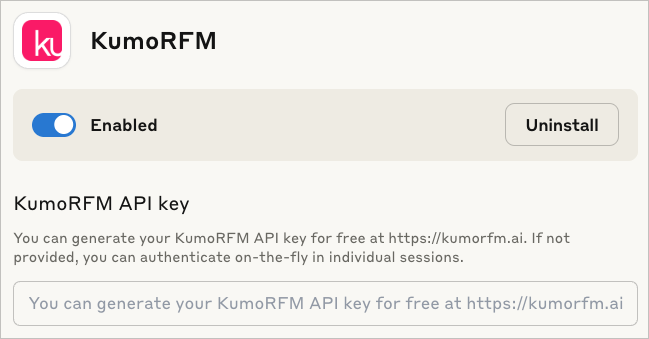
The MCP Bundle supports Linux, macOS and Windows, but requires a Python executable to be found in order to create a separate new virtual environment.
Claude code
To include the server in claude code use:
claude mcp add --transport stdio kumo-rfm-mcp --env KUMO_API_KEY=<YOUR-API-KEY> -- python -m kumo_rfm_mcp.server --port 8000
🎬 Claude Desktop Demo
See here for the transcript.
https://github.com/user-attachments/assets/56192b0b-d9df-425f-9c10-8517c754420f
🔬 Agentic Workflows
You can use the KumoRFM MCP directly in your agentic workflows:

[Example] |
from crewai import Agent
from crewai_tools import MCPServerAdapter
from mcp import StdioServerParameters
<br/>
params = StdioServerParameters(
    command='python',
    args=['-m', 'kumo_rfm_mcp.server'],
    env={'KUMO_API_KEY': ...},
)
<br/>
with MCPServerAdapter(params) as mcp_tools:
    agent = Agent(
        role=...,
        goal=...,
        backstory=...,
        tools=mcp_tools,
    )
|
|---|---|

[Example] |
from langchain_mcp_adapter.client MultiServerMCPClient
from langgraph.prebuilt import create_react_agent
<br/>
client = MultiServerMCPClient({
    'kumo-rfm': {
        'command': 'python',
        'args': ['-m', 'kumo_rfm_mcp.server'],
        'env': {'KUMO_API_KEY': ...},
    }
})
<br/>
agent = create_react_agent(
    llm=...,
    tools=await client.get_tools(),
)
|

[Example] |
from agents import Agent
from agents.mcp import MCPServerStdio
<br/>
async with MCPServerStdio(params={
    'command': 'python',
    'args': ['-m', 'kumo_rfm_mcp.server'],
    'env': {'KUMO_API_KEY': ...},
}) as server:
    agent = Agent(
        name=...,
        instructions=...,
        mcp_servers=[server],
    )
|

|
from claude_code_sdk import query, ClaudeCodeOptions
<br/>
mcp_servers = {
    'kumo-rfm': {
        'command': 'python',
        'args': ['-m', 'kumo_rfm_mcp.server'],
        'env': {'KUMO_API_KEY': ...},
    }
}
<br/>
async for message in query(
    prompt=...,
    options=ClaudeCodeOptions(
        system_prompt=...,
        mcp_servers=mcp_servers,
        permission_mode='default',
    ),
):
    ...
|
Browse our examples to get started with agentic workflows powered by KumoRFM.
📚 Available Tools
I/O Operations
- 🔍
find_table_files- Searching for tabular files: Find all table-like files (e.g., CSV, Parquet) in a directory. - 🧐
inspect_table_files- Analyzing table structure: Inspect the first rows of table-like files.
Graph Management
- 🗂️
inspect_graph_metadata- Reviewing graph schema: Inspect the current graph metadata. - 🔄
update_graph_metadata- Updating graph schema: Partially update the current graph metadata. - 🖼️
get_mermaid- Creating graph diagram: Return the graph as a Mermaid entity relationship diagram. - 🕸️
materialize_graph- Assembling graph: Materialize the graph based on the current state of the graph metadata to make it available for inference operations. - 📂
lookup_table_rows- Retrieving table entries: Lookup rows in the raw data frame of a table for a list of primary keys.
Model Execution
- 🤖
predict- Running predictive query: Execute a predictive query and return model predictions. - 📊
evaluate- Evaluating predictive query: Evaluate a predictive query and return performance metrics which compares predictions against known ground-truth labels from historical examples. - 🧠
explain- Explaining prediction: Execute a predictive query and explain the model prediction.
🔧 Configuration
Environment Variables
KUMO_API_KEY: Authentication is needed once before predicting or evaluating with the KumoRFM model. You can generate your KumoRFM API key for free here. If not set, you can also authenticate on-the-fly in individual session via an OAuth2 flow.
We love your feedback! :heart:
As you work with KumoRFM, if you encounter any problems or things that are confusing or don't work quite right, please open a new :octocat:issue. You can also submit general feedback and suggestions here. Join our Slack!
1 maintainer

Metadata
1 maintainer
Release files for iflow-mcp_kumo-ai-kumo-rfm-mcp 0.3.0.dev0
For a detailed explanation of source distributions (sdists) and built distributions (wheels), please see the package formats documentation.
Source distribution (sdist)
| File | Size | Uploaded | |
|---|---|---|---|
| iflow_mcp_kumo_ai_kumo_rfm_mcp-0.3.0.dev0.tar.gz | 31.4 kB | Details |
Built distribution (wheel)
| File | Interpreter | ABI | Platform | Reset |
|---|---|---|---|---|
| iflow_mcp_kumo_ai_kumo_rfm_mcp-0.3.0.dev0-py3-none-any.whl | Python 3 | none | any | Details |
Total release size: 67.5 kB
Release files / iflow_mcp_kumo_ai_kumo_rfm_mcp-0.3.0.dev0.tar.gz
| Download URL | iflow_mcp_kumo_ai_kumo_rfm_mcp-0.3.0.dev0.tar.gz |
|---|---|
| Size | 31.4 kB |
| Tags | Source |
|
SHA-256 checksum How to use checksums |
f3bb230ba7d9334ffb0f04db259693369f314ebd51c26ea5118f73f235468667
|
|
BLAKE2b-256 checksum How to use checksums |
152fb0c581226c521d6ba089015f1f5e129471bba2228526f1c648d3b438c892
|
| Upload date | |
|
Uploaded using Trusted Publishing? What is trusted publishing? |
No |
| Uploaded via |
uv/0.10.0 {"installer":{"name":"uv","version":"0.10.0","subcommand":["publish"]},"python":null,"implementation":{"name":null,"version":null},"distro":{"name":"Debian GNU/Linux","version":"13","id":"trixie","libc":null},"system":{"name":null,"release":null},"cpu":null,"openssl_version":null,"setuptools_version":null,"rustc_version":null,"ci":null}
|
Release files / iflow_mcp_kumo_ai_kumo_rfm_mcp-0.3.0.dev0-py3-none-any.whl
| Download URL | iflow_mcp_kumo_ai_kumo_rfm_mcp-0.3.0.dev0-py3-none-any.whl |
|---|---|
| Size | 36.1 kB |
| Tags | Python 3 |
|
SHA-256 checksum How to use checksums |
591caebbf3696df276ffd07b2e77bee50a324c433c1983a6b59b34e4344ec7d6
|
|
BLAKE2b-256 checksum How to use checksums |
5d759cdd401b534e4e257ab243abd1b285411f538f47b60a1d7d8aea44172522
|
| Upload date | |
|
Uploaded using Trusted Publishing? What is trusted publishing? |
No |
| Uploaded via |
uv/0.10.0 {"installer":{"name":"uv","version":"0.10.0","subcommand":["publish"]},"python":null,"implementation":{"name":null,"version":null},"distro":{"name":"Debian GNU/Linux","version":"13","id":"trixie","libc":null},"system":{"name":null,"release":null},"cpu":null,"openssl_version":null,"setuptools_version":null,"rustc_version":null,"ci":null}
|













