
 slidev-mcp





✨ Introduction
slidev-mcp is an intelligent slide generation tool based on Slidev that integrates large language model technology, allowing users to automatically generate professional online PPT presentations with simple descriptions.

- Dramatically lowers the barrier to using Slidev
- Natural language interactive slide creation
- Automated generation of professional presentations
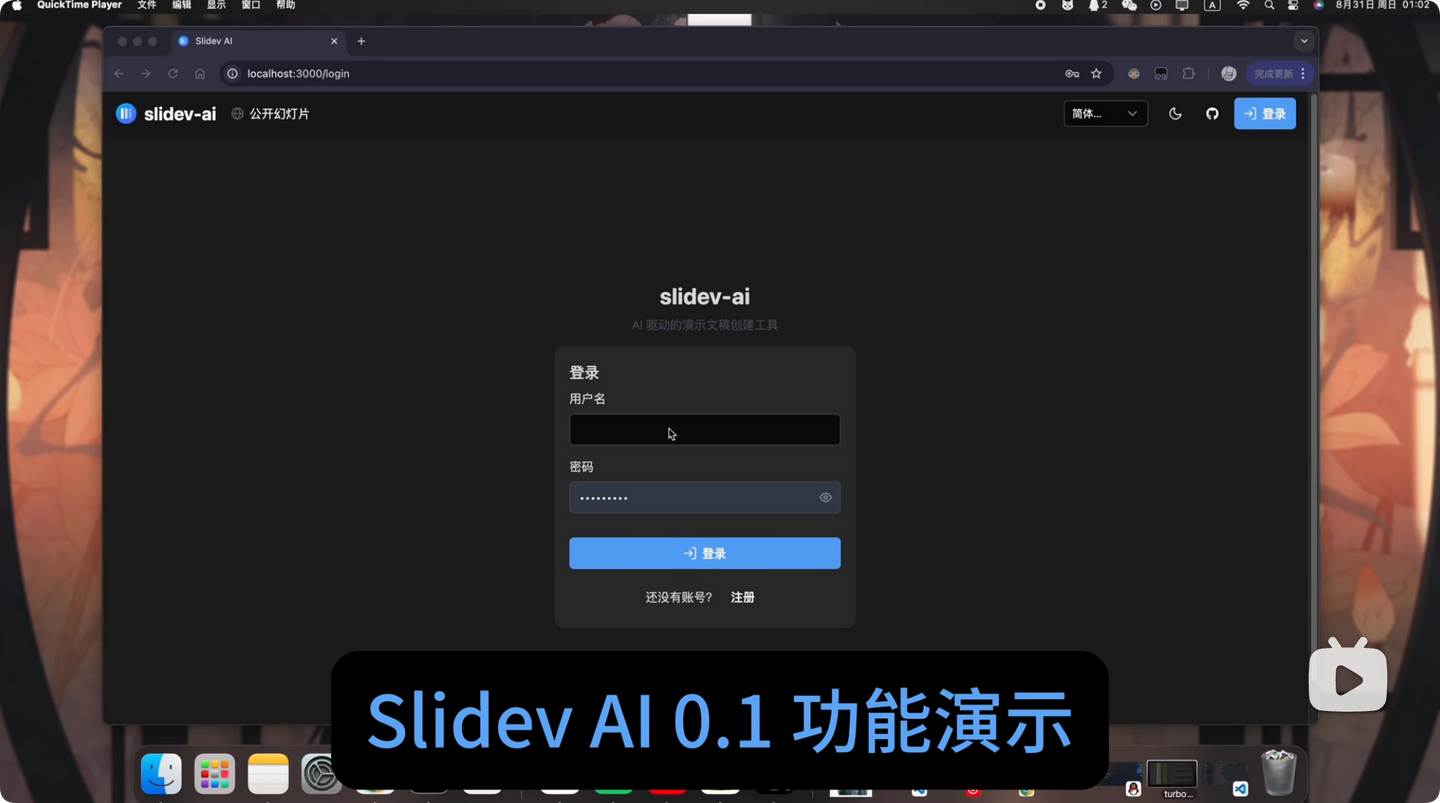
We have also open-sourced the AI PPT integrated website project based on slidev-mcp Slidev-AI, and you can see the effect in the following video 👇
🚀 Quick Start
For detailed setup and usage instructions, please see Quick Start Guide.
Environment Variable
You can customize the root directory where generated Slidev projects are stored by setting the environment variable SLIDEV_MCP_ROOT (MUST be an absolute path). If not set (or set as a non-absolute path), the default relative directory .slidev-mcp (under current working directory) is used.
Example (Windows cmd, PowerShell similar):
Projects will then be created under that absolute path instead of .slidev-mcp/.
# powershell
set SLIDEV_MCP_ROOT=my-slides

# bash or zsh
export SLIDEV_MCP_ROOT=my-slides

# then run the script
uv run servers/themes/academic/server.py
Projects will then be created under my-slides/ instead of .slidev-mcp/.
🔧 Available Tools
The MCP server provides the following tools for slide creation and management:
Environment & Project Management
| Tool | Input Parameters | Output | Purpose |
|---|---|---|---|
check_environment |
None | Environment status and version info | Verify dependencies are installed |
create_slidev |
path (str), title (str), author (str) |
Project creation status and path | Initialize new Slidev project |
load_slidev |
path (str) |
Project content and slide data | Load existing presentation |
Slide Content Management
| Tool | Input Parameters | Output | Purpose |
|---|---|---|---|
make_cover |
title (str), subtitle (str, opt), author (str, opt), background (str, opt), python_string_template (str, opt) |
Cover slide creation status | Create/update cover page |
add_page |
content (str), layout (str, opt) |
New slide index | Add new slide to presentation |
set_page |
index (int), content (str), layout (str, opt) |
Update status | Modify existing slide content |
get_page |
index (int) |
Slide content in markdown | Retrieve specific slide content |
Utility Tools
| Tool | Input Parameters | Output | Purpose |
|---|---|---|---|
websearch |
url (str) |
Extracted markdown text | Gather web content for slides |
Note:
opt= optional parameter
📄 License
MIT License © 2023 LSTM-Kirigaya
1 maintainer

Metadata
1 maintainer
Release files for iflow-mcp_slidev-mcp 0.1.2
For a detailed explanation of source distributions (sdists) and built distributions (wheels), please see the package formats documentation.
Source distribution (sdist)
| File | Size | Uploaded | |
|---|---|---|---|
| iflow_mcp_slidev_mcp-0.1.2.tar.gz | 10.3 kB | Details |
Built distribution (wheel)
| File | Interpreter | ABI | Platform | Reset |
|---|---|---|---|---|
| iflow_mcp_slidev_mcp-0.1.2-py3-none-any.whl | Python 3 | none | any | Details |
Total release size: 25.6 kB
Release files / iflow_mcp_slidev_mcp-0.1.2.tar.gz
| Download URL | iflow_mcp_slidev_mcp-0.1.2.tar.gz |
|---|---|
| Size | 10.3 kB |
| Tags | Source |
|
SHA-256 checksum How to use checksums |
c47ba3ddb30b287a326ed6d22bf259d354056cd2876f6366034d4ce9a74b6fef
|
|
BLAKE2b-256 checksum How to use checksums |
418c3db24369cce42ab7ff2ac650edc89a3b1411eca4c923aac3462268a6f839
|
| Upload date | |
|
Uploaded using Trusted Publishing? What is trusted publishing? |
No |
| Uploaded via |
uv/0.9.8
|
Release files / iflow_mcp_slidev_mcp-0.1.2-py3-none-any.whl
| Download URL | iflow_mcp_slidev_mcp-0.1.2-py3-none-any.whl |
|---|---|
| Size | 15.4 kB |
| Tags | Python 3 |
|
SHA-256 checksum How to use checksums |
b1bb35123d779a7760a96ac6ddc41d1f765ecceda8dd4ad279db9ab63cfc9099
|
|
BLAKE2b-256 checksum How to use checksums |
97246f3620e32ec028631b73d4f05a3b848ab38b380d3bb3449b4ac8f93a9cbf
|
| Upload date | |
|
Uploaded using Trusted Publishing? What is trusted publishing? |
No |
| Uploaded via |
uv/0.9.8
|














