

Stata-MCP
Let LLM help you achieve your regression analysis with Stata ✨
Evolve from reg monkey to causal thinker 🐒 -> 🧐









News:
- Use Stata-MCP in Claude Code, look here
- Try to use agent mode as tool? Now it is supported more easily here.
- Want to evaluate your LLM? Look here.
Finding our newest research? Click here or visit reports website.
Looking for others?
- Trace DID: If you want to fetch the newest information about DID (Difference-in-Difference), click here. Now there is a Chinese translation by Sepine Tam and StataMCP-Team 🎉
- Jupyter Lab Usage (Important: Stata 17+) here
- NBER-MCP & AER-MCP 🔧 under construction
- Econometrics-Agent
- TexIV: A machine learning-driven framework that transforms text data into usable variables for empirical research using advanced NLP and ML techniques
- A VScode or Cursor integrated here. Confused it? 💡 Difference
💡 Quick Start
Use Stata-MCP in Claude Code
We can use Stata-MCP in Claude Code as its prefect agentic ability.
Before using it, please make sure you have ever install Claude Code, if you don't know how to install it, visit on GitHub
You can open your terminal and cd to your working directory, and run:
claude mcp add stata-mcp --env STATA_MCP_CWD=$(pwd) -- uvx stata-mcp
I am not sure whether it works on Windows, as I do not have a Windows device for test it.
Then, you can use Stata-MCP in Claude Code. Here are some scenarios for using it:
- Paper Replication: Replicate empirical studies from economics papers
- Quick Hypothesis Testing: Validate economic hypotheses through regression analysis
- Stata Learning Assistant: Learn econometrics with step-by-step Stata explanations
- Code Organization: Review and optimize existing Stata do-files
- Result Interpretation: Understand complex statistical outputs and regression results
Agent Mode
The details of agent mode find here.
git clone https://github.com/sepinetam/stata-mcp.git
cd stata-mcp

uv sync
uv pip install -e .

stata-mcp --version  # for test whether stata-mcp is installed successfully.
stata-mcp --agent  # now you have enjoy your stata-mcp agent mode.
or you can directly use it with uvx:
uvx stata-mcp --version  # for test whether it could be used on your computer.
uvx stata-mcp --agent
You can edit the task in agent_examples/openai/main.py for variable model_instructions and task_message, click me #L37 and #L68
Agent as Tool
If you want to use a Stata-Agent in another agent, here is a simple example:
import asyncio

from agents import Agent, Runner
from stata_mcp.agent_as_tool import StataAgent

# init stata agent and set as tool
stata_agent = StataAgent()
sa_tool = stata_agent.as_tool()

# Create main Agent
agent = Agent(
    name="Assistant",
    instructions="You are a helpful assistant",
    tools=[sa_tool],
)

# Then run the agent as usual.
async def main(task: str, max_turns: int = 30):
    result = await Runner.run(agent, input=task, max_turns=max_turns)
    return result


if __name__ == "__main__":
    econ_task = "Use Stata default data to find out the relationship between mpg and price."
    asyncio.run(main(econ_task))
AI Chat-Bot Client Mode
Standard config requires: please make sure the stata is installed at the default path, and the stata cli (for macOS and Linux) exists.
The standard config json as follows, you can DIY your config via add envs.
{
  "mcpServers": {
    "stata-mcp": {
      "command": "uvx",
      "args": [
        "stata-mcp"
      ]
    }
  }
}
For more detailed usage information, visit the Usage guide.
And some advanced usage, visit the Advanced guide
Prerequisites
- uv - Package installer and virtual environment manager
- Claude, Cline, ChatWise, or other LLM service
- Stata License
- Your API-KEY from LLM
Notes:
- If you are located in China, a short uv usage document you can find here.
- Claude is the best choice for Stata-MCP, for Chinese, I recommend to use DeepSeek as your model provider as it is cheap and powerful, also the score is highest in China provider, if you are increased in it, visit the report How to use StataMCP improve your social science research.
Installation
For the new version, you don't need to install the stata-mcp package again, you can just use the following command to check whether your computer can use stata-mcp.
uvx stata-mcp --usable
uvx stata-mcp --version
If you want to use it locally, you can install it via pip or download the source code.
Download via pip
pip install stata-mcp
Download source code and compile
git clone https://github.com/sepinetam/stata-mcp.git
cd stata-mcp

uv build
Then you can find the compiled stata-mcp binary in the dist directory. You can use it directly or add it to your PATH.
For example:
uvx /path/to/your/whl/stata_mcp-1.11.1-py3-non-any.whl # here is the wheel file name, you can change it to your version
📝 Documentation
- For more detailed usage information, visit the Usage guide.
- Advanced Usage, visit the Advanced
- Some questions, visit the Questions
- Difference with Stata-MCP@hanlulong, visit the Difference
💡 Questions
- Cherry Studio 32000 wrong
- Cherry Studio 32000 error
- Windows Support
- Network Errors When Running Stata-MCP
🚀 Roadmap
- macOS support
- Windows support
- Additional LLM integrations (With a new webUI)
- Performance optimizations (Via prompt and context engineering)
For more information, refer to the Statement.
🐛 Report Issues
If you encounter any bugs or have feature requests, please open an issue.
📄 License
📚 Citation
If you use Stata-MCP in your research, please cite this repository using one of the following formats:
BibTeX
@software{sepinetam2025stata,
  author = {Song Tan},
  title = {Stata-MCP: Let LLM help you achieve your regression analysis with Stata},
  year = {2025},
  url = {https://github.com/sepinetam/stata-mcp},
  version = {1.11.1}
}
APA
Song Tan. (2025). Stata-MCP: Let LLM help you achieve your regression analysis with Stata (Version 1.11.1) [Computer software]. https://github.com/sepinetam/stata-mcp
Chicago
Song Tan. 2025. "Stata-MCP: Let LLM help you achieve your regression analysis with Stata." Version 1.11.1. https://github.com/sepinetam/stata-mcp.
📬 Contact
Email: sepinetam@gmail.com
Or contribute directly by submitting a Pull Request! We welcome contributions of all kinds, from bug fixes to new features.
❤️ Acknowledgements
The author sincerely thanks the Stata official team for their support and the Stata License for authorizing the test development.
📃 Statement
The Stata referred to in this project is the commercial software Stata developed by StataCorp LLC. This project is not affiliated with, endorsed by, or sponsored by StataCorp LLC. This project does not include the Stata software or any installation packages; users must obtain and install a validly licensed copy of Stata from StataCorp. This project is licensed under Apache-2.0. The project maintainers accept no liability for any loss or damage arising from the use of this project or from actions related to Stata.
More information: refer to the Chinese version at [source/docs/README/cn/README.md]; in case of any conflict, the Chinese version shall prevail.
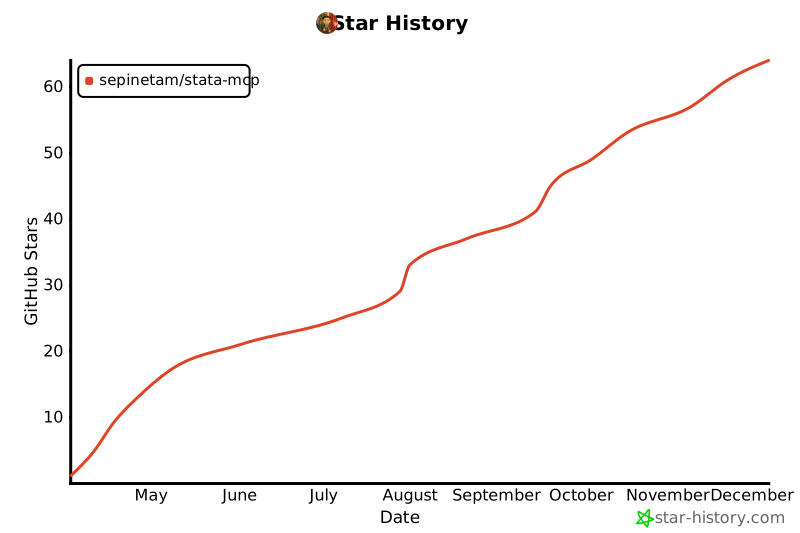
✨ Star History
1 maintainer

Metadata
1 maintainer
Release files for iflow-mcp_stata-mcp 1.11.2
For a detailed explanation of source distributions (sdists) and built distributions (wheels), please see the package formats documentation.
Source distribution (sdist)
| File | Size | Uploaded | |
|---|---|---|---|
| iflow_mcp_stata_mcp-1.11.2.tar.gz | 2.4 MB | Details |
Built distribution (wheel)
| File | Interpreter | ABI | Platform | Reset |
|---|---|---|---|---|
| iflow_mcp_stata_mcp-1.11.2-py3-none-any.whl | Python 3 | none | any | Details |
Total release size: 2.5 MB
Release files / iflow_mcp_stata_mcp-1.11.2.tar.gz
| Download URL | iflow_mcp_stata_mcp-1.11.2.tar.gz |
|---|---|
| Size | 2.4 MB |
| Tags | Source |
|
SHA-256 checksum How to use checksums |
46a1cd1ba2b6e34b064f8ae91e24ad08288206159724e6d2ae486cad9072e4ed
|
|
BLAKE2b-256 checksum How to use checksums |
8de4ec88c8ea93ca20e5af0770c700a1471e2e2f28f8c4f7029352b88b0c4876
|
| Upload date | |
|
Uploaded using Trusted Publishing? What is trusted publishing? |
No |
| Uploaded via |
uv/0.8.17
|
Release files / iflow_mcp_stata_mcp-1.11.2-py3-none-any.whl
| Download URL | iflow_mcp_stata_mcp-1.11.2-py3-none-any.whl |
|---|---|
| Size | 65.2 kB |
| Tags | Python 3 |
|
SHA-256 checksum How to use checksums |
c6e2f6afeffed874f42214767c02654fa7fe99c53df9fd0cff474990678693b5
|
|
BLAKE2b-256 checksum How to use checksums |
516cad4eaeed64fe089ca9467771bccf4bd65ca6aa1bf3b73ce1e7de04ab39f1
|
| Upload date | |
|
Uploaded using Trusted Publishing? What is trusted publishing? |
No |
| Uploaded via |
uv/0.8.17
|














