
Zabbix MCP Server


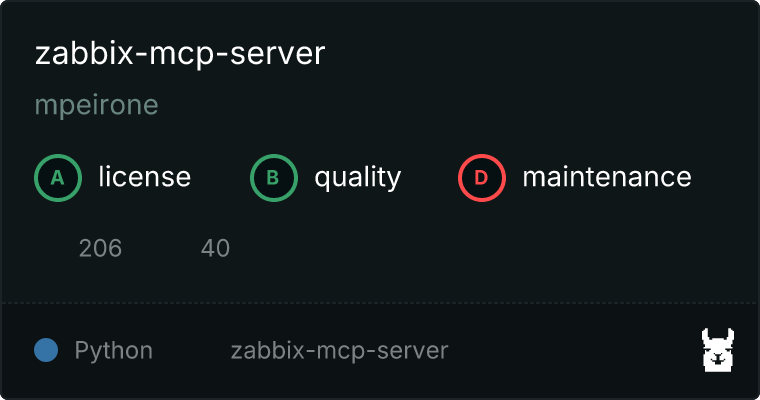
A comprehensive Model Context Protocol (MCP) server for Zabbix integration using FastMCP and python-zabbix-utils. This server provides complete access to Zabbix API functionality through MCP-compatible tools.
Features
🏠 Host Management
host_get- Retrieve hosts with advanced filteringhost_create- Create new hosts with interfaces and templateshost_update- Update existing host configurationshost_delete- Remove hosts from monitoring
👥 Host Group Management
hostgroup_get- Retrieve host groupshostgroup_create- Create new host groupshostgroup_update- Modify existing host groupshostgroup_delete- Remove host groups
📊 Item Management
item_get- Retrieve monitoring items with filteringitem_create- Create new monitoring itemsitem_update- Update existing itemsitem_delete- Remove monitoring items
⚠️ Trigger Management
trigger_get- Retrieve triggers and alertstrigger_create- Create new triggerstrigger_update- Modify existing triggerstrigger_delete- Remove triggers
📋 Template Management
template_get- Retrieve monitoring templatestemplate_create- Create new templatestemplate_update- Update existing templatestemplate_delete- Remove templates
🚨 Problem & Event Management
problem_get- Retrieve current problems and issuesevent_get- Get historical eventsevent_acknowledge- Acknowledge events and problems
📈 Data Retrieval
history_get- Access historical monitoring datatrend_get- Retrieve trend data and statistics
👤 User Management
user_get- Retrieve user accountsuser_create- Create new usersuser_update- Update user informationuser_delete- Remove user accounts
🔗 Proxy Management
proxy_get- Retrieve Zabbix proxies with filteringproxy_create- Create new proxiesproxy_update- Update existing proxiesproxy_delete- Remove proxies
🔧 Maintenance Management
maintenance_get- Retrieve maintenance periodsmaintenance_create- Schedule maintenance windowsmaintenance_update- Modify maintenance periodsmaintenance_delete- Remove maintenance schedules
📊 Additional Features
graph_get- Retrieve graph configurationsdiscoveryrule_get- Get discovery rulesitemprototype_get- Retrieve item prototypesconfiguration_export- Export Zabbix configurationsconfiguration_import- Import configurationsapiinfo_version- Get API version information
Installation
Prerequisites
- Python 3.10 or higher
- uv package manager
- Access to a Zabbix server with API enabled
Quick Start
-
Clone the repository:
git clone https://github.com/mpeirone/zabbix-mcp-server.git
cd zabbix-mcp-server
-
Install dependencies:
uv sync -
Configure environment variables:
cp config/.env.example .env
# Edit .env with your Zabbix server details
-
Test the installation:
uv run python scripts/test_server.py
Configuration
Required Environment Variables
ZABBIX_URL- Your Zabbix server API endpoint (e.g.,https://zabbix.example.com)
Authentication (choose one method)
Method 1: API Token (Recommended)
ZABBIX_TOKEN- Your Zabbix API token
Method 2: Username/Password
ZABBIX_USER- Your Zabbix usernameZABBIX_PASSWORD- Your Zabbix password
Optional Configuration
READ_ONLY- Set totrue,1, oryesto enable read-only mode (only GET operations allowed)VERIFY_SSL- Enable/disable SSL certificate verification (default:true)
Transport Configuration
ZABBIX_MCP_TRANSPORT- Transport type:stdio(default) orstreamable-http
HTTP Transport Configuration (only used when ZABBIX_MCP_TRANSPORT=streamable-http):
ZABBIX_MCP_HOST- Server host (default:127.0.0.1)ZABBIX_MCP_PORT- Server port (default:8000)ZABBIX_MCP_STATELESS_HTTP- Stateless mode (default:false)AUTH_TYPE- Must be set tono-authfor streamable-http transport
Usage
Running the Server
With startup script (recommended):
uv run python scripts/start_server.py
Direct execution:
uv run python src/zabbix_mcp_server.py
Transport Options
The server supports two transport methods:
STDIO Transport (Default)
Standard input/output transport for MCP clients like Claude Desktop:
# Set in .env or environment
ZABBIX_MCP_TRANSPORT=stdio
HTTP Transport
HTTP-based transport for web integrations:
# Set in .env or environment
ZABBIX_MCP_TRANSPORT=streamable-http
ZABBIX_MCP_HOST=127.0.0.1
ZABBIX_MCP_PORT=8000
ZABBIX_MCP_STATELESS_HTTP=false
AUTH_TYPE=no-auth
Note: When using streamable-http transport, AUTH_TYPE must be set to no-auth.
Testing
Run test suite:
uv run python scripts/test_server.py
Read-Only Mode
When READ_ONLY=true, the server will only expose GET operations (retrieve data) and block all create, update, and delete operations. This is useful for:
- 📊 Monitoring dashboards
- 🔍 Read-only integrations
- 🔒 Security-conscious environments
- 🛡️ Preventing accidental modifications
Example Tool Calls
Get all hosts:
host_get()
Get hosts in specific group:
host_get(groupids=["1"])
Create a new host:
host_create(
    host="server-01",
    groups=[{"groupid": "1"}],
    interfaces=[{
        "type": 1,
        "main": 1,
        "useip": 1,
        "ip": "192.168.1.100",
        "dns": "",
        "port": "10050"
    }]
)
Get recent problems:
problem_get(recent=True, limit=10)
Get history data:
history_get(
    itemids=["12345"],
    time_from=1640995200,
    limit=100
)
Get all proxies:
proxy_get()
Create a new active proxy:
proxy_create(
    host="proxy-01",
    status=5,
    description="Main datacenter proxy"
)
MCP Integration
This server is designed to work with MCP-compatible clients like Claude Desktop. See MCP_SETUP.md for detailed integration instructions.
Docker Support
Using Docker Compose
-
Configure environment:
cp config/.env.example .env
# Edit .env with your settings
-
Run with Docker Compose:
docker compose up -d
Building Docker Image
docker build -t zabbix-mcp-server .
Development
Project Structure
zabbix-mcp-server/
├── src/
│   └── zabbix_mcp_server.py    # Main server implementation
├── scripts/
│   ├── start_server.py         # Startup script with validation
│   └── test_server.py          # Test script
├── config/
│   ├── .env.example           # Environment configuration template
│   └── mcp.json               # MCP client configuration example
├── pyproject.toml             # Python project configuration
├── requirements.txt           # Dependencies
├── Dockerfile                 # Docker configuration
├── docker-compose.yml         # Docker Compose setup
├── README.md                  # This file
├── MCP_SETUP.md              # MCP integration guide
├── CONTRIBUTING.md           # Contribution guidelines
├── CHANGELOG.md              # Version history
└── LICENSE                   # MIT license
Contributing
- Fork the repository
- Create a feature branch (
git checkout -b feature/amazing-feature) - Commit your changes (
git commit -m 'Add amazing feature') - Push to the branch (
git push origin feature/amazing-feature) - Open a Pull Request
Running Tests
# Test server functionality
uv run python scripts/test_server.py

# Test with Docker
docker-compose exec zabbix-mcp python scripts/test_server.py
Error Handling
The server includes comprehensive error handling:
- ✅ Authentication errors are clearly reported
- 🔒 Read-only mode violations are blocked with descriptive messages
- ✔️ Invalid parameters are validated
- 🌐 Network and API errors are properly formatted
- 📝 Detailed logging for troubleshooting
Security Considerations
- 🔑 Use API tokens instead of username/password when possible
- 🔒 Enable read-only mode for monitoring-only use cases
- 🛡️ Secure your environment variables
- 🔐 Use HTTPS for Zabbix server connections
- 🔄 Regularly rotate API tokens
- 📁 Store configuration files securely
Troubleshooting
Common Issues
Connection Failed:
- Verify
ZABBIX_URLis correct and accessible - Check authentication credentials
- Ensure Zabbix API is enabled
Permission Denied:
- Verify user has sufficient Zabbix permissions
- Check if read-only mode is enabled when trying to modify data
Tool Not Found:
- Ensure all dependencies are installed:
uv sync - Verify Python version compatibility (3.10+)
Debug Mode
Set environment variable for detailed logging:
export DEBUG=1
uv run python scripts/start_server.py
Dependencies
- FastMCP - MCP server framework
- python-zabbix-utils - Official Zabbix Python library
License
This project is licensed under the MIT License - see the LICENSE file for details.
Acknowledgments
- Zabbix for the monitoring platform
- Model Context Protocol for the integration standard
- FastMCP for the server framework
Support
Made with ❤️ for the Zabbix and MCP communities
1 maintainer

Metadata
1 maintainer
Release files for iflow-mcp_zabbix-mcp-server 1.1.0
For a detailed explanation of source distributions (sdists) and built distributions (wheels), please see the package formats documentation.
Source distribution (sdist)
| File | Size | Uploaded | |
|---|---|---|---|
| iflow_mcp_zabbix_mcp_server-1.1.0.tar.gz | 24.5 kB | Details |
Built distribution (wheel)
| File | Interpreter | ABI | Platform | Reset |
|---|---|---|---|---|
| iflow_mcp_zabbix_mcp_server-1.1.0-py3-none-any.whl | Python 3 | none | any | Details |
Total release size: 49.5 kB
Release files / iflow_mcp_zabbix_mcp_server-1.1.0.tar.gz
| Download URL | iflow_mcp_zabbix_mcp_server-1.1.0.tar.gz |
|---|---|
| Size | 24.5 kB |
| Tags | Source |
|
SHA-256 checksum How to use checksums |
c3643e2751e92d61d985a5d546ee942d15a25e1eb5f60e8c7dcfeaf0c010372a
|
|
BLAKE2b-256 checksum How to use checksums |
3b7c35d656af06443a6efbdb9c2705de405bec6c2e348ecb173b7376fc2874a2
|
| Upload date | |
|
Uploaded using Trusted Publishing? What is trusted publishing? |
No |
| Uploaded via |
uv/0.6.9
|
Release files / iflow_mcp_zabbix_mcp_server-1.1.0-py3-none-any.whl
| Download URL | iflow_mcp_zabbix_mcp_server-1.1.0-py3-none-any.whl |
|---|---|
| Size | 25.0 kB |
| Tags | Python 3 |
|
SHA-256 checksum How to use checksums |
2083696c0df83c7d0f21d14159542f7909b01da1fc25fe4e60775ad36170d7d0
|
|
BLAKE2b-256 checksum How to use checksums |
d1109f42f787eac17d31cd245f8ec79b8b67970b271ba44cb0a8e600cf106746
|
| Upload date | |
|
Uploaded using Trusted Publishing? What is trusted publishing? |
No |
| Uploaded via |
uv/0.6.9
|













