
iKnow
iKnow is a library for Natural Language Processing that identifies entities (phrases) and their semantic context in natural language text in English, German, Dutch, French, Spanish, Portuguese, Swedish, Russian, Ukrainian, Czech and Japanese. It was originally developed by i.Know in Belgium, acquired by InterSystems in 2010 to be embedded in its Caché and IRIS Data Platform products. InterSystems published the iKnow engine as open source in 2020.
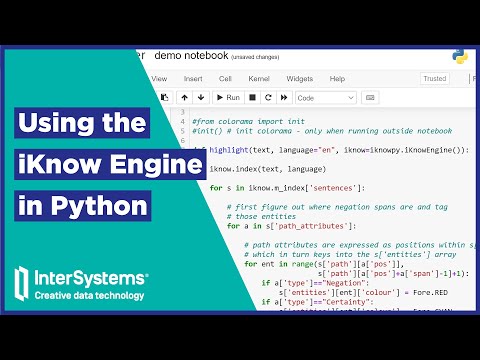
This readme file has everything you need to get started, but make sure you click through to the wiki for more details on any of these subjects.
Using iKnow
From Python
The easiest way to see for yourself what iKnow does with text is by giving it a try! Thanks to our Python interface, that only takes two simple steps:
-
Use
pipto install theiknowpymodule as follows:pip install iknowpy
-
From your Python prompt, instantiate the engine and start indexing:
import iknowpy

engine = iknowpy.iKnowEngine()

# show supported languages
print(engine.get_languages_set())

# index some text
text = 'This is a test of the Python interface to the iKnow engine.'
engine.index(text, 'en')

# print the raw results
print(engine.m_index)

# or make it a little nicer
for s in engine.m_index['sentences']:
    for e in s['entities']:
        print('<'+e['type']+'>'+e['index']+'</'+e['type']+'>', end=' ')
    print('\n')
If you are looking for another programming language or interface, check out the other APIs. For more on the Python interface, move on to the Getting Started section in the wiki!
From C++
The main C++ API file is engine.h, defining the class iKnowEngine with the main entry point:
index(TextSource, language)
After indexing all data is stored in iknowdata::Text_Source m_index. "iknowdata" is the namespace used for all classes that contain output data. Fore more details, please refer to the API overview on the wiki.
From InterSystems IRIS
For many years, the iKnow engine has been available as an embedded service on the InterSystems IRIS Data Platform. The obvious advantage of packaging it with a database is that indexing results from many documents can be stored in a single repository, enabling corpus-wide analytics through practical APIs. See the iKnow documentation for IRIS or browse the InterSystems Developer Community's articles on setting up an iKnow domain, browsing it and using iFind (iKnow-powered text search)
The InterSystems IRIS Community Edition is available from Docker Hub free of charge.
From Different Platforms
Since version 1.3, a C-interface is available, enabling communication with the iKnow engine in a JSON encoded request/response style:
const char* j_response;
iknow_json(R"({"method" : "index", "language" : "en", "text_source" : "Hello World"})", &j_response);
Most API functionality is available in a serialized json format.
Understanding iKnow
Entities
iKnow identifies phrase boundaries that define Entities, entirely based on the syntactic structure of the sentences, rather than relying on an upfront dictionary or pretrained model. This makes iKnow well-suited for initial exploration of a new corpus. iKnow Entities are not Named Entities in the NER sense, but rather the word groups that need to be considered together, representing a concept or relationship as coined by the text author in its entirety. The following examples clearly show the importance of this phrase level to fully capture what the author meant:
| iKnow Entity | Meaning |
|---|---|
| Dopamine | small molecule |
| Dopamine receptor | drug target |
| Dopamine receptor antagonist | chemical drug |
| Dopamine receptor gene | gene, molecular sequence |
| Dopamine receptor gene mutation | physiological process |
iKnow will label every entity with a simple role that is either concept (usually corresponding to Noun Phrases in POS lingo) or relation (verbs, prepositions, ...). Typical stop words that have little meaning of their own get categorized as PathRelevant (e.g. pronouns) or NonRelevant parts, depending on whether they play a role in the sentence structure or are just linguistic fodder.
In the following sample sentence, we've highlighted concepts, relations and PathRelevants separately.
Belgian geuze is well-known across the continent for its delicate balance.
CRC's
As of v1.4, the iKnow engine now also produces Concept-Relation-Concept clusters (aka CRC's)
Attributes
Beyond this simple phrase recognition, iKnow also captures the context of these entities through semantic attributes. Attributes label spans (of entities) within a sentence that share a semantic context. Most attributes start from a marker term and are then, through linguistic rules, expanded left and right as appropriate per the syntactic structure of the sentence. iKnow's main contribution is in this fine-grained expansion, which has been shown to be more accurate than many ML-based techniques.
iKnow supports the following attribute types:
-
Negation: iKnow tags all entities participating in a negation, as opposed to an (implied) affirmative context.
After discussing his nausea, the [patient didn't report suffering from chest pain, shortness of breath or tickling].
-
Sentiment: based on a user-supplied list of marker terms, iKnow will identify spans with either a positive or negative sentiment (through separate attributes). Overlapping negation attributes will reverse the sentiment in some language models.
[ I liked the striped pijamas], but the [slippers didn't really fit with it ].
-
Measurements, Time, Frequency and Duration: all entities "participating" in an expression of something measurable or time-related will be tagged, enabling efficient recognition of facts in long stretches of natural language text.
Upon exam [two weeks ago] the [patient's weight was 146.5 pounds].
-
Certainty: this attribute is a work in progress. See the corresponding wiki section for more details.
Some attributes are not available for all languages yet. See the wiki section for more details.
How it works
Some InterSystems-era resources on how iKnow works:
- A recent introductory video
- A not-so-recent playlist on our video channel
- A fun animation of our unique bottom-up approach in Japanese and Russian (English version embedded here)
Building the iKnow Engine
The source code for the iKnow engine is written in C++ and includes .sln files for building with Microsoft Visual Studio 2019 Community Edition and Makefiles for building in Linux/Unix.
Please refer to this wiki page for more on the overall build process.
Contributing to iKnow
You are welcome to contribute to iKnow's engine code and language models. Check out the Wiki for more details on how they work and the Issues and Projects sections for any particular work on the horizon.
1 maintainer

Metadata
1 maintainer
Release files for iknowpy 1.5.2
For a detailed explanation of source distributions (sdists) and built distributions (wheels), please see the package formats documentation.
Built distributions (wheels)
| File | Reset | |||
|---|---|---|---|---|
| iknowpy-1.5.2-cp38.cp39.cp310.cp311-cp38.cp39.cp310.cp311-macosx_10_9_universal2.whl | CPython 3.11, CPython 3.8, CPython 3.9, CPython 3.10 | CPython 3.10, CPython 3.8, CPython 3.11, CPython 3.9 | macOS 10.9+ universal2 (ARM64, x86-64) | Details |
| iknowpy-1.5.2-cp37.cp38.cp39.cp310.cp311-cp37m.cp38.cp39.cp310.cp311-win_amd64.whl | CPython 3.9, CPython 3.7, CPython 3.8, CPython 3.11, CPython 3.10 | CPython 3.8, CPython 3.10, CPython 3.11, CPython 3.9, CPython 3.7 pymalloc | Windows x86-64 | Details |
| iknowpy-1.5.2-cp37.cp38.cp39.cp310.cp311-cp37m.cp38.cp39.cp310.cp311-manylinux_2_17_x86_64.manylinux2014_x86_64.whl | CPython 3.10, CPython 3.8, CPython 3.9, CPython 3.7, CPython 3.11 | CPython 3.7 pymalloc, CPython 3.10, CPython 3.8, CPython 3.11, CPython 3.9 | Linux glibc 2.17+ x86-64 | Details |
| iknowpy-1.5.2-cp37.cp38.cp39.cp310.cp311-cp37m.cp38.cp39.cp310.cp311-manylinux_2_17_ppc64le.manylinux2014_ppc64le.whl | CPython 3.9, CPython 3.11, CPython 3.8, CPython 3.7, CPython 3.10 | CPython 3.8, CPython 3.9, CPython 3.11, CPython 3.10, CPython 3.7 pymalloc | Linux glibc 2.17+ PowerPC 64-le | Details |
| iknowpy-1.5.2-cp37.cp38.cp39.cp310.cp311-cp37m.cp38.cp39.cp310.cp311-manylinux_2_17_aarch64.manylinux2014_aarch64.whl | CPython 3.8, CPython 3.10, CPython 3.9, CPython 3.7, CPython 3.11 | CPython 3.10, CPython 3.7 pymalloc, CPython 3.8, CPython 3.11, CPython 3.9 | Linux glibc 2.17+ ARM64 | Details |
| iknowpy-1.5.2-cp37-cp37m-macosx_10_9_x86_64.whl | CPython 3.7 | CPython 3.7 pymalloc | macOS 10.9+ x86-64 | Details |
Total release size: 249.5 MB
Release files / iknowpy-1.5.2-cp38.cp39.cp310.cp311-cp38.cp39.cp310.cp311-macosx_10_9_universal2.whl
| Download URL | iknowpy-1.5.2-cp38.cp39.cp310.cp311-cp38.cp39.cp310.cp311-macosx_10_9_universal2.whl |
|---|---|
| Size | 66.2 MB |
| Tags | CPython 3.10 CPython 3.11 CPython 3.8 CPython 3.9 macOS 10.9+ universal2 (ARM64, x86-64) |
|
SHA-256 checksum How to use checksums |
64ab1275d0d83724e47f8cf89f977c101b0ecd14addef48ebf2fe0e530b39638
|
|
BLAKE2b-256 checksum How to use checksums |
e6e5aabbf2307ad61aed71a700a82eb3f7125b9ac6b804e96db4ecf475bfbd5f
|
| Upload date | |
|
Uploaded using Trusted Publishing? What is trusted publishing? |
No |
| Uploaded via |
twine/4.0.2 CPython/3.10.6
|
Release files / iknowpy-1.5.2-cp37.cp38.cp39.cp310.cp311-cp37m.cp38.cp39.cp310.cp311-win_amd64.whl
| Download URL | iknowpy-1.5.2-cp37.cp38.cp39.cp310.cp311-cp37m.cp38.cp39.cp310.cp311-win_amd64.whl |
|---|---|
| Size | 32.8 MB |
| Tags | CPython 3.10 CPython 3.11 CPython 3.7 CPython 3.7 pymalloc CPython 3.8 CPython 3.9 Windows x86-64 |
|
SHA-256 checksum How to use checksums |
a2952e152ba538d42e85ba50cca6e5b47f184cf58e386567ab99aedc4dc15d1d
|
|
BLAKE2b-256 checksum How to use checksums |
249a84021122d4ecb0c4eff4abd38de07421f70fda5de0da1ce5aa1882b68d4c
|
| Upload date | |
|
Uploaded using Trusted Publishing? What is trusted publishing? |
No |
| Uploaded via |
twine/4.0.2 CPython/3.10.6
|
Release files / iknowpy-1.5.2-cp37.cp38.cp39.cp310.cp311-cp37m.cp38.cp39.cp310.cp311-manylinux_2_17_x86_64.manylinux2014_x86_64.whl
| Download URL | iknowpy-1.5.2-cp37.cp38.cp39.cp310.cp311-cp37m.cp38.cp39.cp310.cp311-manylinux_2_17_x86_64.manylinux2014_x86_64.whl |
|---|---|
| Size | 37.7 MB |
| Tags | CPython 3.10 CPython 3.11 CPython 3.7 CPython 3.7 pymalloc CPython 3.8 CPython 3.9 Linux glibc 2.17+ x86-64 |
|
SHA-256 checksum How to use checksums |
09873dbd73a43b00b747a743e185276de92ef957afff2ce704f4f42a04a47ecc
|
|
BLAKE2b-256 checksum How to use checksums |
c89d3f84434fe4cd4d6735d039a2d78aa3ea93ee57ad12d8d01df6fcdd5e0b86
|
| Upload date | |
|
Uploaded using Trusted Publishing? What is trusted publishing? |
No |
| Uploaded via |
twine/4.0.2 CPython/3.10.6
|
Release files / iknowpy-1.5.2-cp37.cp38.cp39.cp310.cp311-cp37m.cp38.cp39.cp310.cp311-manylinux_2_17_ppc64le.manylinux2014_ppc64le.whl
| Download URL | iknowpy-1.5.2-cp37.cp38.cp39.cp310.cp311-cp37m.cp38.cp39.cp310.cp311-manylinux_2_17_ppc64le.manylinux2014_ppc64le.whl |
|---|---|
| Size | 42.9 MB |
| Tags | CPython 3.10 CPython 3.11 CPython 3.7 CPython 3.7 pymalloc CPython 3.8 CPython 3.9 Linux glibc 2.17+ PowerPC 64-le |
|
SHA-256 checksum How to use checksums |
58d81d1c899e81ae86c1bddc2564c57b86c972333e3ba4975fe97f1381d09ac8
|
|
BLAKE2b-256 checksum How to use checksums |
f2a118232ac118c1b2ff65a051c9ff1b39ee48f220a9b56ae13de0b04a8a993c
|
| Upload date | |
|
Uploaded using Trusted Publishing? What is trusted publishing? |
No |
| Uploaded via |
twine/4.0.2 CPython/3.10.6
|
Release files / iknowpy-1.5.2-cp37.cp38.cp39.cp310.cp311-cp37m.cp38.cp39.cp310.cp311-manylinux_2_17_aarch64.manylinux2014_aarch64.whl
| Download URL | iknowpy-1.5.2-cp37.cp38.cp39.cp310.cp311-cp37m.cp38.cp39.cp310.cp311-manylinux_2_17_aarch64.manylinux2014_aarch64.whl |
|---|---|
| Size | 37.4 MB |
| Tags | CPython 3.10 CPython 3.11 CPython 3.7 CPython 3.7 pymalloc CPython 3.8 CPython 3.9 Linux glibc 2.17+ ARM64 |
|
SHA-256 checksum How to use checksums |
f16d0cdc9c885e77d8516c5c9bbcee9b1f80a9577a2c5fbed32958da91448289
|
|
BLAKE2b-256 checksum How to use checksums |
009cd1916ec9644028a94f84057e8a5764e3ccdc59d8198dbd695e084c97476f
|
| Upload date | |
|
Uploaded using Trusted Publishing? What is trusted publishing? |
No |
| Uploaded via |
twine/4.0.2 CPython/3.10.6
|
Release files / iknowpy-1.5.2-cp37-cp37m-macosx_10_9_x86_64.whl
| Download URL | iknowpy-1.5.2-cp37-cp37m-macosx_10_9_x86_64.whl |
|---|---|
| Size | 32.5 MB |
| Tags | CPython 3.7 CPython 3.7 pymalloc macOS 10.9+ x86-64 |
|
SHA-256 checksum How to use checksums |
3d43ee874c8ff0f1099265e9f416b583d8aacf884a5c38417992f88520dcc97f
|
|
BLAKE2b-256 checksum How to use checksums |
cec3fc708960cb5422b1e0018d9c16ba7abf58f294b85b721f8ac152f348e7bd
|
| Upload date | |
|
Uploaded using Trusted Publishing? What is trusted publishing? |
No |
| Uploaded via |
twine/4.0.2 CPython/3.10.6
|














