




ImageUpscaler is a versatile image processing tool designed to enhance, transform, and manipulate images with a wide range of customizable settings. The application allows users to upscale images, adjust contrast and color, apply various filters, detect faces, and more. It also supports the preservation of metadata and format conversion!
📷 Features
- Upscaling: Increase the resolution of images by a specified factor.
- Contrast and Color Adjustment: Adjust the contrast and color levels of images to enhance visual quality.
- Watermarking: Add custom text watermarks to images at specified positions.
- Format Conversion: Convert images to different formats, such as PNG, JPEG, etc.
- Cropping and Resizing: Crop images to specific dimensions and resize them to desired widths and heights.
- Rotation and Flipping: Rotate images by a specified angle and flip them horizontally or vertically.
- Noise Reduction: Reduce noise in images to improve clarity.
- Histogram Equalization: Apply histogram equalization to enhance the contrast of images.
- Filters: Apply sepia and vignette filters for artistic effects.
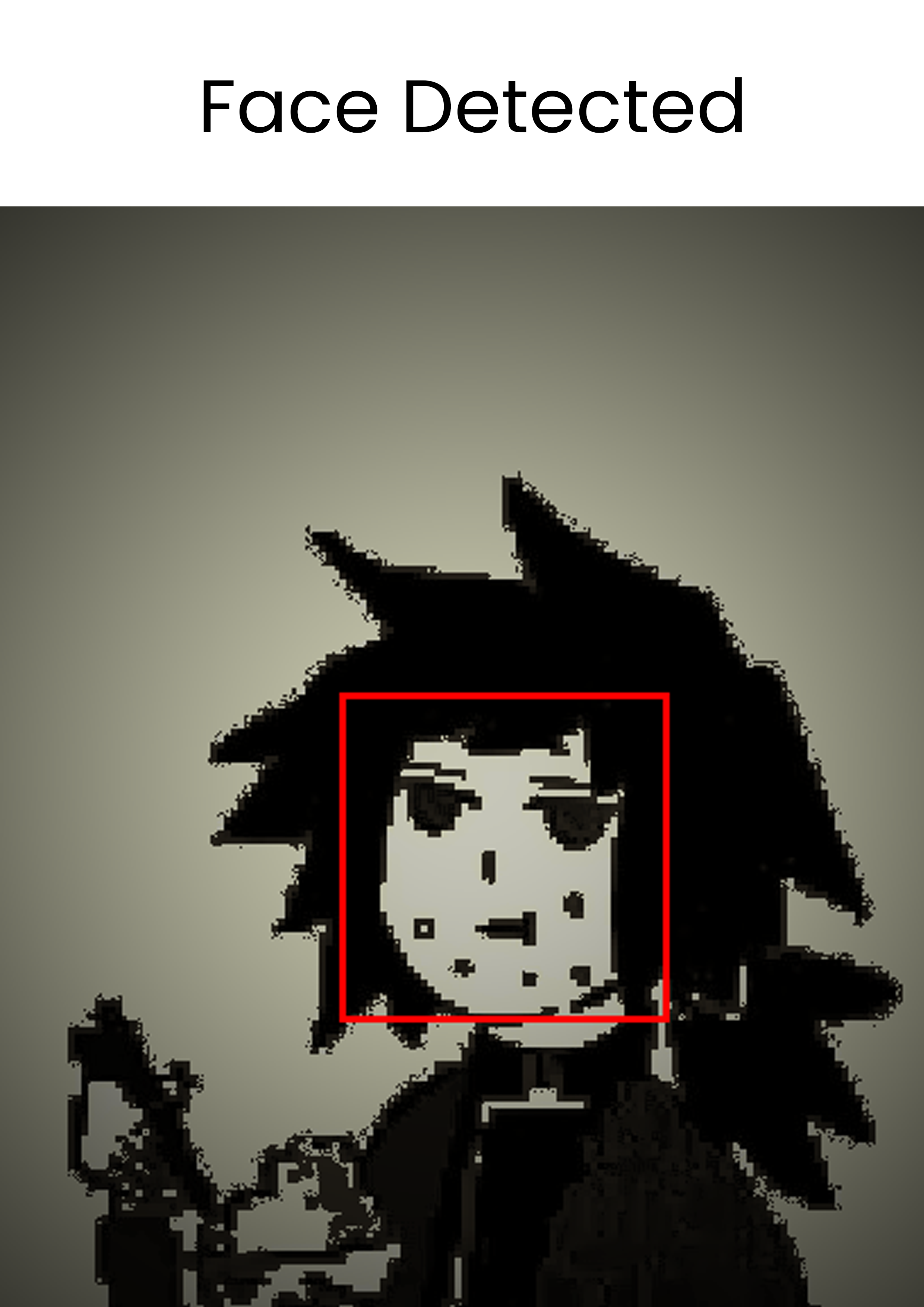
- Face Detection: Detect faces in images and draw rectangles around them.
- Background Removal: Remove the background from images to isolate the subject.
- Compression: Compress images to reduce file size while maintaining quality.
- Metadata Preservation: Preserve original metadata when saving processed images.
- Desktop Notifications: Send desktop notifications upon completion of image processing tasks.
HOW TO USE THE TOOL: USAGE
🏆Acknowledgments
🎟️License
This project is licensed under the GNU Affero General Public License Version 3 (GNU AGPL v3)
🦮 Contribute
We are excited to have you join us in making ImageUpscaler even better! Whether you're fixing bugs, adding new features, improving documentation, or suggesting new ideas, your contributions are welcome and appreciated.
Happy Coding!
1 maintainer

Metadata
1 maintainer
Release files for ImageUpscaler 3.0
For a detailed explanation of source distributions (sdists) and built distributions (wheels), please see the package formats documentation.
Source distribution (sdist)
| File | Size | Uploaded | |
|---|---|---|---|
| imageupscaler-3.0.tar.gz | 18.3 kB | Details |
Built distribution (wheel)
| File | Interpreter | ABI | Platform | Reset |
|---|---|---|---|---|
| ImageUpscaler-3.0-py3-none-any.whl | Python 3 | none | any | Details |
Total release size: 36.1 kB
Release files / imageupscaler-3.0.tar.gz
| Download URL | imageupscaler-3.0.tar.gz |
|---|---|
| Size | 18.3 kB |
| Tags | Source |
|
SHA-256 checksum How to use checksums |
ff13788b177d6290e377572d82d241877becfca300783d20feb3bf885b6cfb20
|
|
BLAKE2b-256 checksum How to use checksums |
a8e104b0c80531917b4cff0a2b6a2d00bbf2ae2864faaf33e53e51e1c5acc9a3
|
| Upload date | |
|
Uploaded using Trusted Publishing? What is trusted publishing? |
No |
| Uploaded via |
twine/5.1.1 CPython/3.9.19
|
Release files / ImageUpscaler-3.0-py3-none-any.whl
| Download URL | ImageUpscaler-3.0-py3-none-any.whl |
|---|---|
| Size | 17.8 kB |
| Tags | Python 3 |
|
SHA-256 checksum How to use checksums |
040c0882b91889710a5070394e1328e2dfb9c6ae9a7f922dcd51c87b05267017
|
|
BLAKE2b-256 checksum How to use checksums |
e6b47f56022e94cae9a2d6e687d1e8366c53a5481c5fe66996102e6ca28c60cb
|
| Upload date | |
|
Uploaded using Trusted Publishing? What is trusted publishing? |
No |
| Uploaded via |
twine/5.1.1 CPython/3.9.19
|














