
ImmunoViewer
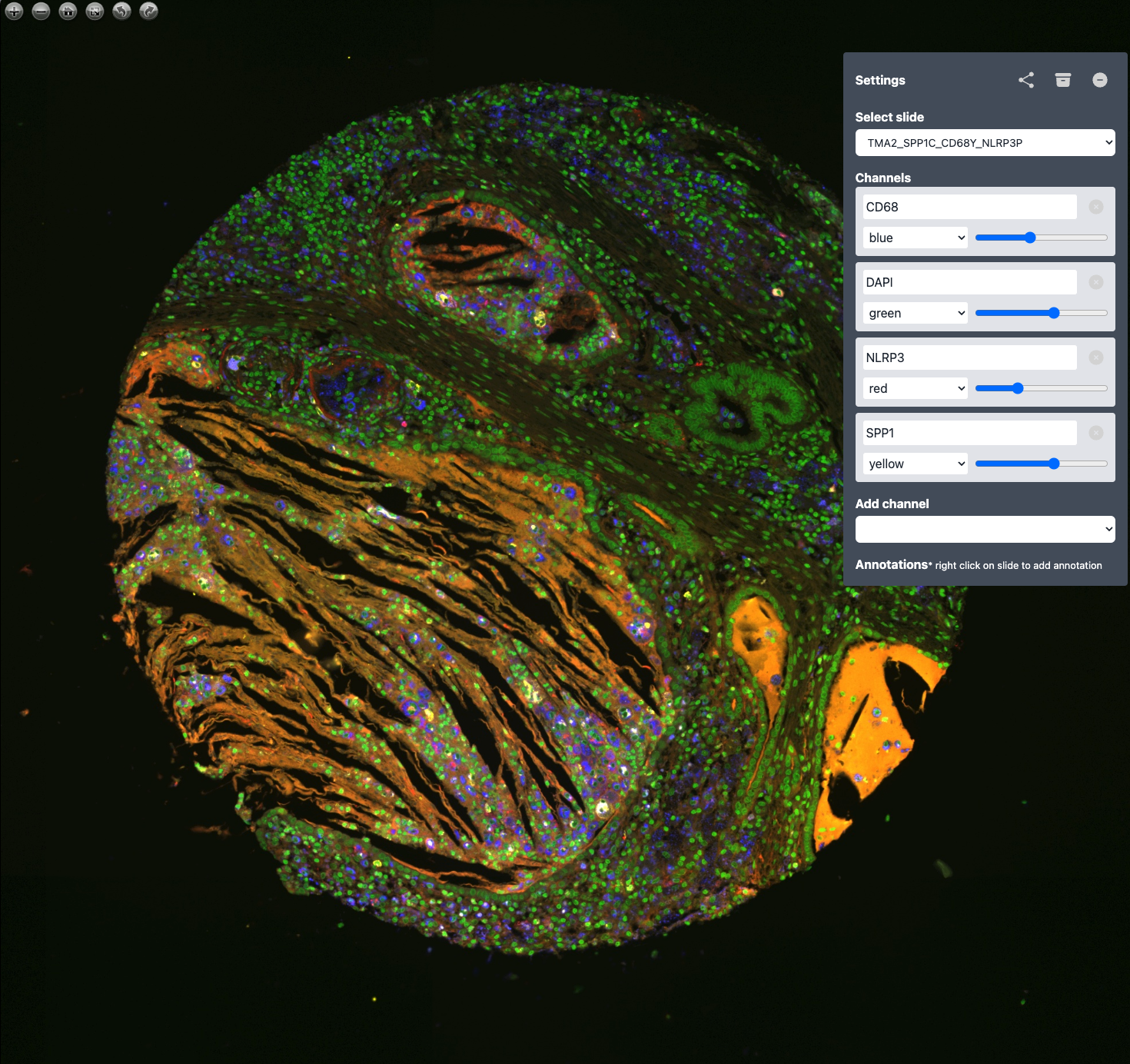
Explore and annotate your multi-channel, large TIF files with this user-friendly viewer designed for high-resolution multiplex imaging.
Table of Contents
About ImmunoViewer
ImmunoViewer is designed to efficiently handle high-resolution multiplex imaging files, such as those generated by Orion Rarecyte or Keyence Immuno Fluorescence scanners. It supports multi-channel images and allows users to add annotations, customize colors, and adjust signal intensities for each channel. Your suggestions for additional features are highly welcomed!
Installation
ImmunoViewer requires Python 3.10 or higher. We recommend installing ImmunoViewer within a Python virtual environment to manage dependencies effectively.
Using venv
python -m venv /path/to/new/virtual/environment
source /path/to/new/virtual/environment/bin/activate
Using Conda
conda create -n ImmunoViewer
conda activate ImmunoViewer
Install from GitHub
git clone https://github.com/davidvi/ImmunoViewer.git
cd ImmunoViewer
pip install .
Install from pip
pip install ImmunoViewer
Usage
Folder Structure
Configure your data directory to manage input and output files efficiently:
data_directory/
  sample1.ome.tiff
  sample2/
    dapi.tiff
    CD68.tiff
Files are automatically processed and stored in a separate 'processed' directory.
Generate Tiles
Generate image tiles for easier viewing and processing:
ImmunoViewerWatch [data_directory] [processed_directory]
Run the Viewer
Launch the viewer server with the following command:
ImmunoViewerServe --port [port (default is 8000)] --host [IP address (default = 0.0.0.0)] [processed_directory]
Access the viewer by navigating to http://[IP address]:[port] in your web browser. Note: If you use the default IP address (0.0.0.0), ensure the port is properly secured if exposed over the network.
Cloud deploy
See instructions in folder cloud-deploy.
Acknowledgements
ImmunoViewer uses OpenSeadragon for robust, high-performance image visualization.
1 maintainer

Metadata
1 maintainer
Release files for ImmunoViewer 0.2.5
For a detailed explanation of source distributions (sdists) and built distributions (wheels), please see the package formats documentation.
Source distribution (sdist)
| File | Size | Uploaded | |
|---|---|---|---|
| immunoviewer-0.2.5.tar.gz | 7.4 MB | Details |
Built distribution (wheel)
| File | Interpreter | ABI | Platform | Reset |
|---|---|---|---|---|
| ImmunoViewer-0.2.5-py3-none-any.whl | Python 3 | none | any | Details |
Total release size: 11.5 MB
Release files / immunoviewer-0.2.5.tar.gz
| Download URL | immunoviewer-0.2.5.tar.gz |
|---|---|
| Size | 7.4 MB |
| Tags | Source |
|
SHA-256 checksum How to use checksums |
f8a3995444f2227f9c9716798af498ea699ca0a76f77ada794c2d20030916087
|
|
BLAKE2b-256 checksum How to use checksums |
822c8210e6451440ef103fdcf110e8b3c6b511799fd9c358826da46a6dfa3b60
|
| Upload date | |
|
Uploaded using Trusted Publishing? What is trusted publishing? |
No |
| Uploaded via |
twine/4.0.2 CPython/3.11.3
|
Release files / ImmunoViewer-0.2.5-py3-none-any.whl
| Download URL | ImmunoViewer-0.2.5-py3-none-any.whl |
|---|---|
| Size | 4.1 MB |
| Tags | Python 3 |
|
SHA-256 checksum How to use checksums |
6403b0d541bbe1da4bca4488429d5d89ca024be5483c0ecedd1e594cb32003b9
|
|
BLAKE2b-256 checksum How to use checksums |
d3088b8cc4113341324ace038a809fcaa0cf810057f325941a362c612c0caa47
|
| Upload date | |
|
Uploaded using Trusted Publishing? What is trusted publishing? |
No |
| Uploaded via |
twine/4.0.2 CPython/3.11.3
|














