
inbac

Description
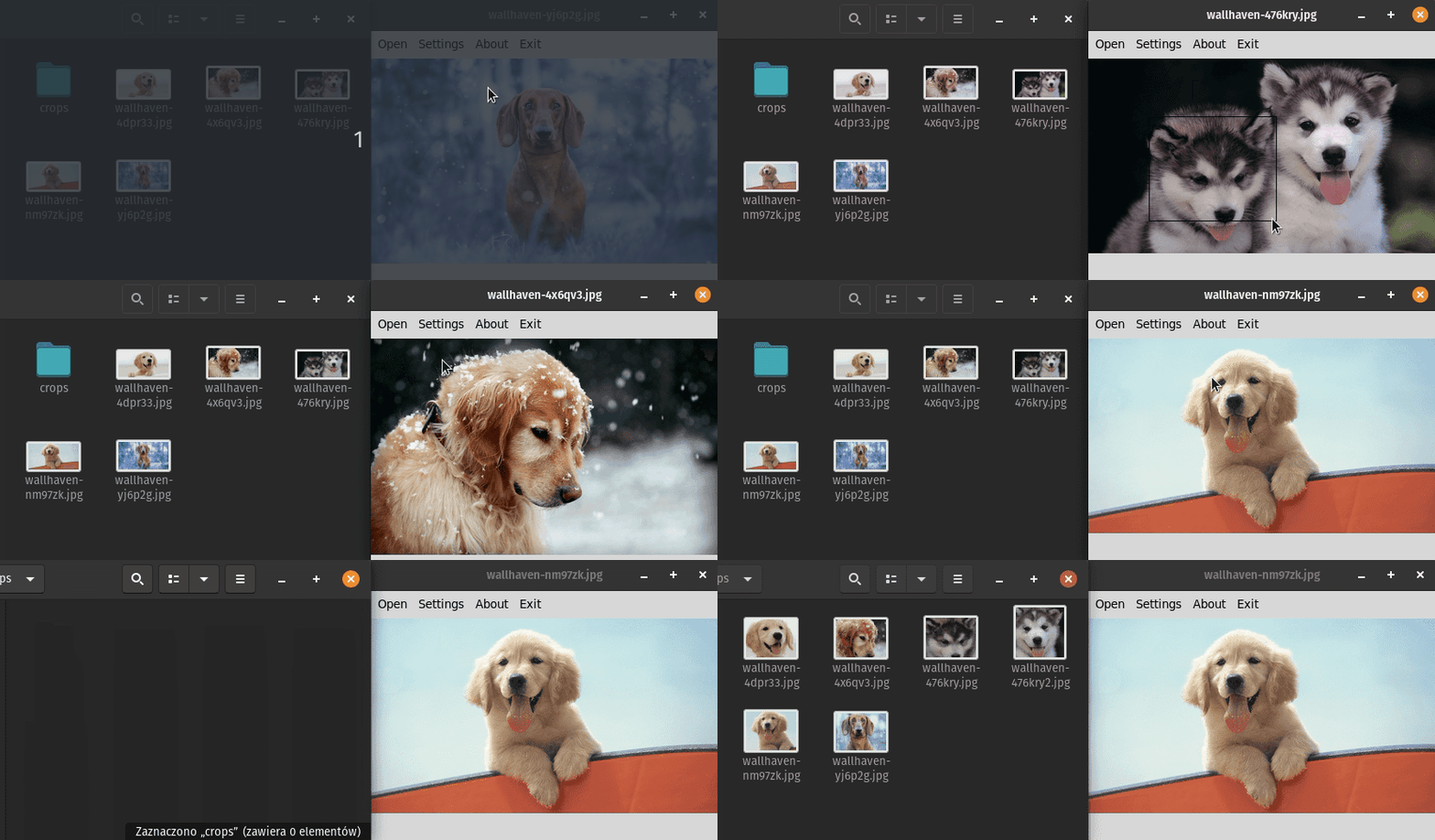
inbac is an interactive batch cropper made for quick cropping of images.
I made this program because cropping thousands of images with image viewers or image manipulation programs was too slow.
Installation
The easiest way to use this application is to download the single file executable created with PyInstaller, which can be found on the releases page.
If you have python installed you can install with pip by typing:
pip install inbac
If you want to use the current master branch you can clone the repository and run the project using poetry.
Development Requirements
- poetry
- tkinter
After installing above dependencies run poetry install in project directory to install remaining dependencies.
Examples
poetry run inbac /home/user/pictures/
Opens images in /home/user/pictures/ and saves cropped images to /home/user/pictures/crops
poetry run inbac -a 1 1 -r 256 256 /home/user/pictures/ /home/user/crops/
Opens images in /home/user/pictures/ in 1:1 ratio selection mode and saves images resized to 256x256px in /home/user/crops/
Usage
usage: inbac [-h] [-a ASPECT_RATIO ASPECT_RATIO] [-r RESIZE RESIZE]
             [-s SELECTION_BOX_COLOR] [-w WINDOW_SIZE WINDOW_SIZE]
             [-f IMAGE_FORMAT] [-q IMAGE_QUALITY]
             [input_dir] [output_dir]

inbac - interactive batch cropper

Left Mouse Button                 - select part of image

Z                                 - save selection and go to the next picture

X                                 - save selection and stay on the same picture

Hold Left Shift or Left Ctrl      - drag selection

Right Arrow or Right Mouse Button - go to next picture

Left Arrow or Middle Mouse Button - go to previous picture

positional arguments:
  input_dir             input directory (defaults to current working
                        directory)
  output_dir            output directory (defaults to folder crops in input
                        directory)

optional arguments:
  -h, --help            show this help message and exit
  -a ASPECT_RATIO ASPECT_RATIO, --aspect_ratio ASPECT_RATIO ASPECT_RATIO
                        selection should have specified aspect ratio
  -r RESIZE RESIZE, --resize RESIZE RESIZE
                        cropped image will be resized to specified width and
                        height
  -s SELECTION_BOX_COLOR, --selection_box_color SELECTION_BOX_COLOR
                        color of the selection box (default is black)
  -w WINDOW_SIZE WINDOW_SIZE, --window_size WINDOW_SIZE WINDOW_SIZE
                        initial window size (default is 800x600)
  -f IMAGE_FORMAT, --image_format IMAGE_FORMAT
                        define the croped image format
  -q IMAGE_QUALITY, --image_quality IMAGE_QUALITY
                        define the croped image quality
1 maintainer

Release files for inbac 2.1.0
For a detailed explanation of source distributions (sdists) and built distributions (wheels), please see the package formats documentation.
Source distribution (sdist)
| File | Size | Uploaded | |
|---|---|---|---|
| inbac-2.1.0.tar.gz | 9.8 kB | Details |
Built distribution (wheel)
| File | Interpreter | ABI | Platform | Reset |
|---|---|---|---|---|
| inbac-2.1.0-py3-none-any.whl | Python 3 | none | any | Details |
Total release size: 20.7 kB
Release files / inbac-2.1.0.tar.gz
| Download URL | inbac-2.1.0.tar.gz |
|---|---|
| Size | 9.8 kB |
| Tags | Source |
|
SHA-256 checksum How to use checksums |
429316ff534824f30c0971cce16b574ef87654907de6049420395681e3a1878b
|
|
BLAKE2b-256 checksum How to use checksums |
ec3e050323f235c1922568326dda83a7204ffd5ebad3e6cfba741fbe1b8ef297
|
| Upload date | |
|
Uploaded using Trusted Publishing? What is trusted publishing? |
No |
| Uploaded via |
poetry/1.1.4 CPython/2.7.18rc1 Linux/5.10.1-051001-generic
|
Release files / inbac-2.1.0-py3-none-any.whl
| Download URL | inbac-2.1.0-py3-none-any.whl |
|---|---|
| Size | 11.0 kB |
| Tags | Python 3 |
|
SHA-256 checksum How to use checksums |
951a05cc8e277c791adae0c32aa8545016f7172025912c03e6c652fa69411a7b
|
|
BLAKE2b-256 checksum How to use checksums |
38b138dc38bc4743fd7945c50cefa7a2426bbf2f4bb3f3d2e22ec543eb42ba44
|
| Upload date | |
|
Uploaded using Trusted Publishing? What is trusted publishing? |
No |
| Uploaded via |
poetry/1.1.4 CPython/2.7.18rc1 Linux/5.10.1-051001-generic
|














