
InputScope
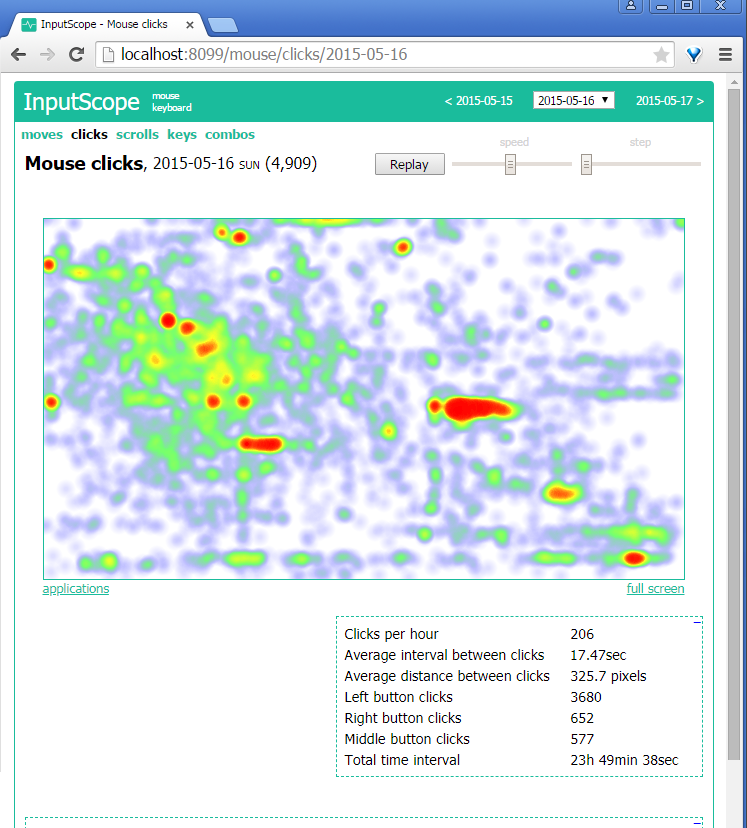
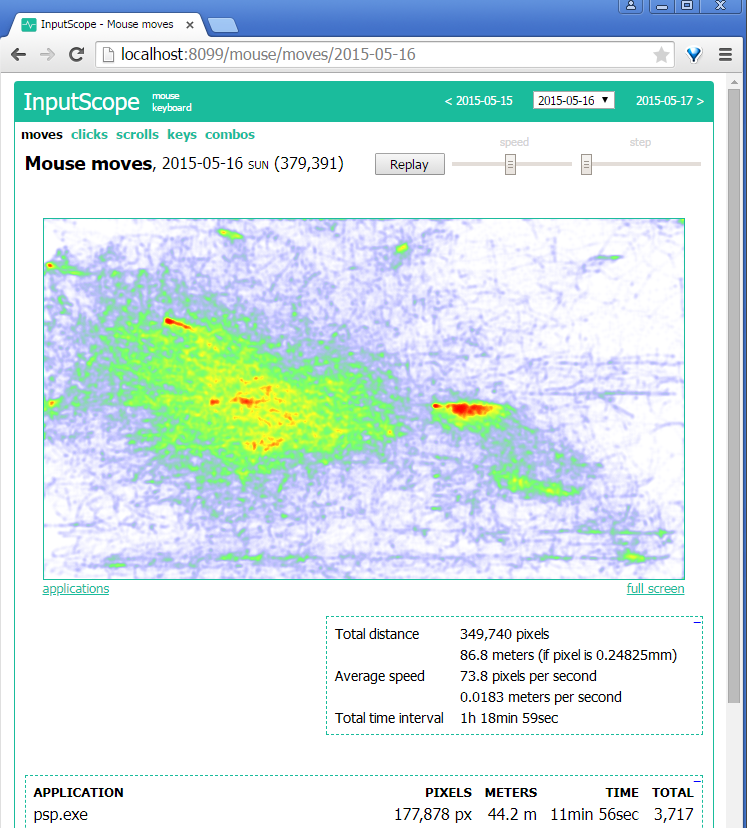
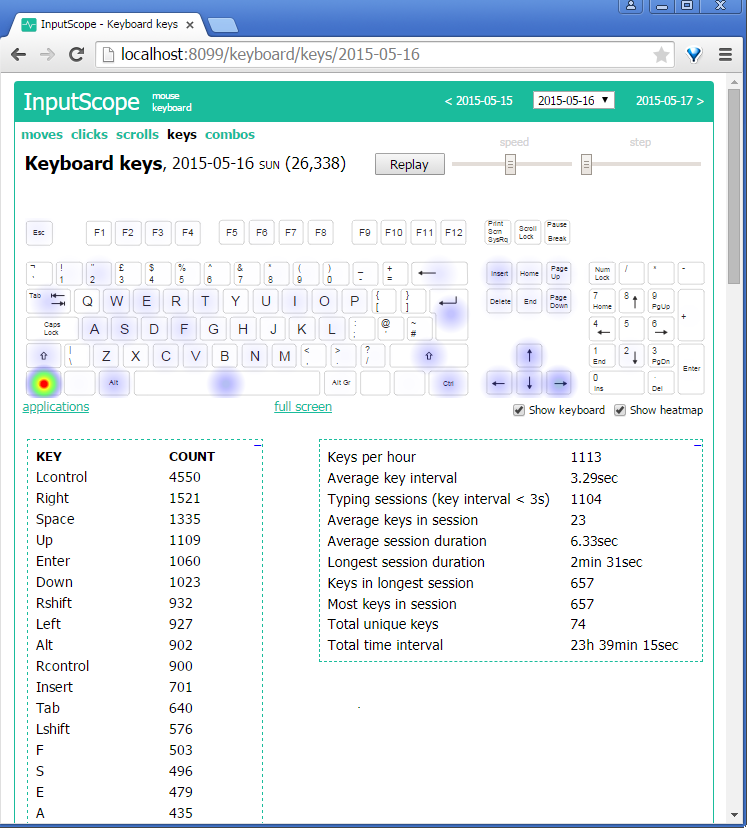
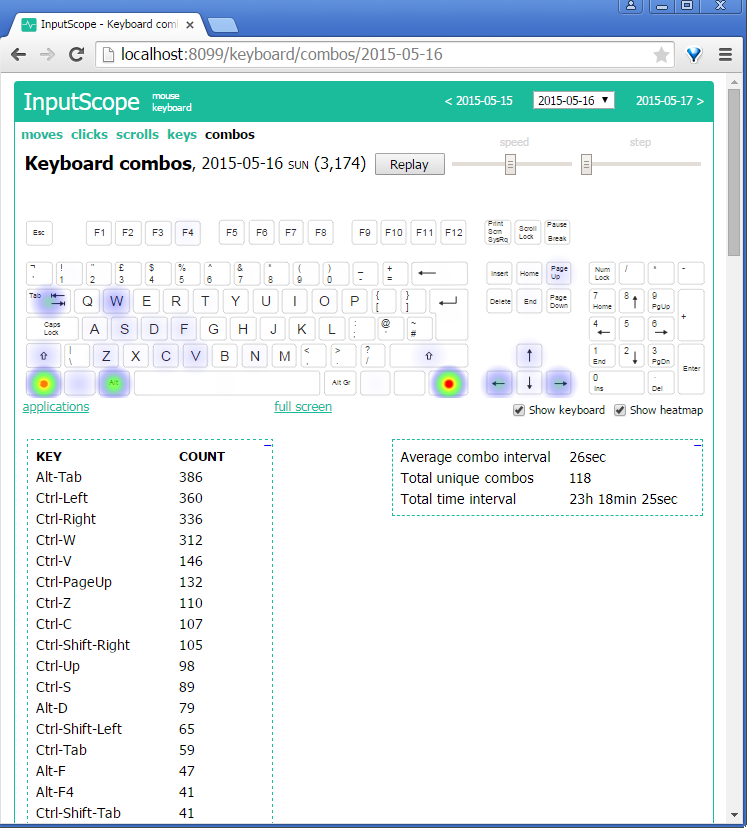
Mouse and keyboard input heatmap visualizer and statistics.
Runs a tray program that logs mouse and keyboard input events to a local database, and provides a local web page for viewing statistics and heatmaps by day or month or year.
Overview
Logs mouse clicks and scrolls and movement, and keyboard key presses and key combinations; event categories can be toggled off from tray menu.
Provides an option to record named sessions, allowing to group inputs with finer detail than one day.
Keypresses are logged as physical keys, ignoring Unicode mappings. Note: keyboard logging can interfere with remote control desktop, UI automation scripts, and sticky keys.
Data is kept in an SQLite database.
The local web page is viewable at http://localhost:8099/, port can be changed in configuration file.
Configuration
Heatmap display settings can be set for all inputs or individually:
HeatmapDisplayOptions = {"radius": 30, "keyboard": {"radius": 10}, "moves": {"radius": 10}}
Specific applications to monitor can be blacklisted or whitelisted in configuration file, as:
# Path can be absolute or relative like "C:\Python\python.exe" or "python.exe",
# and can contain wildcards like "python*".
ProgramBlacklist = {executable path: [] if all inputs else [input or event type, ]}
ProgramWhitelist = {executable path: [] if all inputs else [input or event type, ]}
e.g.
# Monitor all inputs from Notepad only
ProgramWhitelist = {"notepad.exe": []}
or
# Ignore keypress events from command prompts, and all mouse events from Paint.
ProgramBlacklist = {"cmd.exe": ["keys"], "mspaint.exe": ["mouse"]}
Non-standard keys can be added in configuration file, as:
CustomKeys = {numeric key code: "text label for key"}
e.g.
CustomKeys = {21: "IME Han/Yeong", 25: "IME Hanja"}
Screen areas to monitor for mouse events can be specified in configuration file, allowing to log events from specific areas only or to skip events from blacklisted areas:
# Coordinates given as pixels, or as percentages of screen size (decimal fractions 0..1).
MouseRegionsOfInterest    = [[x, y, w, h], ] or [[screen index, [x, y, w, h]], ]
MouseRegionsOfDisinterest = [[x, y, w, h], ] or [[screen index, [x, y, w, h]], ]
e.g.
# Ignore mouse events from center of all screens
MouseRegionsOfDisinterest = [[0.49, 0.49, 0.02, 0.02]]
For more on configuration settings, see DETAIL.md.
Known issues
In Linux, Numpad navigation keys like PageUp are logged as ordinary PageUp when NumLock off.
Installation
Works best on Windows, tested on Linux, might work on Mac.
Windows: download and launch the latest release from http://github.com/suurjaak/InputScope/releases.
Or:
pip install inputscope
Three components in source code form:
- main - wxPython desktop tray program, runs listener and webui
- listener - logs mouse and keyboard input, can run individually
- webui - web frontend for statistics and heatmaps, can run individually
Listener and web-UI components can be run separately.
In source code form, data and configuration is kept under inputscope/var.
The pip installation will add commands inputscope, inputscope-listener
and inputscope-webui to path.
Dependencies
- Python 2.7 or Python 3.5+ (https://www.python.org)
- bottle (https://pypi.org/project/bottle)
- psutil (https://pypi.org/project/psutil)
- pynput (https://pypi.org/project/pynput)
- pywin32 (optional, for toggling "Start with Windows") (https://pypi.org/project/pywin32)
- wxPython (optional) (https://wxpython.org)
If wxPython is not available, InputScope will not have its tray program, and will not recognize multi-monitor setups in mouse statistics.
For application statistics in Linux, the x11-utils system package needs to be installed.
Attribution
Heatmaps are drawn with heatmap.js, released under the MIT License, (c) 2014 Patrick Wied, https://github.com/pa7/heatmap.js.
Icon from Paomedia small-n-flat iconset, released under Creative Commons (Attribution 3.0 Unported), https://www.iconfinder.com/icons/285642/monitor_icon.
Keyboard image modified from Wikipedia File:ISO keyboard (105) QWERTY UK.svg,
released under the GNU Free Documentation License,
http://en.wikipedia.org/wiki/File:ISO_keyboard_(105)_QWERTY_UK.svg.
License
Copyright (C) 2015 by Erki Suurjaak. Released as free open source software under the MIT License, see LICENSE.md.
1 maintainer

Metadata
1 maintainer
Release files for InputScope 1.11
For a detailed explanation of source distributions (sdists) and built distributions (wheels), please see the package formats documentation.
Built distribution (wheel)
| File | Interpreter | ABI | Platform | Actions Reset |
|---|---|---|---|---|
| InputScope-1.11-py2.py3-none-any.whl | Python 2, Python 3 | none | any | Details for InputScope-1.11-py2.py3-none-any.whl |
Release files / InputScope-1.11-py2.py3-none-any.whl
| Download URL | InputScope-1.11-py2.py3-none-any.whl |
|---|---|
| Size | 76.9 kB |
| Tags | Python 2 Python 3 |
|
SHA-256 checksum How to use checksums |
1b4c101ec3b0bd14212df4f04cc8e8f5cac2e2c6a881c1ea18d4f18291ad977e
|
|
BLAKE2b-256 checksum How to use checksums |
dda899732810c3492a16f02511984e2fc6cf16ee4e6cac1704024a05df3dead8
|
| Upload date | |
|
Uploaded using Trusted Publishing? What is trusted publishing? |
No |
| Uploaded via |
twine/4.0.2 CPython/3.8.10
|
Security for InputScope 1.11
Provenance
Provenance describes where a file came from. On PyPI, provenance is shared via attestations, which provide a verifiable record of the build or publishing details. View details, limitations and caveats.
No provenance found
None of the files in this release were uploaded with provenance metadata.
A note on package security
PyPI is a repository for distributing packages, not a service for auditing them. While third-party security researchers and our staff do their best to detect and remove malicious packages, PyPI cannot guarantee the quality, security or suitability of any given package.
To learn more about protecting yourself from malicious actors, visit our package security documentation.















