
Design
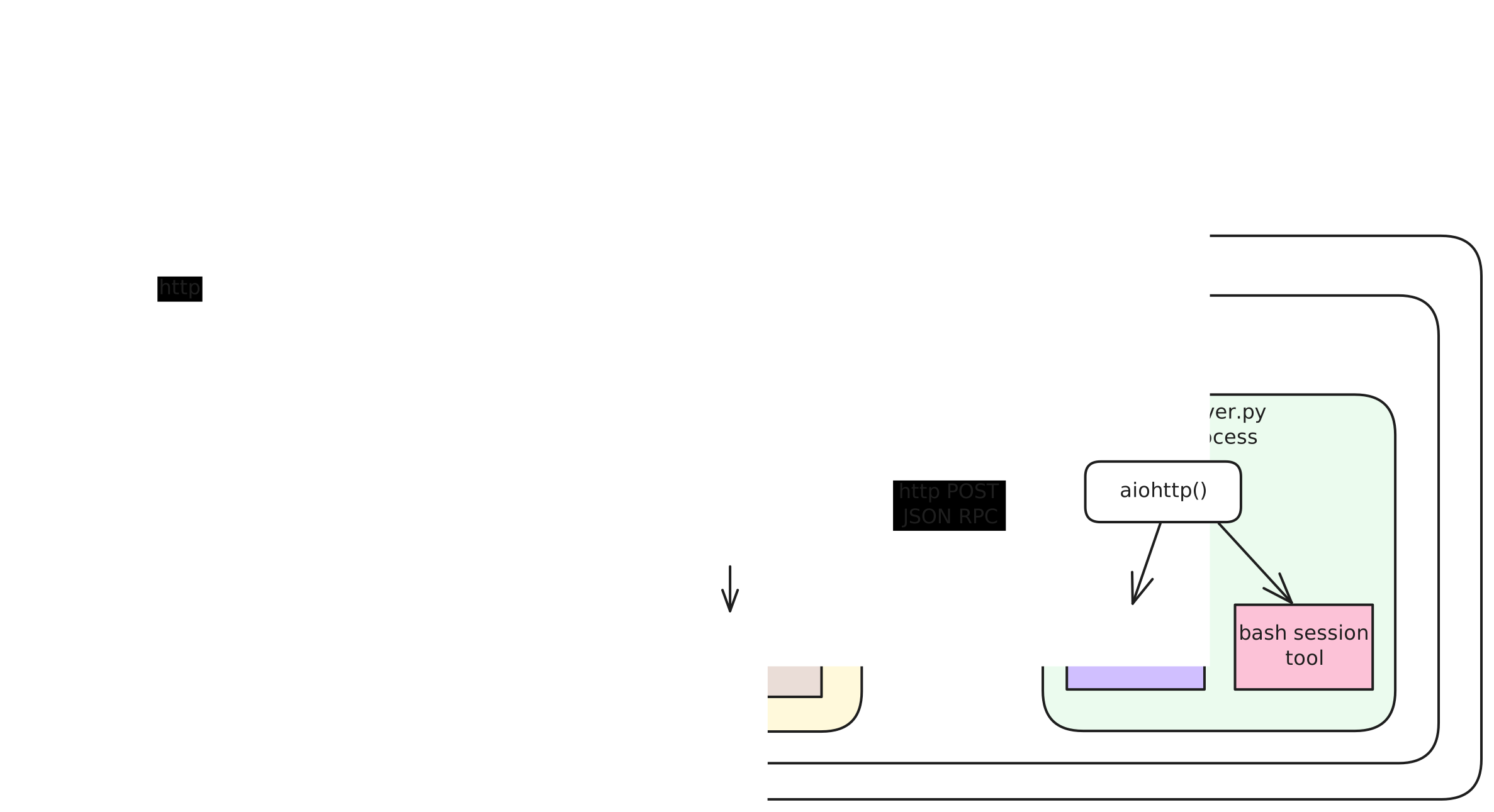
Inspect calls into the sandboxed image are done statelessly via docker exec inspect-tool-support.
Some tools can be implemented without the need for any in-process state. For those tools, the tool code will be executed within the inspect-tool-support process.
For tools that require the maintenance of state over the lifetime of and sandbox, this image marshals tool calls into a long running process via JSON RPC to an http server process. That server then dispatches tool calls to tool specific @method handlers.
Stateful Tool Design Pattern
Each stateful tool should have its own subdirectory that contains the following files:
-
json_rpc_methods.pyThis module contains all of the JSON RPC
@methodfunctions — one for each tool (e.g. the web browser tool is actually a set of distinct tools). It is responsible for unpacking the JSON RPC request and forwarding the call to a transport-agnostic, strongly typed, stateful controller. -
tool_types.pyThis module includes the
pydanticmodels representing the types for tool call parameters and results. -
controller.pyThis is transport-agnostic, strongly typed code that manages the tool specific in-process state and performs requested commands.
Release Process
Overview
The release process for this project separates code commits from package publishing. While developers can make frequent commits to the repository, package releases are performed on a different tempo, typically when enough meaningful changes have accumulated. This approach allows for continuous development while providing stable, well-documented releases.
Pending changelog items in the unreleased_changes/ directory serve two key purposes:
- They document all changes that will be included in the next release
- They determine what type of semantic version bump (major, minor, or patch) will be needed when publishing these pending changes
This system ensures that version numbers accurately reflect the nature of changes between releases according to semantic versioning principles.
Documenting Changes
All changes should be documented using towncrier. When making changes to the codebase, developers should create pending changelog items that will be used to update the changelog at release time:
-
Use
towncrier createto create a new pending changelog item:This will interactively prompt you for:
- The (optional) related issue
- The type of semantic version change (major, minor, or patch)
- A description of your change (supporting markdown)
Alternatively, all options can be provided directly on the command line:
towncrier create <issue-number>.[major|minor|patch].mdFor more details on
towncrier's command line options, refer to thetowncrierdocumentation. -
Pending changelog items are stored in the
unreleased_changes/directory and accumulate until the next release.
Creating a Release
When it's time to make a release:
-
Ensure all changes are committed.
-
Run the
make-release-commitscript: -
The script automatically:
- Determines the version bump type (major, minor, or patch) based on the pending changelog items
- Runs
towncrier buildto incorporate all pending changelog items intoCHANGELOG.md - Updates the version in
pyproject.tomlusingbump2version - Commits the changes into a commit with a message like
Bump inspect-tool-support version: 1.0.2 → 1.1.0 - Tags the commit with the new version number
inspect-tool-support-1.1.0
All changelog items are consumed during the release process and converted into entries in the CHANGELOG.md file. After the release, the unreleased_changes/ directory will be empty, ready to collect changes for the next release cycle.
Testing
When running pytest with inspect to test interactions with this package, you may wish to test your local version of the inspect_tool_support code instead of the latest published package. Passing the flag --local-inspect-tools to pytest when running tests from test_inspect_tool_support.py will build and install the package from source, for example:
pytest tests/tools/test_inspect_tool_support.py --runslow --local-inspect-tools


Release files for inspect-tool-support 1.2.0
For a detailed explanation of source distributions (sdists) and built distributions (wheels), please see the package formats documentation.
Source distribution (sdist)
| File | Size | Uploaded | |
|---|---|---|---|
| inspect_tool_support-1.2.0.tar.gz | 94.6 kB | Details |
Built distribution (wheel)
| File | Interpreter | ABI | Platform | Reset |
|---|---|---|---|---|
| inspect_tool_support-1.2.0-py3-none-any.whl | Python 3 | none | any | Details |
Total release size: 180.4 kB
Release files / inspect_tool_support-1.2.0.tar.gz
| Download URL | inspect_tool_support-1.2.0.tar.gz |
|---|---|
| Size | 94.6 kB |
| Tags | Source |
|
SHA-256 checksum How to use checksums |
0173e4d7fd8d5b7042819dc0e017765a48de989177953f7784048cf18a099877
|
|
BLAKE2b-256 checksum How to use checksums |
2c1301a69d5e84e80a869fd4b8f9a7ec5f3f7fdf99e086e56e6ee94b75d8d2af
|
| Upload date | |
|
Uploaded using Trusted Publishing? What is trusted publishing? |
No |
| Uploaded via |
twine/6.1.0 CPython/3.13.1
|
Release files / inspect_tool_support-1.2.0-py3-none-any.whl
| Download URL | inspect_tool_support-1.2.0-py3-none-any.whl |
|---|---|
| Size | 85.8 kB |
| Tags | Python 3 |
|
SHA-256 checksum How to use checksums |
be4ed407a38fb5b8f321f3c201d8b239fb6b518f46463b3b86cb1d47056ce717
|
|
BLAKE2b-256 checksum How to use checksums |
4bcfce3fc4650d58368317061a0aee717cf74d29a16bb556ed21c8ffdccf59e0
|
| Upload date | |
|
Uploaded using Trusted Publishing? What is trusted publishing? |
No |
| Uploaded via |
twine/6.1.0 CPython/3.13.1
|














