
iOpenPod: Free iPod Manager and iTunes Alternative
Your music. Your iPod.







iOpenPod is a free, open-source iPod manager and iTunes alternative for Windows, macOS, and Linux. Sync music from folders on your computer without iTunes, browse the library already on your iPod, and edit metadata and playlists. Sync Review lets you choose what gets added, updated, or removed.
The target devices are filesystem-accessible iPod classic, iPod mini, iPod nano, and earlier full-size iPods. Audio, video, photo, and podcast capabilities depend on the model. Media conversion uses separately installed FFmpeg and FFprobe. See iPod compatibility before getting started.
Website · Install help · iPod guides · Discord · Support development
Download and install

Native downloads for Windows, macOS, and Linux are available on the latest release page. Choose your platform below; these downloads do not require a separate Python installation. See the installation guide for setup and troubleshooting.
| Platform | Latest release assets | Installation |
|---|---|---|
| Windows x64 | Windows x86_64 ZIP | Extract iOpenPod.exe and run it. |
| macOS · Apple Silicon | macOS arm64 DMG | Open the image and drag iOpenPod.app to Applications. |
| macOS · Intel | macOS x86_64 DMG | Open the image and drag iOpenPod.app to Applications. |
| Linux x64 | Linux x86_64 tar.gz | Extract the complete folder and run its top-level iOpenPod launcher. |
On Windows, keep the file name as iOpenPod.exe and place it in a folder you can write to
on a fixed NTFS drive for in-app updates. Windows users can also install through
Microsoft Store.
On macOS, launch from Applications after copying the app and ejecting the DMG.
The build targets macOS 12.3 or later. Current downloads are ad-hoc signed and not
notarized. Follow the Mac setup guide
for first-launch approval in System Settings → Privacy & Security. Choose a
DMG to install; the ZIPs labeled sparkle-update are reserved for the built-in updater.
On Linux, extract into a folder you can write to, preserve executable permissions,
and keep the whole iOpenPod folder together. Always start its top-level launcher,
including after an update. The binary is built on Ubuntu 24.04 and requires glibc
2.39 or later plus desktop libraries.
If Linux does not launch the app, run its top-level launcher from a terminal to
see the startup error. For device-access problems, the Device Picker includes the
underlying error. Settings → About shows a copyable log file path even if
Open Log Folder fails. The default Linux log is
~/.local/state/iOpenPod/iopenpod.log, or $XDG_STATE_HOME/iOpenPod/iopenpod.log
when XDG_STATE_HOME is configured; a custom log setting takes precedence.
Linux device selection also validates that persistent Host recovery storage is separate from the selected iPod. Unsupported or incomplete storage layouts are blocked with a diagnostic. Btrfs recovery is supported when every member device can be verified as separate from the iPod; loop-backed recovery remains unsupported. See the backing-storage contract and Btrfs recovery support for supported layouts and remaining Linux acceptance work.
Mac App Store, Flathub, and Snap Store remain planned. Check the website for channel availability.
Updating a GitHub installation
iOpenPod checks for updates at launch. You can also use Settings → About → Check for updates. About shows your current version and Install Channel.
-
Windows and Linux: choose Update now to download the update, then Restart to install when ready. Save any Library Draft and finish running workflows first. Close other iOpenPod instances before restarting.
-
macOS: choose Update now after saving your work, then follow the built-in updater's installation and relaunch prompts.
Installation requires your choice. If an older build only offers Open download page, or cannot update itself, install the latest download from above manually. Older Linux directory bundles should be replaced by extracting the new archive into a fresh folder. Microsoft Store installations update through the Store.
Install from PyPI with uv
First install uv, then run:
uv tool install iopenpod
Launch the app with iopenpod. For updates, choose Update now, then
Restart to install in the app. Or manually run
uv tool upgrade iopenpod
Media tools
FFmpeg and FFprobe are installed separately for media conversion and inspection. Chromaprint's fpcalc is optional, installed separately, and enables acoustic matching during Sync.
The startup popup or Settings → Media Tools → Set Up Media Tools can install missing tools after you choose Install Missing Tools. Native setup uses WinGet, Homebrew, or a supported Linux package manager.
What you can do
-
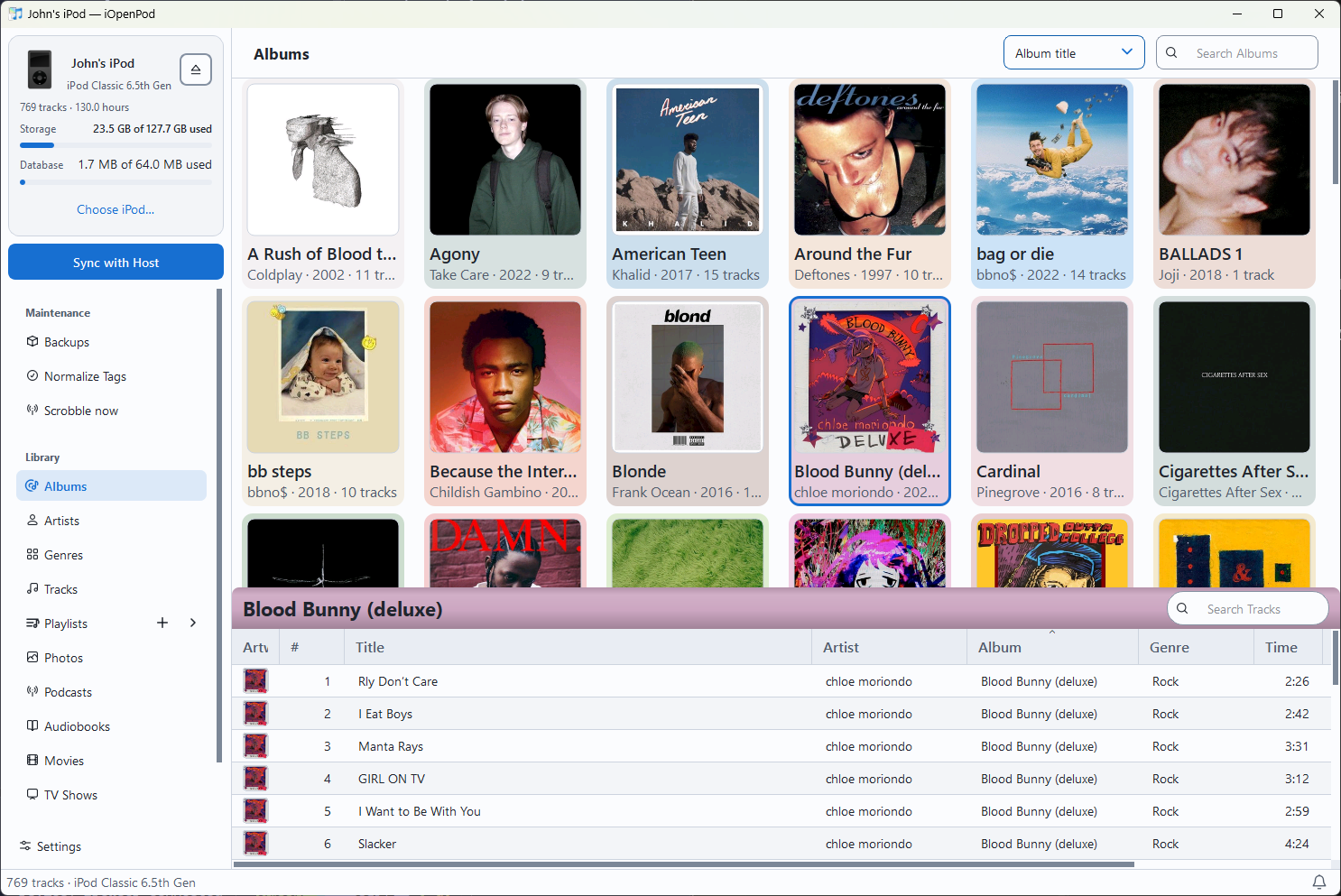
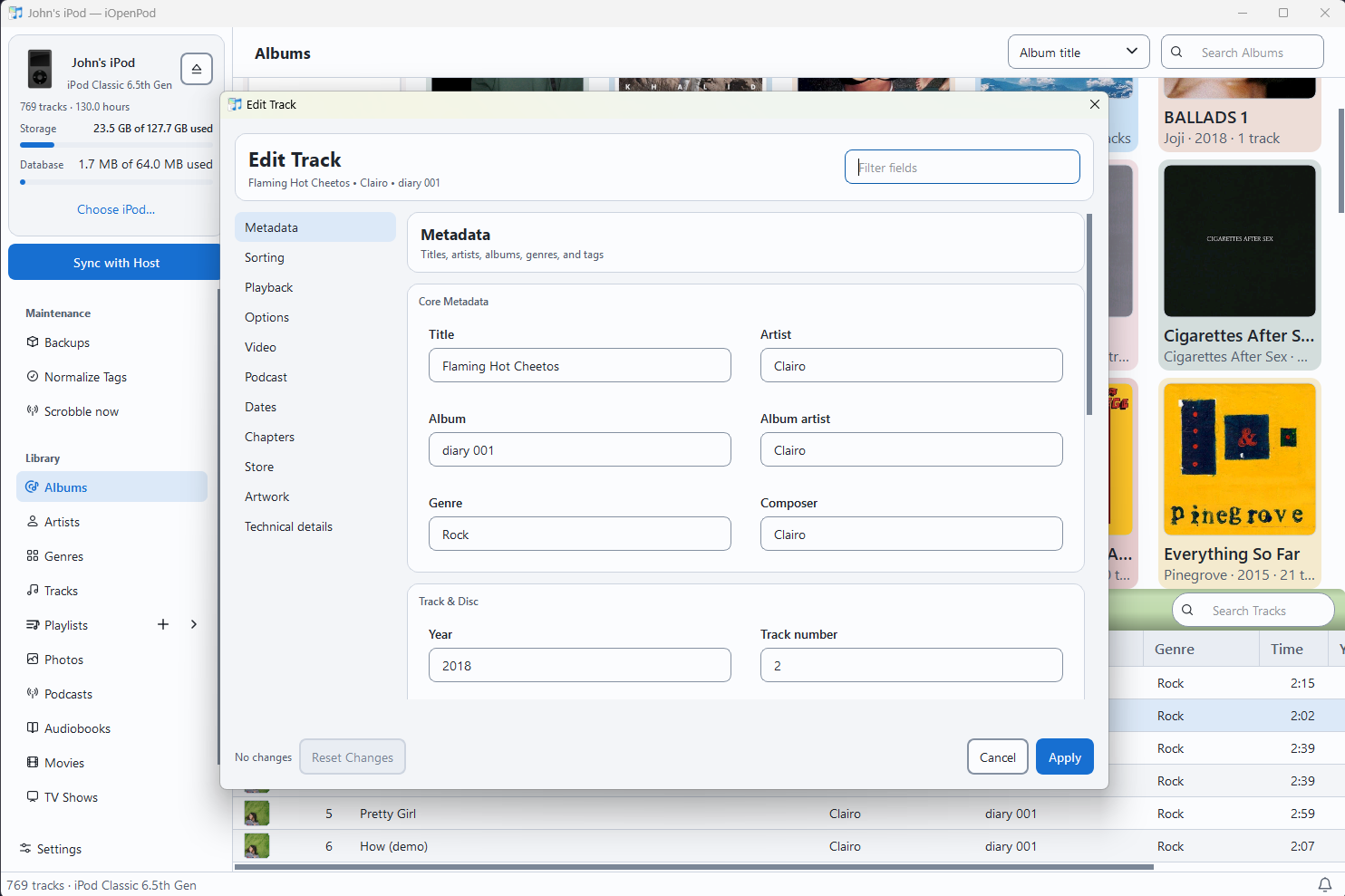
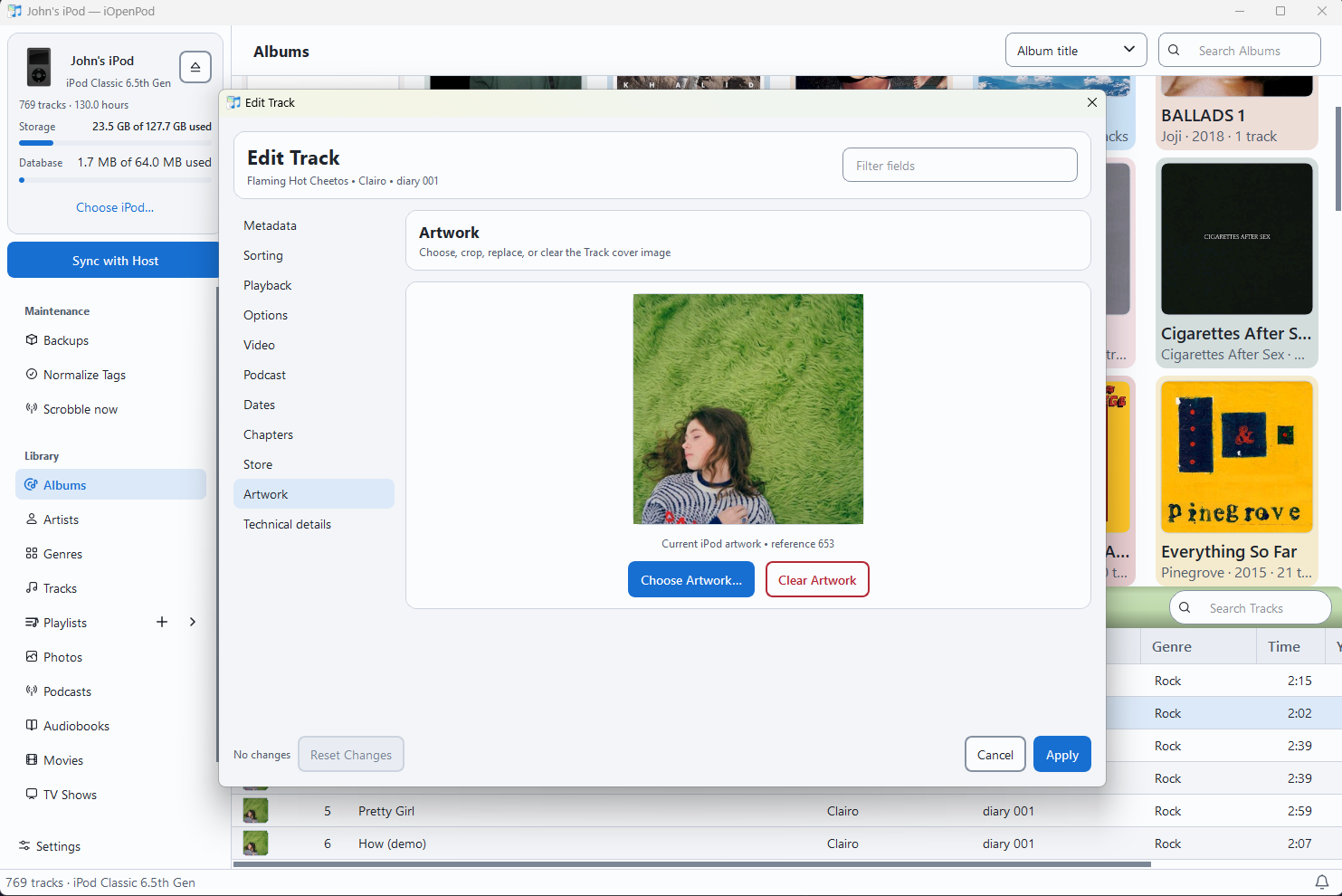
Albums, artists, genres, and tracks. Browse artwork, search your collection, and edit metadata and ratings.
-
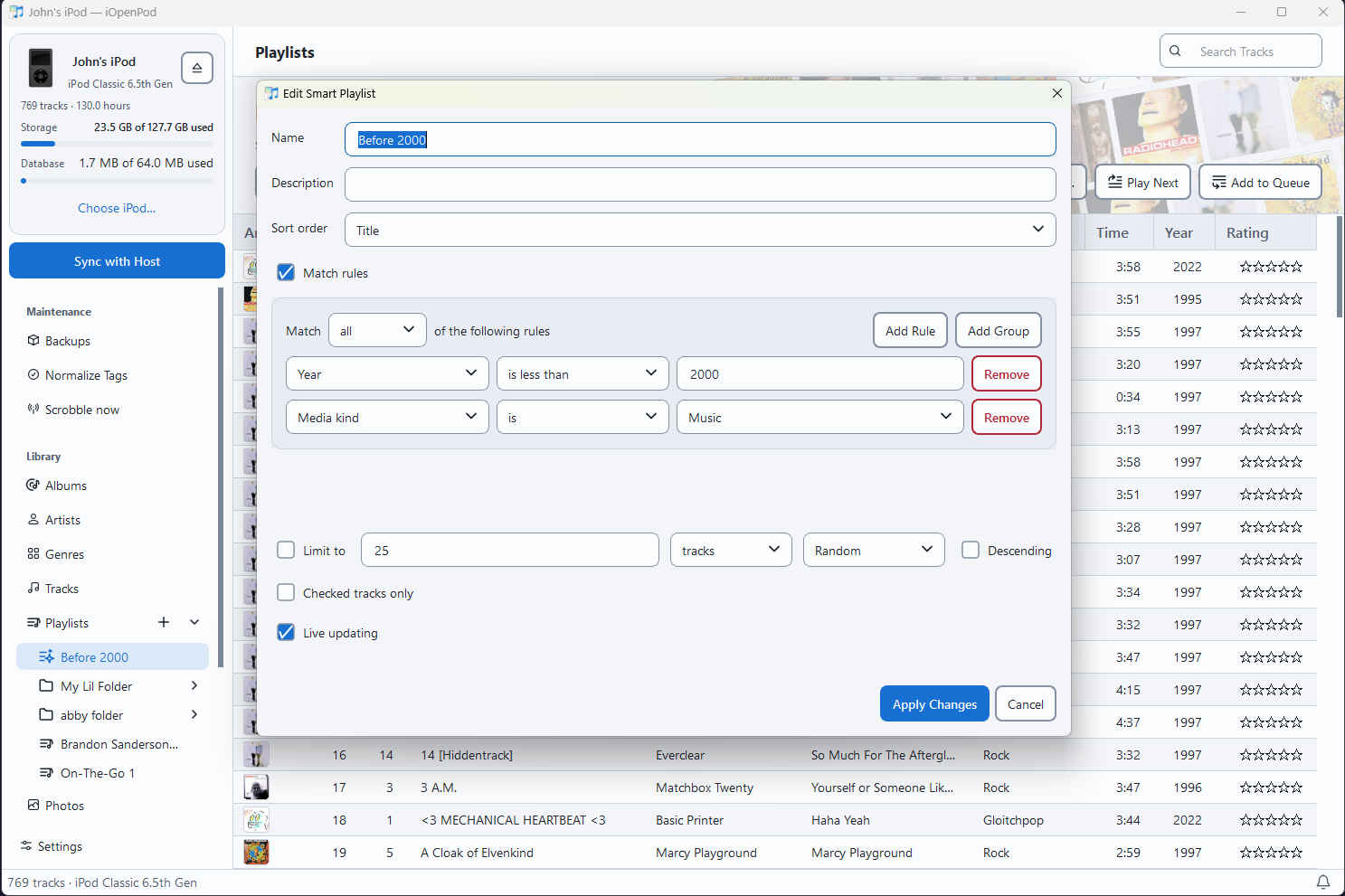
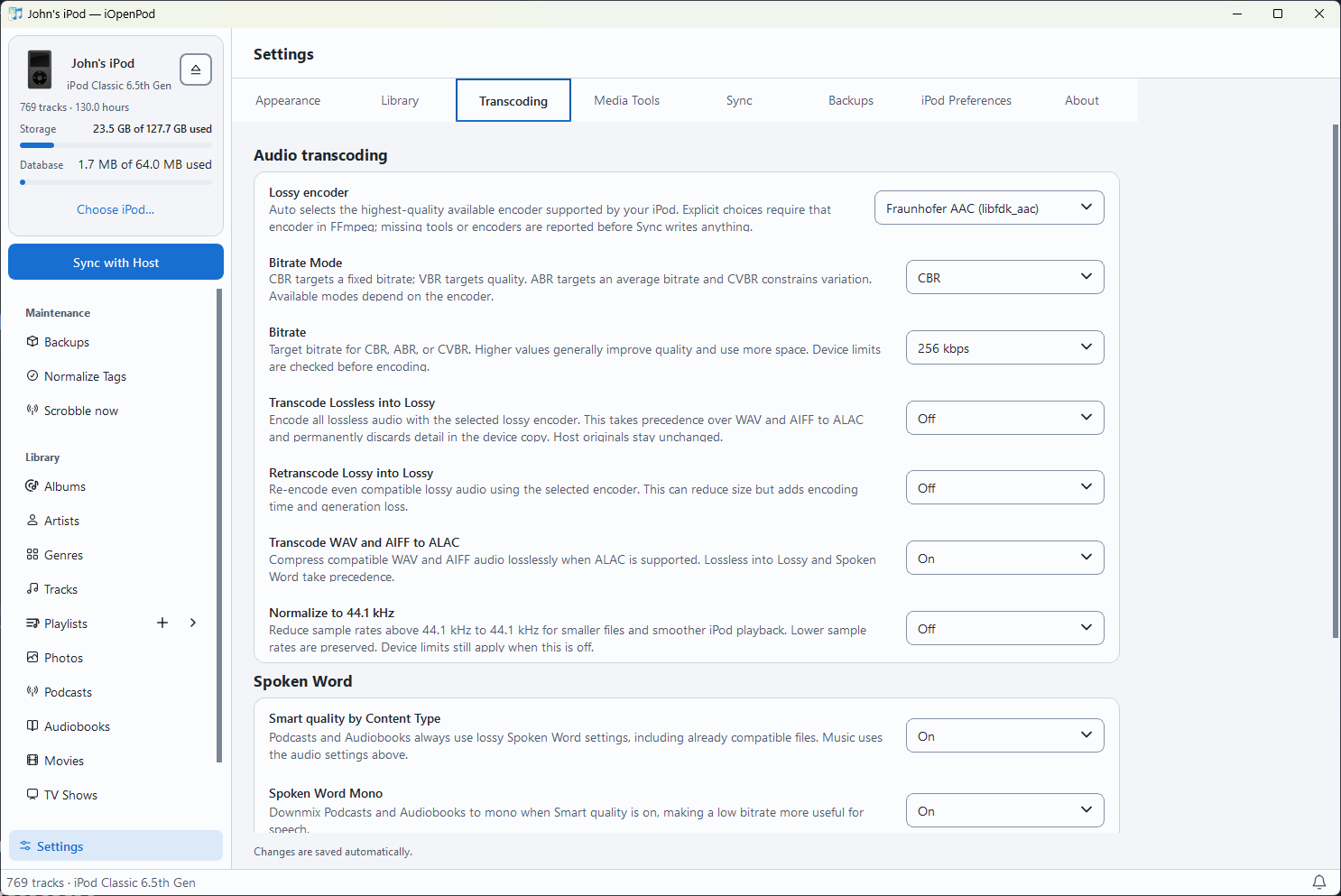
Playlists and Smart Playlists. Arrange tracks, organize playlist folders, and create rule-based selections.
-
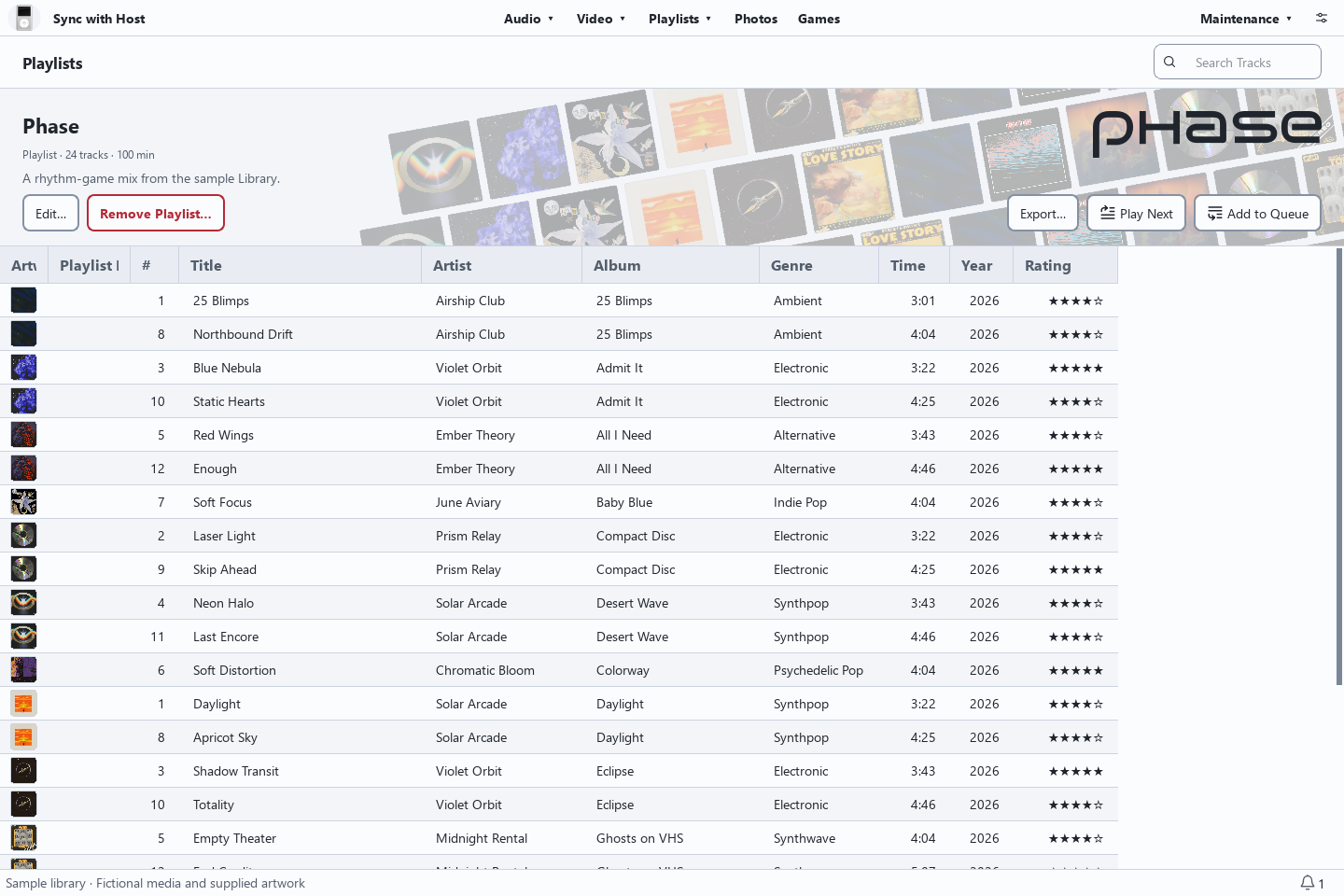
Click wheel games and Phase. Install the full preserved game collection without a virtual machine, and create a Phase Playlist with audio analysis generated from your music.
-
Automatic media conversion. Convert audio and video when needed and prepare artwork for your iPod model. Choose how incoming media is encoded in Settings.
-
Playback and Synesthesia. Listen to supported tracks with desktop media controls and explore music-reactive visuals.
-
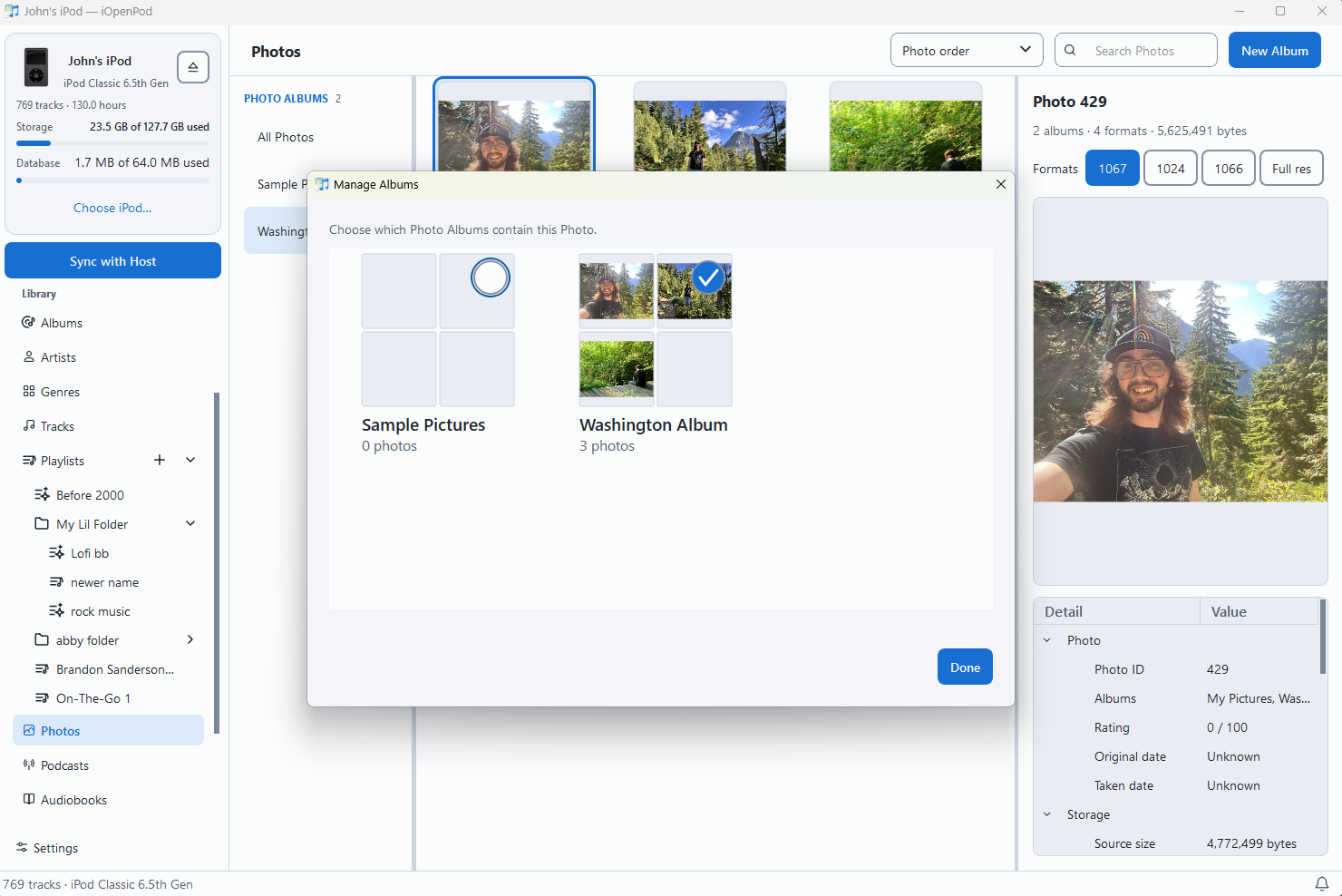
Photos. Browse Photo Albums, inspect device-sized images, and export retained originals and supported image representations.
-
Podcasts. Find shows, manage subscriptions, and refresh feeds and artwork. Online discovery requires an internet connection.
-
Scrobbling. Optionally submit iPod music plays to Last.fm and ListenBrainz.
-
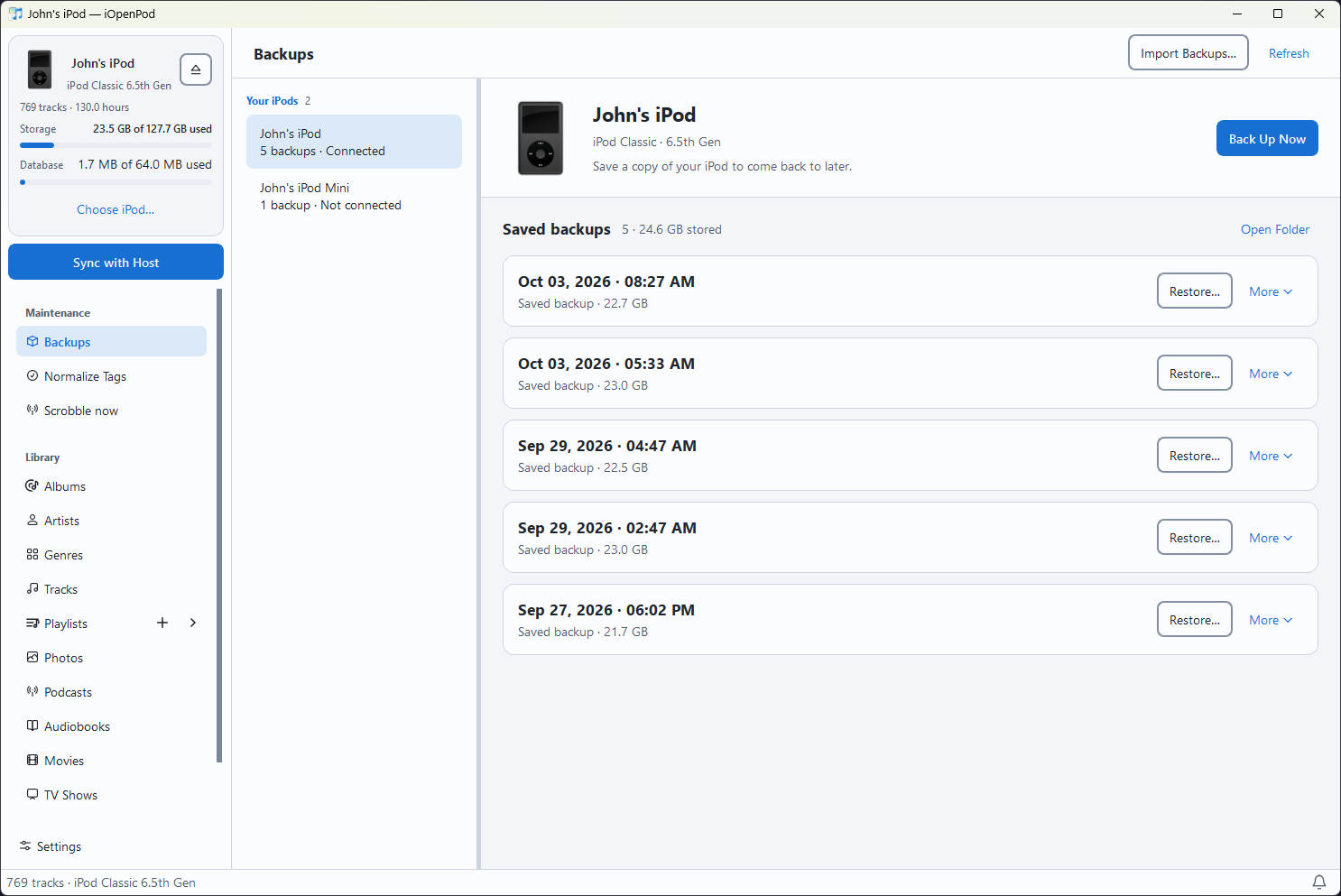
Backup Snapshots. Capture, browse, annotate, export, and restore local backups. Interrupted writes expose explicit recovery actions.
-
Appearance and conversion settings. Choose light, dark, or system appearance and configure how incoming media is prepared.
Library edits save automatically by default. Enable Draft all changes to review and save those edits together. Sync always has its own selection and review flow.
| Track metadata | Track artwork |
|---|---|
 |
 |
| Smart Playlists | Backup Snapshots |
|---|---|
 |
 |
Click wheel games and Phase
Install click wheel games without a virtual machine
Start with one click on Install Games in the Games page. iOpenPod downloads the full preserved click wheel game collection and prepares game authorization for your iPod. Choose Select all → Add to install the collection, or pick individual games. No virtual machine is required.
The first download needs an internet connection; later visits reuse the files on your computer. Game compatibility depends on your iPod model and firmware.

Make a Phase Playlist from your music
With Phase installed, create a Phase Playlist or mark an existing playlist with Use as the Phase Playlist. Add your songs and save. iOpenPod generates the audio analysis the game uses to turn your music into gameplay, and reuses matching analysis on later saves.
The analyzer detects beats and musical attacks, with an emphasis on audible percussion. With the optional music analysis model installed, it also separates estimated vocals, drums, guitar, bass, piano, and other sounds, and recognizes recurring musical phrases. These help it follow the rhythm and prominent parts of a song. Acoustic analysis works without the optional model. Use Settings → Media Tools → Set Up Phase Analysis to download optional instrument analysis; setup can use several gigabytes. If optional analysis cannot run, iOpenPod uses acoustic analysis. Audio decoding uses your configured FFmpeg executable.
How to use
- Connect your iPod and select it in the device picker. Your operating system must be able to mount and access it. Browse your library, play tracks, or edit metadata and playlists.
- Capture a Backup Snapshot of the data you want to preserve.
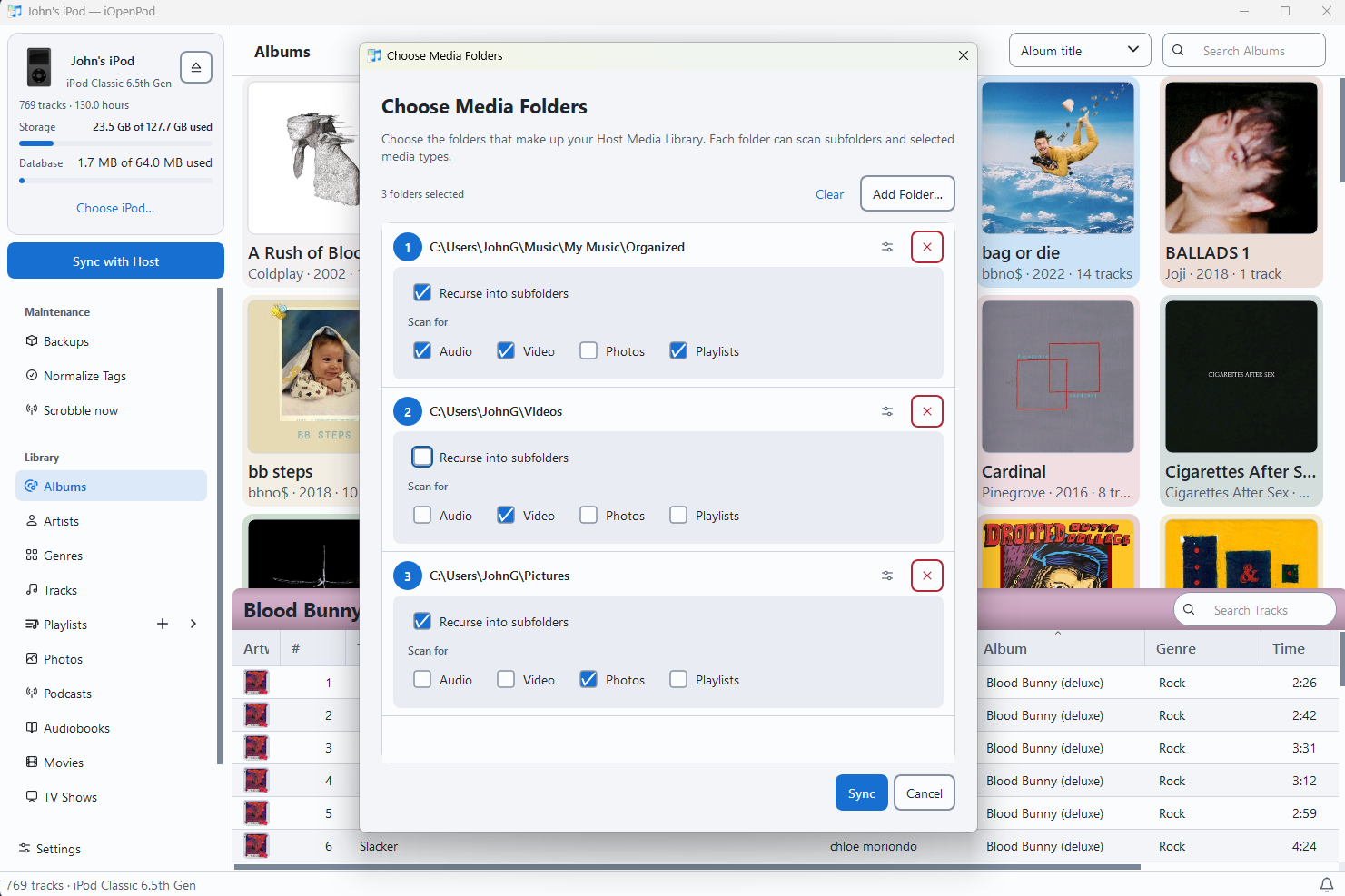
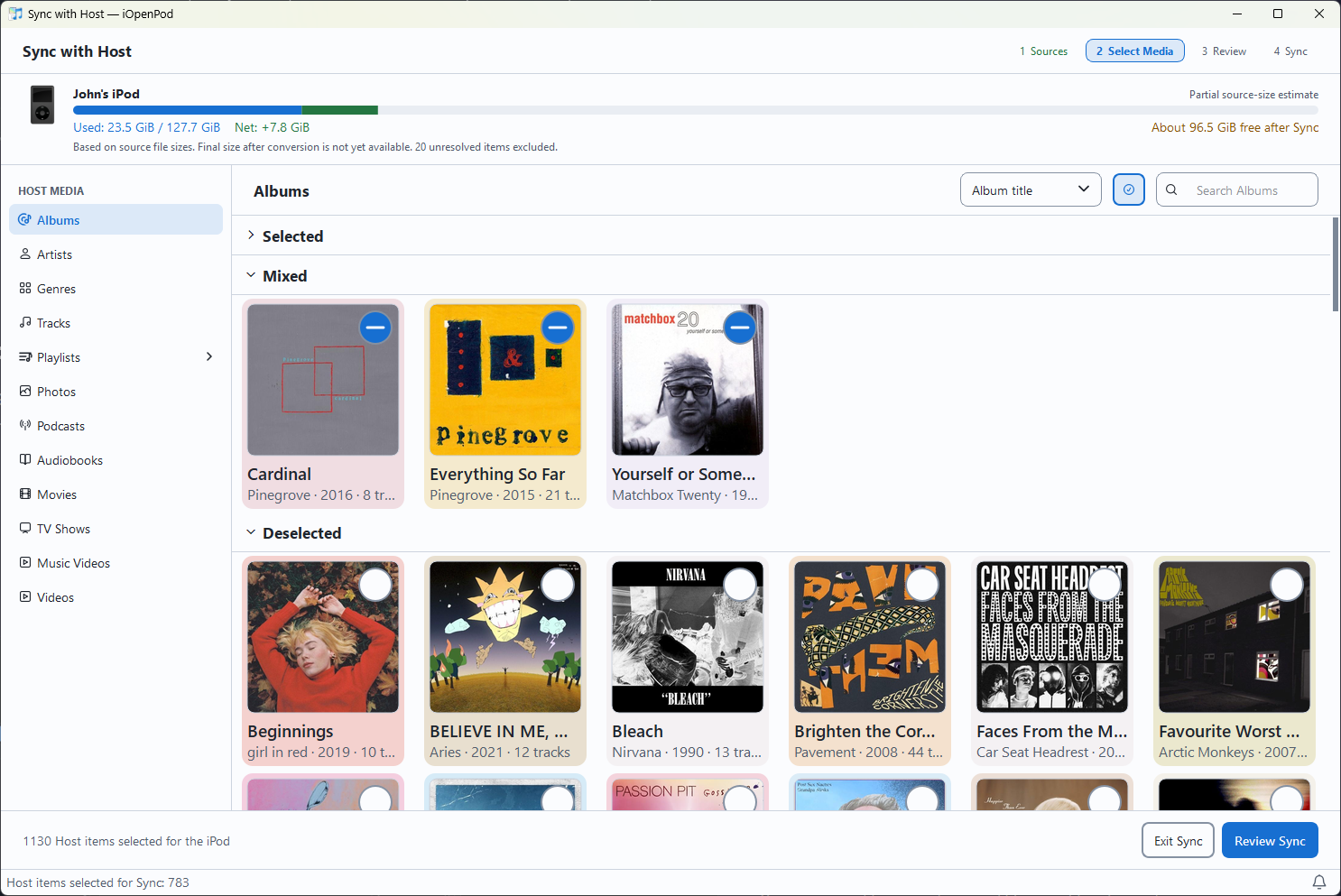
- Choose Sync with Host, add media folders, and select what to scan.
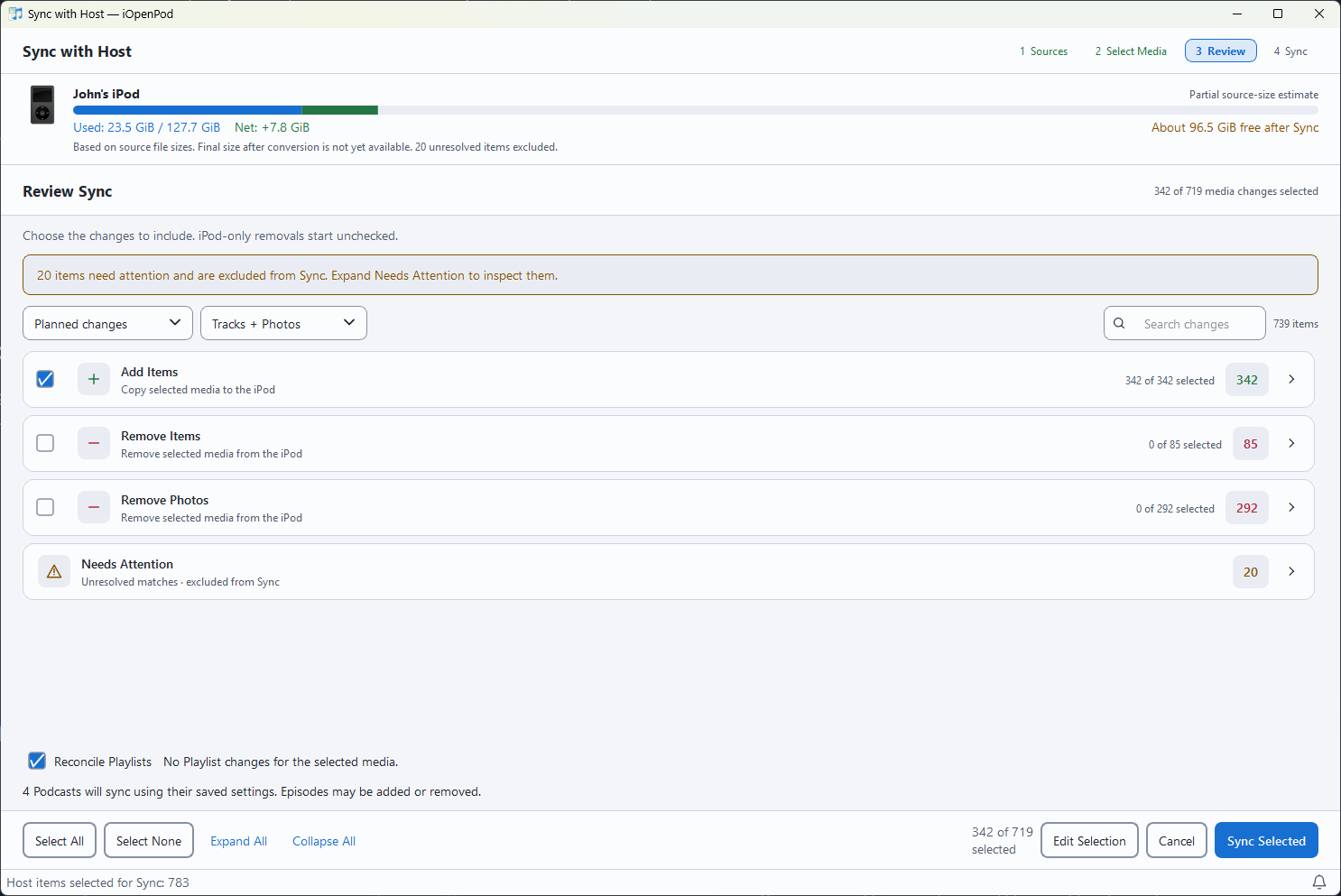
- Select your media, then review additions, updates, and removals. Removal candidates start unchecked.
- Sync Selected prepares compatible media and publishes verified changes. Use the app’s eject action when you are finished.
Optional acoustic matching helps recognize the same recording after format or metadata changes. Sync can also recognize media from a previous successful Sync without generating a new fingerprint.
| Media folders | Sync selection |
|---|---|
 |
 |
iPod compatibility
iOpenPod targets these iPod families. Available features depend on the model.
| Family | Target |
|---|---|
| iPod and iPod classic | Full-size generations 1–5.5 and the classic family |
| iPod mini | 1st and 2nd generation |
| iPod nano | 1st–7th generation |
iPod shuffle, iPod touch, and iPhone are not yet supported. The computer must already be able to read and write the iPod’s filesystem.
Guides for your iPod
- Sync an iPod without iTunes — choose media folders and review your first Sync.
- Check iPod compatibility — understand model and filesystem requirements.
- Put FLAC music on an iPod — convert supported source files for your model during Sync.
- Troubleshoot an iPod that is not detected — check the connection and whether the computer can access the device.
Develop and contribute
Clone the repository, open its directory, and use the locked UV environment:
uv sync --locked
uv run python scripts/prepare_qt_typing.py
uv run iopenpod
The typing preparation command gives Pylance and Mypy the same corrected Qt 6.9.3 annotations on macOS without replacing the runtime. Run it after syncing or recreating the environment; VS Code's Environment: Sync and Typecheck: Mypy tasks include it. Newer Qt versions use their bundled stubs. See development typing for details and remaining platform diagnostics.
Before submitting changes, run the repository checks:
uv lock --check
uv run ruff format --check .
uv run ruff check .
uv run rumdl check .
uv run mypy
uv run pytest
Full-suite runs use eight workers with whole-file scheduling by default, including
uv run pytest tests and uv run pytest . from the repository root. A focused
test path, -k, -m, --lf, or collection-only run defaults to serial. Add -n8 to
parallelize a focused run; use -n0 only when diagnosing a failure. CI and VS Code
inherit the same default. See the test scheduling decision.
Hardware testing, platform testing, reproducible bug reports, and focused pull requests all help. For bug reports, include your iPod model, operating system, iOpenPod version, and steps to reproduce the problem.
Keep each pull request focused on one change. Discuss proposed work in an issue or on Discord before starting, especially for major changes, so we can agree on the approach.
The application ships as one distribution with four internal boundaries:
| Package | Responsibility |
|---|---|
src/iOpenPod |
Application workflows, state, and GUI |
src/device_registry |
iPod identity and capabilities |
src/iPodDB |
iPod database formats |
src/storage |
Safe filesystem and removable-media operations |
Read AGENTS.md, the project context, and the documentation map before making substantial changes. Packaging covers native builds and store release gates; website maintenance covers screenshots and channel activation.
Related projects
-
libgpod - C library for iPod database access (the reference implementation this project learned from)
-
gtkpod - GTK+ iPod manager
-
Rockbox - Open-source firmware replacement for iPods
Coming from iTunes or another iPod manager?
iOpenPod works with the library on your iPod and media folders on your computer. Start by browsing the existing library and capturing a Backup Snapshot, then choose what to bring over in Sync Review.
-
No separate libgpod installation. iOpenPod uses its own Python iPod database implementation, informed by libgpod and gtkpod research.
-
All features are free. Donations support development without unlocking features.
-
Review before writing. Sync shows planned changes, with removals unchecked by default. Backup Snapshots are user-controlled, and interrupted writes have explicit recovery actions.
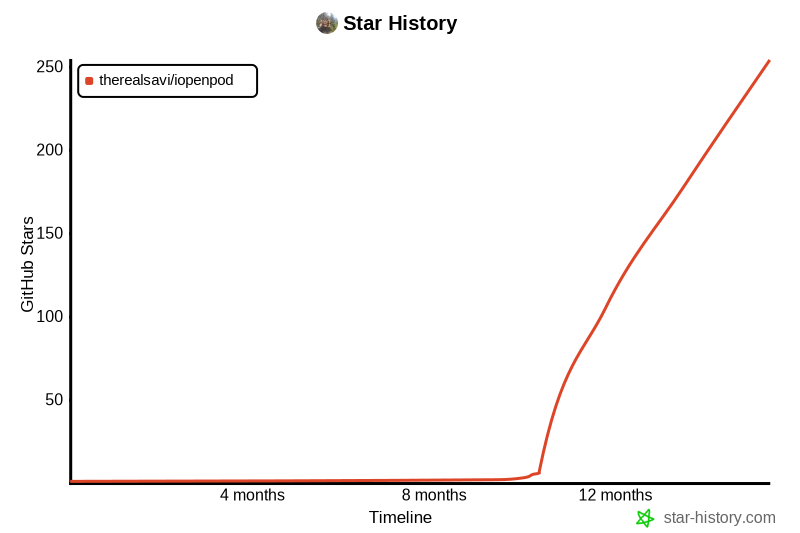
Star history
Support
iOpenPod is free and open source. Donations are optional and help support development.
License and credits
Licensed under GPL-3.0-or-later. All features are free; optional donations support development without unlocking features. See LICENSE, COPYING.md, and ACKNOWLEDGEMENTS.md for the license grant and third-party credits, including HASHAB, libgpod, and gtkpod research. The application icon has separate permission terms documented with its assets.
Special thanks to Dylan Staley (@dstaley) for the HASHAB WebAssembly implementation used by iOpenPod.
Thanks to dotm5 and their Genius-Mix-Research repository for helping us understand native Genius Data.
Thanks to Olsro for organizing and preserving iPod click wheel games through the iPod Clickwheel Games Preservation Project. iOpenPod's game binary downloads are sourced from this repository.
Independent software, not affiliated with or endorsed by Apple Inc. iPod and iTunes are trademarks of Apple Inc.
1 maintainer

Metadata
1 maintainer
Release files for iOpenPod 2.1.0
For a detailed explanation of source distributions (sdists) and built distributions (wheels), please see the package formats documentation.
Source distribution (sdist)
| File | Size | Uploaded | Provenance | Actions |
|---|---|---|---|---|
| iopenpod-2.1.0.tar.gz | 25.6 MB | Without provenance | Details for iopenpod-2.1.0.tar.gz |
Built distribution (wheel)
| File | Interpreter | ABI | Platform | Actions Reset |
|---|---|---|---|---|
| iopenpod-2.1.0-py3-none-any.whl | Python 3 | none | any | Details for iopenpod-2.1.0-py3-none-any.whl |
Total release size: 38.7 MB
Release files / iopenpod-2.1.0.tar.gz
| Download URL | iopenpod-2.1.0.tar.gz |
|---|---|
| Size | 25.6 MB |
| Tags | Source |
|
SHA-256 checksum How to use checksums |
9474c7c675412b93cc1ec8ba85a99b11e1b76d1b30c961f6f20755abc32298a7
|
|
BLAKE2b-256 checksum How to use checksums |
46976c6c0ce36d91494ba68a16eeb5c88f517a637849d7481e4c421b1e5f1b46
|
| Upload date | |
|
Uploaded using Trusted Publishing? What is trusted publishing? |
Yes |
| Uploaded via |
uv/0.12.7 {"installer":{"name":"uv","version":"0.12.7","subcommand":["publish"]},"python":null,"implementation":{"name":null,"version":null},"distro":{"name":"Ubuntu","version":"24.04","id":"noble","libc":null},"system":{"name":null,"release":null},"cpu":null,"openssl_version":null,"setuptools_version":null,"rustc_version":null,"ci":true}
|
Release files / iopenpod-2.1.0-py3-none-any.whl
| Download URL | iopenpod-2.1.0-py3-none-any.whl |
|---|---|
| Size | 13.1 MB |
| Tags | Python 3 |
|
SHA-256 checksum How to use checksums |
e79370d6bf67d6a460112dc9ec0c933b5cf296924003a7efeab6fddcc3e862cd
|
|
BLAKE2b-256 checksum How to use checksums |
324bb519b30bba7f17c2e72d36b84c78683fd8f74df63643b2a27cbdcfb6deea
|
| Upload date | |
|
Uploaded using Trusted Publishing? What is trusted publishing? |
Yes |
| Uploaded via |
uv/0.12.7 {"installer":{"name":"uv","version":"0.12.7","subcommand":["publish"]},"python":null,"implementation":{"name":null,"version":null},"distro":{"name":"Ubuntu","version":"24.04","id":"noble","libc":null},"system":{"name":null,"release":null},"cpu":null,"openssl_version":null,"setuptools_version":null,"rustc_version":null,"ci":true}
|
Security for iOpenPod 2.1.0
Provenance
Provenance describes where a file came from. On PyPI, provenance is shared via attestations, which provide a verifiable record of the build or publishing details. View details, limitations and caveats.
No provenance found
None of the files in this release were uploaded with provenance metadata.
A note on package security
PyPI is a repository for distributing packages, not a service for auditing them. While third-party security researchers and our staff do their best to detect and remove malicious packages, PyPI cannot guarantee the quality, security or suitability of any given package.
To learn more about protecting yourself from malicious actors, visit our package security documentation.














