
IRVLUTD Door Handle Dataset Loader 📦
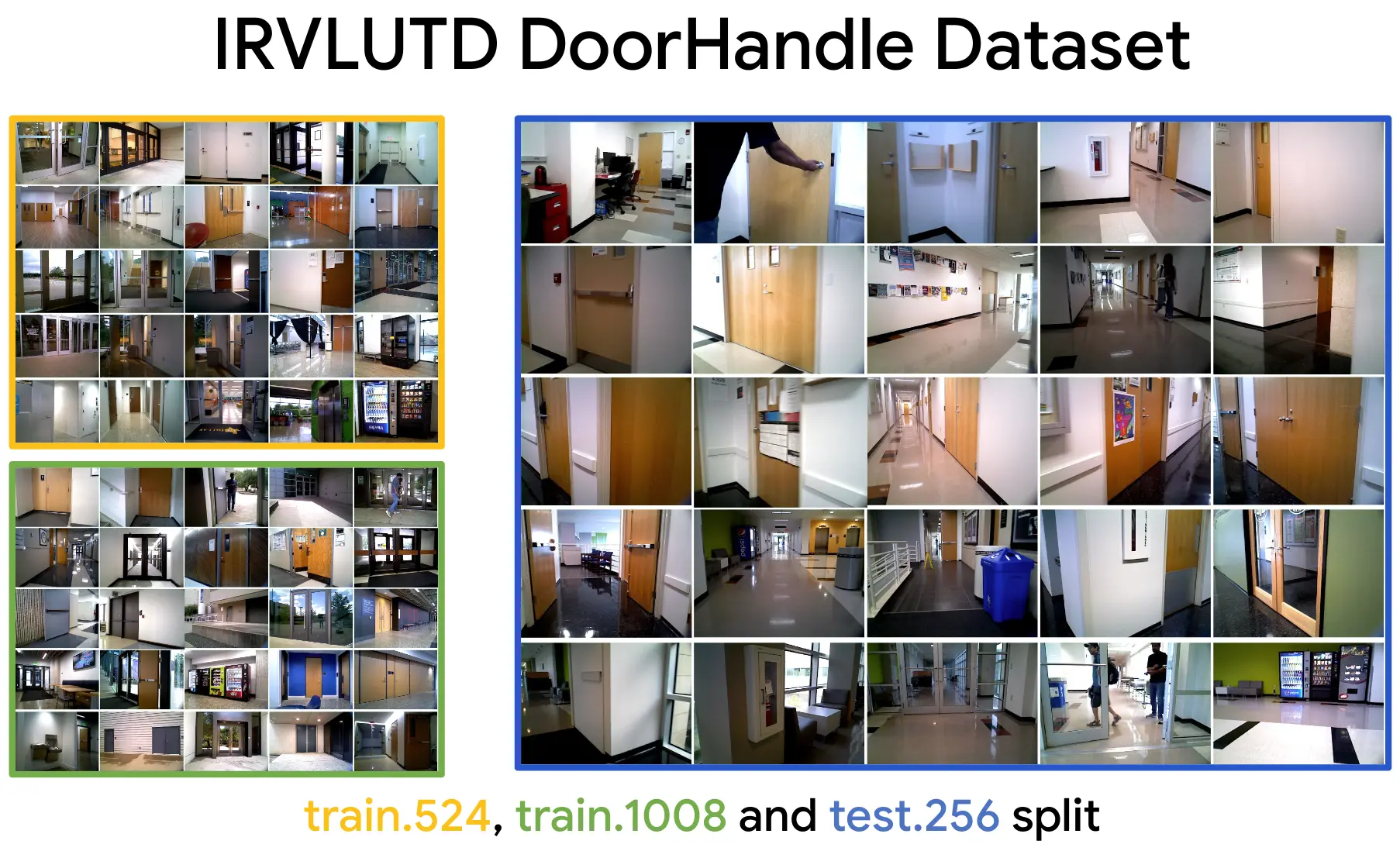
This Python package provides a PyTorch dataset loader for the IRVLUTD Door Handle dataset, which includes:
- 🖼️ Images
- 🌐 Depth maps
- 🏷️ YOLO-style labels
This package simplifies loading and using the dataset in machine learning workflows. It is a part of the iTeach project.
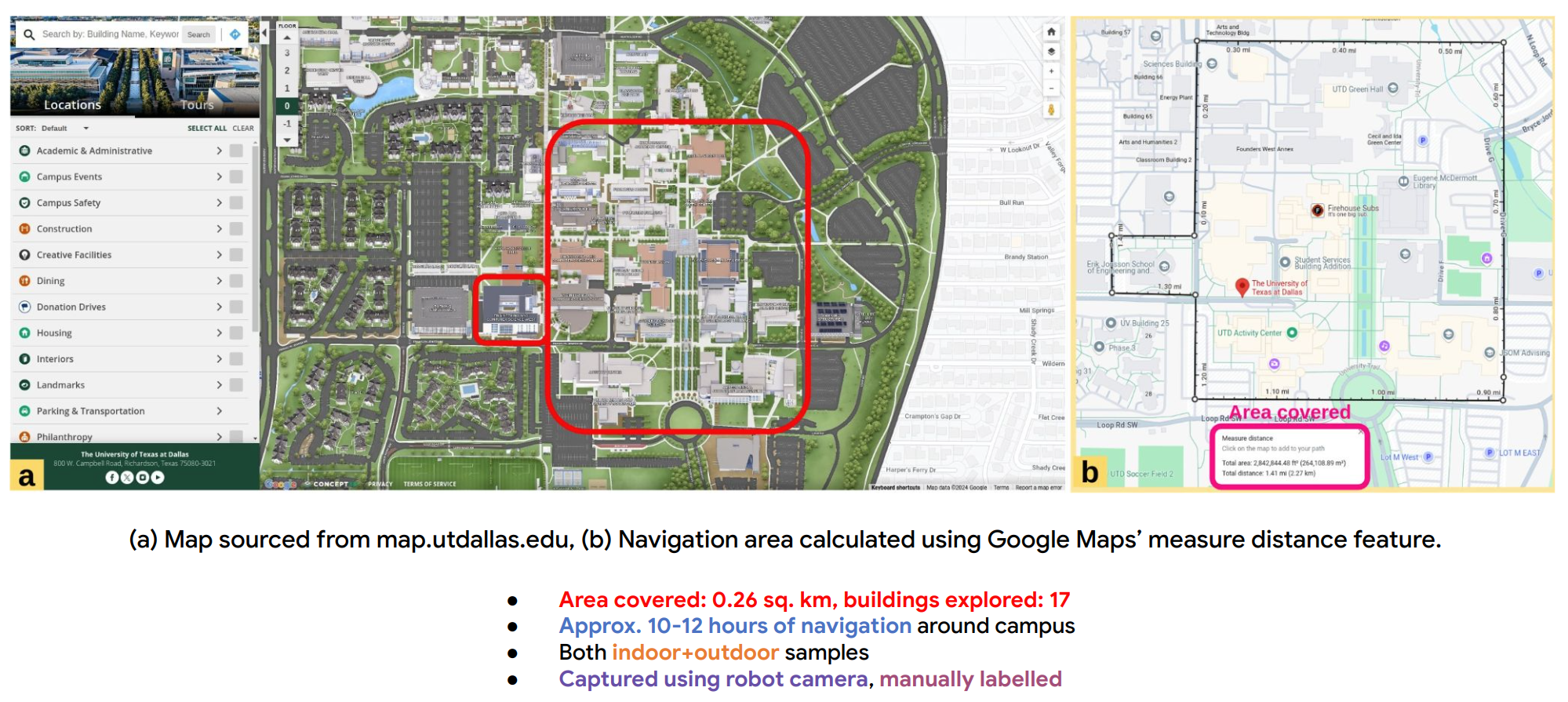
Area Covered 🌍
Installation ⚙️
pip install IRVLUTDDoorHandleDataset
Usage 📖
Once installed, you can use the IRVLUTDDoorHandleDataset class to load dataset in a PyTorch-compatible format:
from IRVLUTDDoorHandleDataset import IRVLUTDDoorHandleDataset

# Path to the dataset root directory
root_dir = '/path/to/the/data'

# Initialize the dataset
dataset = IRVLUTDDoorHandleDataset(root_dir=root_dir) # by default, only images and label dir are read
dataset = IRVLUTDDoorHandleDataset(root_dir=root_dir, use_depth=True) # to use depth dir as well

# Access the first sample in the dataset
sample = dataset[0]

# Access different components of the sample
image = sample['image']
depth = sample['depth']
labels = sample['labels']  # Bounding boxes in YOLO format (cx, cy, w, h)
class_labels = sample['class_labels']  # Class ID and name for each object

print(f"Image Shape: {image.size}")
print(f"Depth Shape: {depth.size}")
print(f"Labels: {labels}")
print(f"Class Labels: {class_labels}")
Dataset Structure 📂
Download dataset from here.
The dataset should follow this structure:
data/
├── images/ (filename.png)
├── labels/ (filename.txt)
├── depth/ (filename_with_depth.png)
└── obj.names  # Contains class names (e.g., Door, Handle)
Each sample in the dataset shares the same filename (excluding the extension) in both the images and labels directories. The iTeach system assumes that all messages received simultaneously belong to the same set and will assign them the same name as required by YOLO. Due to this assumption, please be aware that there may be inconsistencies when using depth data alongside the color samples.
- Images: RGB images (e.g.,
image.png) - Depth: Depth images (e.g.,
depth.png) - Labels: YOLO format labels (e.g.,
label.txt) (Dataloader normalized the coordinates in [0-1] range) - obj.names: Class names (e.g.,
Door,Handle)
Note: This dataloader will work with any detection dataset following the above mentioned file structure and having normalized YOLO bbox labels stored in txt files.
License 📜
This project is licensed under the MIT License.
BibTex 📚
Please cite iTeach if it helps your work or research 🙌:
@misc{padalunkal2024iteach,
    title={iTeach: Interactive Teaching for Robot Perception using Mixed Reality},
    author={Jishnu Jaykumar P and Cole Salvato and Vinaya Bomnale and Jikai Wang and Yu Xiang},
    year={2024},
    eprint={2410.09072},
    archivePrefix={arXiv},
    primaryClass={cs.RO}
}
1 maintainer

Metadata
1 maintainer
Release files for IRVLUTDDoorHandleDataset 0.0.3
For a detailed explanation of source distributions (sdists) and built distributions (wheels), please see the package formats documentation.
Source distribution (sdist)
| File | Size | Uploaded | Provenance | |
|---|---|---|---|---|
| IRVLUTDDoorHandleDataset-0.0.3.tar.gz | 5.3 kB | Without provenance | Details |
Built distribution (wheel)
| File | Interpreter | ABI | Platform | Reset |
|---|---|---|---|---|
| IRVLUTDDoorHandleDataset-0.0.3-py3-none-any.whl | Python 3 | none | any | Details |
Total release size: 11.2 kB
Release files / IRVLUTDDoorHandleDataset-0.0.3.tar.gz
| Download URL | IRVLUTDDoorHandleDataset-0.0.3.tar.gz |
|---|---|
| Size | 5.3 kB |
| Tags | Source |
|
SHA-256 checksum How to use checksums |
68a1aa53d28ef3a618dc9a1d12dde140f69c31a7373dba5f56f46bc8924bf393
|
|
BLAKE2b-256 checksum How to use checksums |
795993a8ecc9c62054ad09bdcca490380313f1daf9dfe546e91e4f95c56cf84e
|
| Upload date | |
|
Uploaded using Trusted Publishing? What is trusted publishing? |
No |
| Uploaded via |
twine/5.1.1 CPython/3.9.12
|
Release files / IRVLUTDDoorHandleDataset-0.0.3-py3-none-any.whl
| Download URL | IRVLUTDDoorHandleDataset-0.0.3-py3-none-any.whl |
|---|---|
| Size | 6.0 kB |
| Tags | Python 3 |
|
SHA-256 checksum How to use checksums |
fbb6affd63559c06ff213166f1bd4d5e61c93ab767938458fa7a70f75a09fbd0
|
|
BLAKE2b-256 checksum How to use checksums |
0729e63222d544666403b386b193688fadd5d56adb5bc5689ed2013e84184ee9
|
| Upload date | |
|
Uploaded using Trusted Publishing? What is trusted publishing? |
No |
| Uploaded via |
twine/5.1.1 CPython/3.9.12
|
Security for IRVLUTDDoorHandleDataset 0.0.3
Provenance
Provenance describes where a file came from. On PyPI, provenance is shared via attestations, which provide a verifiable record of the build or publishing details. View details, limitations and caveats.
No provenance found
None of the files in this release were uploaded with provenance metadata.
A note on package security
PyPI is a repository for distributing packages, not a service for auditing them. While third-party security researchers and our staff do their best to detect and remove malicious packages, PyPI cannot guarantee the quality, security or suitability of any given package.
To learn more about protecting yourself from malicious actors, visit our package security documentation.














