



JsonCrack 📊
JsonCrack is a Python package that visualizes JSON as a vertical graph to help developers understand complex JSON structures easily Supporting drf-spectacular Schema.
🚀 Features
💚 Convert JavaScript-style JSON (null, true, false) → Python (None, True, False)
💚 Generate vertical graph visualization of JSON data
💚 Automatically detects OS to display the graph (Windows, Mac, Linux)
💚 No need for a web interface—runs locally
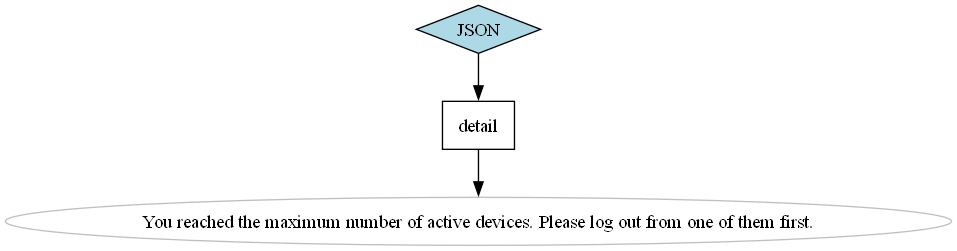
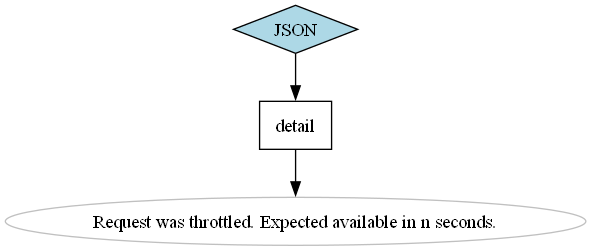
💚 Support drf-spectacular—Visualize Django Rest Framework Documentation Example Responses
📚 Installation
-
Install Graphviz (required for rendering graphs):
- Windows: Download and install from Graphviz website
- Mac:
brew install graphviz
- Linux (Debian/Ubuntu):
sudo apt install graphviz
-
Install JsonCrack:
pip install JsonCrack
🔥 Quick Start
data is in java script style
1⃣ Convert JavaScript-style JSON to Python
from JsonCrack.Cracker import JSON

data = '''
{
    "name": "Alice",
    "active": true,
    "address": null
}
'''

# Convert JS JSON to Python format
json_obj = JSON(data)
python_json = json_obj.convert_js_to_python()
print(python_json)
🟢 Output:
{'name': 'Alice', 'active': True, 'address': None}
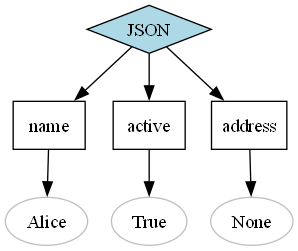
2⃣ Visualize JSON Data
json_obj.visualize(display=True, output_file="visualize_output",)
📌 This will open a PNG file with name visualize_output displaying the JSON structure as a vertical graph.
🟢 Output:
3⃣ Convert & Visualize in One Step with display(default)
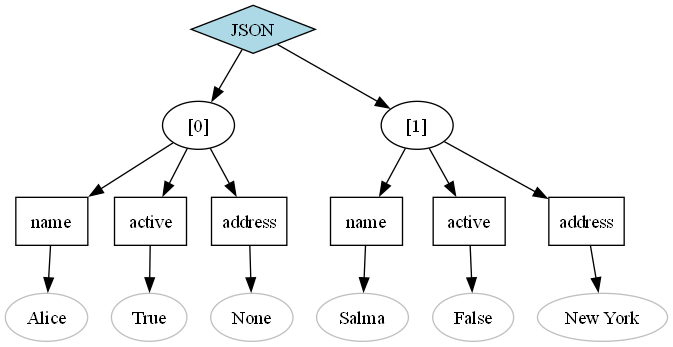
from JsonCrack.Cracker import JSON
data =  [{
    "name": "Alice",
    "active": True,
    "address": None
},
    {
        "name": "Salma",
    "active": False,
    "address": "New York"
    }
    ]
json_obj = JSON(data)
json_obj.visualize()
🟢 Output:
3⃣ Convert & save Visualize in One Step without display
from JsonCrack.Cracker import JSON
data = {
    "name": "Alice",
    "active": True,
    "address": None
}
json_obj = JSON(data)
json_obj.visualize(display=False)
3⃣ Integration With Django
#add this to Django settings.py
REST_FRAMEWORK={'DEFAULT_SCHEMA_CLASS': 'JsonCrack.AutoSchema'}
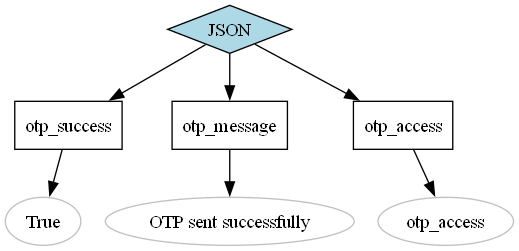
🟢 Example Results:
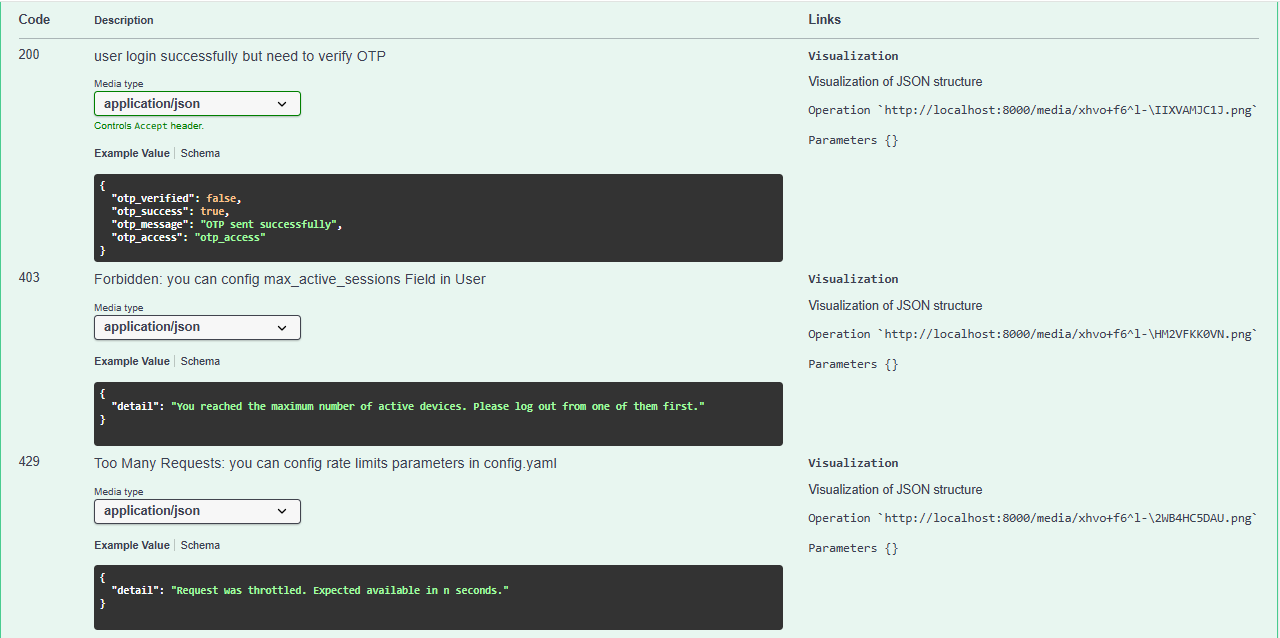 http://localhost:8000/media/xhvo+f6^l-\IIXVAMJC1J.png
 http://localhost:8000/media/xhvo+f6^l-\HM2VFKK0VN.png
 http://localhost:8000/media/xhvo+f6^l-\2WB4HC5DAU.png
🛠 Development
- Clone the repository:
git clone https://github.com/MahmoudGShake/JsonCrack.git
cd JsonCrack
- Install dependencies:
pip install -r requirements.txt
- Install package in editable mode:
pip install -e .
👥 Contributing
We welcome contributions! 🎉
- Fork the repository
- Create a new branch (
git checkout -b feature-branch) - Make your changes
- Commit and push (
git commit -m "Added new feature" && git push origin feature-branch) - Create a pull request
🐝 License
MIT License - Free to use and modify. See LICENSE for details.
💡 Future Improvements
🚧 Planned features:
- Interactive web-based visualization
- More export formats (SVG, PDF, JSON Tree)
- Better error handling for invalid JSON
🌟 Show Your Support
🌟 Star this repository on GitHub if you find it useful!
💬 Feel free to open issues for bug reports & feature requests.
Happy Coding! 🚀
1 maintainer

Metadata
1 maintainer
Release files for JsonCrack 0.2.1
For a detailed explanation of source distributions (sdists) and built distributions (wheels), please see the package formats documentation.
Source distribution (sdist)
| File | Size | Uploaded | |
|---|---|---|---|
| jsoncrack-0.2.1.tar.gz | 6.7 kB | Details |
Built distribution (wheel)
| File | Interpreter | ABI | Platform | Reset |
|---|---|---|---|---|
| jsoncrack-0.2.1-py3-none-any.whl | Python 3 | none | any | Details |
Total release size: 14.2 kB
Release files / jsoncrack-0.2.1.tar.gz
| Download URL | jsoncrack-0.2.1.tar.gz |
|---|---|
| Size | 6.7 kB |
| Tags | Source |
|
SHA-256 checksum How to use checksums |
3b3e015cd80e68a266628fd6939a0e7e1ca1ba63d9d3d0c7d6de71d1498ebcf0
|
|
BLAKE2b-256 checksum How to use checksums |
de6c5bce37ed8157420db58de99ff63cf5f1e53ce399638e5ede26f79f12867b
|
| Upload date | |
|
Uploaded using Trusted Publishing? What is trusted publishing? |
No |
| Uploaded via |
twine/6.1.0 CPython/3.12.1
|
Release files / jsoncrack-0.2.1-py3-none-any.whl
| Download URL | jsoncrack-0.2.1-py3-none-any.whl |
|---|---|
| Size | 7.5 kB |
| Tags | Python 3 |
|
SHA-256 checksum How to use checksums |
3120f2eb70f0af3a4c828e0c5d18a642444a09740a957a17a15043a46920c881
|
|
BLAKE2b-256 checksum How to use checksums |
dc416de3833afaa51bdb92efe39f8acda194125a7f112beff8d4d183840b7810
|
| Upload date | |
|
Uploaded using Trusted Publishing? What is trusted publishing? |
No |
| Uploaded via |
twine/6.1.0 CPython/3.12.1
|














