
Jupyter compare_view
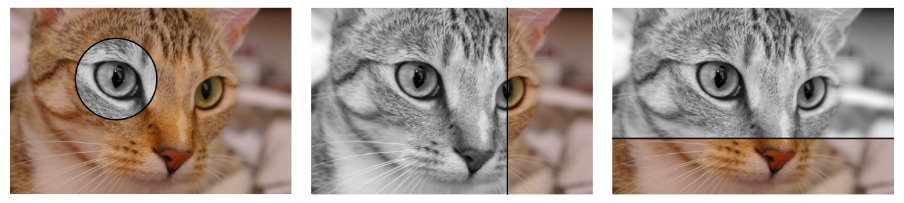





Blend between multiple images using a cell magic in JupyterLab using compare_view.
This project was called jupyter-splitview before.
Installation
pip install jupyter_compare_view
Example
import jupyter_compare_view
%%compare
from skimage import data
from skimage.color import rgb2gray
import matplotlib.pyplot as plt

img = data.chelsea()
grayscale_img = rgb2gray(img)

plt.imshow(img)
plt.axis("off")
plt.show()

plt.imshow(grayscale_img, cmap="gray")
plt.axis("off")
plt.show()
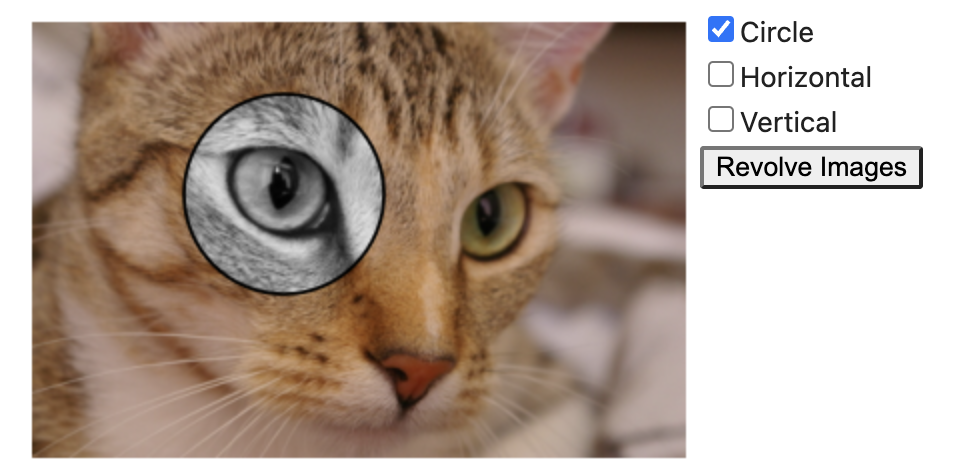
Another example:
from jupyter_compare_view import compare

compare(img, grayscale_img, cmap="gray", start_mode="horizontal", start_slider_pos=0.73)
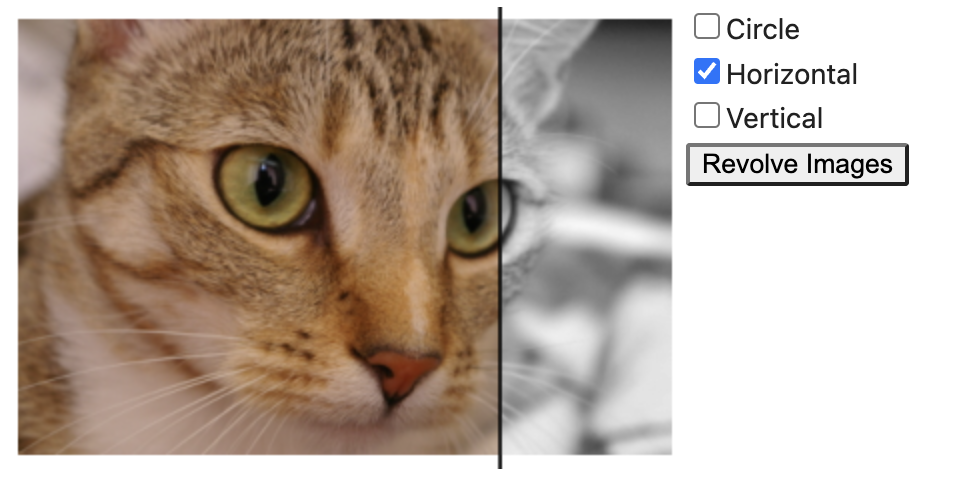
The split view widget is still responsive after closing and reopening the notebook without running the cell again.
Notebook arguments
(Might still change in future)
-
--config '{"start_mode": "horizontal"}'will init the compare-view in horizontal slider mode. -
--config '{"circle_size": 30}'the circle size is now 30 pixel in circle mode. -
--config '{"show_slider": false}'will hide the slider bar. -
--config '{"start_slider_pos": 0.73}'will set the slider start position to 73%.- Removed in 0.1.1:
--position 73%will no longer the slider start position to 73%.
- Removed in 0.1.1:
-
--config '{"start_mode": "horizontal","start_slider_pos": 0.73}'will both set the start mode to horizontal and set the slider position -
--height 220will set the height to 220 pixel. -
When
--heightis not provided, the default height of the widget is 300 pixel. -
--height autowill set the height by the value of the first image's resolution in vertical direction. -
The widget's width will always be adjusted automatically.
Notebook formatting
Formatting with black can be done this way:
pip install 'black[jupyter]'black --python-cell-magics compare compare_view_magic.ipynb
Interactive Export
jupyter_compare_view fully supports offline interactive HTML exports. The web library compare_view is inlined into the exported HTML document. Therefore, the export is viewable without an internet connection.

Developer Installation
git clone --recurse https://github.com/Octoframes/jupyter_compare_view(Note: In case that the repo was already cloned e.g. with the GitHub Desktop client, the GitHub submodule has to be loaded viagit submodule update --init --recursive)poetry install
Note: The IPython extension autoreload reloads modules before every cell execution. Very useful when debugging the %%capture cell magic!
Just add these lines into the first jupyter cell.
%load_ext autoreload
%autoreload 2
import jupyter_compare_view
Changelog
0.2.4
CHange to importlib #48
0.2.3
Remove setuptools dependency
0.2.2
- Remove python3.7 support #46
- fix jupyterlite example
0.2.1
- Support python 3.11
0.2.0
- Implemented
captureto display the compare view frame without calling the cell magic. This is not an ipywidget as mentioned here. - Update version requirements #42
0.1.5
- BugFix: Remove black import that was added by accident.
0.1.4
%%compareis now%%splity.%%splityis deprecated.- Update examples
0.1.3
- octoframes github actions setup
0.1.2
- Move the repo from kolibril13/jupyter-spitview to octoframes/jupyter_compare_view
- Rename all references
0.1.1
- Drop the github.com/NUKnightLab/juxtapose backend and replace it with github.com/Octoframes/compare_view.
- Implement horizontal slider
- Implement Round Mask
0.1.0
- Update dependencies
- Update JupyterLite version
- Fix: in JupyterLite, a figure has to be explicitly called by plt.show()
- Better installation workflow
0.0.8
- Fixing problem with cell id and notebook reloading
- Experimentally lowering the dependencies to
ipython = ">=6.0.0"andipykernel = ">=5.0.0"so that jupyterlite will work hopefully.
0.0.7
- Rewrite of the import of JavaScript and CSS to make it more robust when closing and opening the notebook
- First attempt to add a JupyterLite example.
0.0.6
Fix poetry workflow
0.0.5
- Ship the javascript directly with the package, so no internet connection is required
- use jinja2 to save HTML in separate file
- load stylesheet and javascript only once in the beginning, and not in every cell that contains the splitview widget.
0.0.4
- New
--heightparameter
0.0.3
- default slider position
- updated minimal example
- internal code restructuring and formatting
- Handle import in non jupyter context
0.0.2
- save images in base64 strings and don't load images to disk (increases package security).
0.0.1
- First release
1 maintainer

Metadata
1 maintainer
Release files for jupyter_compare_view 0.3.1
For a detailed explanation of source distributions (sdists) and built distributions (wheels), please see the package formats documentation.
Source distribution (sdist)
| File | Size | Uploaded | Provenance | Actions |
|---|---|---|---|---|
| jupyter_compare_view-0.3.1.tar.gz | 10.1 kB | Without provenance | Details for jupyter_compare_view-0.3.1.tar.gz |
Built distribution (wheel)
| File | Interpreter | ABI | Platform | Actions Reset |
|---|---|---|---|---|
| jupyter_compare_view-0.3.1-py3-none-any.whl | Python 3 | none | any | Details for jupyter_compare_view-0.3.1-py3-none-any.whl |
Total release size: 22.0 kB
Release files / jupyter_compare_view-0.3.1.tar.gz
| Download URL | jupyter_compare_view-0.3.1.tar.gz |
|---|---|
| Size | 10.1 kB |
| Tags | Source |
|
SHA-256 checksum How to use checksums |
28bd58c070463936bb8ad9aa160e77d0b74a5cba8771d2b90855bdb8b4c75ca4
|
|
BLAKE2b-256 checksum How to use checksums |
9cbeb87d9c951cf6d8cff3013c2347e55e07542a2b33b6f412a92b0f2be4604d
|
| Upload date | |
|
Uploaded using Trusted Publishing? What is trusted publishing? |
No |
| Uploaded via |
poetry/2.4.1 CPython/3.13.14 Linux/6.17.0-1020-azure
|
Release files / jupyter_compare_view-0.3.1-py3-none-any.whl
| Download URL | jupyter_compare_view-0.3.1-py3-none-any.whl |
|---|---|
| Size | 11.8 kB |
| Tags | Python 3 |
|
SHA-256 checksum How to use checksums |
b0c51466f9a14485d63eadca644f001fec977d50b88957cc874427bdc38d6e78
|
|
BLAKE2b-256 checksum How to use checksums |
ba54938b45ca628de84a43ebd73dea13e41e989bb63bd3e4d689f6bb77964808
|
| Upload date | |
|
Uploaded using Trusted Publishing? What is trusted publishing? |
No |
| Uploaded via |
poetry/2.4.1 CPython/3.13.14 Linux/6.17.0-1020-azure
|
Security for jupyter_compare_view 0.3.1
Provenance
Provenance describes where a file came from. On PyPI, provenance is shared via attestations, which provide a verifiable record of the build or publishing details. View details, limitations and caveats.
No provenance found
None of the files in this release were uploaded with provenance metadata.
A note on package security
PyPI is a repository for distributing packages, not a service for auditing them. While third-party security researchers and our staff do their best to detect and remove malicious packages, PyPI cannot guarantee the quality, security or suitability of any given package.
To learn more about protecting yourself from malicious actors, visit our package security documentation.














