
Sending emails from JupyterLab

Project description
jupyterlab_email
A jupyterlab extension to email notebooks from the browser.





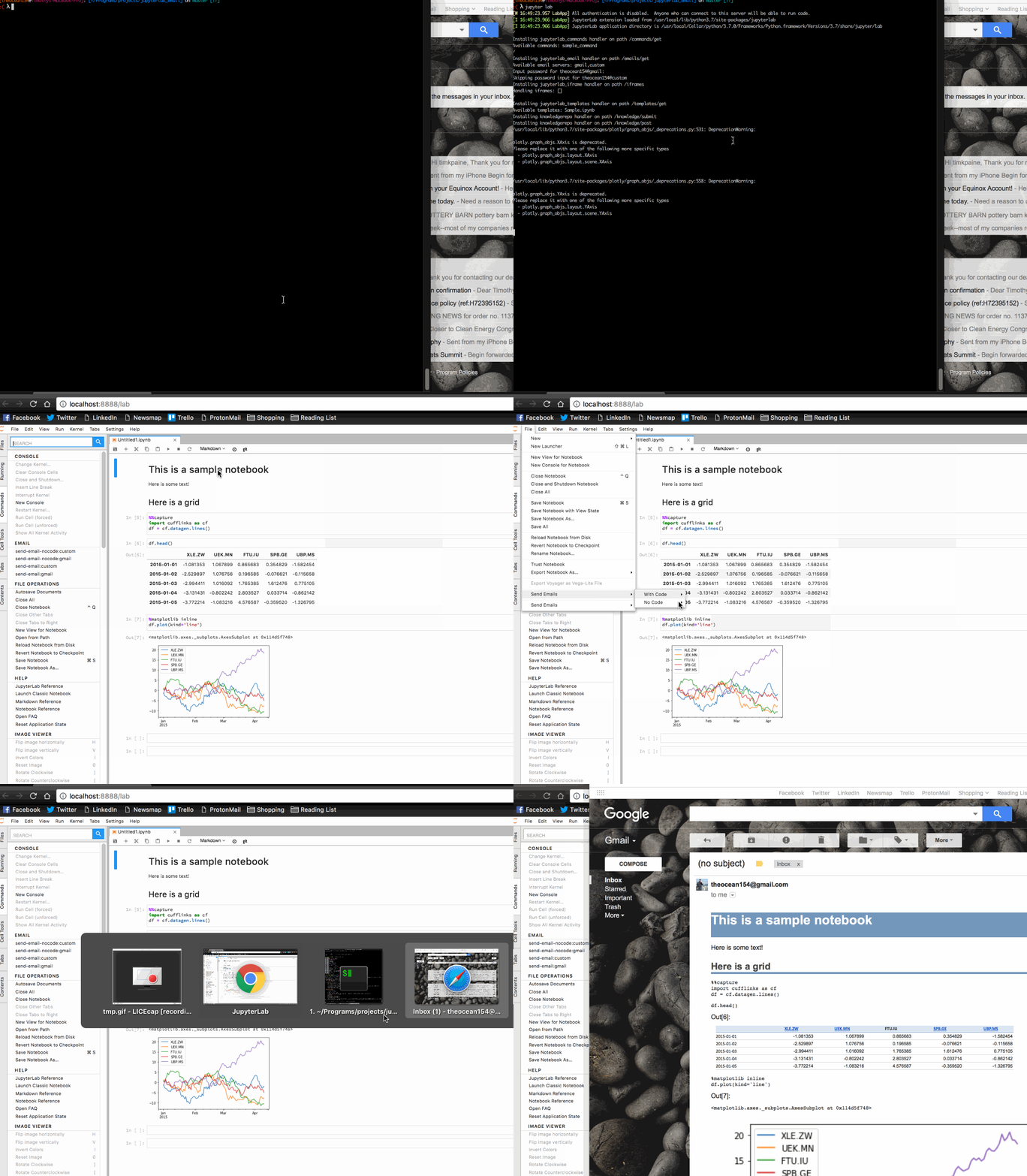
Options
- Inline notebook as email, with code
- Inline notebook as email, without code
- Send notebook as HTML attachment, with code
- Send notebook as HTML attachment, without code
- Send notebook as PDF attachment, with code
- Send notebook as PDF attachment, without code
- Attach output data as CSV, TSV, PDF, PNG, or Excel Spreadsheet
Install
pip install jupyterlab_email
jupyter labextension install jupyterlab_email
jupyter serverextension enable --py jupyterlab_email
Adding templates
install the server extension, and add the following to jupyter_notebook_config.py
c.JupyterLabEmail.smtp_servers = [{'name': 'gmail',
                                   'domain': 'gmail.com',
                                   'username': '<YOUR USERNAME>',
                                   'smtp': 'smtp.gmail.com',
                                   'port': 465}]
Create email from notebook:
Use the function in jupyterlab_email._email
def make_email(path, model, from_, type='email', template='', code=False, subject='',
               also_attach='none', also_attach_pdf_template='', also_attach_html_template=''):
    '''
        path        : path to notebook
        model       : notebook itself (in case deployment strips outputs or
                      notebook not available except through ContentsManager)
        from_       : address to send the email from
        type        : type to convert notebook to
        template    : template to use when converting notebook
        code        : include input cells in notebook
        subject     : subject of email
        also_attach : also attach pdf/html/both
    '''
Attach dataframe as csv or spreadsheet
In jupyterlab_email.attachments
def attach(data, filename, type):
Modify jupyterlab_email.attachments.EXCEL_ENGINE to use a different excel writer (defaults to xlsxwriter)
Inline LaTeX
In jupyterlab_email.attachments
def latex(expression):
    import matplotlib.pyplot as plt
    fig, ax = plt.subplots(figsize=(10, 1))
    ax.xaxis.set_visible(False)
    ax.yaxis.set_visible(False)
    ax.axis('off')
    plt.text(0, 0.6, r'$%s$' % expression, fontsize=25)
    plt.show()
Release history Release notifications | RSS feed


Download files
Download the file for your platform. If you're not sure which to choose, learn more about installing packages.
Source Distribution
Built Distribution
Filter files by name, interpreter, ABI, and platform.
If you're not sure about the file name format, learn more about wheel file names.
Copy a direct link to the current filters
File details
Details for the file jupyterlab_email-0.3.1.tar.gz.
File metadata
- Download URL: jupyterlab_email-0.3.1.tar.gz
- Upload date:
- Size: 188.6 kB
- Tags: Source
- Uploaded using Trusted Publishing? No
- Uploaded via: twine/4.0.2 CPython/3.11.4
File hashes
| Algorithm | Hash digest | |
|---|---|---|
| SHA256 |
910faac580cbb5d5c912bfe87f4cfb663813efd3d68e57b676393e1f6cf16d32
|
|
| MD5 |
f2f8ac59c101b5f31d32b4ca3d59ec60
|
|
| BLAKE2b-256 |
e8538eb1c1ca05533dee54771083ef1f0379b3a1e7c0a9a0fca03ac856cf2322
|
File details
Details for the file jupyterlab_email-0.3.1-py3-none-any.whl.
File metadata
- Download URL: jupyterlab_email-0.3.1-py3-none-any.whl
- Upload date:
- Size: 65.2 kB
- Tags: Python 3
- Uploaded using Trusted Publishing? No
- Uploaded via: twine/4.0.2 CPython/3.11.4
File hashes
| Algorithm | Hash digest | |
|---|---|---|
| SHA256 |
d110d1c975bb91a7622213f3b649891a0bfe5a0262d4c4e5893634e78161a148
|
|
| MD5 |
81780e80d67e69bf9b73823a79ba0f99
|
|
| BLAKE2b-256 |
51bcc3a13d870f695257176902fd841074a238f0071db3c7984d5ea99930a7a9
|






