
jupyterlab_iframe
Open a site in a widget, or add a set of "quicklinks".


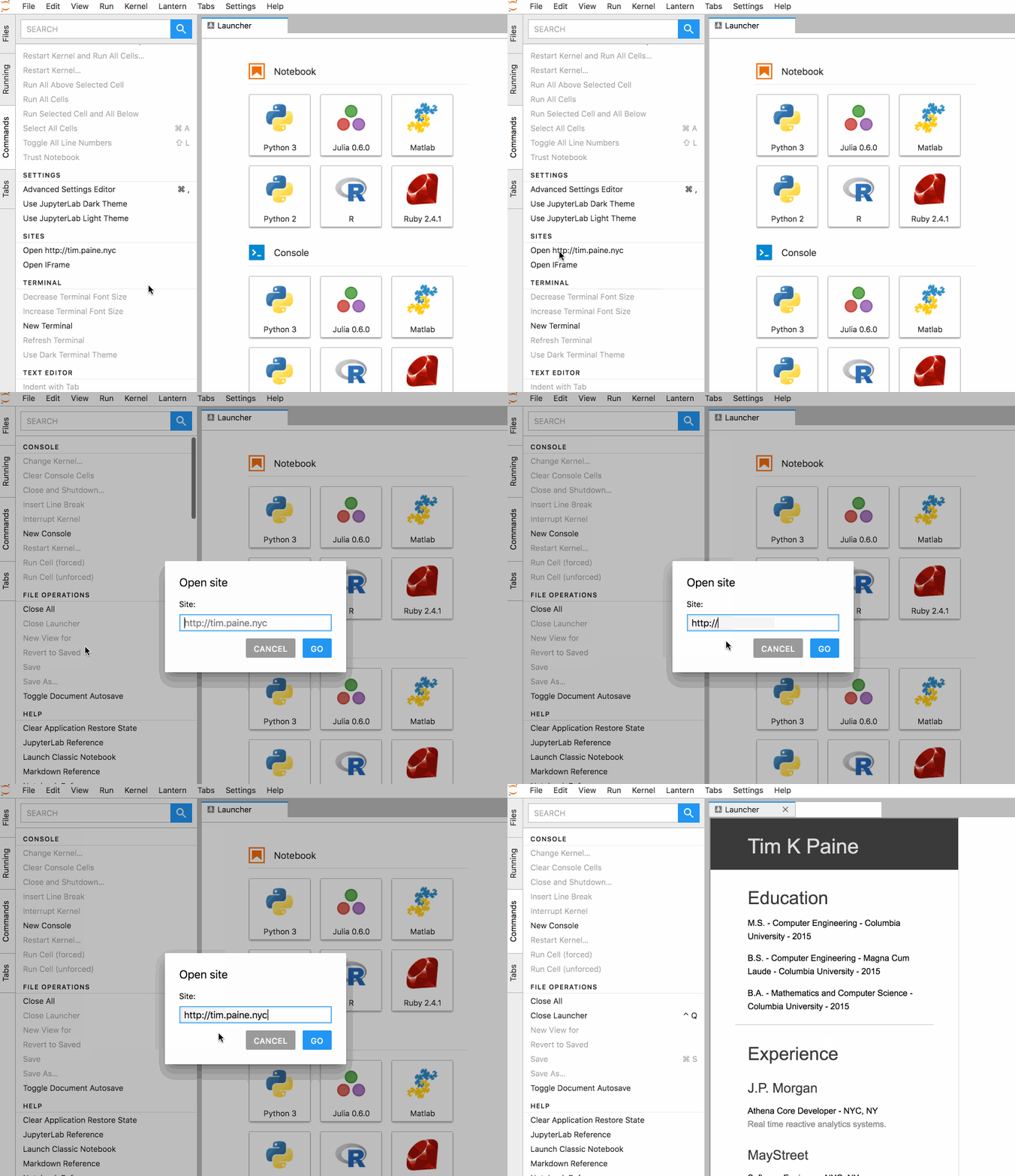
Install
pip install jupyterlab_iframe
jupyter labextension install jupyterlab_iframe
jupyter serverextension enable --py jupyterlab_iframe
Options
External Sites
install the server extension, and add the following to jupyter_notebook_config.py
c.JupyterLabIFrame.iframes = ['list', 'of', 'sites']
In this example, list, of, and sites will be available as links in the command palette.
Landing page on initial page load
c.JupyterLabIFrame.iframes = ['list', 'of', 'sites']
c.JupyterLabIFrame.welcome = 'a site to show on initial load'
c.JupyterLabIFrame.local_files = ['list', 'of', 'local', 'html', 'files']
In this example, a site will open by default the first time JupyterLab is opened.
Open local html file in iframe
c.JupyterLabIFrame.local_files = ['list', 'of', 'local', 'html', 'files']
Any files specified by 'local_files' will be served up as local links. By default any file on the filesystem is allowed, to disable this and only allow the list specifically designated here, set c.JupyterLabIFrame.allow_any_local = False. If you allow all, in the open dialog start the file path with local://.
Caveats
Update for version v0.0.12 - Most of these are covered by #31
This package uses iframes, so is subject to a few restrictions:
- If Jlab is served over SSL, so must the sites (http/https must match)
- If the underlying site enforces same-origin, then we cannot navigate to them (e.g. google)
Similar Packages
- Jupyterlab-html displays local html files as websites in an iframe
- Jupyterlab-sandbox
- Main JLab Issue
Configuring Binder with a landing page
To configure binder to serve a landing page, simply add the following configuration:
To requirements.txt:
jupyterlab_iframe>=0.2
To postBuild:
jupyter labextension install jupyterlab_iframe@^0.2
jupyter serverextension enable --py jupyterlab_iframe

config="c.JupyterLabIFrame.welcome = 'local://binder/landing.html'"
mkdir -p ~/.jupyter
echo -e $config > ~/.jupyter/jupyter_notebook_config.py
1 maintainer

Metadata
1 maintainer
Release files for jupyterlab-iframe 0.5.0
For a detailed explanation of source distributions (sdists) and built distributions (wheels), please see the package formats documentation.
Source distribution (sdist)
| File | Size | Uploaded | Provenance | Actions |
|---|---|---|---|---|
| jupyterlab_iframe-0.5.0.tar.gz | 163.8 kB | Without provenance | Details for jupyterlab_iframe-0.5.0.tar.gz |
Built distribution (wheel)
| File | Interpreter | ABI | Platform | Actions Reset |
|---|---|---|---|---|
| jupyterlab_iframe-0.5.0-py3-none-any.whl | Python 3 | none | any | Details for jupyterlab_iframe-0.5.0-py3-none-any.whl |
Total release size: 211.1 kB
Release files / jupyterlab_iframe-0.5.0.tar.gz
| Download URL | jupyterlab_iframe-0.5.0.tar.gz |
|---|---|
| Size | 163.8 kB |
| Tags | Source |
|
SHA-256 checksum How to use checksums |
01d729a12470aa9d1878f337a712d6f12065d5cefbd134b6d4e8e80c429eefa7
|
|
BLAKE2b-256 checksum How to use checksums |
5e119b7d53fd636bca114092854199d19cbea8ebdd66cd8729e2d2ab32f0496c
|
| Upload date | |
|
Uploaded using Trusted Publishing? What is trusted publishing? |
No |
| Uploaded via |
twine/4.0.2 CPython/3.11.4
|
Release files / jupyterlab_iframe-0.5.0-py3-none-any.whl
| Download URL | jupyterlab_iframe-0.5.0-py3-none-any.whl |
|---|---|
| Size | 47.3 kB |
| Tags | Python 3 |
|
SHA-256 checksum How to use checksums |
b14b8adf42f78168d5f776a3d5d77ad340f5873b8c473345f888f6dbc9db6e74
|
|
BLAKE2b-256 checksum How to use checksums |
91f3fc82c9f22c851e68f17d26a8f3dd603f0bdfdc2005ab7e65961f9c870d2b
|
| Upload date | |
|
Uploaded using Trusted Publishing? What is trusted publishing? |
No |
| Uploaded via |
twine/4.0.2 CPython/3.11.4
|
Security for jupyterlab-iframe 0.5.0
Provenance
Provenance describes where a file came from. On PyPI, provenance is shared via attestations, which provide a verifiable record of the build or publishing details. View details, limitations and caveats.
No provenance found
None of the files in this release were uploaded with provenance metadata.
A note on package security
PyPI is a repository for distributing packages, not a service for auditing them. While third-party security researchers and our staff do their best to detect and remove malicious packages, PyPI cannot guarantee the quality, security or suitability of any given package.
To learn more about protecting yourself from malicious actors, visit our package security documentation.














