




kanban-python
A Terminal Kanban Application written in Python to boost your productivity :rocket:
Introduction
Welcome to kanban-python, your Terminal Kanban-Board Manager.
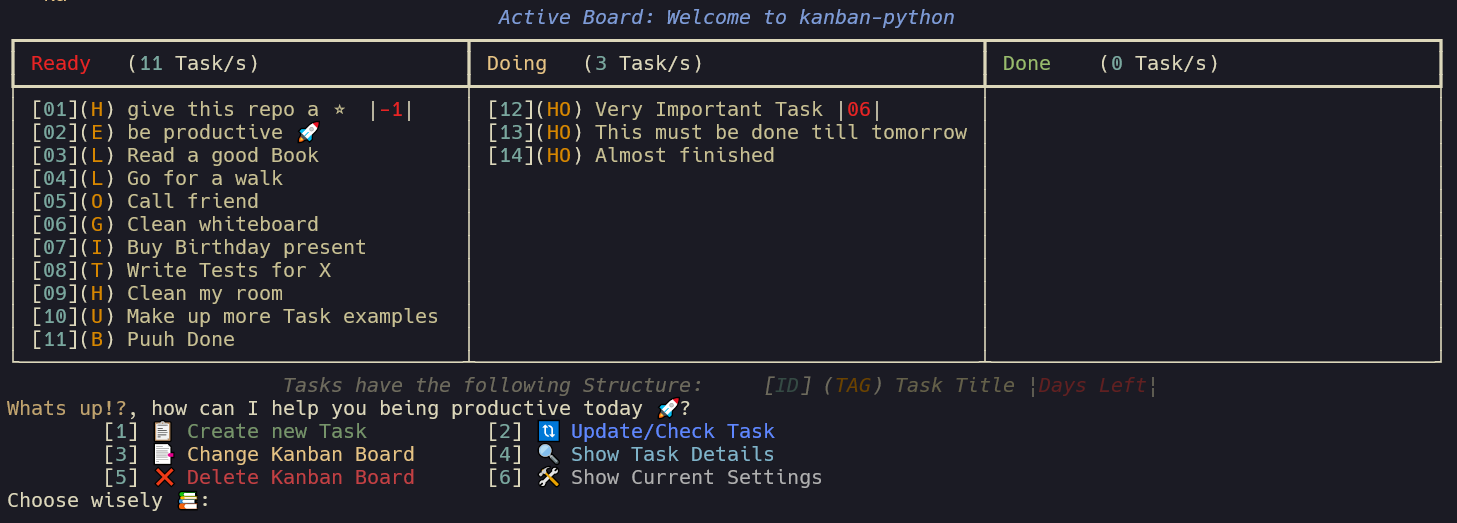
kanban-python also comes with more features and customization options. This package was developed with pyscaffold, which provides nice project templates and takes over much of the boilerplate for python packaging. It was a great help for developing my first package and I can highly recommend it.
Features
-
colorful and interactive: kanban-python uses rich under the hood to process user input and display nice looking tables to the terminal.
-
following the XDG convention: kanban-python utilizes platformdirs
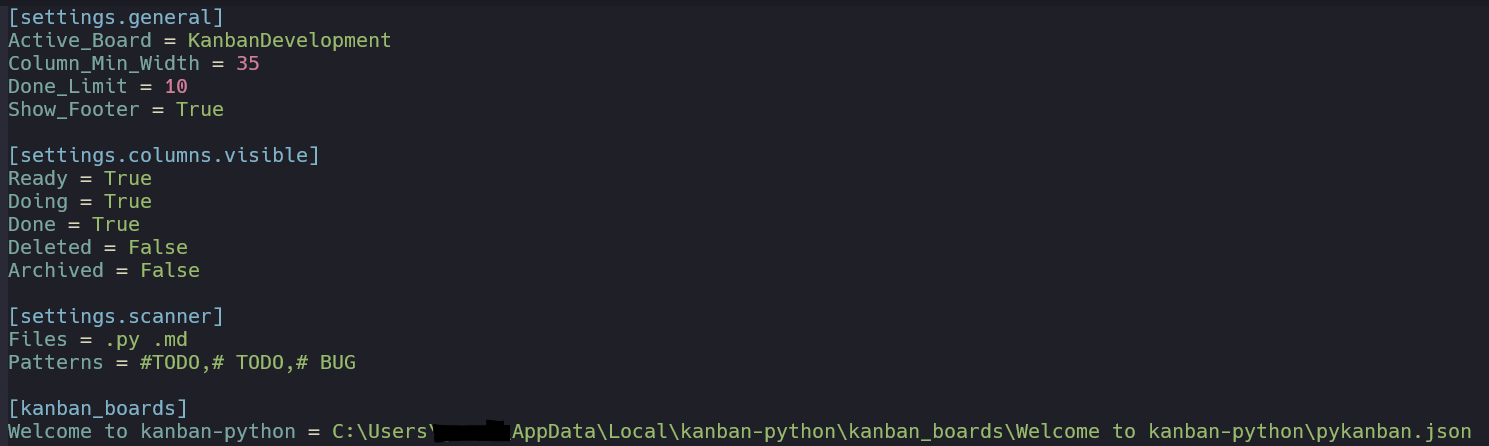
user_config_dirto save the config file anduser_data_dirfor the board specific task files. After creating your first board, you can usekanban configureto show the current settings table. The config path in the table caption and the path for the task files can be found in the kanban_boards section. -
automated scanning of files for task creation: kanban-python can scan files of defined types for specific patterns at start of line. Check Automatic Task Creation for more Infos.
-
configfile: A
pykanban.inifile gets created on first initialization in a.kanban-pythonfolder in yourHome-Directory. This can be edited manually or within the kanban-python application. It tracks the location for all your created boards.
Active_Board: current board that is shown when usingkanban-commandDone_Limit: If the amount of tasks exceed this number in the Done column, the first task of that column gets its status updated to Archived and is moved into that column. (default:10)Column_Min_Width: Sets the minimum width of columns. (default:40)Show_Footer: Shows the table footer with package name and version. (default:True)Files: Space seperated filetypes to search for patterns to create tasks. (default:.py .md)Patterns: Comma seperated patterns to search for start of line to create tasks.
(default:# TODO,#TODO,# BUG)
-
storage-file for each board: Each created board comes with its own name and
pykanban.jsonfile, which stores all tasks for that board. The files are stored in board specific folders under.kanban-python/kanban_boards/<BOARDNAME> -
column customization: kanban-python comes with 5 pre-defined colored columns: [Ready, Doing, Done, Archived, Deleted] More column can be added manually in the
pykanban.ini, also the visibility can be configured. -
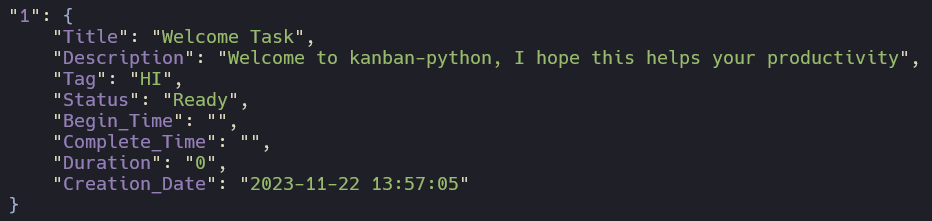
time-tracking: for each task it is tracked, how long it was in the Doing column, based on the moments when you update the task status. The initial Task structure on creation looks as follows:
Installation
You can install kanban-python with:
python -m pip install kanban-python
Usage
After Installation of kanban-python, there are 4 commands available:
Create new Boards
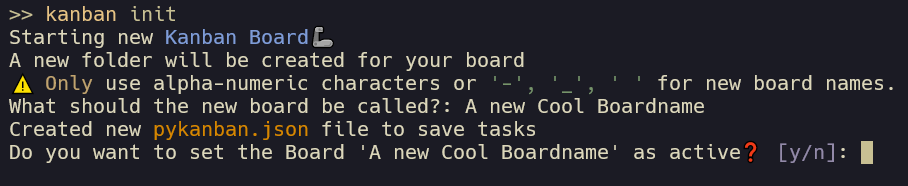
kanban init
Is used to create a new kanban board i.e. it asks for a name and then creates a pykanban.json file with a Welcome Task.
On first use of any command, the pykanban.ini configfile and the .kanban-python folder will be created automatically.
Interact with Tasks/Boards
kanban
This is your main command to interact with your boards and tasks. It also gives the option to show the current settings and adjust them.
Adjusting the settings can also be done directly by using the command kanban configure:
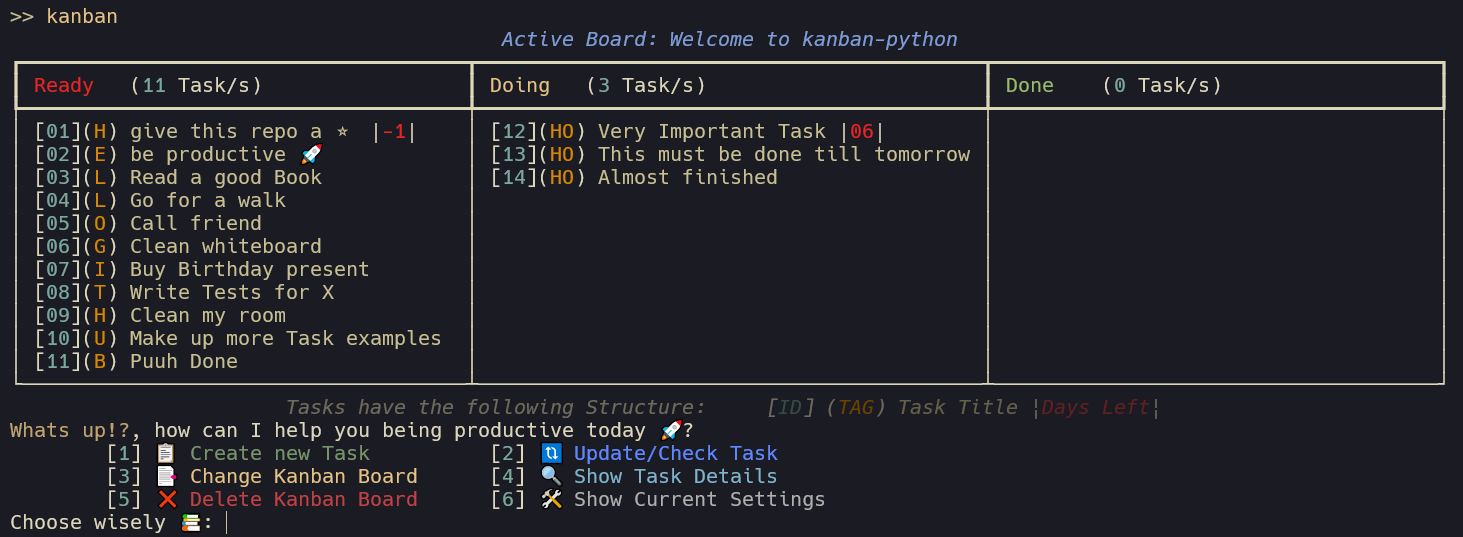
Use Ctrl-C to exit the application at any time. :warning: If you exit in the middle of creating/updating a task,
or changing settings, your progress wont be saved.
Automatic Task Creation
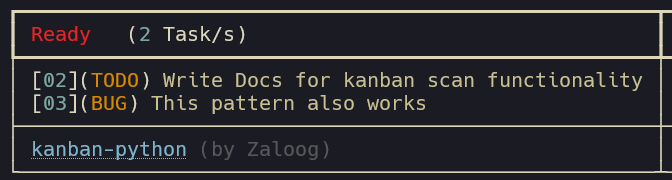
kanban scan
After executing this command, kanban-python scans your current Directory recursively for the defined filetypes and searches for lines
that start with the pattern provided.

After confirmation to add the found tasks to table they will be added to the board. The alphanumeric Part of the Pattern will be used as tag.
The filepath were the task was found will be added as description of the task.
Change Settings
kanban configure
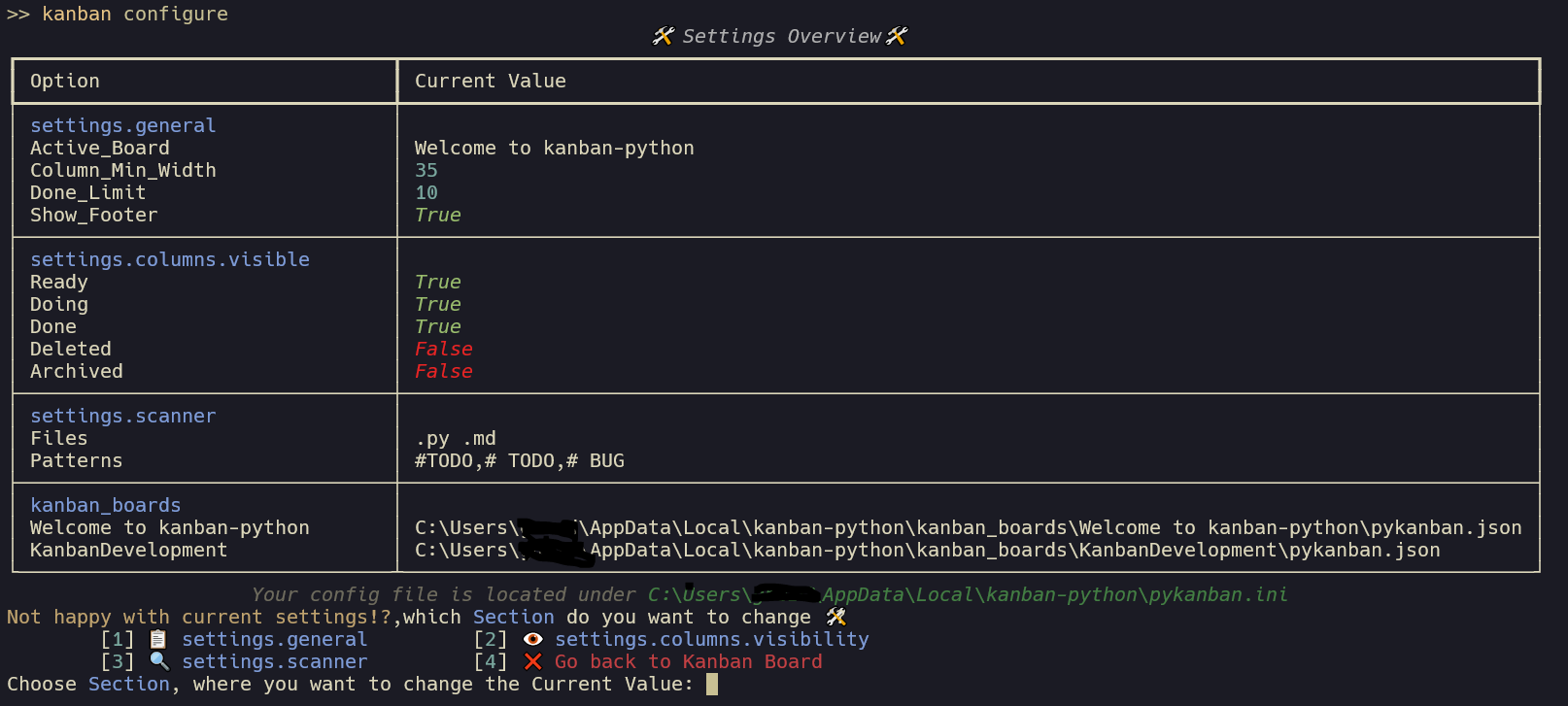
To create a new custom Columns, you have to edit the pykanban.ini manually and add a new column name + visibility status
under the settings.columns.visible section. The same way you can also add more file endings or patterns for the settings.scanner section.
Keep in mind the specific separators for that section.
I am working on an option to customize those things in the future without the need to manual edit the file.
Feedback and Issues
Feel free to reach out and share your feedback, or open an Issue, if something doesnt work as expected.
Also check the Changelog for new updates.
:warning: With release v0.3.0 kanban-python switched to the XDG Basedir Spec. So some file migrations and config edits might be
needed to continue working with your already created boards if you update from v0.2.X to v0.3.X
Note
This project has been set up using PyScaffold 4.5. For details and usage information on PyScaffold see https://pyscaffold.org/.
1 maintainer

Metadata
1 maintainer
Release files for kanban-python 0.3.0
For a detailed explanation of source distributions (sdists) and built distributions (wheels), please see the package formats documentation.
Source distribution (sdist)
| File | Size | Uploaded | |
|---|---|---|---|
| kanban-python-0.3.0.tar.gz | 304.1 kB | Details |
Built distribution (wheel)
| File | Interpreter | ABI | Platform | Reset |
|---|---|---|---|---|
| kanban_python-0.3.0-py3-none-any.whl | Python 3 | none | any | Details |
Total release size: 322.3 kB
Release files / kanban-python-0.3.0.tar.gz
| Download URL | kanban-python-0.3.0.tar.gz |
|---|---|
| Size | 304.1 kB |
| Tags | Source |
|
SHA-256 checksum How to use checksums |
152b0c20559f94e2db2b0bef319f1442f7461c8e5cf8233da20d734929b065a5
|
|
BLAKE2b-256 checksum How to use checksums |
0fe465c0354cd8463aa2f6dec9ded58d90421e8802130dc7ed54503acf082d27
|
| Upload date | |
|
Uploaded using Trusted Publishing? What is trusted publishing? |
No |
| Uploaded via |
twine/4.0.2 CPython/3.10.12
|
Release files / kanban_python-0.3.0-py3-none-any.whl
| Download URL | kanban_python-0.3.0-py3-none-any.whl |
|---|---|
| Size | 18.2 kB |
| Tags | Python 3 |
|
SHA-256 checksum How to use checksums |
99de8ed055342de86df5dfd738a2dc440f88a820f086f7eb67e7007d0db6ddc6
|
|
BLAKE2b-256 checksum How to use checksums |
98d88d296285d4fd1d6acd4cdd17793cafb137cdd56d40e66faa9955008457a3
|
| Upload date | |
|
Uploaded using Trusted Publishing? What is trusted publishing? |
No |
| Uploaded via |
twine/4.0.2 CPython/3.10.12
|














