
KeyMoji [Emotions in Formula]
KeyMoji 關鍵情緒偵測 (SENSE2、SENSE8、Tension) 採用不同於其它「素人標記」和「純機器學習」的文本情緒偵測分析工具,結合了「句型」、「邏輯語意」和「詞彙模型」,設計出一個完整的「情緒計算過程」。
安裝方法
pip3 install KeyMojiAPI
or
python3 -m pip install KeyMojiAPI
使用方法
KeyMoji Website Demo
KeyMojiAPI Documentation
SENSE2
from KeyMojiAPI import KeyMoji
# 若您是使用 Docker 版本,無須填入 username, keymoji_key 參數
keymoji = KeyMoji(username="", keymojiKey="")

inputSTR = "他逃離了危險的災難"
result = keymoji.sense2(inputSTR)
print(result)
{
    "status": true,
    "msg": "Success!",
    "results": [
        {
            "score": 0.2798,
            "sentiment": "positive",
            "input_str": "他逃離了危險的災難",
            "cursing": false
        }
    ],
    "sense": "sense2",
    "version": "v101"
}
Visualization
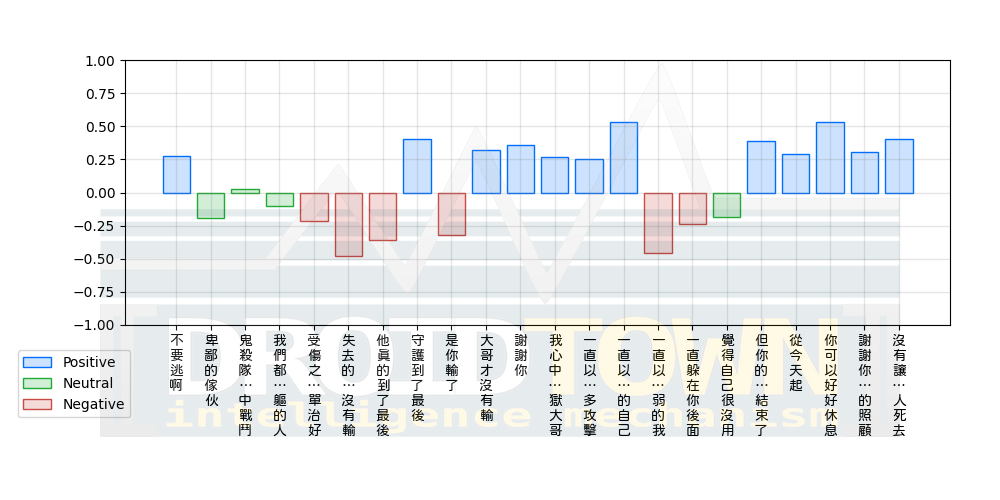
SENSE8
from KeyMojiAPI import KeyMoji
# 若您是使用 Docker 版本,無須填入 username, keymoji_key 參數
keymoji = KeyMoji(username="", keymojiKey="")

inputSTR = "他逃離了危險的災難"
result = keymoji.sense8(inputSTR)
print(result)
{
    "status": true,
    "msg": "Success!",
    "results": [
        {
            "input_str": "他逃離了危險的災難",
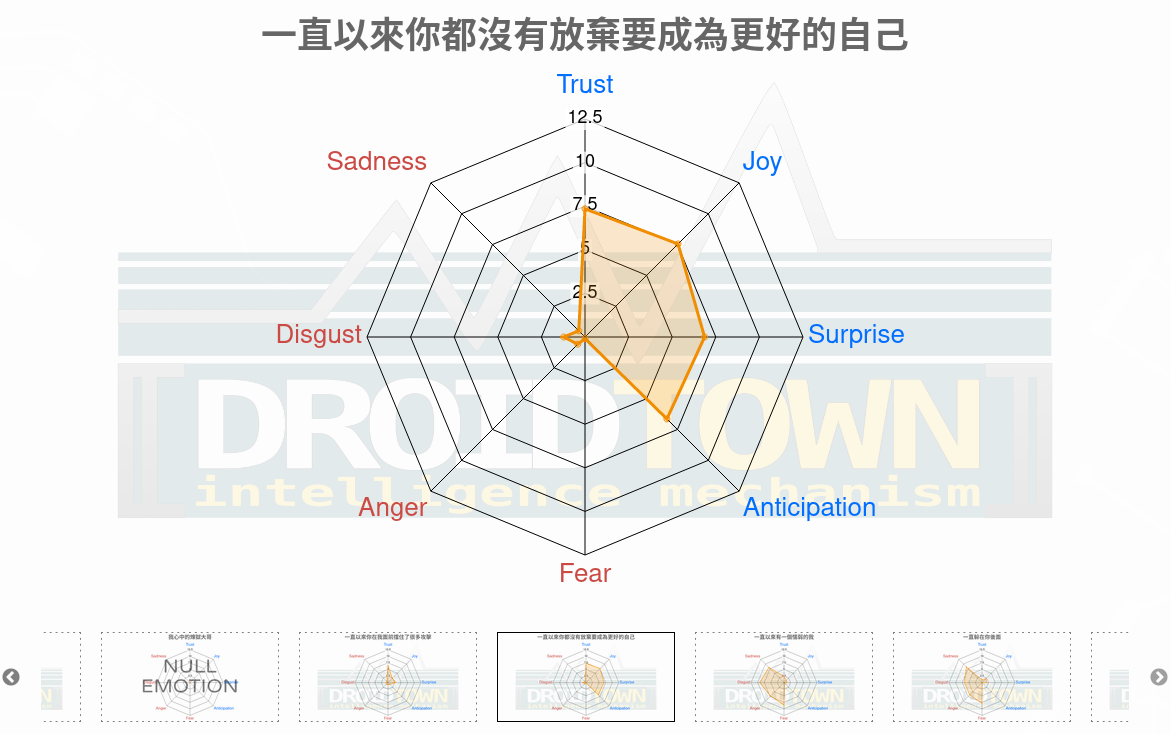
            "Joy": 3.7486,
            "Trust": 5.1776,
            "Surprise": 6.7238,
            "Anticipation": 0.9618,
            "Fear": 0.9505,
            "Sadness": 0.9108,
            "Anger": 0.9516,
            "Disgust": 0.8876
        }
    ],
    "sense": "sense8",
    "version": "v101"
}
Visualization
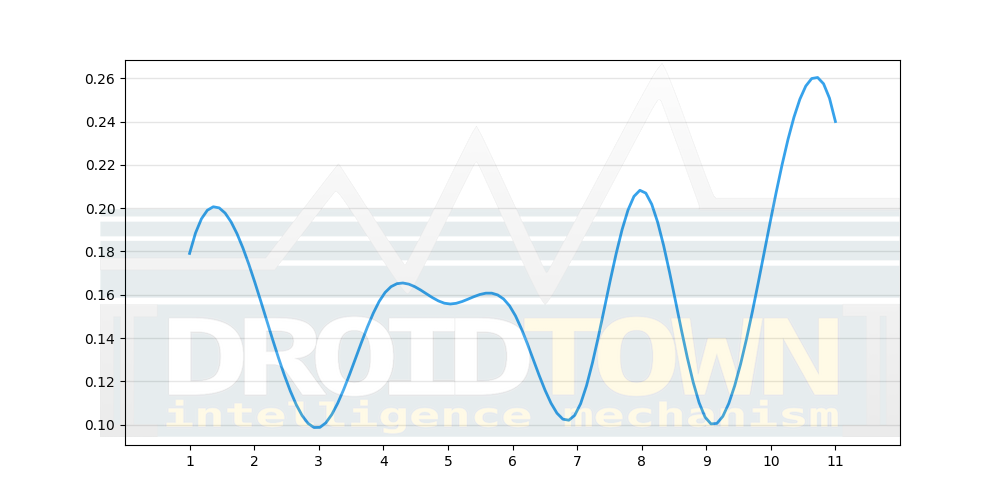
Tension Visualization
1 maintainer

Metadata
1 maintainer
Release files for KeyMojiAPI 1.0.5
For a detailed explanation of source distributions (sdists) and built distributions (wheels), please see the package formats documentation.
Source distribution (sdist)
| File | Size | Uploaded | Provenance | Actions |
|---|---|---|---|---|
| KeyMojiAPI-1.0.5.tar.gz | 4.1 MB | Without provenance | Details for KeyMojiAPI-1.0.5.tar.gz |
Built distribution (wheel)
| File | Interpreter | ABI | Platform | Actions Reset |
|---|---|---|---|---|
| KeyMojiAPI-1.0.5-py3-none-any.whl | Python 3 | none | any | Details for KeyMojiAPI-1.0.5-py3-none-any.whl |
Total release size: 8.3 MB
Release files / KeyMojiAPI-1.0.5.tar.gz
| Download URL | KeyMojiAPI-1.0.5.tar.gz |
|---|---|
| Size | 4.1 MB |
| Tags | Source |
|
SHA-256 checksum How to use checksums |
649f58f8ece7ebc5a4243c6f2eee0cafb15367531d60edb9d774b50298401c4e
|
|
BLAKE2b-256 checksum How to use checksums |
14de3764f97bb0fb2bb50f42fe2baf05903e7d95aa874505a39a1035360be63d
|
| Upload date | |
|
Uploaded using Trusted Publishing? What is trusted publishing? |
No |
| Uploaded via |
twine/4.0.1 CPython/3.9.15
|
Release files / KeyMojiAPI-1.0.5-py3-none-any.whl
| Download URL | KeyMojiAPI-1.0.5-py3-none-any.whl |
|---|---|
| Size | 4.1 MB |
| Tags | Python 3 |
|
SHA-256 checksum How to use checksums |
1ca6cc08d354c8c452dd37fa34305badec2db9d230b78e12dced97ee9a44fe32
|
|
BLAKE2b-256 checksum How to use checksums |
ca34a36e7d6750a0c085e5a13299d89230d0723483f73b1a8a79d8836b142911
|
| Upload date | |
|
Uploaded using Trusted Publishing? What is trusted publishing? |
No |
| Uploaded via |
twine/4.0.1 CPython/3.9.15
|
Security for KeyMojiAPI 1.0.5
Provenance
Provenance describes where a file came from. On PyPI, provenance is shared via attestations, which provide a verifiable record of the build or publishing details. View details, limitations and caveats.
No provenance found
None of the files in this release were uploaded with provenance metadata.
A note on package security
PyPI is a repository for distributing packages, not a service for auditing them. While third-party security researchers and our staff do their best to detect and remove malicious packages, PyPI cannot guarantee the quality, security or suitability of any given package.
To learn more about protecting yourself from malicious actors, visit our package security documentation.














