


Kitaab
Create beautiful notes right from the terminal
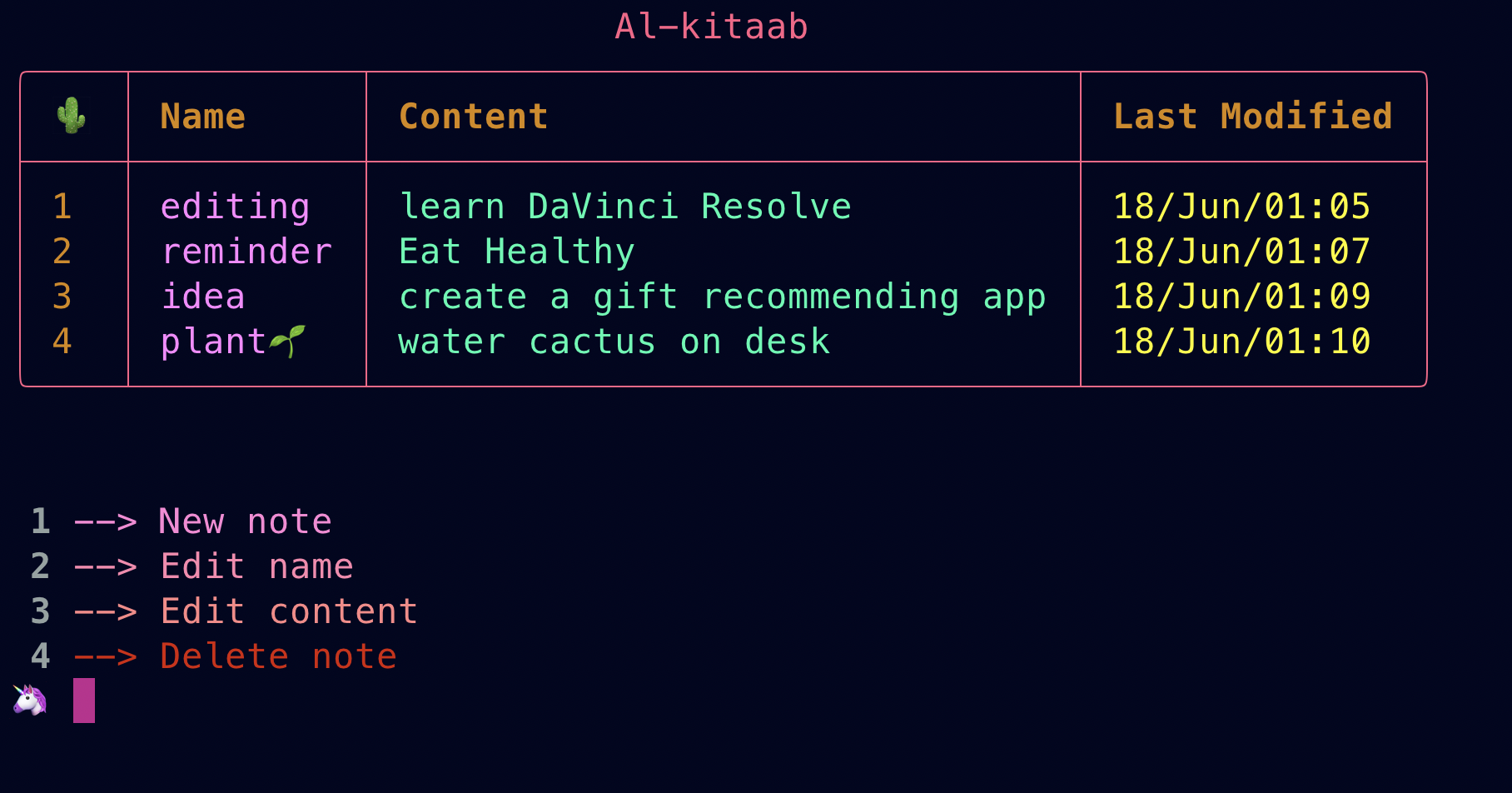
Publish your notes to Github
Install
pip install kitaab
Run
python -m kitaab
Usage
help
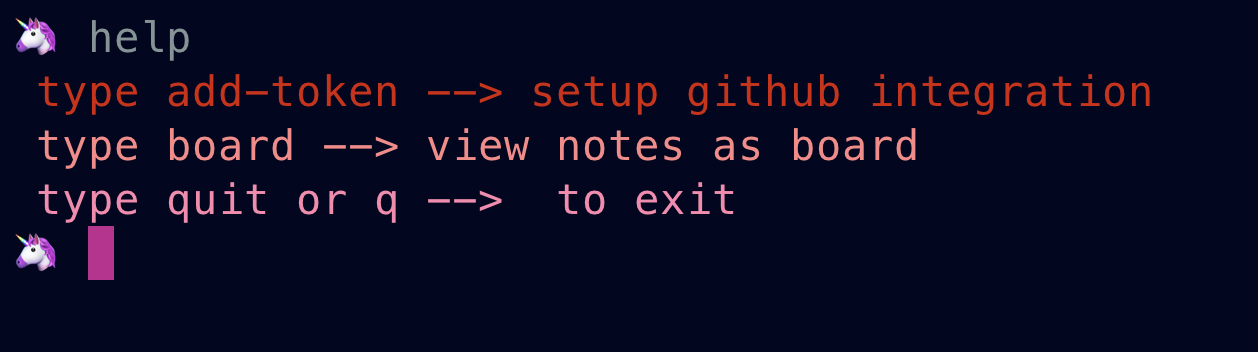
board

Generate token to publish notes to Github repository [OPTIONAL]
You can skip this if you don't want to publish your notes to github repository. Your notes will be safe in local sqlite3 database
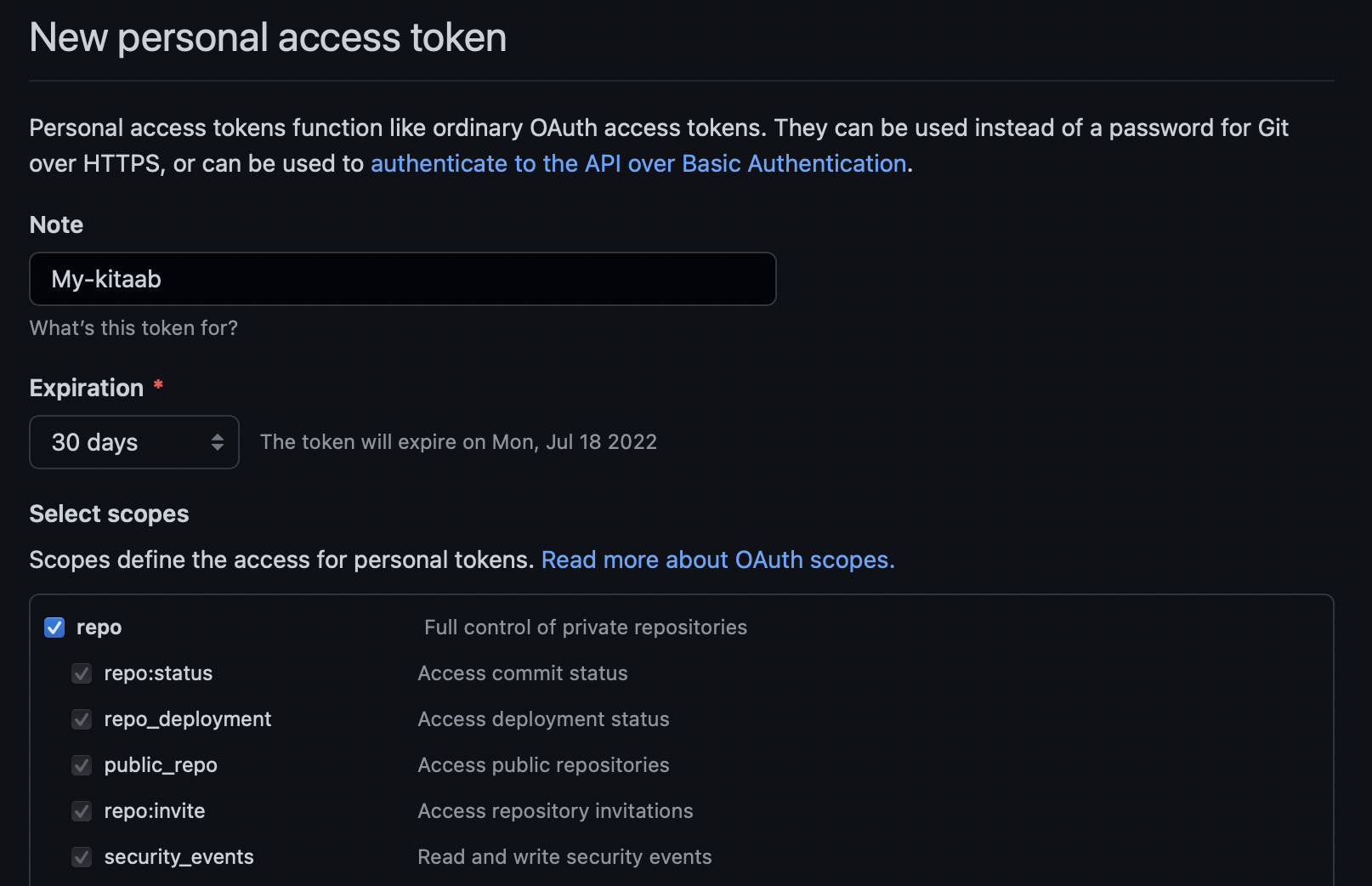
Uploading notes to github requires Authentication. Thankfully, Github users can generate Tokens to access GithubApi.
You can easily generate one for yourself by following the steps below:
- Sign in to your Github account
- Go to
settings - Navigate to
Developer settings - Click on
Personal access tokens - Click on
Generate new Token - Give it a name , set expiration date and
click on repounder scopes - Navigate down and click on green button
Generate token - Make sure to
copy your personal access tokennow, you won't be able to see it again.
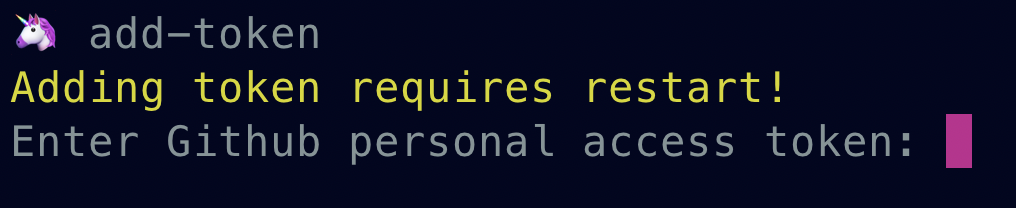
How to add token
add-token
1 maintainer

Release files for kitaab 0.0.5
For a detailed explanation of source distributions (sdists) and built distributions (wheels), please see the package formats documentation.
Source distribution (sdist)
| File | Size | Uploaded | |
|---|---|---|---|
| kitaab-0.0.5.tar.gz | 6.4 kB | Details |
Built distribution (wheel)
| File | Interpreter | ABI | Platform | Reset |
|---|---|---|---|---|
| kitaab-0.0.5-py3-none-any.whl | Python 3 | none | any | Details |
Total release size: 13.4 kB
Release files / kitaab-0.0.5.tar.gz
| Download URL | kitaab-0.0.5.tar.gz |
|---|---|
| Size | 6.4 kB |
| Tags | Source |
|
SHA-256 checksum How to use checksums |
9a6690a3d176e466bda369f8c14a625f5352d4983f1b0179ade80246828a4632
|
|
BLAKE2b-256 checksum How to use checksums |
c514b8322478802abce9dac05b936f8683c196ea7ddff7ea63341a0190c31613
|
| Upload date | |
|
Uploaded using Trusted Publishing? What is trusted publishing? |
No |
| Uploaded via |
twine/4.0.2 CPython/3.11.0
|
Release files / kitaab-0.0.5-py3-none-any.whl
| Download URL | kitaab-0.0.5-py3-none-any.whl |
|---|---|
| Size | 7.0 kB |
| Tags | Python 3 |
|
SHA-256 checksum How to use checksums |
ee3e0a16c633d1a58ce9d438775fae59165db18aa72c620e1c59a99047d45cdd
|
|
BLAKE2b-256 checksum How to use checksums |
49b11312e3d9ba003c919deb65ecb02a213934d2ab8074f6fb5cca82ce9541f3
|
| Upload date | |
|
Uploaded using Trusted Publishing? What is trusted publishing? |
No |
| Uploaded via |
twine/4.0.2 CPython/3.11.0
|














