
zbarcam




Real time Barcode and QR Code scanner using the camera. It's built on top of Kivy and pyzbar.
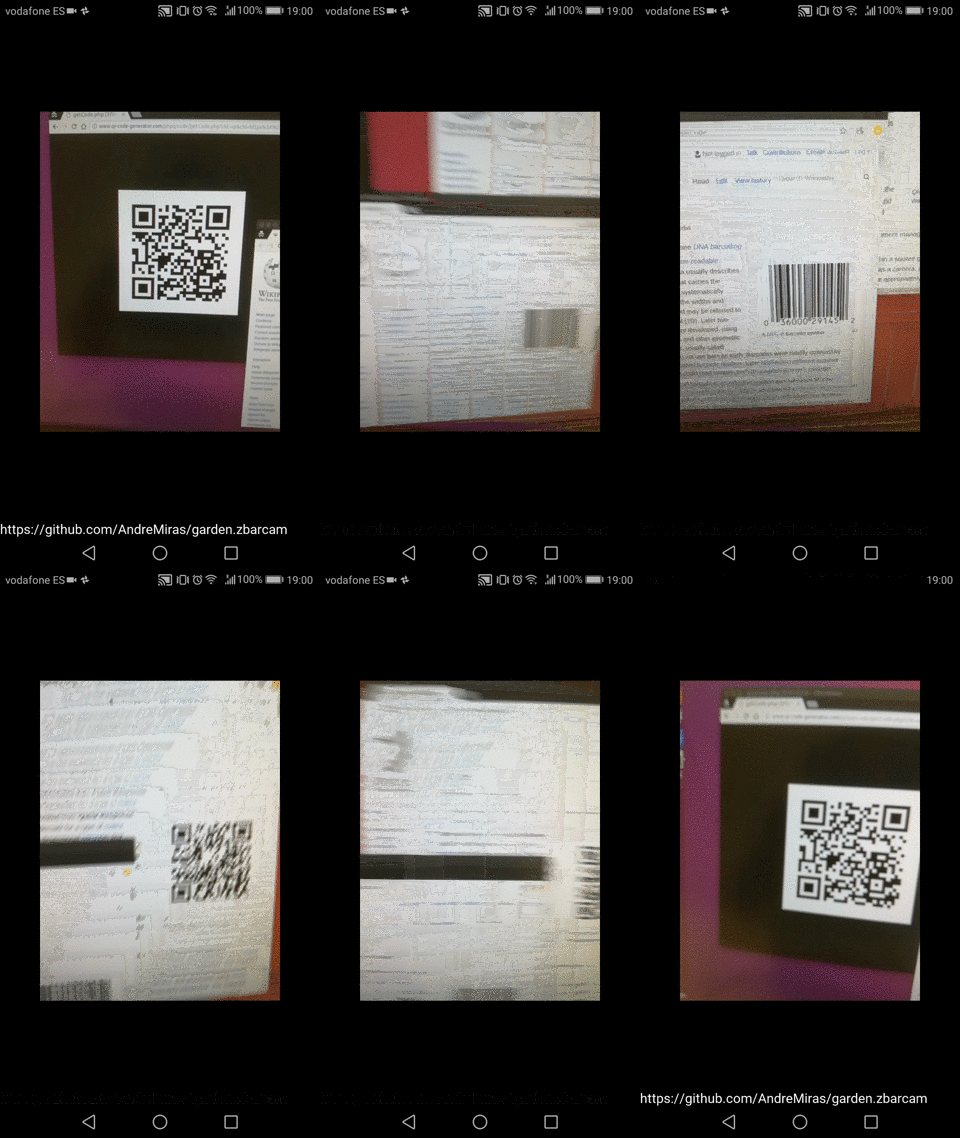
How to use
Simply import and instanciate ZBarCam in your kvlang file and access its symbols property.
#:import ZBarCam kivy_garden.zbarcam.ZBarCam
#:import ZBarSymbol pyzbar.pyzbar.ZBarSymbol
BoxLayout:
    orientation: 'vertical'
    ZBarCam:
        id: zbarcam
        # optional, by default checks all types
        code_types: ZBarSymbol.QRCODE, ZBarSymbol.EAN13
    Label:
        size_hint: None, None
        size: self.texture_size[0], 50
        text: ', '.join([str(symbol.data) for symbol in zbarcam.symbols])
A full working demo is available in src/main.py.
Install
Ubuntu
Install system requirements (Ubuntu 18.04):
make system_dependencies
Install zbarcam:
pip install zbarcam
Then import it in your Python code via:
from kivy_garden.zbarcam import ZBarCam
Android
Build for Android via buildozer, see buildozer.spec.
Contribute
To play with the project, install system dependencies and Python requirements using the Makefile.
make
Then verify everything is OK by running tests.
make test
make uitest
Troubleshooting
Android ValueError: Empty module name
More likely an import issue in your .kv file.
Try to from zbarcam import ZBarCam in your main.py to see the exact error.
It's common to forget Pillow in buildozer.spec requirements section.
1 maintainer

Metadata
1 maintainer
Release files for kivy-garden.zbarcam 2020.524
For a detailed explanation of source distributions (sdists) and built distributions (wheels), please see the package formats documentation.
Source distribution (sdist)
| File | Size | Uploaded | |
|---|---|---|---|
| kivy_garden.zbarcam-2020.524.tar.gz | 6.8 kB | Details |
Built distribution (wheel)
| File | Interpreter | ABI | Platform | Reset |
|---|---|---|---|---|
| kivy_garden.zbarcam-2020.524-py3-none-any.whl | Python 3 | none | any | Details |
Total release size: 13.3 kB
Release files / kivy_garden.zbarcam-2020.524.tar.gz
| Download URL | kivy_garden.zbarcam-2020.524.tar.gz |
|---|---|
| Size | 6.8 kB |
| Tags | Source |
|
SHA-256 checksum How to use checksums |
40484382886a63aa7d76a0fca71a91a0c2a51b8428bcae7a9e91c296b1cec83c
|
|
BLAKE2b-256 checksum How to use checksums |
8f53ffc4c56cd7f98899f4aed7455512c262163effac32d4260a2a71d5d0f6a9
|
| Upload date | |
|
Uploaded using Trusted Publishing? What is trusted publishing? |
No |
| Uploaded via |
twine/3.1.1 pkginfo/1.5.0.1 requests/2.23.0 setuptools/41.2.0 requests-toolbelt/0.9.1 tqdm/4.46.0 CPython/3.8.3
|
Release files / kivy_garden.zbarcam-2020.524-py3-none-any.whl
| Download URL | kivy_garden.zbarcam-2020.524-py3-none-any.whl |
|---|---|
| Size | 6.5 kB |
| Tags | Python 3 |
|
SHA-256 checksum How to use checksums |
af9f056d2e74302e37d7fe19eafcd922e2598919412a640335a1dfdffc187591
|
|
BLAKE2b-256 checksum How to use checksums |
2f23eb77b6618217c28bf3b274132ef96087f4bc2a4d271745db5ace7da006ec
|
| Upload date | |
|
Uploaded using Trusted Publishing? What is trusted publishing? |
No |
| Uploaded via |
twine/3.1.1 pkginfo/1.5.0.1 requests/2.23.0 setuptools/41.2.0 requests-toolbelt/0.9.1 tqdm/4.46.0 CPython/3.8.3
|














